Airbnb Host Checklist: 10 Steps to 5-Star Reviews
Master hosting with our Airbnb host checklist. From guest communication to safety and monetization, these 10 steps help you earn 5-star reviews.
Running a successful Airbnb isn't just about clean sheets and a key on the table. The listings that hold up over time run on systems, not memory, because guests notice every gap, from missing Wi‑Fi details to confusing lock instructions to silence when they ask a simple question. Airbnb's own performance framework treats occupancy rate and related metrics as operating signals, not decoration, and that's exactly how a smart host should think about a Airbnb host checklist. The best checklist turns setup, communication, safety, and turnover into repeatable actions that support fewer problems and better stays.
That shift matters because guest expectations have changed. A modern stay often starts with self-service information, quick access, and clear house rules, then continues with smooth troubleshooting and useful local guidance. Hosts who handle those basics well spend less time answering the same messages and more time improving the listing itself. A strong checklist also makes it easier to spot what's working, what's causing friction, and what deserves automation.
This guide keeps the focus on what helps on the ground. It blends physical readiness with digital tools, self-check-in, guest education, and revenue-minded extras, so the checklist works like an operating system instead of a binder collecting dust.
Table of Contents
- 1. Set Up Professional Welcome Materials
- 2. Optimize Wi-Fi Access and Technical Connectivity
- 3. Create Clear Check-In and Check-Out Instructions
- 4. Establish House Rules and Guest Policies
- 5. Document Appliance Use and Smart Home Systems
- 6. Compile Local Recommendations and Area Information
- 7. Set Up Emergency and Safety Procedures
- 8. Implement Booking Management and Cancellation Policies
- 9. Create a Cleaning and Maintenance Checklist
- 10. Monitor Reviews and Gather Guest Feedback
- 10-Point Airbnb Host Checklist Comparison
- Turn Your Checklist into a Competitive Advantage
1. Set Up Professional Welcome Materials
A guest should know where to find the basics before they put down their bag. That means Wi‑Fi credentials, entry steps, house rules, emergency contacts, and neighborhood recommendations need to live in one place that's easy to open on a phone. Airbnb's Help Center describes occupancy rate as booked nights divided by available nights, and it defines average nightly rate as total nightly revenue divided by booked listing nights, which is exactly why welcome materials matter. They reduce friction at the moment a booking turns into a stay, and that affects the kind of experience that drives repeat demand. Airbnb Help Center guidance on host performance metrics
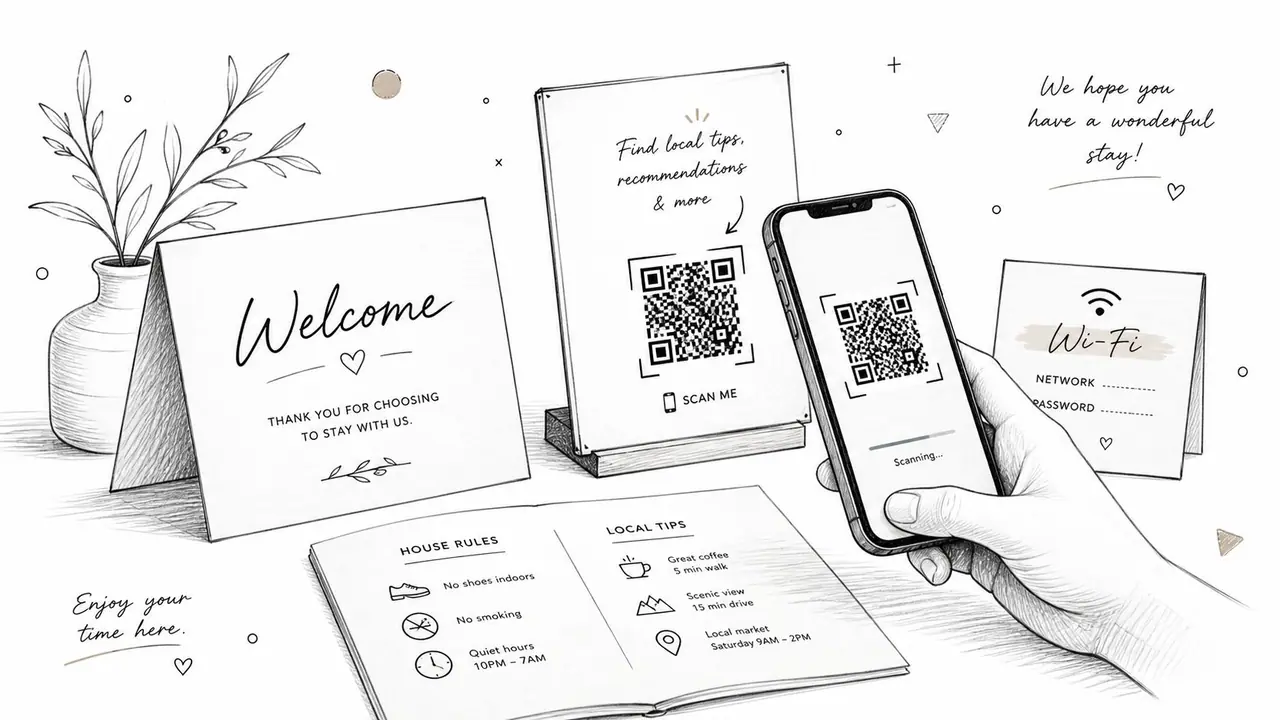
Digital welcome books solve the mess that paper binders create. A QR code on the wall or by the entry lets guests pull up the same information every time, which keeps your instructions consistent across one unit or a whole portfolio. If you want a practical starting point, a digital welcome book setup guide helps you think through what should be visible at the door and what should stay inside the mobile guide.
Practical rule: Put the most-used information in the first screen guests see, then tuck the rest behind clear headings. Guests rarely want a long narrative, they want the code, the lock, the rules, and the local essentials.
A good welcome system also has a trade-off. If you overload it with decoration, long paragraphs, and every possible local recommendation, guests stop using it. Keep it compact, test the QR code on multiple phones, and update access details immediately after turnover so the information stays trustworthy.
2. Optimize Wi-Fi Access and Technical Connectivity
Wi‑Fi is no longer a bonus feature. It's part of the stay, part of the review, and part of how guests judge whether a place is ready for real use. Independent hosting guidance in the brief treats reliable Wi‑Fi with a minimum 50 Mbps, a smart lock, and a well-documented house manual as foundational elements of a modern host checklist, which is the right way to think about connectivity in a self-service stay. RedAwning's 2026 Airbnb host checklist
A clean setup beats a complicated one. Give the network a name guests can recognize, use a password that's easy to type, and place the connection details where they'll be seen immediately. If you use a QR code for password-free access, test it from the guest side, not just from your own phone, because the main failure mode here isn't the router, it's confusion.
For multi-unit properties, the technical trade-off is coverage versus simplicity. Mesh networks reduce dead zones better than a single router pushed into a corner, especially when guests spread out with laptops, TVs, and phones. If a unit is routinely used for remote work, the cost of a bad connection shows up fast in support messages, low satisfaction, and preventable mid-stay complaints.
Make the fix visible before the complaint
A technical guide should answer the questions guests ask at 10 p.m., not the ones you expect during onboarding. That means a short troubleshooting list near the router, a restart instruction, and a note about where the backup hotspot or modem lives if you keep one. I'd rather see a simple printed card than a polished paragraph nobody can find.
You can also make the workflow more consistent through a dedicated Wi‑Fi management page, like the one described in guest Wi‑Fi management resources. The point isn't to sound technical, it's to make access boring. When Wi‑Fi works and the instructions are clear, guests stop asking about it and start using the space the way they planned.
3. Create Clear Check-In and Check-Out Instructions
Check-in confusion creates stress before the guest even opens the door. The fix is a step-by-step arrival and departure process that covers parking, lock access, the exact entry point, and what needs to happen before checkout. A self-check-in flow works best when it removes the need for back-and-forth messages, and a self-check-in guide can help you structure that process so it feels direct instead of improvised.
For a complex property, text alone isn't enough. Numbered steps with photos do more than a long paragraph ever will, and a short video walkthrough can save time for guests who've never used a smart lock, keypad, or shared entrance. If the unit has multiple doors or a tricky parking arrangement, show each one clearly and keep the wording plain.
Send the same message in more than one place
Guests don't always check the same channel, so the instructions should arrive by the platform message thread, email if you use it, and the digital guidebook. The strongest version of this system is the one that repeats the core steps without creating extra work for the host.
Put the arrival steps in the guest's hand before they need them, then keep the checkout steps short enough that they'll actually follow them.
Checkout should be equally specific. Tell guests what to do with trash, dishes, thermostats, keys, and locks, then make sure the list matches reality. If you ask for a chore that doesn't protect the property or the cleaning turnaround, you're just adding friction. Clear instructions reduce disputes because there's less room for guesswork.
4. Establish House Rules and Guest Policies
House rules work best when they sound like boundaries, not warnings. A guest should understand the limits on noise, parking, smoking, pets, extra visitors, and shared spaces without feeling like they've entered a legal trap. Airbnb's own performance materials emphasize monitoring response rate, ratings, and other signals together rather than in isolation, and the same logic applies to rules, because unclear policies quickly become avoidable guest friction. Airbnb Help Center on dashboard performance signals
Reasonable rules attract better-fit guests. Remote workers and families tend to respond well to listings that are clear about quiet hours, occupancy, and the fact that parties aren't part of the stay. If your property is in a building with neighbors, strong rules also help you protect the property relationship that keeps the listing viable.
Write rules people can scan in seconds
Use short headers, short bullets, and positive framing where it makes sense. “Guests are welcome to enjoy the patio until quiet hours” lands better than a wall of prohibitions, and it still tells people what matters. Translate the rules into your primary guest languages if you host internationally, because vague understanding causes more problems than a long rule list ever will.
A useful rule set also has consequences. If you're going to enforce noise limits or extra guest limits, say so plainly, then keep the language consistent with platform policy and local law. The goal is not to be strict for its own sake, it's to prevent the mismatch between what guests assume and what the property can handle.
5. Document Appliance Use and Smart Home Systems
The more modern the property, the more important the documentation becomes. Guests don't need a lecture on the oven, thermostat, dishwasher, or entertainment system, they need a quick path from confusion to use. That's why a smart-home section belongs in every Airbnb host checklist, especially if the unit includes devices like an August lock, Nest thermostat, streaming TV, or any other system that can be misused by accident.
Short videos are the fastest format for this. A one- or two-minute clip for the stove, thermostat, and smart lock often solves more problems than a printed packet with tiny text. Keep backup laminated cards near the appliance in case a guest doesn't want to scan a code or load a video at the moment they need help.
The core trade-off here is control versus convenience. The more automation you add, the more important it is to explain the fallback. A smart thermostat still needs override instructions. A smart lock still needs a backup entry plan. A washer with special cycles still needs a plain-language label so guests don't call you from the laundry room.
Operational habit: Every device should have three things, a short guide, a backup guide, and a way to confirm it works before the guest arrives.
If your property has a lot of tech, the documentation should feel like a user manual, not a sales sheet. Guests respect clarity, and clearer systems usually mean fewer support requests, less wear from misuse, and fewer moments where a small device problem becomes the story they remember.
6. Compile Local Recommendations and Area Information
A good neighborhood guide does more than point people to restaurants. It tells guests how to live in the area comfortably, which grocery store is closest, where to pick up medicine, how to get around, and what to do if they arrive hungry and tired. Hospitality training resources emphasize that thoughtful local guidance is part of the guest experience, not an afterthought, and that's especially true for guests staying in unfamiliar cities. Hospitality training resources
Keep the guide personal. A list of places you've tried carries more weight than a copied tourist sheet, and a few well-chosen recommendations are better than twenty generic ones. Group everything by category, dining, activities, transport, groceries, and urgent services, so the guide still works when a guest is searching on the way out the door.
Make the guide useful in real life
Include the little details that matter, like whether a place is good for takeout, whether it fits a family, or whether it's easiest to reach by foot or rideshare. If a venue changes hours often, note that in the guide and refresh it seasonally instead of waiting for a complaint. A map with pinned locations makes the guide more practical than plain text alone.
This is also where many hosts miss a revenue opportunity. The best local guide can support add-ons, from airport transfers to gear rentals to local experiences, without feeling pushy. Keep the tone helpful, not salesy, and present extras as optional support for the stay, not a hard sell.
7. Set Up Emergency and Safety Procedures
Safety information should be visible, not buried in a folder no one opens. Guests need to know where to find fire exits, first aid supplies, shutoffs, and emergency contacts, and they need that information before a problem starts. The RedAwning brief notes that smoke detectors, carbon monoxide detectors, and a fire extinguisher are core safety items, which lines up with how serious hosts should treat this part of the checklist. RedAwning's safety and compliance checklist
Keep the instructions visual. Mark the location of the extinguisher, first aid kit, water shutoff, and gas shutoff if your property has one. If the property has outdoor stairs, a basement exit, or a balcony route that matters in an emergency, show it clearly and keep the wording short.
Build for the guest who's stressed
Emergencies don't reward elegant wording. They reward obvious placement, calm language, and contact numbers that still work. I prefer to keep a day contact and a night contact visible, because guests don't always know whether a problem is urgent enough for a call or just important enough for a message.
The trade-off is simple. Safety documentation can feel repetitive, but repetition is the point. When guests can find the emergency information quickly, they feel safer, and you reduce the chance that a minor issue turns into a liability headache. That's also where monthly checks matter, because a guide is useless if the detector batteries have been ignored.
8. Implement Booking Management and Cancellation Policies
Booking policy is part of the guest experience, not just the back office. If your cancellation terms, refund approach, and modification rules are vague, you invite disputes before the stay even starts. A balanced approach matters, because the brief notes that hosts should treat occupancy rate and supply growth as operating signals, and that market discipline belongs in policy design too. AirROI's 2026 data on starting an Airbnb business
The smartest policy is the one guests can understand quickly. Put the rules where they're easy to find, repeat the key terms in the booking flow, and make sure any special stay requirements, like minimum stays or advance notice, are visible before the reservation is final. If you adjust policies for seasonal demand, document those changes carefully so there's no confusion later.
Keep flexibility where it protects revenue
There's a difference between being flexible and being soft. Flexibility makes sense when it preserves goodwill during slower periods or when a guest has a reasonable change request. Softness usually means inconsistent enforcement, which creates more conflict than it solves.
The trade-off is between booking comfort and revenue protection. Hosts who explain policy clearly often have fewer disputes because guests know what they're agreeing to. That clarity also helps if you need to reference a written policy after a cancellation or modification request.
9. Create a Cleaning and Maintenance Checklist
Cleaning is the most visible part of the operation, but maintenance is what keeps the listing clean the next time. A turnover checklist should cover linens, surfaces, bathrooms, kitchen appliances, floors, trash, consumables, and the final walk-through, while a deeper checklist handles less frequent tasks like appliance care and filter checks. The brief notes that a modern checklist should include both physical essentials and digital systems, and cleaning is where those systems either stay intact or start to slip. WipesBlog Airbnb cleaning tips
Use separate checklists for turnover and deep clean work. The turnover sheet should be fast, specific, and impossible to misread, while the deep-clean sheet can cover what happens seasonally or on a schedule. Before-and-after photos are useful here because they give you a simple record of what good looks like, especially if you outsource turnover cleaning.
Standardize the work, not just the result
A cleaner should know what “done” means in your property, not guess based on their own habits. That includes what products to use, what counts as acceptable shine, and which items need replacement instead of another quick wipe. If you manage more than one unit, standardization becomes even more valuable because it keeps the guest experience consistent across locations.
The biggest mistake is treating cleaning as a one-time reset instead of an operating rhythm. Track maintenance issues through a single channel, restock backup supplies before they run out, and review recurring problem areas so they stop reappearing. A clean listing is not just a visual win, it's a signal that the whole operation is under control.
10. Monitor Reviews and Gather Guest Feedback
Reviews are the closest thing to a live audit of your checklist. They tell you where guests get stuck, what they love, and what your current process misses, especially when the same theme shows up more than once. Airbnb's dashboard tracks views, conversion rate, search impressions or position, response rate and time, and ratings, which is the right mindset for review work too, because feedback is only useful when you read it alongside the rest of the operation. Airbnb Help Center dashboard metrics
Respond to reviews with care and speed, especially the critical ones. Thank guests for specific praise, acknowledge problems without getting defensive, and focus on what you changed or will change. The goal isn't to win the conversation publicly, it's to show future guests that you pay attention and fix what matters.
Turn recurring comments into checklist updates
If several guests mention the same thing, that's not a one-off. It's a process problem. Maybe the Wi‑Fi instructions need to be more visible, maybe the checkout steps are too long, or maybe the cleaner needs a clearer standard for one room that keeps getting mentioned.
A simple post-stay message can also surface issues before they become public reviews. Ask one or two focused questions, then use the answers to update your welcome guide, house rules, or maintenance list. That feedback loop is where a checklist stops being static and starts becoming a business tool.
10-Point Airbnb Host Checklist Comparison
| Item | 🔄 Implementation Complexity | ⚡ Resource & Speed | 📊 Expected Outcomes (⭐) | Ideal Use Cases | 💡 Key Advantages / Tips |
|---|---|---|---|---|---|
| Set Up Professional Welcome Materials | Medium, curate content, localize, set QR links | Low–Medium, digital platform subscription; one-time setup | Higher satisfaction; fewer repeat questions ⭐⭐⭐⭐ | Multi-property hosts, international guests, premium listings | Centralizes info; keep mobile‑first and concise; test QR codes |
| Optimize Wi-Fi Access and Technical Connectivity | Medium, network design, redundancy planning | Medium, router/mesh, ISP upgrades, occasional maintenance ⚡ | Fewer tech complaints; better reviews and bookings ⭐⭐⭐⭐ | Remote workers, long‑stays, properties advertising high-speed Wi‑Fi | Label SSID clearly; provide QR connect; monitor speeds regularly |
| Create Clear Check-In and Check-Out Instructions | Low–Medium, document flows, create visuals/videos | Low, time to document; video creation optional | Reduced entry issues and disputes; smoother turnovers ⭐⭐⭐⭐ | Self‑check‑in properties, smart‑lock setups, high‑volume hosts | Send 24h prior; use numbered steps + photos; include emergency contact |
| Establish House Rules and Guest Policies | Low, drafting and formatting; legal review advisable | Low, documentation time; translations may add cost | Fewer violations and disputes; legal protection ⭐⭐⭐ | Multi-unit managers; event‑sensitive neighborhoods; family rentals | Keep rules reasonable; positive framing; translate key rules |
| Document Appliance Use and Smart Home Systems | Medium, produce guides/videos for each system | Medium, time and possible video production; updates needed ⚡ | Fewer support requests; less damage; higher satisfaction ⭐⭐⭐⭐ | High‑tech properties, smart‑home enabled rentals | Short videos (1–2 min); label appliances; include troubleshooting |
| Compile Local Recommendations and Area Information | Medium, research and curation; map integration | Low–Medium, time to curate; occasional updates | Improved guest experience and reviews; differentiation ⭐⭐⭐⭐ | Boutique/Boutique-style stays, urban listings, guest-intent stays | Mix popular + local gems; include distance, hours, booking links |
| Set Up Emergency and Safety Procedures | Medium, gather local contacts, map escape routes | Low, documentation and signage; periodic testing required | Increased safety, liability reduction, trust ⭐⭐⭐⭐ | Properties in regulated jurisdictions; family stays; remote locations | Test detectors monthly; display exits; keep contacts updated |
| Implement Booking Management and Cancellation Policies | Low, define policies; align with platforms | Low, documentation; revenue strategy work | Clear expectations; fewer disputes; revenue control ⭐⭐⭐ | Hosts managing demand/seasonality; revenue-focused managers | Balance competitiveness and protection; post policies visibly |
| Create a Cleaning and Maintenance Checklist | Low–Medium, define procedures, photo standards | Medium, ongoing cleaning costs; scheduling tools ⚡ | Consistent cleanliness ratings; fewer repairs ⭐⭐⭐⭐ | High‑turnover listings, multi‑unit operations, premium properties | Separate turnover vs deep‑clean; document before/after photos |
| Monitor Reviews and Gather Guest Feedback | Medium, set up monitoring and analytics | Low–Medium, time to respond; tools for dashboards | Better ratings over time; data‑driven improvements ⭐⭐⭐⭐ | All hosts seeking growth; professional managers | Respond within 48h; track themes; act on recurring issues |
Turn Your Checklist into a Competitive Advantage
A great Airbnb host checklist isn't a list of chores. It's a working system for guest experience, turnover control, communication, safety, and revenue-minded hosting. Once those pieces are organized, the property feels more professional, the team wastes less time on repeat questions, and the guest sees a stay that runs smoothly from the first message to the final checkout.
The strongest host operations usually start with the basics, then get more intentional over time. Reliable Wi‑Fi, clear entry instructions, house rules that guests can understand, and a cleaning system that doesn't drift all matter more than clever decor alone. Airbnb's own guidance around occupancy, rates, and dashboard metrics makes the point clearly: checklist quality belongs in the same conversation as revenue management, because the details in the unit influence the numbers outside it. Airbnb Help Center on performance monitoring
That's where digital tools can make a real difference. A QR-based welcome book keeps information consistent, reduces repetitive messaging, and makes it easier to present upsells or local extras without cluttering the property. If you want a practical way to centralize guest information, ScanStay fits naturally into this workflow because it lets hosts replace paper binders with a mobile guide that can hold Wi‑Fi details, house rules, local tips, and optional service add-ons in one place.
Start small if that's what your operation can handle. Add the digital welcome book first, tighten the check-in instructions next, then build the rest of the checklist around what guests ask for and what your reviews keep pointing to. The result is a more scalable hosting business, one that feels organized to guests and manageable to the person running it.
If you want to turn this checklist into a repeatable guest experience, visit ScanStay and see how a QR-based digital welcome book can centralize Wi‑Fi, check-in details, house rules, local information, and upsells in one mobile guide. It's a practical way to cut repetitive messages and give guests the information they need before they ask for it.