Airbnb Host App Guide for Smarter Hosting in 2026
Learn how the Airbnb host app works, what its core features do, and how to pair it with tools like ScanStay to run a calmer, more profitable short-term rental.
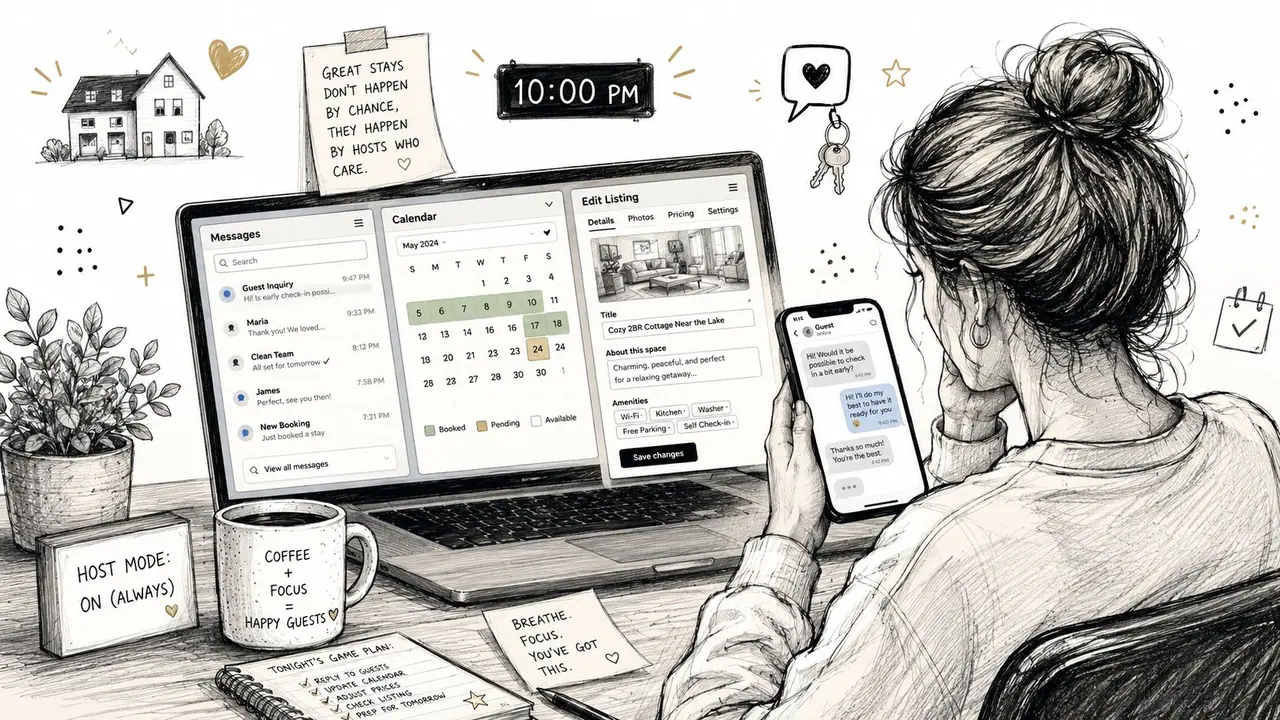
You already know the feeling. It's 10 p.m., a guest just messaged about the Wi-Fi again, another one wants check-in details, and you're bouncing between Airbnb, texts, and some half-finished note you swore you'd turn into a proper house guide later. The problem isn't that you're disorganized. The problem is that you're trying to run hosting operations with one tool that was never meant to carry the whole guest experience.
Airbnb's platform is huge, with about 6 million hosts, 9 million listings, and 507 million bookings worldwide in 2025, according to a 2026 industry roundup that compiles recent Airbnb performance data, plus estimated $92.6 billion in gross booking volume and $12.2 billion in revenue that same year (Business of Apps Airbnb statistics). At that scale, even small misses in messaging or check-in clarity get multiplied fast. That's why the smarter setup is a two-part system, the Airbnb Host App for operator work, and a guest-facing layer for everything the traveler needs to see on their phone.
If you're still answering the same property questions over and over, the fix usually isn't more effort. It's better separation of responsibilities.
Table of Contents
- The Late-Night Text Problem Every Host Knows
- What the Airbnb Host App Actually Is
- Core Features That Actually Matter to Hosts
- Setting Up the Host App the Right Way
- How the Host App Fits With Companion Tools
- Turning the Host App Into a Calmer Workflow
- A Recommended Daily and Weekly Hosting Routine
The Late-Night Text Problem Every Host Knows
The bad nights usually start the same way. You're in one tab checking tomorrow's arrival, a guest is sending a second message about parking, and your phone lights up with a third question that should've been answered before anyone booked. The inbox is the loudest part of the job, but it's not the core issue.
The issue is that hosts often use the Airbnb Host App as if it should also be the whole guest handbook, the check-in desk, and the rulebook. That works until the same questions repeat, and then every stay turns into a fresh round of typing. If you're looking for a practical way to cut that loop down, the SMS compliance guide with Call Loop is useful context for thinking about automated responses without creating messy communication habits.
The better model is simple. The host app handles the operator side, reservations, messages, availability, and performance. A guest-facing layer handles the stuff guests need on arrival, like Wi-Fi, directions, house rules, and local tips. If you want a good example of how even small in-property details can reduce friction, the guide on QR code Wi-Fi password setup shows the kind of question that shouldn't be eating your inbox in the first place.
Practical rule: if the same guest question appears more than once a month, it belongs in a guest guide, not in your inbox.
That shift matters because the host who keeps replying manually at midnight isn't “more dedicated.” They're just spending time on repeat work that could've been systemized. The hosts who last are the ones who make the guest experience clearer before the message is ever sent.
What the Airbnb Host App Actually Is
Think of the Airbnb Host App as the front desk console, not the whole hotel. It's where you see what's coming in, talk to guests, manage your listing basics, and check how a property is performing. It is not a guest-facing booking app, and it's not a full property management system that runs every channel, every task, and every workflow for you.
The operator cockpit, not the whole machine
Airbnb's own platform architecture is built around separate services for search, listing data, availability and pricing, booking, payments, and messaging, with the critical booking and payment path handled more strictly than the rest (Educative system design overview). That structure matches the host experience. The app is strongest when it stays focused on host operations, and it starts to feel cramped when you ask it to solve guest education problems it was never designed to solve.
A useful analogy is a restaurant host stand. The host stand handles arrivals, seating, and handoffs. The kitchen handles the food. If the host stand starts trying to explain every ingredient, every prep method, and every menu change, the whole service slows down. The same thing happens when hosts try to turn the app inbox into a full guest manual.
Airbnb's public tech stack writeups also point to a mobile and web front end backed by an API gateway and microservices, with React Native on the client side, Ruby on Rails and Node.js on the backend, all on AWS (Airbnb tech stack explained). The practical takeaway is blunt. Airbnb can scale host tools independently, but the app still leaves a gap between operator workflow and the guest's stay experience.
What it's built to do
The core jobs are straightforward.
- Messaging: keep conversations tied to reservations and respond faster.
- Reservations: track booking status and stay details.
- Calendar and availability: avoid gaps, conflicts, and double bookings.
- Performance: look at occupancy, booking trends, and review patterns.
The mobile app is best for fast response work and day-of-stay checks. The desktop experience is usually better when you're cleaning up listing details, comparing multiple dates, or doing deeper planning across several properties. That split is worth respecting instead of fighting.
The host app is the control room. The guest guide is the signage in the building.
The biggest mistake I see is hosts treating the app like a replacement for every other tool. It's not. It's the command center, and that's enough if you pair it with the right guest-facing layer.
Core Features That Actually Matter to Hosts
The features worth caring about are the ones that save time without creating extra admin. Everything else is noise dressed up as convenience.
Inbox, reservations, calendar, performance
The inbox matters because it's where speed and clarity meet. Saved messages and quick replies are worth using when the same question keeps showing up, but only if the answer is short and stable. Once a reply starts needing photos, property-specific directions, or translation help, the inbox becomes the wrong place to do the teaching.
The reservation flow is the next real job. You need to see booking status, guest details, and payout-related information without digging through multiple screens. That's especially true if you manage more than one listing and need a fast read on what's arriving, what's changed, and what still needs attention.
The calendar and pricing controls are useful because availability mistakes cost more than awkward messaging. If you cross-list your properties, multi-calendar toggling and sync discipline matter more than fancy automation. If you don't, you'll end up solving the same scheduling problem twice.
The performance area is where most hosts either get disciplined or get lazy. Use it to check the simple stuff, how the property is doing, whether guests are leaving consistent feedback, and whether you've got recurring friction points. Airbnb's hosting tools also reflect that broader operational shift, which is why the company frames host functions inside Host tools rather than as a separate host-only product (Airbnb Host tools resource).
If you're still deciding whether you need a bigger system, the guide on short-term rental app choices is a better comparison point than chasing another inbox add-on.
What's enough, and what's not
Use the built-in host app when the task is operator-facing. It's enough for message handling, basic calendar management, and checking performance trends. It's not enough when you need a guest-facing explanation layer, a branded property guide, or consistent arrival instructions that don't depend on you being awake.
Rule of thumb: if the task happens before the guest arrives, the host app should help you manage it. If the task happens in the room, the guest should see it in a guide.
Team access and notification settings are easy to ignore, but they shape your day more than most flashy features. If the right person doesn't see the message, or if alerts are too noisy, the app becomes another source of stress instead of a control panel.
Setting Up the Host App the Right Way
The first week with the Airbnb Host App should be boring. That's the goal. You want the app to handle the predictable stuff automatically so you can stay focused on real exceptions.
Start with the settings that stop avoidable mistakes
Turn on push notifications, then immediately clean up the noise. Leave only the alerts you need, and set quiet hours if your phone habit is making hosting feel like a second job. If you're always opening the app for minor updates, your notification setup is already failing you.
Next, build your saved replies around the five questions you hear most often. Don't write polished essays. Write short, useful responses that buy you time and keep the guest moving. If a reply needs more than a few lines, that's usually a sign it belongs in a guest guide.
Sync your calendar before you trust it. A double booking is almost always a process failure, not an unlucky accident. If you manage listings on multiple platforms, calendar sync should be checked early, not after a guest has already paid.
Here's a simple first-week priority list.
| Setup Task | Why It Matters | Typical Time |
|---|---|---|
| Turn on push notifications | Prevents missed messages and arrival issues | 5 minutes |
| Set quiet hours | Keeps the inbox from running your night | 5 minutes |
| Save your top replies | Cuts repetitive typing immediately | 15 to 20 minutes |
| Sync calendars | Reduces booking conflicts | 10 to 30 minutes |
| Confirm payout method | Avoids payment delays | 5 to 10 minutes |
| Review listing details | Keeps descriptions and rules consistent | 15 to 25 minutes |
The three time-wasters are obvious once you've lived through them. Leaving notifications on default, postponing calendar sync, and refusing to create saved replies for common questions will cost you more time than any app setup ever will.
Keep the setup tied to the real workflow
If you're importing past guest data or cleaning up old listing copy, do it while the app is still fresh in your mind. The point isn't to make the dashboard pretty. The point is to make tomorrow morning easier.
Set up the app once, then let it support the way you host. That decision saves more than any feature tour ever will.
How the Host App Fits With Companion Tools
The host app is one tool. It's not the whole stack. If you run more than one listing, you need to know what belongs in the app and what should live outside it.
Different tools own different jobs
A channel manager or PMS owns distribution and automation across platforms. It's for hosts who need one place to push rates, sync calendars, and reduce manual updates across more than one booking channel. The Airbnb app should receive that clean data and let you manage the stay from there.
A dynamic pricing tool owns rate optimization. Its job is to watch demand signals and suggest pricing changes. The host app can show the outcome, but it shouldn't be forced to do the forecasting work itself.
A guest-facing guide tool owns in-property communication. That's where digital welcome books, house rules, Wi-Fi details, local recommendations, and upsells belong. If you want a practical reference on how that kind of guest-side content is structured, the practical content creation guide is useful for thinking about repeatable content systems instead of one-off messages.
The overlap is where hosts lose time. If your PMS, pricing tool, and host app all try to own the same information, you'll end up checking three dashboards to answer one question. That's a process problem, not a software problem.
Where ScanStay fits
A guest-facing layer like ScanStay sits outside the host app and handles the information guests need on their phones. It provides a digital welcome book through a QR code, with Wi-Fi credentials, check-in and check-out details, house rules, local recommendations, video how-tos, branded content, map pins, one-tap upsells, and 18 languages with AI translation. That makes it a communication layer, not a replacement for the operator cockpit.
If you want a deeper look at the format, the digital welcome book guide shows why this belongs in the guest journey instead of buried in your inbox.
Decision rule: add the tool that removes your biggest bottleneck first. If bookings are messy, get a PMS or channel manager. If margins are weak, fix pricing. If guests keep asking the same questions, build the guest-facing guide before you add anything else.
The host app should stay clean and operational. Companion tools should remove friction before the guest ever needs to message you.
Turning the Host App Into a Calmer Workflow
Most late-night host messages are not booking questions. They're property-information questions. That's why the inbox feels endless, because you're answering the same operational gaps one by one instead of fixing the layer that should have answered them already.
The analogy is ugly but accurate. A restaurant where the chef keeps walking out to explain the menu isn't operating well. The problem isn't the chef's effort. The problem is missing menu signage. In hosting, the host app is the kitchen side of the job, and the guest guide is the signage.
That's where standardized, mobile-friendly, multilingual communication changes the workload. If the guest can scan a QR code and instantly see the Wi-Fi, house rules, directions, and local recommendations, your app inbox stops being the first place every simple question lands. The cleaner the guest-facing layer, the fewer repetitive messages you have to answer inside the operator app.
For hosts who want a practical support layer, ScanStay handles QR-code access, branded guest content, Google Maps pins, one-tap upsells, 18 languages with AI translation, and scan analytics on Pro+ plans. That's not fluff. It's the kind of structure that keeps the host app focused on what it should do, while the guest sees what they need without waiting on you.
This also changes conflict levels. Academic research on Airbnb hosting points to host wellbeing and host-guest conflict as real concerns, and it also surfaces house rules and privacy-related issues as distinct topics in the ecosystem (Airbnb hosting research). The simple fix is usually clarity, not more back-and-forth. When guests know what to do before they arrive, there's less confusion to argue about later.
If you care about cleaner support flows in general, the scalable B2B SaaS support strategies piece is a useful parallel. The principle is the same, reduce repetitive questions with a better front layer so humans only handle the cases that need judgment.
A Recommended Daily and Weekly Hosting Routine
Keep the routine short or you'll quit doing it.
Each morning, check the inbox, scan today's check-ins, and glance at any calendar gaps that could create a problem later. That's enough to catch real issues without turning your day into dashboard maintenance. Midday, confirm any pre-arrival details that matter, then stop touching the app unless a guest needs you. At night, review tomorrow's bookings and clear anything that could interrupt your morning.
Weekly work that actually moves the needle
Once a week, review pricing, audit your quick replies, and update the digital welcome book. If guests keep asking the same thing, the guide needs work, not your patience. Then check the performance area for recurring friction points, and fix the source instead of replying harder.
The first seven days after adopting the host app and a guest-facing tool should look like this:
- Turn on the right notifications: keep only the alerts that matter for arrivals and urgent messages.
- Save five replies: cover check-in, Wi-Fi, parking, late checkout, and house rules.
- Build or import the welcome guide: make the guest-facing layer the default source of truth.
- Pin local spots: give guests useful nearby places without sending individual recommendations.
- Define one upsell offer: keep it simple, like late checkout or a transfer request.
That routine does one thing very well. It turns hosting from a series of heroic late-night responses into a system. The host app handles the operator side, the guest-facing layer handles the stay details, and you get your evenings back.
If you want a cleaner hosting setup, use ScanStay to move guest instructions, Wi-Fi details, house rules, and upsells out of your inbox and into a QR-based welcome guide your guests can open instantly. Pair that with the Airbnb Host App for reservations, messaging, and calendar control, and you'll spend less time repeating yourself and more time running the property like a system.