Welcome Book Airbnb: Boost Revenue & Reviews 2026
Create the ultimate welcome book airbnb for your guests. Our 2026 guide covers digital templates, what to include, QR code setup, and how to boost reviews &

Your phone probably tells you when your welcome process is broken.
It starts with the same messages every stay. Guests can't find the Wi-Fi password. They're unsure which door to use. They want to know whether the coffee machine takes pods or ground coffee. Then the late-evening question lands right after dinner because the printed binder on the kitchen counter is out of date, too long, or never opened in the first place.
A solid Airbnb welcome book fixes that, but only if you stop treating it like a formality. The old model was a static binder full of house information. The better model is a digital guide that answers questions before they turn into messages, keeps itself current, and creates extra revenue from services guests already want.
Table of Contents
- Answering Guest Questions Before They Ask
- Why a Digital Welcome Book Is a Game Changer
- The Essential Content for Your Airbnb Welcome Book
- Crafting Your Welcome Book with Copyable Examples
- How to Create and Deploy Your Digital Guide
- Turning Your Welcome Book into a Revenue Engine
- The Modern Host's Most Valuable Tool
Answering Guest Questions Before They Ask
Most guest questions aren't unusual. They're predictable.
Hosts see the same patterns every week. Access details get lost in the booking thread. Guests arrive tired and skim instead of reading. If the answer takes more than a few seconds to find, they message. That's why a welcome book Airbnb hosts find useful isn't just a nice touch. It's part of operations.
The strongest welcome books focus on friction points first. Not décor notes. Not a long story about the property. Start with the things guests need when they're in motion or under pressure.
Put the urgent answers first
Lead with the items guests ask about most often:
- Entry instructions: Door code, lockbox steps, parking, and which entrance to use.
- Wi-Fi details: Network name, password, and where the router is if they need to reset expectations about speed or coverage.
- Heating and cooling: Basic thermostat directions so guests don't start pressing random buttons.
- Kitchen basics: Coffee machine, oven, induction stove, dishwasher, and any quirks that aren't obvious.
- Check-out essentials: Time, what to do with trash, dishes, keys, and windows.
A practical welcome book should let a guest answer these questions in seconds, not after scrolling through a long welcome note.
Practical rule: If a guest would text you from the driveway, hallway, or bed, that information belongs at the top of the guide.
Think like a tired guest, not like an owner
Owners organize information by category. Guests think by situation. They want “How do I get in?” not “Property Access Protocol.” They want “What do I do with rubbish on Tuesday?” not “Waste Management Procedures.”
That's why short headings beat dense paragraphs. It also helps to include safety details in the same place guests already look for practical information, especially if you're reviewing what belongs in your emergency contact information setup.
The shift is simple. Stop building a manual. Start building a decision aid. When your guide answers the obvious questions before they're asked, your phone gets quieter and the stay feels smoother to the guest.
Why a Digital Welcome Book Is a Game Changer
A paper binder can still look nice on a table. It just doesn't solve the operational problem very well.
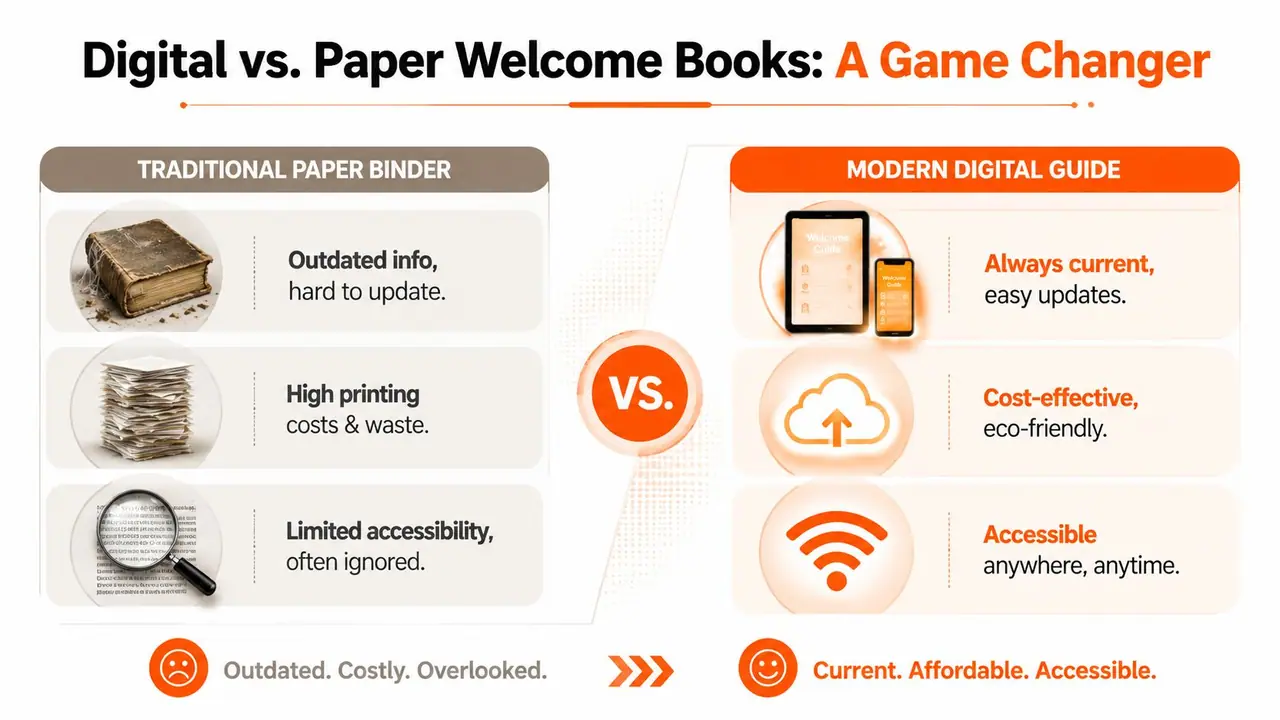
Digital welcome books are better because they reduce friction for guests and admin for hosts at the same time. According to Houfy's welcome book guide, well-structured digital welcome books can cut support messages by up to 40% because they consolidate key information like Wi-Fi credentials, appliance instructions, and check-out procedures in one mobile-friendly link.
Paper fails at the moment guests need help
The weakness of a binder isn't that it's old-fashioned. The weakness is timing.
Guests usually need information in one of three moments. Before arrival, at the door, or during a small problem inside the property. A binder only helps in one of those moments, and even then the guest has to find it, open it, and scan through it.
Paper also breaks down when details change. A door code changes. A router gets replaced. Bin collection shifts. A local café you recommended closes. The binder still sits there looking official, even when parts of it are wrong.
That creates a hidden cost. You still answer messages, but now you also have to explain why the guide was wrong.
Digital works because it matches guest behavior
Guests already use their phones for booking, check-in directions, maps, and restaurant choices. A digital guide fits that behavior. It doesn't ask them to switch formats or hunt through printed pages.
A strong setup usually includes:
- One mobile link: Guests open the guide instantly instead of downloading files.
- Clear sections: Arrival, house info, local area, and check-out should be easy to tap.
- Fast updates: Hosts can correct a mistake once and every future guest sees the current version.
- Pre-arrival delivery: Sending the guide before check-in reduces confusion on the first night.
Digital also scales better. If you manage multiple units, repeating the same content in separate binders becomes a maintenance problem. A central system is cleaner and easier to control, especially if you also use a QR code check-in system to keep access instructions consistent across properties.
A good digital guide doesn't just store information. It puts the right answer in front of the guest at the exact moment they need it.
The hosts who get the most value from a digital welcome book aren't always the biggest operators. They're usually the ones who got tired of being reactive.
The Essential Content for Your Airbnb Welcome Book
Most welcome books fail in one of two ways. They're too thin to prevent questions, or too bloated to be useful.
The right approach is modular. Group content by the moments guests move through during the stay. That makes the guide easier to scan and easier to update later. This matters because 68% of hosts report that house manual information becomes outdated within three months due to changes like trash schedules, Wi-Fi updates, or restaurant closures, according to Touch Stay's guide to creating an Airbnb welcome book.
Arrival and access
Arrival information should remove uncertainty before a guest steps inside.
Include the property address exactly as it should appear in maps, where to park, which entrance to use, and any access code or lockbox instructions. If your building has common-entry quirks, explain those plainly. “Use the black gate, not the white side door” is better than a vague sentence about secure entry.
This section should also answer the guest's first practical questions:
- What time can I enter?
- What if I arrive early or late?
- Who do I contact if the lock doesn't work?
- What should I know before unloading luggage?
If there are rules that matter on arrival, write them in a cooperative tone. For example, don't write “Do not park in Unit 2's bay.” Write “Please use the bay marked Guest Parking to avoid towing issues for residents.”
Inside the property
Once guests are in, their questions shift from access to usage.
This part of the welcome book Airbnb operators often underbuild. They assume things are obvious because they know the home. Guests don't. If the induction stove needs a specific sequence, say so. If the hot water takes a minute to reach the upstairs shower, say that too.
A useful inside-the-home section should cover:
- Wi-Fi and connectivity: Network, password, and any backup info guests should know.
- Appliances: Coffee machine, TV, heating, air conditioning, washer, dryer, dishwasher.
- Supplies: What's stocked and what isn't.
- Troubleshooting: The top small issues that trigger unnecessary messages.
- House rules: Noise, smoking, pets, visitors, and shared-space expectations.
For house rules, tone matters. Guests respond better to guidance that explains the reason. If quiet hours protect neighbors, say that. If only certain towels should be used for makeup removal, say where the makeup towels are kept.
A lot of hosts find it easier to write this section after reviewing examples of house rules samples for short-term rentals. The wording often matters as much as the rule itself.
Keep operational rules visible, but don't make the property feel like a detention center. Guests comply more often when the language feels clear and reasonable.
Neighborhood and local guidance
The guide now does more than just prevent problems.
A weak local section is just a list of favorite restaurants. A strong one helps guests make decisions fast. Organize recommendations by use case: breakfast nearby, late-night food, family activities, grocery runs, pharmacy, best beach access, rainy-day options.
A short table works well here:
| Need | What to include |
|---|---|
| Food nearby | Reliable options, not every option |
| Essentials | Supermarket, pharmacy, ATM, petrol station |
| Transport | Parking notes, taxi info, public transit basics |
| Activities | A few clear picks based on guest type |
Skip the temptation to show off local knowledge with endless lists. Curate. If a guest sees ten average suggestions, they'll ignore all of them.
Departure details
Check-out is where confusion turns into cleaning delays and preventable friction.
Write this section as a short sequence guests can complete without guessing. Include check-out time, what to do with keys, whether dishes should be started, where to place rubbish, what to do with used towels, and any final safety steps like closing windows or turning off AC.
A practical departure section often includes:
- Time first: Put the check-out time at the top.
- Only necessary tasks: Don't assign a long chore list unless it's essential.
- Clear exceptions: If guests should leave bedding as-is, say that.
- Last contact point: Tell them how to reach you if something breaks on departure morning.
The best check-out instructions protect turnover operations without making guests feel like unpaid cleaners.
Crafting Your Welcome Book with Copyable Examples
Most hosts don't struggle with knowing what belongs in the guide. They struggle with phrasing.
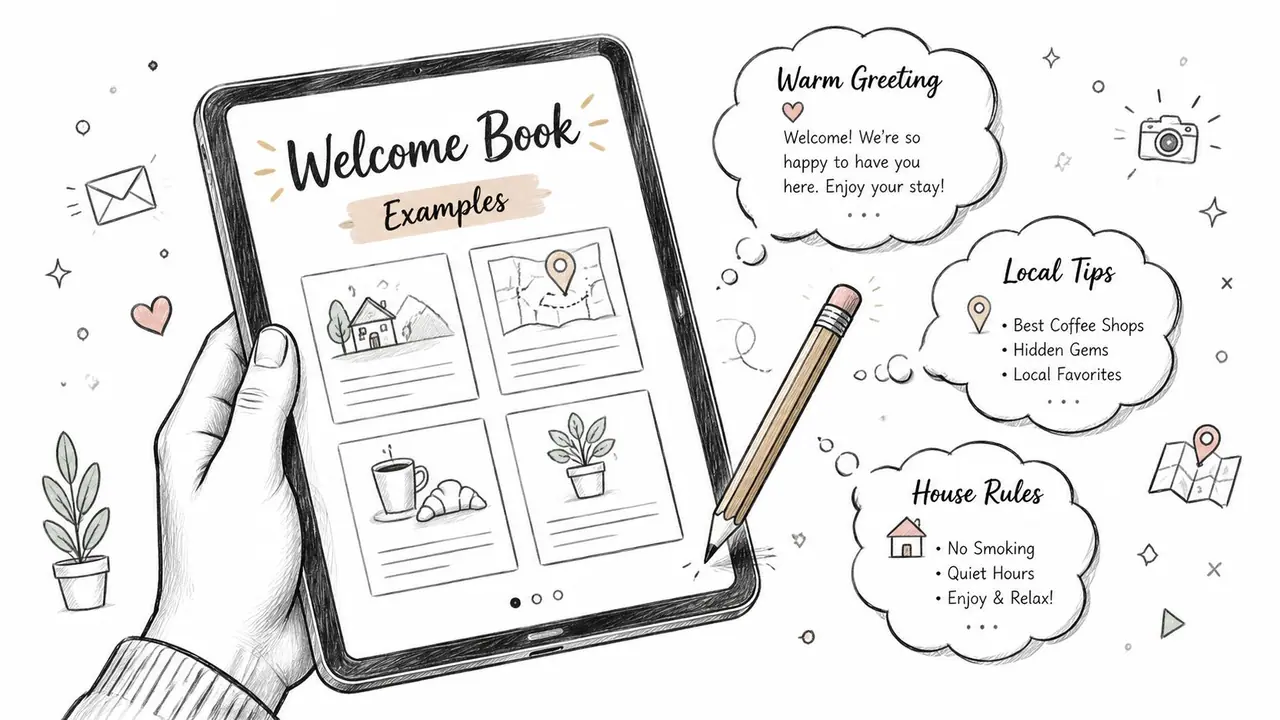
The tone needs to be warm, direct, and easy to skim. Guests shouldn't feel like they're reading a legal notice, but they also shouldn't have to decode vague hospitality language. Below are examples you can adapt.
Welcome message example
Use a short opening. Guests care more about what helps them settle in than a long host biography.
Welcome to our home. We're glad you're here. This guide has the essentials for your stay, including Wi-Fi, entry details, house information, local recommendations, and check-out steps. If anything isn't clear, message us and we'll help.
That works because it sets expectations without overexplaining.
House rules example
Rules read better when they sound calm and specific.
Please keep noise low after 10 pm so neighbors aren't disturbed. No smoking inside the property. If you move any furniture, please return it before check-out. Registered guests only unless agreed in advance. If something breaks, let us know during your stay so we can sort it quickly.
That wording avoids the hostile tone that often triggers pushback.
Wi-Fi and appliance example
Guests usually want the answer, not the backstory.
- Wi-Fi: Network: Seaview Guest. Password: BlueHarbor24
- TV: Turn on the TV with the black remote, then use the streaming remote for apps.
- Coffee machine: Fill the rear tank with water, insert one pod, and press the single-cup button.
- Heating: Use the wall thermostat in the hallway. Press the up or down arrows to adjust temperature.
If an appliance is fussy, add one line of troubleshooting. Keep it visible and plain.
Check-out example
Short instructions outperform polite essays.
Check-out is at 10 am. Before leaving, please lock all doors and windows, place used towels in the bathroom, and put rubbish in the outside bin. You can leave used dishes in the dishwasher and start the cycle if it's full. Leave the keys on the kitchen bench unless we've agreed otherwise. Safe travels, and thanks for staying with us.
These examples work because they sound human. They also respect the guest's attention span. If your current welcome book feels wordy, rewrite each section as if the guest is reading it while standing up.
How to Create and Deploy Your Digital Guide
Creating the guide is only half the job. Delivery matters just as much.
If guests have to search their inbox for an attachment, download a PDF, pinch-zoom on mobile, and scroll through tiny text, adoption drops. A browser-based guide is easier to open and easier to use in the moment.
Build the guide around guest timing
Start by structuring the guide in the same order guests experience the stay:
- Before arrival: Address, parking, access, check-in basics
- After entry: Wi-Fi, heating, coffee, TV, key house rules
- During the stay: Local recommendations, troubleshooting, extras
- Night before departure: Check-out steps
This order matters because guests rarely read a guide front to back. They dip in when a question appears.
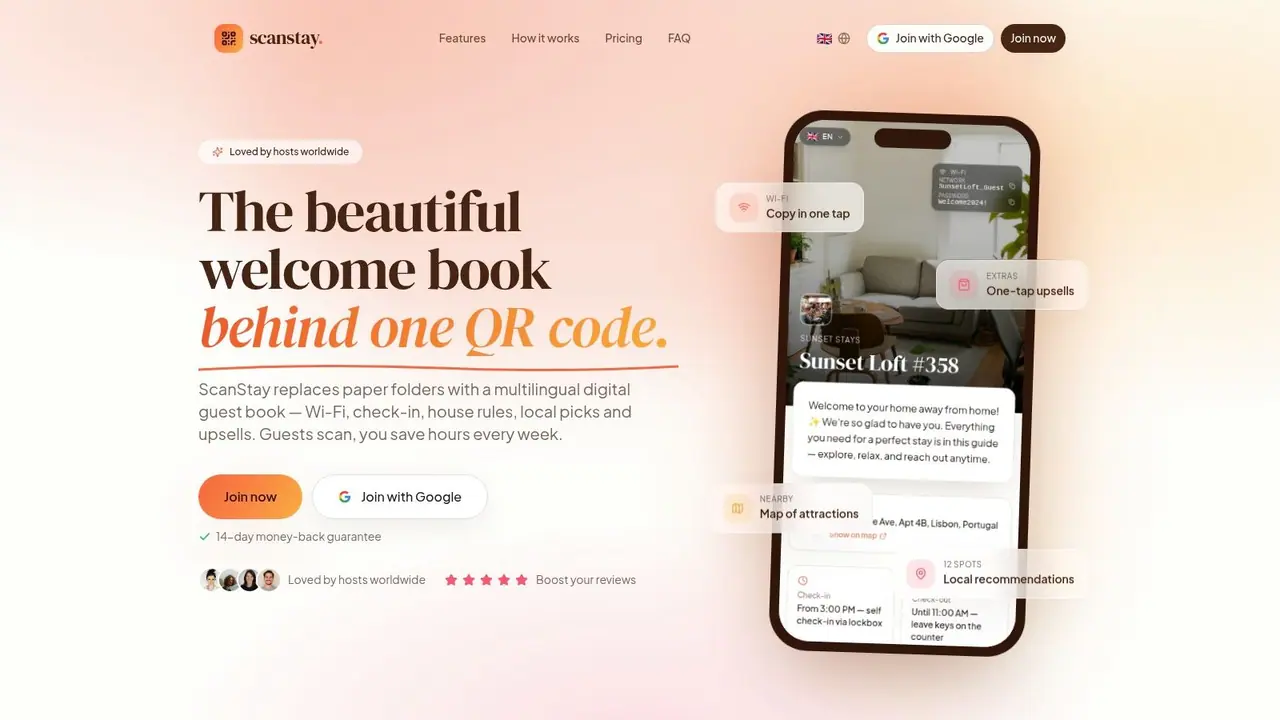
A platform such as Hostfully, Touch Stay, or ScanStay can handle this as a browser-based digital guide with QR access, property information, local recommendations, and guest-facing service links. The key point isn't the brand. It's the access method.
Choose access that requires no app
The cleanest setup uses a QR code that opens a web link in the guest's phone browser. According to Staystra's digital welcome book benchmark, digital welcome books that use QR-code-initiated web-link access increase Wi-Fi credential retrieval success rates by 35% compared to PDF attachments.
That tracks with day-to-day hosting reality. Guests scan faster than they download.
Use this checklist when setting up access:
- No app required: App installs create drop-off.
- Mobile browser first: Guests should open the guide with one scan or tap.
- Readable on small screens: Short sections, clear buttons, large text.
- Printable backup: Put the QR code on a card, poster, or framed insert in the property.
If a guest can reach the Wi-Fi password in one scan, you've already removed one of the most common messages in hosting.
A short product walkthrough helps if you're setting this up for the first time:
Place the guide in the stay, not just the inbox
Send the guide before arrival, but don't stop there. Guests forget. Email threads get buried. Booking platform messages get skimmed.
Put the same guide in multiple practical touchpoints:
- Pre-arrival message: Send the live link before check-in.
- Entry area: Display the QR code near the main door or on the kitchen counter.
- Bedroom or living area: A second prompt helps late-arriving guests who ignored the first one.
- Check-out reminder: Link back to the guide the night before departure.
The strongest deployment is consistent. One guide, one link, one guest habit.
Turning Your Welcome Book into a Revenue Engine
Most hosts stop at information. That leaves money on the table.
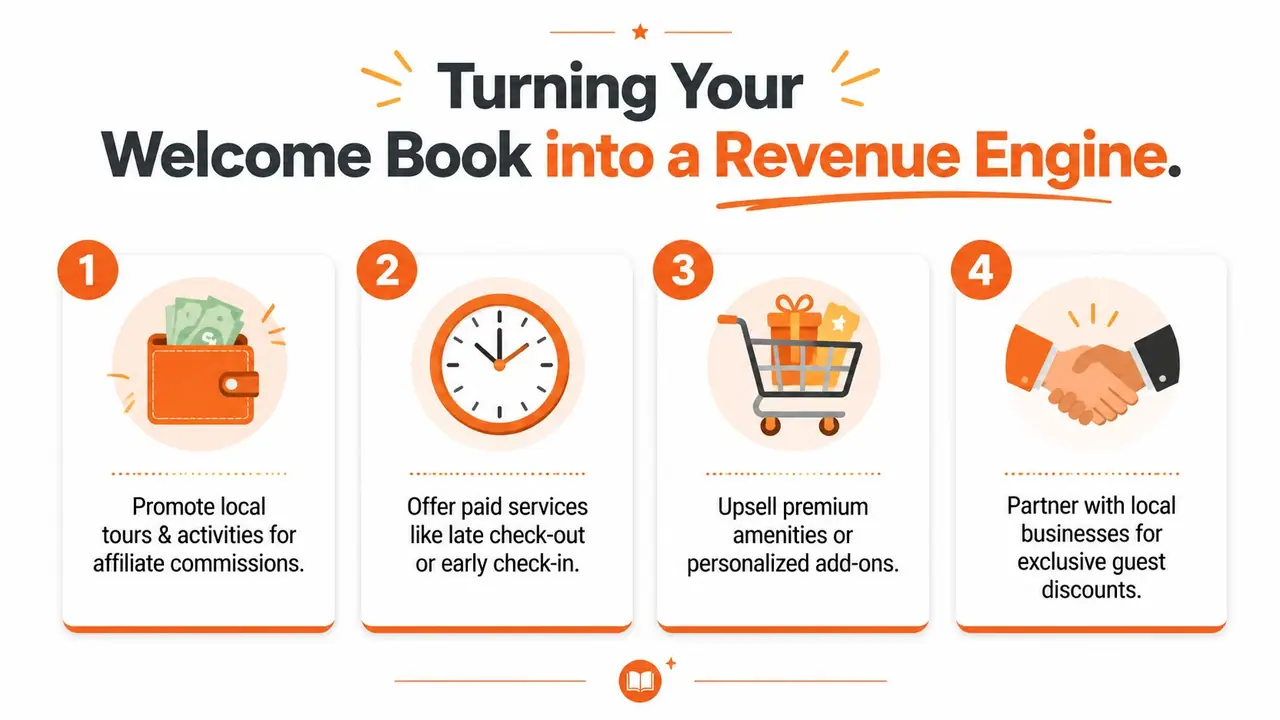
A digital welcome book can also sell useful extras without making the guest experience feel transactional. According to NurtureStays' welcome book guide, 32% of guests in major markets actively book upsells like late checkout when presented with one-tap options in digital guides, yet fewer than 10% of hosts embed these monetization features in their manuals.
Upsells that feel helpful
The mistake is treating upsells like ads. Guests respond better when the offer solves a real need.
The strongest add-ons usually sit inside the flow of the stay:
- Before arrival: Airport transfer, grocery pre-stocking, early check-in request
- During the stay: Mid-stay cleaning, equipment rental, local experience bookings
- Before departure: Late check-out
Each offer should be simple. One short line, one clear button, one obvious outcome. No big sales pitch.
A useful framing example is: “Need a slower departure? Request late check-out here.” That feels service-led, not pushy.
Local partnerships and booking links
The local recommendation section can do more than help guests choose dinner. It can also support partner businesses and create side revenue where appropriate.
If you run a hospitality business in a destination market, it helps to study broader insights for NZ hospitality operators because the same principles apply here. Clear offers, consistent service standards, and well-timed guest communication tend to outperform noisy promotion.
A few practical rules keep monetization clean:
- Recommend places you'd mention anyway: Relevance comes first.
- Separate editorial picks from paid offers: Guests should never feel misled.
- Keep links task-based: “Book a shuttle,” “reserve a surf lesson,” “add late check-out.”
- Review performance regularly: If guests never tap an offer, remove or rewrite it.
Useful upsells don't interrupt hospitality. They extend it.
When done well, your welcome book becomes part support tool, part service menu.
The Modern Host's Most Valuable Tool
A modern welcome book Airbnb hosts rely on isn't a binder replacement. It's a control system for the guest experience.
It reduces repetitive questions, keeps operational details current, and creates room for extra revenue without adding more manual work. It also improves the local guidance guests utilize. According to Hostaway's short-term rental analysis, digital welcome books with embedded Google Maps pins for restaurants and attractions increase guest engagement with local recommendations by 35% compared to static text lists.
If you're tightening your hosting stack more broadly, this guide for short-term rental hosts is worth reviewing alongside your welcome book setup. The best systems usually work together. Messaging, operations, access, and guest guidance all feed the same outcome.
Hosts who build a useful digital guide spend less time repeating themselves and more time running the business well.
If you're ready to replace paper binders and scattered guest messages with one mobile-friendly guide, take a look at ScanStay. It gives hosts a QR-based digital welcome book that opens in the guest's browser, keeps property information easy to update, and supports service upsells in the same guide.