Vacation Rental Management Software Your Complete Guide
A complete guide to vacation rental management software. Learn what it is, key features, how to choose the right platform, and measure your ROI in 2026.
Friday evening is when manual hosting breaks down. One guest wants the Wi-Fi password. Another asks for an early check-in. A cleaner texts that the last-minute turnover needs confirmation. Meanwhile, your Airbnb calendar is current, your Booking.com calendar might be current, and your direct booking calendar is the one you forgot to update.
That setup can work with one property for a while. It falls apart once you add more listings, more channels, or more people touching the operation. Small delays turn into booking conflicts, missed messages, and scattered information that lives in inboxes, spreadsheets, and someone's memory.
Vacation rental management software fixes that problem when you choose it well. Not because it has a long feature list, but because it becomes the operating system for the business. The key decision isn't whether you need software. It's whether the system you pick matches the way you run your properties, your team, and your guest experience.
Table of Contents
- Are You Drowning in Manual Rental Tasks
- What Is Vacation Rental Management Software
- Core Features That Drive Automation and Growth
- How to Choose the Right Software for Your Business
- Implementation and Key Integrations
- Measuring the ROI of Your New Software
- Common Mistakes and Your Next Step
Are You Drowning in Manual Rental Tasks
The warning signs are easy to miss because they look like normal work. You copy reservation details from one platform to another. You resend the same arrival instructions. You check with housekeeping by text, then check again because the guest added a night and nobody is sure whether the clean moved.
At first, that feels manageable. Then the portfolio grows and the same tasks multiply across every property. What used to be "a few admin chores" becomes the whole day.
A lot of hosts hit the same ceiling. The business looks successful from the outside, but behind the scenes the operation depends on constant manual follow-up. One person knows where the lock code is. Another person knows the cleaner's schedule. Pricing lives in one tool, guest notes in another, and important exceptions sit in an unread message thread.
The problem usually isn't effort. It's fragmentation.
Manual management creates two costs. The obvious one is time. The less obvious one is inconsistency. Guests get different answers depending on who replies. Turnover instructions change but don't reach the cleaner. Calendar updates lag just long enough to create risk.
A proper system changes the rhythm of the business. Instead of chasing information, you work from one place where reservations, tasks, guest details, and channel activity connect. That shift matters more than any individual feature.
What chaos looks like in practice
A manual setup usually includes some version of these friction points:
- Calendar drift: One channel updates first, another updates later, and someone has to reconcile the difference.
- Repetitive messaging: Guests ask for check-in steps, parking details, or house rules that should have been delivered automatically.
- Cleaning confusion: A reservation changes, but the turnover schedule doesn't.
- Pricing lag: Rates stay static because nobody has time to review every listing every day.
- Team dependency: Operations run because specific people remember things, not because the system does.
The biggest mistake is treating these as isolated annoyances. They're usually symptoms of one core issue. Your business has outgrown disconnected tools.
What Is Vacation Rental Management Software
Vacation rental management software is the central operating platform for a short-term rental business. It pulls bookings, calendars, guest records, payments, operational tasks, and channel activity into one system so the whole business runs from a shared source of truth.
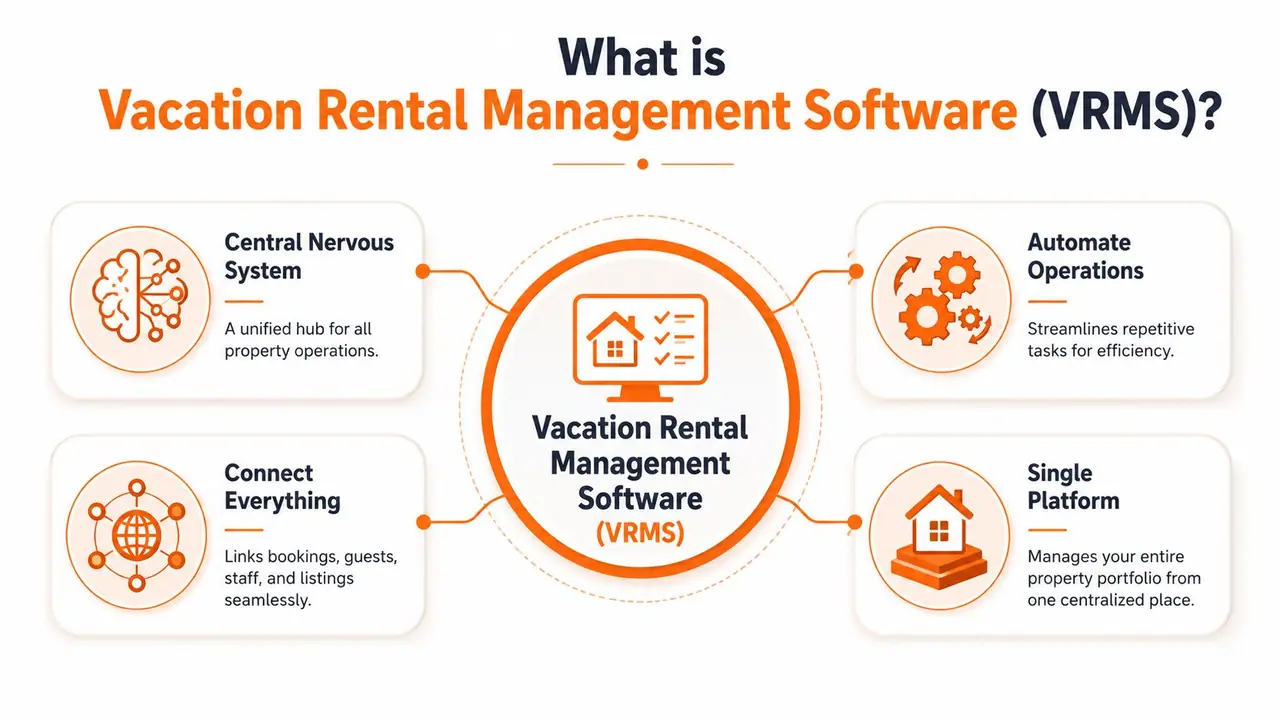
The simplest way to think about it is this. Your listing sites bring demand. Your cleaners and staff execute the stay. Your guest tools shape the experience. Vacation rental management software sits in the middle and coordinates all of it.
That role has become more important as operators professionalize. According to DataIntelo's vacation rental management software market report, the global market was valued at approximately $0.92 billion in 2025 and is projected to reach $2.38 billion by 2034, growing at 11.1% CAGR. The same report says cloud-based solutions hold 73.4% of the market share in 2025, which tracks with what most managers want in real life: remote access, easier updates, and fewer systems tied to one office computer.
Why a single system changes the business
Without a central platform, every process needs human reconciliation. Somebody has to compare calendars. Somebody has to confirm whether the guest paid. Somebody has to tell housekeeping about an adjusted departure date.
A well-set-up system removes that dependence on memory and handoffs. Reservations update the calendar. Guest details attach to the booking. Tasks trigger from stay dates. Staff stop asking, "What's the latest version?" because the platform is the latest version.
This is why good operators treat the software less like an app and more like infrastructure.
Practical rule: If your team still has to ask three people to confirm one reservation, you don't have a software problem. You have a systems problem.
What it should connect
A strong platform usually acts as a digital control tower across these areas:
- Bookings and distribution: OTA sync, direct booking flow, availability control
- Operations: cleaning schedules, maintenance tasks, check-in and checkout workflows
- Finance: payment collection, fees, refunds, and owner-facing reporting where needed
- Communication: automated messages tied to reservation stage and guest type
- Portfolio oversight: dashboards that show what needs attention today
Not every business needs the deepest version of each function. A single-property host won't evaluate software the same way as a management company. But both need the same foundation. One platform has to hold the operational truth.
Core Features That Drive Automation and Growth
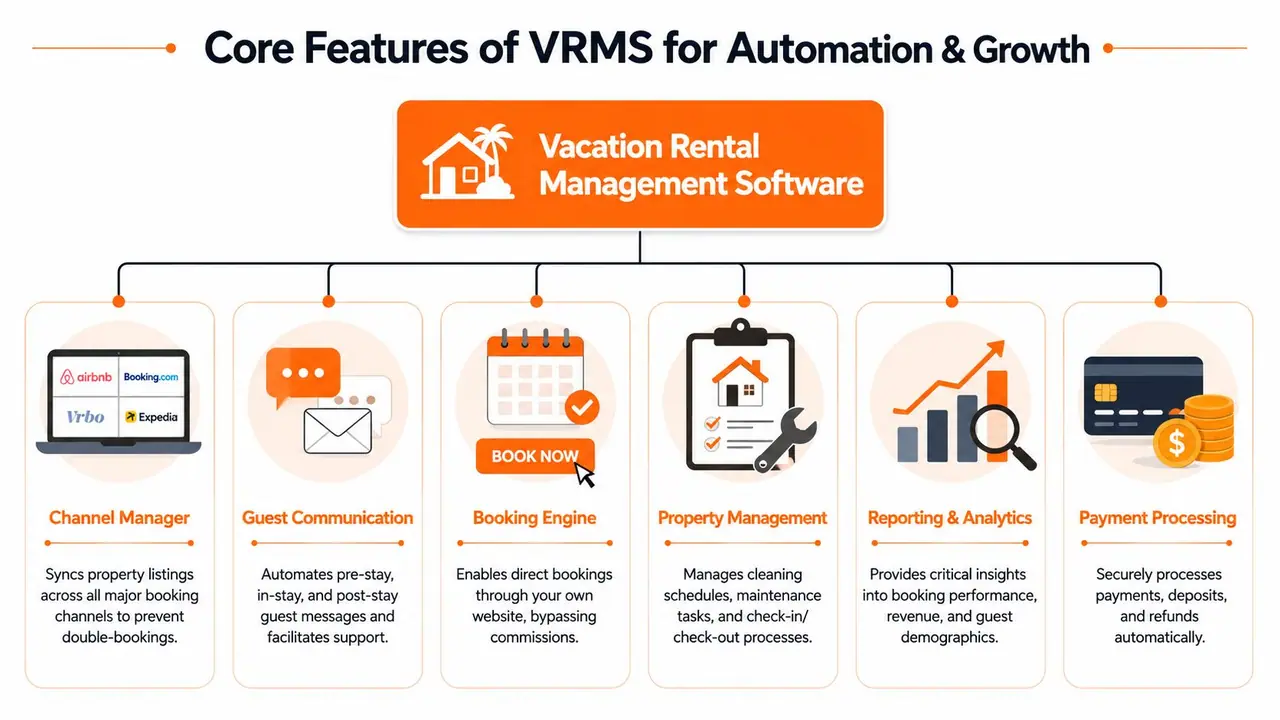
A PMS starts proving its value on a busy day, not in a demo. Two same-day turns land, one guest asks for early check-in, a cleaner reports damage, and an OTA booking drops into the calendar while your owner wants an update. The right system keeps that day under control because the booking, tasks, payments, and guest communication all pull from the same reservation record.
Vervotech's guide to vacation rental software points to the upside of using a PMS that acts as a Single Source of Truth. The gain does not come from one feature. It comes from fewer handoffs, cleaner channel data, and less time spent fixing preventable mistakes.
Operations that run on rules instead of memory
Operational control is the first feature set to evaluate because every guest-facing promise depends on it.
A unified calendar is only the starting point. The key question is what the system triggers when a reservation is created, changed, or canceled. If a departure date moves, does housekeeping get updated automatically? If a maintenance issue is logged, can the team track status without chasing text messages? Good software answers yes.
Useful operational features include:
- Unified reservation calendar: One live view across listings and channels, with booking changes reflected in the place your team already works.
- Task automation: Cleaning, inspections, and maintenance jobs created from reservation events instead of manual assignment.
- Check-in workflow support: Access details, arrival instructions, and issue tracking tied directly to the booking record.
This is also where integration quality starts to matter. If your PMS connects cleanly to guest-facing tools such as digital guidebooks, guests get accurate check-in steps, house rules, Wi-Fi details, and local recommendations without your team copying the same information into multiple systems. That connection is part of the operating model, not a nice extra.
Channel management and booking control
Revenue protection comes next.
Multi-channel sync sounds basic until it fails. Then one stale calendar update turns into a double booking, a rate mismatch, or a blocked date that sits unsold for a weekend. A channel manager earns its place by keeping inventory, restrictions, and reservation details aligned across OTAs and direct bookings.
This part of the stack should cover:
- Real-time channel synchronization: Availability, rates, and reservation updates sent across channels quickly enough to prevent inventory conflicts.
- Direct booking support: A booking engine on your own site, so repeat guests have a path that does not run through a marketplace.
- Central rate and rule control: Minimum stays, closed dates, and pricing restrictions managed from one system instead of edited listing by listing.
For smaller operators comparing costs, this is often the point where feature depth and budget start pulling against each other. A leaner tool can work if it handles sync reliably and does not create extra admin elsewhere. This guide to affordable property management software options is useful if you're weighing price against operational fit.
Guest communication should reduce support load
Messaging automation works best when it is tied to reservation stage, property, and guest type.
Pre-arrival instructions, parking details, access codes, checkout steps, and upsell offers should pull from booking data and send on schedule. That saves time, but the bigger win is consistency. Guests receive the right information at the right moment, and your team spends less time answering predictable questions at night or during turns.
Automation should handle predictable questions. People should handle exceptions.
The strongest setups connect this communication layer to the broader guest experience ecosystem. A message can send the check-in note, but a digital welcome book can hold the full stay experience, from entry instructions to local recommendations and house-specific details. Software choices should reflect that difference. The PMS manages the operational truth. The guest tools present that information in a format people will use.
Payments, reporting, and add-on revenue
Back-office features matter because they affect cash flow, owner trust, and decision speed.
Payment processing should make it easy to collect deposits, balances, fees, and approved extras without side spreadsheets. Reporting should help you spot patterns quickly, such as properties with recurring maintenance costs, channels with weaker lead times, or team bottlenecks during turnovers. If you manage for owners, statement clarity and audit trails matter as much as dashboard polish.
Growth usually comes from connected execution. Calendar sync protects inventory. Automated tasks keep turnovers on track. Guest communication cuts repetitive support work. Payment and reporting tools show where margin is slipping and where add-ons can be sold cleanly. That is the framework to use when you assess features. Ask how each one supports the next step in the stay, the team workflow, and the guest experience around it.
How to Choose the Right Software for Your Business
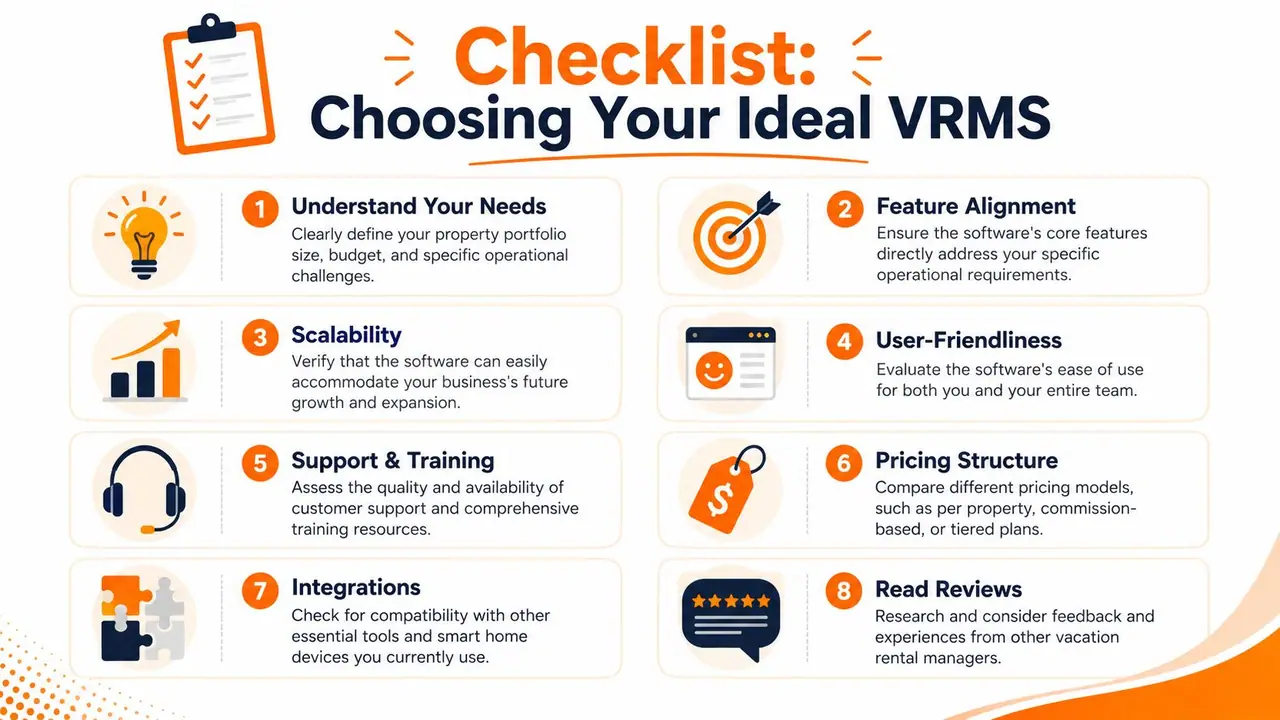
The best platform isn't the one with the most features. It's the one that fits your operating model without forcing awkward workarounds six months later.
A lot of managers buy too early based on demos. Demos are polished. Your business isn't polished. It has odd owner requirements, last-minute changes, cleaner preferences, custom fees, direct bookings, and guests who ignore instructions until midnight. Software needs to work there, not just in a walkthrough.
Start With Your Operating Model
Start by writing down how the business runs today.
If you're an owner-operator with a small portfolio, ease of use may matter more than advanced accounting controls. If you're managing for owners, owner statements, permissions, approvals, and audit clarity start climbing the list. If you expect to add properties, the question isn't whether the software works now. It's whether onboarding another listing becomes easier or more painful inside that system.
Use these filters before you compare vendors:
- Portfolio shape: One urban apartment, a handful of cabins, and a mixed-market agency all need different workflows.
- Team structure: A solo host can tolerate a few manual steps. A team needs role clarity, task visibility, and consistent triggers.
- Revenue strategy: If direct bookings, upsells, and pricing controls matter, make sure they aren't weak add-ons.
- Support reality: You don't need support until migration breaks, a channel disconnects, or payouts don't reconcile. Then you need it fast.
For a pricing-focused comparison, it's worth reviewing affordable property management software options for growing hosts alongside your must-have feature list.
Judge the Ecosystem, Not Just the Dashboard
Many decisions go wrong when managers buy the nicest dashboard and ignore the integration ecosystem.
Your software doesn't operate alone. It has to connect to pricing tools, smart locks, payment systems, guest messaging workflows, and guest-facing experience tools. If those integrations are weak, your team ends up doing the handoff manually, which defeats the point.
A few hard questions help here:
- What data passes between systems: Reservation details only, or guest contact info, stay dates, fees, and status changes too?
- How reliable is the sync: Instant, delayed, or dependent on manual refresh?
- Can the system support your guest journey: Pre-arrival, in-stay help, upsells, and checkout without duplicate data entry?
- Will it still fit after growth: Some tools work well at a small scale and become rigid once you add staff and properties.
If a platform can't connect to the rest of your stack cleanly, you're buying future admin.
VRMS Feature Priority by Business Size
| Business Profile | Top Priority Features | Secondary Features |
|---|---|---|
| Solo host with one or a few properties | Unified calendar, automated guest messaging, channel sync, easy setup | Direct booking tools, basic reporting, simple payment handling |
| Small co-hosting team | Task automation, cleaner coordination, permission controls, booking workflow visibility | Review management, maintenance tracking, branded guest communication |
| Growing management company | Owner reporting, strong integrations, role-based access, operational dashboards | Advanced revenue tools, custom workflows, portfolio-level performance views |
| Multi-market operator | Scalable channel management, standardization across listings, integration flexibility | Deeper analytics, segmented automation, more specialized partner tools |
Implementation and Key Integrations
Buying the system is the easy part. The rollout is where good decisions prove themselves.
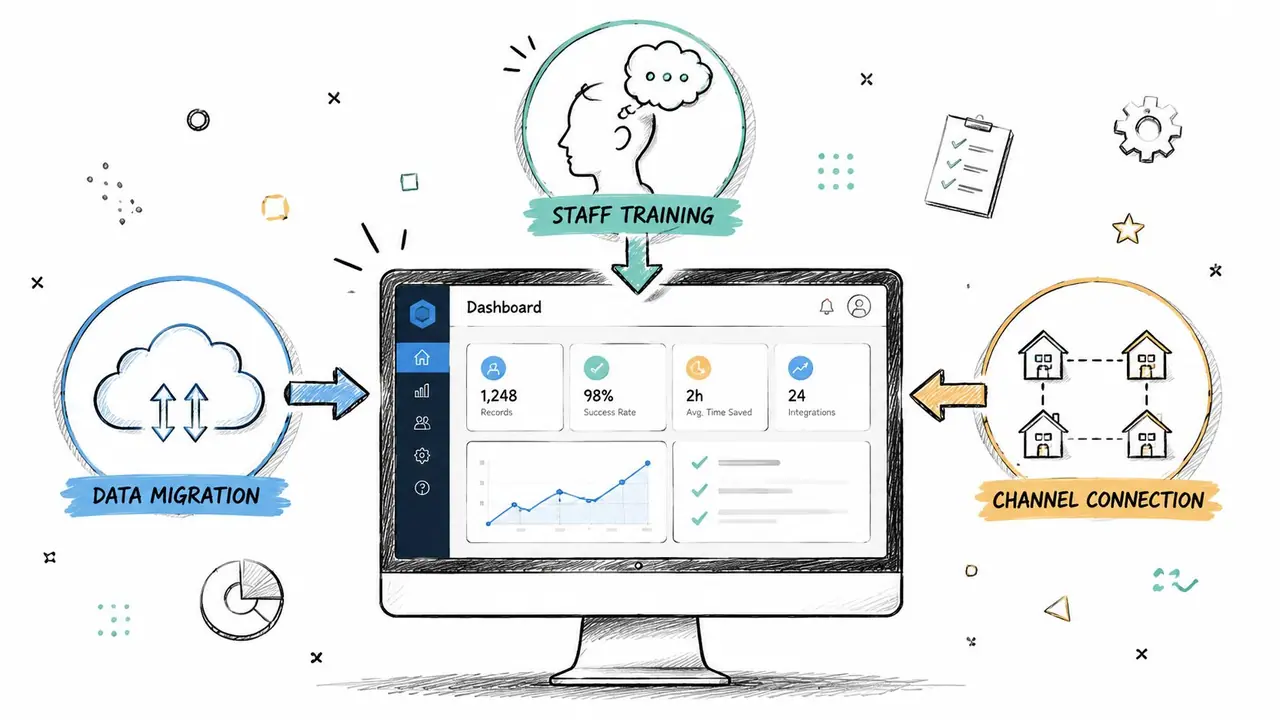
Most software problems blamed on the platform are really implementation mistakes. Data imports are rushed. Message templates go live without testing. Channels get connected before rates and rules are checked. Staff learn the tool while using it on live reservations, which is a stressful way to train anyone.
Rollout in the Right Order
A smoother implementation usually follows a practical sequence.
First, clean your data before migration. Standardize property names, fee labels, check-in instructions, and staff contacts. Messy data moved into a new platform stays messy, just in a more expensive place.
Second, connect one workflow at a time. Don't try to automate everything on day one. Get reservations and calendars right first. Then test messaging. Then add operations and payment rules. Teams that phase the rollout usually spot configuration errors before those errors touch guests.
A simple implementation checklist helps:
- Audit current processes: List where bookings, messages, cleaners, rates, and property notes live now.
- Migrate only what you trust: Old notes and duplicate templates often don't deserve a place in the new system.
- Test live scenarios: Booking modification, cancellation, same-day turnover, payment failure, and late arrival.
- Train by role: Cleaners, guest support staff, and managers each need different views and responsibilities.
- Reconnect channels carefully: Verify mapping, photos, fees, availability, and booking rules before going fully live.
If you're also improving arrival flow, this is a good time to review how a QR code check-in system can simplify guest access and instructions.
The Integrations That Matter Most
The software becomes far more valuable when it's the hub rather than the whole stack.
Dynamic pricing tools help adjust rates without manual review across every property. Smart lock integrations reduce key handoff friction and tighten check-in consistency. Guest experience platforms handle the information guests repeatedly ask for, such as Wi-Fi, parking, local recommendations, and checkout steps.
That last category gets underestimated. Managers often focus on booking and pricing workflows, then leave the guest experience fragmented. The result is an efficient back office paired with a clumsy stay experience. Guests don't see your dashboard. They see whether arrival is clear, whether house information is easy to access, and whether simple requests feel simple.
Strong operators connect operations and experience. Weak operators automate the back end and leave the guest journey patched together.
When evaluating integrations, check for practical fit, not just logo pages. Ask whether reservation details populate guest-facing tools automatically, whether changes to stay dates update downstream systems, and whether your team still has to duplicate content manually.
Measuring the ROI of Your New Software
Two months after launch is when the verdict becomes clear. The calendar is fuller, the team is under less pressure, and guests are getting the right information without someone chasing every detail by hand. Or the opposite happens. The software looks good in demos but daily work still depends on spreadsheets, workarounds, and manual follow-up.
That is why ROI needs a wider lens than subscription cost.
As noted earlier, professional PMS adoption is often tied to stronger revenue performance. In practice, the return usually starts somewhere less flashy. Fewer mistakes. Faster handoffs. Cleaner communication between reservations, operations, and the guest-facing tools that shape the stay.
Track Operational Return First
Start with the friction the system removed. If you cannot point to specific tasks that now take less time or create fewer problems, the investment is not paying back yet.
I look at four signals first:
- Admin hours per booking: Time spent on calendar maintenance, guest messaging, cleaner coordination, and payment follow-up
- Operational misses: Double bookings, missed cleans, incorrect access details, and unresolved maintenance items
- Guest communication quality: Whether guests receive accurate pre-arrival, in-stay, and checkout information without the team rewriting the same answers
- Capacity per staff member: Whether the current team can handle more reservations or properties without service slipping
This is where the guest experience ecosystem matters. A PMS can reduce back-office work, but the full return shows up when reservation data flows into guest-facing tools as well. If your welcome book, check-in instructions, upsells, and house information still live in disconnected systems, part of the ROI is getting lost in duplicate work and inconsistent guest communication.
Use Reporting to Improve Decisions
Revenue gains usually come after the operation gets more consistent.
Good reporting helps managers spot rate gaps, channel mix problems, add-on performance, weak occupancy periods, and fee leakage. It should also help answer a harder question. Are operational improvements producing a better stay, or just a tidier dashboard?
A practical review cadence looks like this:
- Weekly: Booking pace, occupancy gaps, unresolved tasks, and guest communication failures
- Monthly: Revenue by property, channel performance, add-on adoption, and exceptions that required manual intervention
- Quarterly: Whether the current software stack still fits the portfolio, team structure, and guest journey you now run
For a stronger measurement framework, review these vacation rental analytics metrics for operators.
The best ROI signal is straightforward. The team spends less time pushing information around, guests get clearer stays, and the business can grow without adding the same amount of admin for every new booking.
Common Mistakes and Your Next Step
Three mistakes show up again and again.
The first is buying on price alone. Cheap software that creates manual workarounds gets expensive fast. The second is underestimating support and training. A platform is only as strong as your team's ability to use it under pressure. The third is ignoring integrations that shape the guest experience. If the software handles bookings well but leaves guests hunting for basic stay information, the operation is still incomplete.
Use a simple next step. Write down your must-haves, your current bottlenecks, and the tools that must connect cleanly. Then shortlist platforms against that reality, not against a feature grid built for someone else's business.
Vacation rental management software should remove operational drag and make the guest journey easier to deliver consistently. If it does that, it isn't just software. It's the system that lets you scale without losing control.
If you want the guest-facing side of your operation to match the efficiency of your back office, ScanStay helps you replace paper binders and repetitive messages with a digital welcome book guests can open instantly from a QR code. It's a practical way to deliver Wi-Fi details, check-in steps, house rules, local recommendations, and upsells in one place without adding more manual work to your team.