STR Setup Time Reduction: A Host's Automation Guide
Reclaim your time with our guide to short-term rental setup time reduction. Learn to automate guest comms, use digital welcome books, and streamline turnover.
You know the turnover drill. Cleaning runs late. A guest texts for the Wi-Fi password while you're in the car. Someone asks whether the coffee machine takes pods or grounds. You remember the paper welcome binder still has last season's restaurant recommendations, and now you're updating it by hand again.
Most hosts treat that chaos as normal. It isn't. It's a setup problem.
In operations, setup time reduction means shrinking the time it takes to get a property from “not ready” to “guest ready” without cutting corners. That matters far beyond cleaning speed. It affects response time, review quality, delegation, and whether you can add properties without adding daily stress. Lean manufacturing pushed this idea hard. In one documented overview, SMED techniques can cut setup times by up to 94% when teams separate work that must happen during downtime from work that can happen before it (lean setup reduction examples from L Squared).
That principle maps surprisingly well to short-term rentals. The host version isn't changing dies on a machine. It's restocking, staging, messaging, translating instructions, updating guides, and making sure the next guest can self-serve basic information without pinging you.
The biggest mistake I see is focusing only on physical turnover. Hosts buy better linens, improve cleaner checklists, and still lose time because their digital setup is a mess. The property may be clean, but the information layer isn't ready. That's why the strongest setup time reduction playbook starts with operational basics, then applies the same discipline to guest communication and digital welcome systems.
Table of Contents
- Introduction The Vicious Cycle of Manual Property Setup
- Build Your Foundation with Checklists and SOPs
- Automate Guest Communications from Booking to Checkout
- The Digital Welcome Book The Ultimate Setup Reduction Tool
- Scale Your Efficiency Across a Growing Portfolio
- Use Simple Analytics to Iterate and Improve
Introduction The Vicious Cycle of Manual Property Setup
Manual setup traps hosts in a loop. The same questions come in every stay. The same details get rewritten. The same last-minute scramble happens because key information lives in five different places, or worse, only in your head.
That loop feels busy, but it isn't productive. It's rework.
The more useful way to think about setup time reduction is as a business system. In lean operations, the core move is separating internal tasks from external tasks. Internal tasks can only happen when the machine is stopped. External tasks happen while production keeps running. For hosts, internal tasks are the things you're still doing while the guest is waiting. Sending lock instructions manually. Translating house rules at the last minute. Looking up the Wi-Fi code because it wasn't stored in one standard place.
Practical rule: If a guest can trigger a task you could have prepared earlier, that task belongs in your setup redesign.
A good turnover process works like a restaurant's mise en place. Before service starts, ingredients are prepped, tools are in place, stations are stocked, and nobody is searching for basics mid-shift. Hosting works the same way. The property, the team, and the guest information all need a defined ready state.
That's the shift. Stop treating setup as a collection of small annoyances. Treat it as one repeatable operation. Once you do that, you can decide what should be standardized, what should be templated, what should be automated, and what should never require your attention on check-in day.
Build Your Foundation with Checklists and SOPs
A host can't automate confusion. If your property setup depends on memory, texts, or a cleaner “usually knowing what to do,” your process is fragile.
Treat turnover like mise en place
The first fix is boring, and it works. Build a single master pre-arrival checklist for each property. Not a vague one. A real one.
That checklist should cover the physical ready state, the access ready state, and the information ready state. If it isn't on the checklist, it won't happen consistently once you're busy.
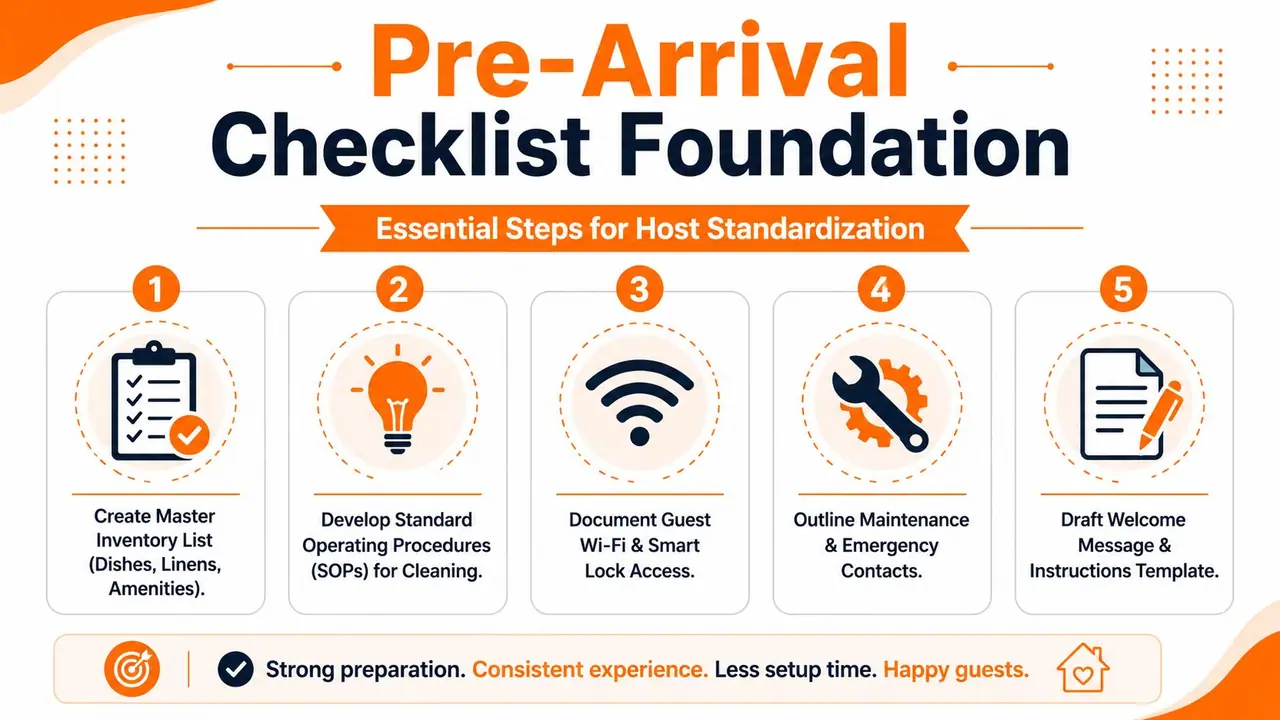
A practical checklist usually includes:
- Inventory reset: Confirm coffee, tea, toilet paper, trash bags, soap, linens, and any premium amenities you advertise.
- Room staging: Open blinds if that's your standard, set thermostat, place remotes where guests expect them, and check lighting.
- Access check: Verify smart lock codes, gate instructions, parking notes, and Wi-Fi credentials.
- Issue scan: Spot dead batteries, low stock, missing kitchen tools, and minor maintenance items before a guest finds them.
- Guest-facing details: Confirm that the instructions the guest will receive match the current reality of the property.
In a manufacturing case study, standardizing and organizing tools reduced tool search time by 7.5% (setup reduction case study on Academia). For hosts, that same waste shows up when a cleaner searches for extra pillowcases, a co-host digs through old messages for parking instructions, or you scroll your notes app for the lock reset steps.
What a workable SOP actually includes
An SOP only helps if another person can use it without calling you. That means your cleaning and turnover SOP should include more than a task list.
Use a short structure like this:
| SOP element | What it should answer |
|---|---|
| Property standard | What does “guest ready” look like here? |
| Order of work | What gets done first, second, and last? |
| Exceptions | What changes for same-day turnovers, pet stays, or long stays? |
| Escalation | When should the cleaner message you, and what photos should they send? |
Don't overbuild this. One page beats a ten-page document nobody reads.
The best SOP removes decisions from routine work and preserves decisions for unusual situations.
This is also where simple templating starts to save time. Create standard text blocks for cleaners, co-hosts, and handymen. “Missing item report.” “Minor damage found.” “Guest left food in fridge.” Small templates reduce back-and-forth and make delegation cleaner.
If you're moving between properties, changing storage setups, or reorganizing supply flows across a portfolio, a planning resource like plan your Perth move can help you think through logistics in a more structured way. That matters because setup time reduction usually improves fastest when physical organization improves first.
The hosts who stay calm on turnover day usually aren't faster people. They've removed the need to improvise.
Automate Guest Communications from Booking to Checkout
Messaging is one of the biggest hidden drains in hosting. Not because each message takes long, but because the interruptions never arrive at a good time.
Stop writing the same message every week
Start by mapping the messages you send over and over:
- Booking confirmation: Thanks, next steps, and expectation setting.
- Pre-arrival message: Parking, access, timing, and what to do on arrival.
- Mid-stay check-in: A short note to catch issues early.
- Checkout message: Time, key steps, and anything that affects the cleaner's schedule.
Most hosts begin by copying and pasting these from old threads. That's better than freehand writing, but it still leaves too much manual work. The stronger move is to set them up in your PMS or messaging tool so they trigger automatically based on booking stage.
A good automated message doesn't sound robotic. It sounds complete. Use custom fields for guest name, check-in date, property name, and access details. Keep the tone human, but make the structure fixed.
If you want examples of what that workflow can look like in practice, this guide on automate Airbnb messages is a useful reference point.
Externalize information before the guest needs it
Here's where setup time reduction gets more interesting. The primary gain isn't just sending messages automatically. It's reducing how much information has to be sent manually at all.
Many hosts still keep critical details as internal digital tasks. They wait until a guest asks where to park, how to use the oven, or whether there's a baby cot. Then they answer one by one. That keeps the work inside the check-in window, exactly when your attention is already stretched.
The better system pushes those answers out of the high-pressure moment and into preloaded guest information. That's the hosting version of externalizing setup.
Think about what usually triggers avoidable messages:
| Repetitive question | Better setup response |
|---|---|
| What's the Wi-Fi password? | Store it in one guest-accessible place |
| How do I get in? | Use a clear pre-arrival sequence with photos or steps |
| Where should we eat nearby? | Keep recommendations ready in a central guide |
| How do I use this appliance? | Add a simple instruction or short video |
Hosts often underestimate how much friction comes from incomplete communication rather than difficult guests. If the guest has to ask, your system wasn't ready.
That's why I'd rather spend an hour once building a proper communication sequence than five minutes per reservation fixing the same gaps. The trade-off is front-loaded effort in exchange for far fewer interruptions later. For any host managing more than one listing, that's the only trade worth making.
The Digital Welcome Book The Ultimate Setup Reduction Tool
Friday at 5:40 p.m. is when weak digital setup shows itself. A guest is outside asking which gate to use. Another cannot get the TV working. Someone arriving tomorrow wants to know whether the sofa bed is already made up. None of those questions are hard. The problem is that they land during the most expensive part of your day.
A digital welcome book cuts that interruption load by shifting repeat information out of the live hosting window and into a system guests can use on their own. That is setup reduction applied to the digital side of an STR. In manufacturing terms, it separates internal tasks from external ones. If a task can be prepared before the stay and accessed without you, it should not stay tied to check-in.
Turn digital setup into reusable infrastructure
Hosts usually spot wasted time in cleaning and turnovers first. They miss it in the phone.
The same questions keep pulling attention back into the stay. Door access. Parking. Wi-Fi. How to run the induction hob. Where the bins go. What to do when the hot water takes longer than expected. If that information lives in your head, your inbox, or old message threads, you are still doing internal setup during guest time.
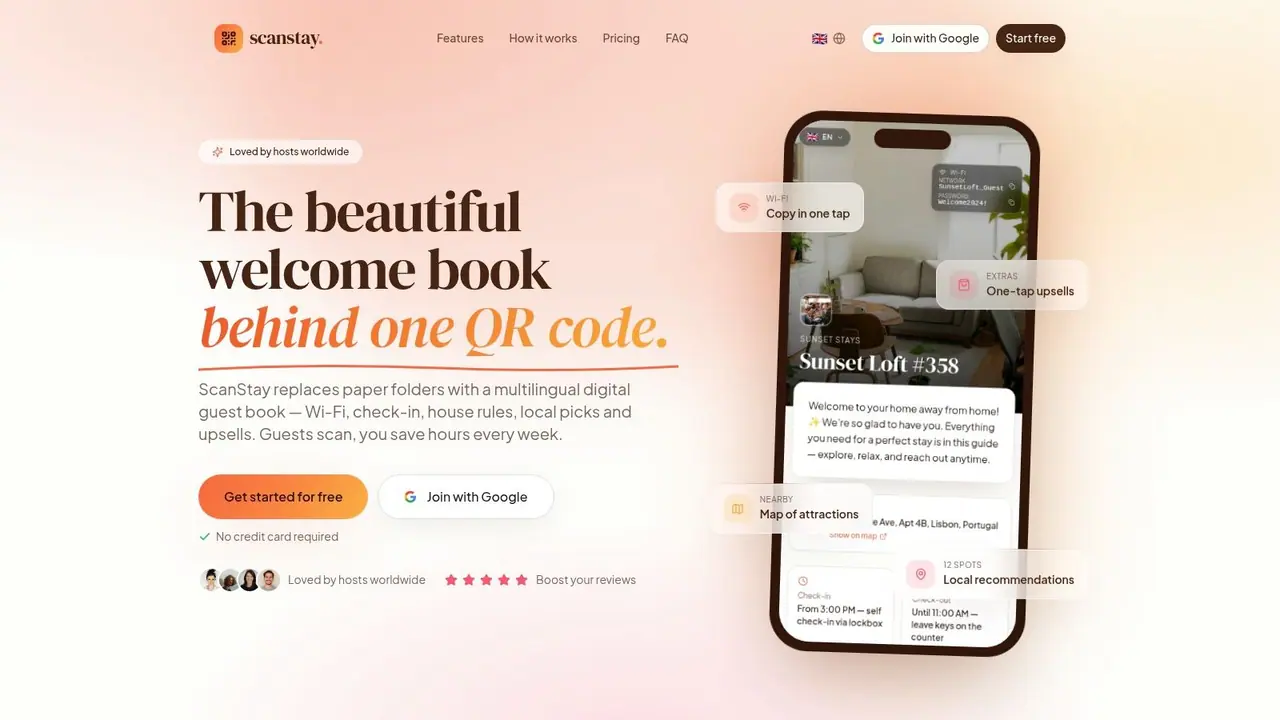
A digital guide changes the job. You prepare the answers once, organize them by guest moment, and make them easy to open from a link or QR code. The work shifts from repeated response to controlled maintenance. That trade-off is worth making because updating one guide is cheaper than answering the same question across dozens of reservations.
This matters even more with international guests. Translation is a good example of digital setup that many hosts still handle manually. If your house rules, appliance notes, and arrival instructions need to be rewritten every time the guest language changes, your process is still too dependent on you.
Guests are not judging the format. They are judging how fast they can get the right answer without waiting for a reply.
What belongs in the welcome book
The best welcome books are built around friction points, not around what the host finds interesting. Start with the moments that create preventable messages or preventable mistakes.
Include information in the order guests need it:
- Before arrival: check-in time, parking instructions, building entry, ID requirements, and what to do if they arrive early
- At the door: lock steps, backup entry method, Wi-Fi, and a clear contact rule for urgent issues
- First hour in the unit: heating or AC, hot water, TV, coffee machine, and any appliance that causes repeat confusion
- During the stay: trash, extra linens, quiet hours, shared building rules, and where to find nearby basics like groceries or a pharmacy
- Before checkout: checkout steps, dishwashing expectations, key return, and what matters versus what is handled by turnover staff
A paper binder can hold static information. It struggles when codes change, local recommendations go stale, or guests need a map link on their phone while standing outside. Digital wins because it is easier to update, easier to search, and easier to access in the moment the question comes up.
For hosts who want a stronger content structure, this guide to building a vacation rental welcome book covers what to include and how to organize it for guests.
How portfolio managers keep it consistent
Once you manage multiple units, the welcome book should be treated like an operating document, not a marketing extra. The mistake I see most often is editing each property guide from scratch. That creates drift. One listing has clear parking instructions, another has old checkout steps, and a third still mentions a router that was replaced months ago.
A better system uses three content layers:
- Brand layer for tone, service standards, and policies that apply across the portfolio
- Property layer for lock instructions, appliance quirks, parking flow, and unit-specific rules
- Local layer for neighborhood recommendations, transport details, and area-specific notes
That structure keeps updates contained. If your pet policy changes, you update the shared layer once. If unit 3B gets a new smart lock, only that property layer changes. Less rework. Fewer errors. Faster setup for every new listing you add.
The video below shows the kind of guest-facing experience hosts should aim for when they want information to be easy to access and easy to maintain.
The hosts who save the most time with digital welcome books treat them as part of operations. That is the primary benefit. You are not just giving guests information. You are removing repeat work from the busiest part of the stay.
Scale Your Efficiency Across a Growing Portfolio
A portfolio usually starts to feel heavy before it looks big on paper. The third or fourth listing is often where setup time spikes. A new property comes on, and suddenly someone is rewriting scheduled messages, rebuilding house rules, re-entering lock instructions, and checking whether the cleaning checklist matches that unit. The work is digital, but the waste looks exactly like a bad physical changeover. Too much setup has to happen while the next booking is already in motion.
That is the point where manufacturing logic becomes useful. Separate internal setup tasks from external setup tasks.
Internal tasks are the ones that can only happen once the property is live or the reservation is active. External tasks can happen before that. In STR operations, rewriting arrival messages after the listing goes live is internal work. Building a reusable arrival template in advance is external work. Updating a guidebook one unit at a time after a policy change is internal work. Keeping one shared policy block ready to publish across all units is external work.
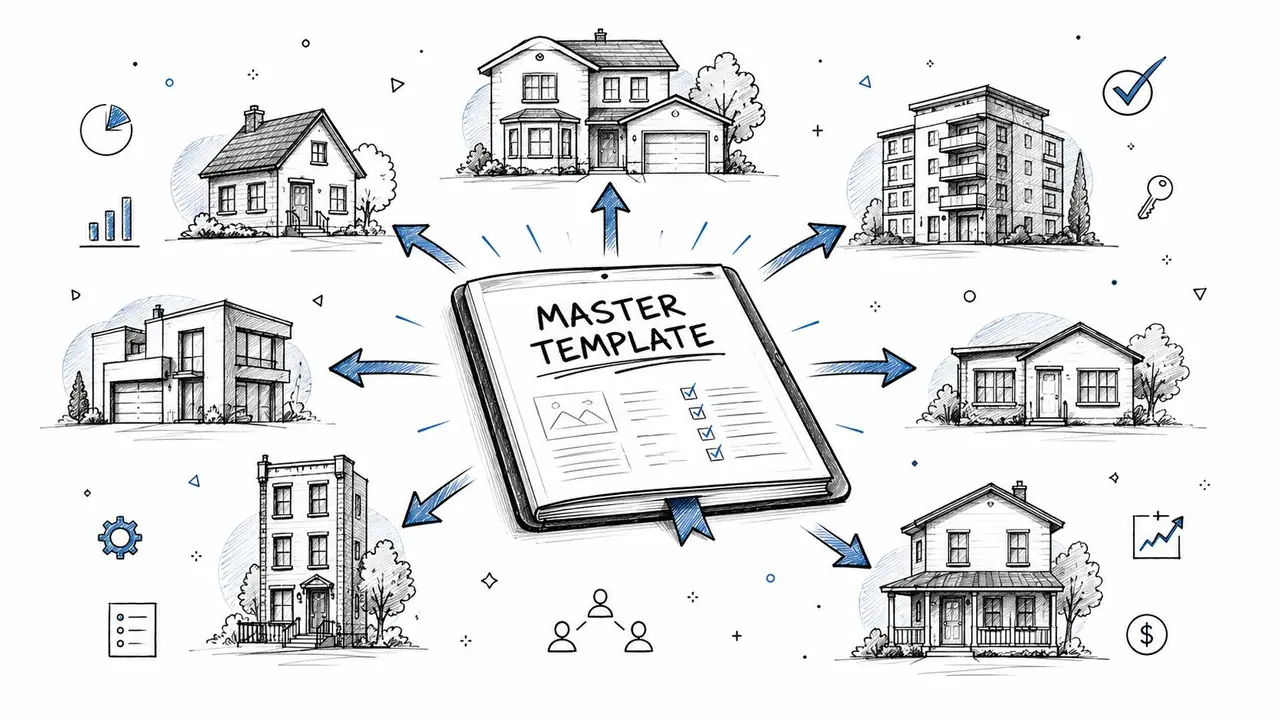
Hosts who scale cleanly push as much setup work as possible into that external bucket before a new listing ever accepts a guest.
Build a master setup package once, then copy the structure, not the mess. Mine usually includes message templates by stay stage, cleaning and inspection SOPs, issue escalation paths, owner update formats, channel-specific listing fields, and approved wording for policies. That base gets cloned for every new unit. The only edits happen where the property differs.
Typical property-specific changes are limited to:
- Access flow: smart lock steps, gate codes, parking entry, elevator instructions
- In-unit operations: thermostat behavior, appliance notes, Wi-Fi location, trash handling
- Building or local constraints: quiet hours, amenity booking rules, loading zones, nearby essentials
- Exception rules: pet limits, outdoor use, occupancy caps, HOA requirements
Digital setup commonly fails when teams standardize the obvious guest-facing pieces but leave the back-office clicks untouched. Then every added property still requires someone to rebuild automations in the PMS, reconnect tags, check scheduled send times, rename folders, and confirm task triggers manually. That is setup time, too. If those steps are repeated for each unit, the portfolio is not scaling. It is multiplying admin.
A better approach is to template the hidden work. Use naming conventions that match across every property. Prebuild automation rules with placeholders. Keep one source file for standard policy language. Store approved photo order, listing field prompts, and vendor onboarding steps in the same place your team works. The goal is simple. When a new unit is added, your team should configure a few variables, not rebuild the system.
Guest behavior still gives useful feedback at this stage, but now it should shape the template, not trigger random one-off fixes. If several properties generate arrival questions about parking, improve the shared arrival framework first. If one unit gets repeated appliance questions, fix that unit. Portfolio scale depends on knowing the difference.
Scaling a portfolio means reducing how many setup decisions have to be made from scratch.
There is a trade-off. Strong standardization can make a portfolio feel generic if every listing gets the same voice, same recommendations, and same house guidance whether it fits or not. Good operators avoid that by standardizing the process and customizing the moments that affect the stay. Guests notice clear check-in instructions and accurate house details. Your team notices fewer manual edits, faster launches, and far fewer mistakes when a new property goes live.
Use Simple Analytics to Iterate and Improve
Most hosts improve setup by memory. That works until your portfolio grows, your team changes, or your assumptions stop matching what guests need.
Analytics close that gap.
Look for friction, not vanity
The best setup data is simple. You don't need a huge dashboard. You need signals that tell you where guests hesitate, what they keep looking for, and where your system still creates work for you.
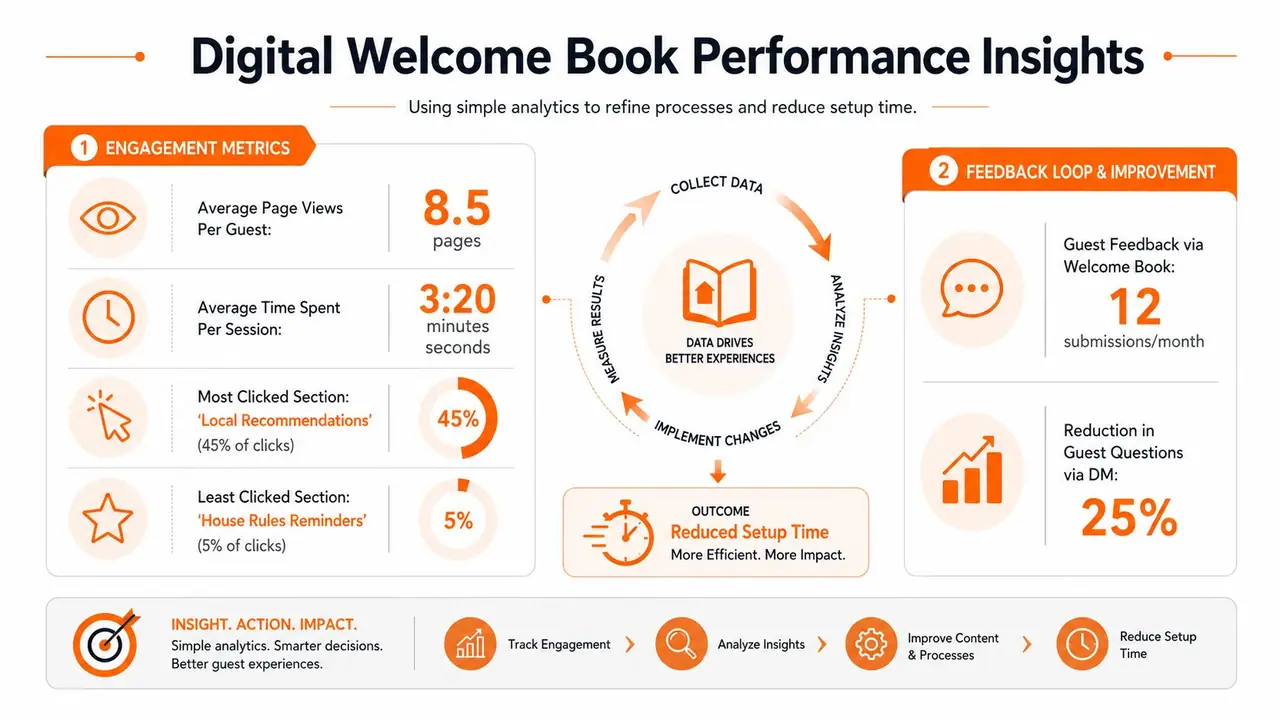
Useful questions include:
- Which pages get repeated views: That often points to unclear instructions or a recurring need.
- What guests ignore: Some information matters to hosts more than guests. If nobody uses it, simplify or move it.
- What still triggers messages: If guests still ask for the same detail, your guide placement or wording probably needs work.
- What differs by property: One listing may need much stronger arrival guidance than another.
If you want a sense of how hosts can use this kind of data, this overview of vacation rental analytics is a helpful starting point.
Standardize, then monitor
This part matters because setup time reduction isn't a one-off cleanup. It's a control loop.
Lean guidance is clear on that. The six-step framework ends with standardizing the new procedure and monitoring it. Without that review process, organizations often miss 15% to 20% of potential efficiency gains and slip back into old habits (Lean setup reduction guidance from Lean.org).
For hosts, backsliding usually looks familiar:
- The cleaner stops using the checklist.
- New recommendations get added in messages, not in the guide.
- One co-host creates their own message style.
- Lock instructions change, but the guest-facing info doesn't.
A short monthly review prevents that. Check your most common guest questions. Compare them with your current templates and guide content. Tighten one weak point at a time. That's enough to keep the system improving without turning operations into an admin project.
If you want one place to centralize guest instructions, replace paper binders, support multiple languages, and give guests a simple QR-based guide, ScanStay is built for exactly that. It helps hosts turn repeat questions into self-serve answers, keep information consistent across properties, and spend less time handling avoidable messages.