Boost Your Hosting: 10 Airbnb Message Templates for 2026
Airbnb message templates - Master Airbnb hosting with 10 expert message templates for 2026. Save time, impress guests, and secure those 5-star reviews

Stop typing the same answers every booking. Guests ask for the Wi-Fi password, parking details, lockbox steps, quiet hours, and local food spots, often after you've already sent them somewhere else. That repetition doesn't just waste time. It creates avoidable delays, missed messages, and a guest experience that feels scattered instead of intentional.
Strong Airbnb message templates fix that, but only when they work as a system. One isolated welcome note won't carry the stay. Research summarized by Boring Host's review of AirDNA findings found that guests who received 3 to 5 specific touchpoints reported 66% higher satisfaction, and the same analysis points to a sequence built around inquiry response, confirmation, pre-arrival details, Day 1 check-in, checkout reminder, and review follow-up. That's the operational standard, not a nice extra.
The bigger opportunity is simplification. Logistics and local recommendations make up over 60% of inbound guest message volume in that same analysis, which is exactly why these are the first parts of your communication stack to template and automate. Instead of stuffing every detail into Airbnb chat, smart hosts route guests into a digital welcome book such as ScanStay, where check-in steps, Wi-Fi credentials, house rules, videos, and upsells live in one place.
Below are 10 battle-tested Airbnb message templates arranged in the order guests experience them. Each one includes when to send it, what to include, what usually goes wrong, and where a tool like ScanStay fits best.
Table of Contents
- 1. Pre-Arrival Welcome Message Template
- 2. Check-In Instructions Template
- 3. Wi-Fi and Passwords Information Template
- 4. House Rules and Property Guidelines Template
- 5. Local Recommendations and Attractions Template
- 6. Checkout and Review Request Template
- 7. Emergency and Support Contact Template
- 8. Upsells and Revenue Opportunities Template
- 9. Damage Report and Photo Documentation Template
- 10. Follow-Up and Feedback Request Template
- 10 Airbnb Message Templates Compared
- From Messages to a System Automate Your Hosting
1. Pre-Arrival Welcome Message Template
A guest books on Monday, arrives on Friday, and sends three questions on Thursday night. Where do I park? How do I get in? What's the Wi-Fi? A good pre-arrival message stops that chain before it starts.
This message sets the tone for the whole stay, but its main job is operational. Confirm the reservation details, tell guests what happens next, and send them to one place for the information they will need later. That is how you reduce repetitive questions without sounding robotic.
The mistake is easy to spot. Hosts cram check-in steps, house rules, Wi-Fi, local tips, and apology text into one long message. Guests skim it, miss the important part, and message again anyway. A better approach is to use this as the front door to your communication system, then store the detail in your digital welcome book.
What this message needs to accomplish
A strong pre-arrival welcome message should do four jobs:
- Confirm the basics: Include the guest's first name, property name, and check-in date so the note feels tied to their reservation.
- Set the next milestone: Tell them when they will receive final access instructions. This cuts down on early "how do we get in?" messages.
- Send guests to one reference point: Put parking, house info, Wi-Fi, and local recommendations in your welcome book instead of scattering them across the Airbnb thread.
- Invite useful replies: Ask guests to share arrival changes, not open-ended questions. That gives you information you can act on.
Practical rule: If a guest reads this in 15 seconds, they should know when they're arriving, where details live, and what to do if plans change.
If you use a tool like ScanStay, this is usually the first message worth automating. Send it close enough to arrival that guests pay attention, but early enough to catch timing changes, flight delays, or special requests. In practice, I find this message works best as orientation, not instruction. Save door codes and step-by-step entry for the next message, where guests are ready to use them.
Copy and adapt
Hi {Guest First Name},
Thanks for booking {Property Name}. We're looking forward to hosting you on {Check-In Date}.
Check-in begins at {Check-In Time}. Before you travel, please review our guest guide: {ScanStay Link}. You'll find parking details, arrival information, Wi-Fi, house notes, and local recommendations there.
I'll send your final check-in instructions before arrival. If your arrival time changes, reply here and let me know.
Safe travels,
{Host Name}
One detail separates an average template from one that performs well. Add one reservation-specific line when it matters. For example: "I see you're arriving with two children, so I've included the nearest grocery store and playground in the guide." That small adjustment keeps the message personal while the system does the repetitive work.
2. Check-In Instructions Template
Arrival messages should read like instructions on a machine you want someone to operate correctly the first time. Not poetic. Not overly friendly. Clear.
For self-check-in properties, this is the template that carries the most operational weight. Airbnb's own Quick Replies and scheduled messaging help guidance supports timing-based automation, so this is one of the easiest messages to trigger around check-in day.
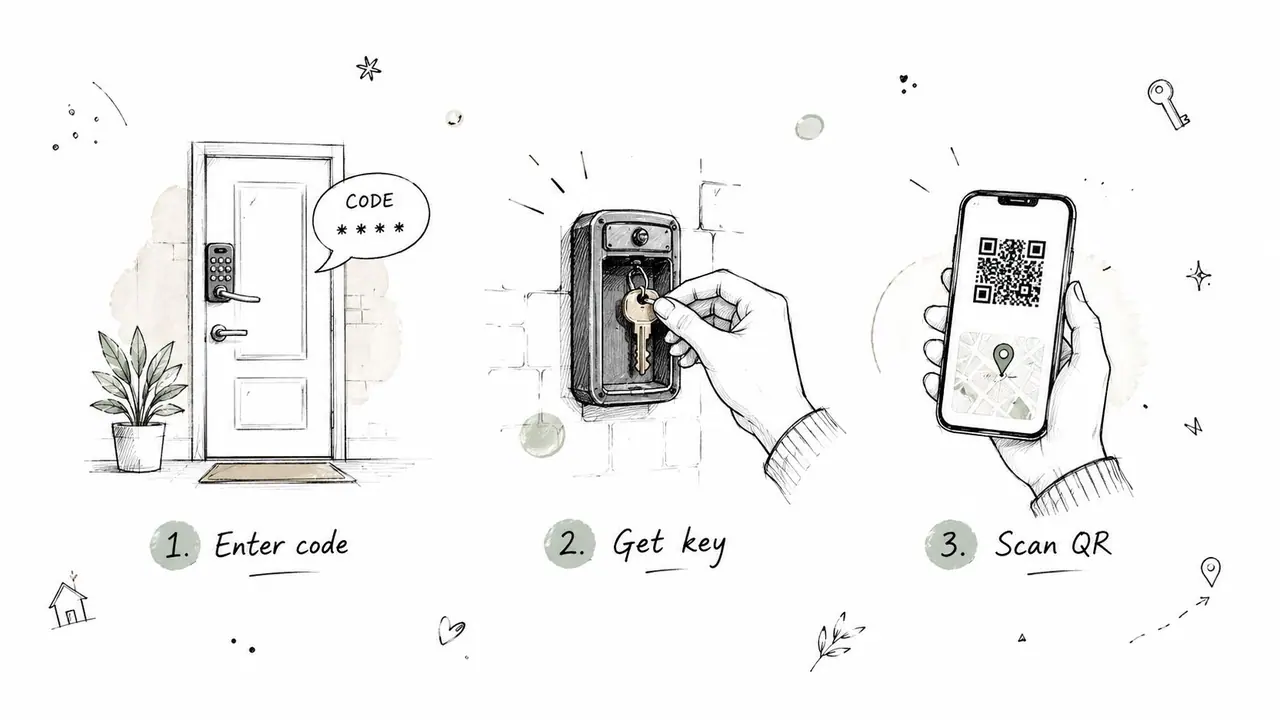
Keep it procedural, not chatty
The best versions use numbered steps. Guests don't want a paragraph when they're standing outside with luggage.
- Lead with access: Start with the address, parking location, and exact entry method.
- Use time-based sending: Airbnb's native system lets you schedule based on temporal logic such as days before arrival or morning of check-in, which is much safer than relying on memory.
- Add a visual fallback: ScanStay is strong here because you can link video how-tos for lockboxes, gates, elevators, or alarm panels.
If a guest can skim it in ten seconds and get inside, the template is doing its job.
Copy and adapt
Hi {Guest First Name},
Welcome to {Property Name}. Here are your check-in steps for today:
- Go to {Property Address}.
- Park in {Parking Instructions}.
- Enter through {Entry Point}.
- Use this code: {Door Code}.
- If the alarm is active, enter {Alarm Steps}.
If you'd like the visual version, open your guest guide here: {ScanStay Link}. It includes a short video for entry, parking photos, and backup instructions.
If anything doesn't work as expected, message me right away and I'll help.
{Host Name}
The trade-off is maintenance. This template breaks the moment a keypad changes, a gate code rotates, or the building moves guest parking. Review it whenever operations change. Don't trust an old template just because it used to work.
3. Wi-Fi and Passwords Information Template
Guests ask for internet details constantly because hosts hide them in long messages, printed binders, or screenshots from six months ago. This template should fix that by making access simple and repeatable.
I prefer sending Wi-Fi and device information through a guide link rather than leaving sensitive details scattered across message threads. That's cleaner for the guest and easier for the host when passwords rotate.
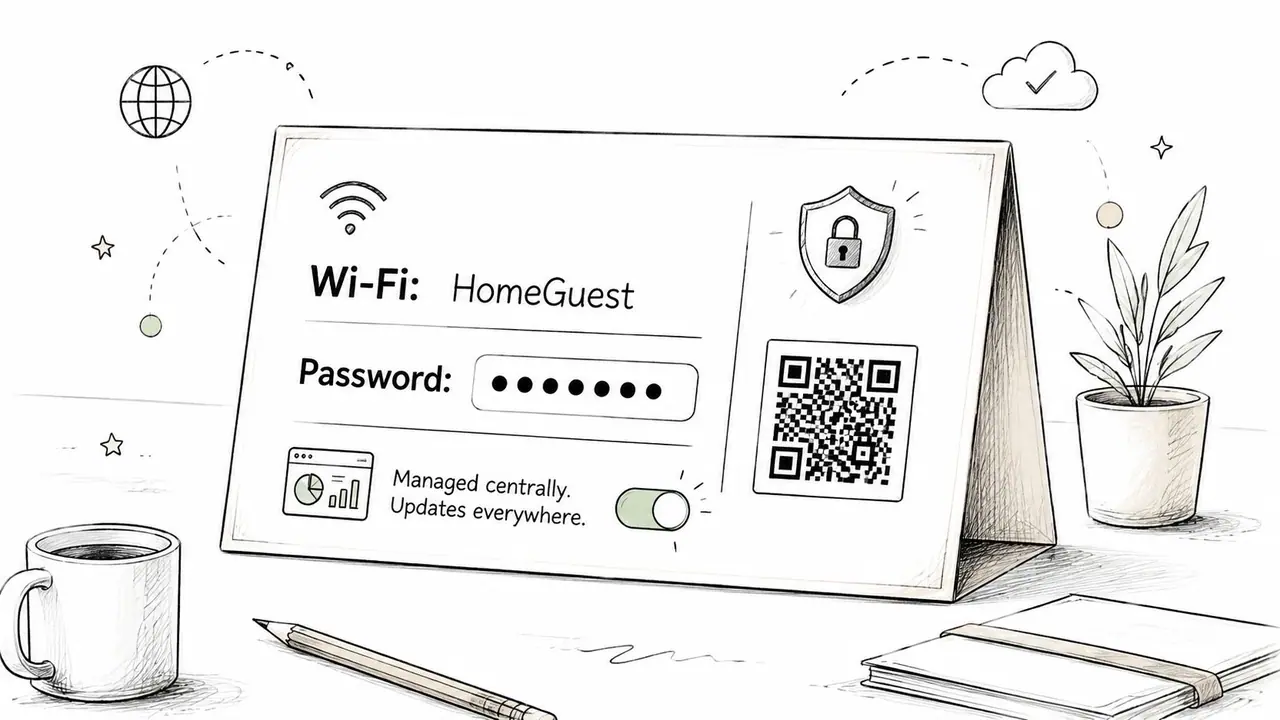
Don't bury access details in old threads
This message works best when it's short and retrieval-friendly.
- Give the guest one retrieval point: ScanStay works well because you can update credentials centrally without rewriting every message.
- Include related device basics: If the property uses a smart thermostat, smart TV login flow, or keypad interior lock, mention where those instructions live.
- Keep the tone practical: Guests don't need a speech. They need to get online.
A useful timing nuance comes from Guesty Intro's messaging analysis, which notes that for short stays of 2 nights, sending more than four messages can feel invasive. Wi-Fi info is essential, but it often belongs inside another message or welcome book for very short stays instead of as a standalone extra ping.
Copy and adapt
Hi {Guest First Name},
For easy access during your stay, your Wi-Fi and property passwords are in the guest guide here: {ScanStay Link}.
You'll find:
- Network name
- Wi-Fi password
- Smart lock or keypad instructions
- Smart thermostat notes
- Any device access steps for the TV or other in-home tech
That way you can pull it up anytime without searching old Airbnb messages.
{Host Name}
What doesn't work is sending credentials in multiple places. Once the same code appears in chat, email, a PDF, and a printed card, one of those versions will be wrong eventually.
4. House Rules and Property Guidelines Template
Rules are where many hosts damage rapport. They either become too harsh or too vague. Both create problems.
A strong house-rules template sounds like a professional host explaining how to enjoy the property without creating friction for neighbors, cleaners, or the next guest. It should be easy to scan, especially for international travelers.
Rules work better when they sound human
Best-practice analysis summarized by NowiStay's guide to Airbnb messaging recommends a five-part structure: personalized greeting, prioritized information, positive reassurance around rules, an authentic local touch, and one clear call to action. That matters here. Rule-heavy messages without warmth damage first impressions.
Use a simple bulleted format with plain language. If you manage multiple units or host international guests, put full house rules in ScanStay's house rules workflow so guests can read them in context with photos, amenity notes, and checkout steps.
Copy and adapt
Hi {Guest First Name},
A few quick house guidelines for {Property Name} so your stay goes smoothly:
- Quiet hours are {Quiet Hours}
- Registered guests only
- No smoking inside the property
- {Pet Policy}
- {Parking Rule}
- Please follow any pool, balcony, or building amenity instructions in the guest guide
- Checkout steps are listed in the guide for your departure day
You can view the full property guide here: {ScanStay Link}.
If anything is unclear, ask before it becomes a problem. I'm happy to help.
{Host Name}
ScanStay's product supports 18 languages, which is useful for clarity, but the broader platform context also matters. Hostrexa notes that Airbnb now supports auto-translation of templates into over 90 languages, so even basic message templates are more accessible than they used to be. The core difference is still structure. Guests follow short, clear rules more reliably than dense policy dumps.
5. Local Recommendations and Attractions Template
A guest lands at 6:30 p.m., drops their bags, and sends the same message every host gets: "Any dinner spots nearby?" If the answer is a long text wall or a random Google list, you create work for yourself and friction for the guest.
Good recommendation messages do three jobs at once. They improve the stay, cut repetitive questions, and give guests a clear next step after check-in. In a strong communication system, this message sits in the middle of the journey. Arrival details get people in the door. Local guidance helps them use the stay well.
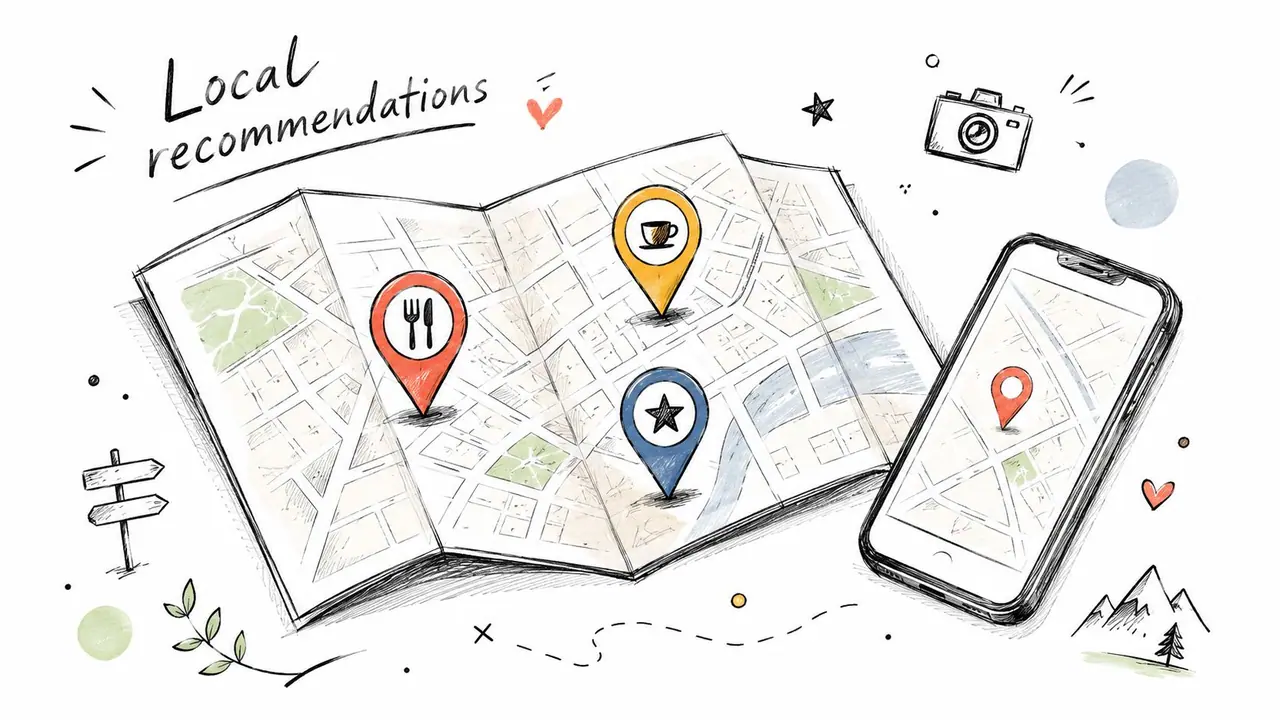
What works best is curation, not volume. I keep the list short, current, and organized around real guest needs: first meal after arrival, coffee, groceries, family activities, bad weather, and parking. Pinned locations inside a digital guide are easier to use than a buried message thread, especially for tired guests on mobile. If you want a practical model, this guide to restaurant recommendations for guest guides shows how to keep suggestions useful instead of bloated.
The trade-off is maintenance. A smaller list that you update monthly beats a huge list you never check. Guests do not need twenty options. They need three good ones that match the moment.
Copy and adapt
Hi {Guest First Name},
If you want a few solid local options near {Property Name}, open the guest guide here: {ScanStay Link}.
I've organized recommendations by:
- Breakfast and coffee
- Casual lunch
- Dinner spots
- Groceries and essentials
- Things to do nearby
- Transport and parking tips
If you're arriving hungry, start with one easy option close to the property and branch out after that. If you tell me what you're in the mood for, I can narrow it down quickly.
{Host Name}
Guests rarely remember the longest list. They remember the recommendation that fit the hour, the budget, and the group.
6. Checkout and Review Request Template
Checkout messages need balance. Too stiff, and the stay ends on an unpleasant note. Too soft, and guests leave late, forget keys, or ignore basic turnover steps.
This one should arrive before departure, while guests still have time to plan. Then the review ask should feel like a natural extension of a smooth send-off, not a demand.
Timing matters more than clever wording
Operationally, a hybrid approach works best. BNB Booking's guest communication guidance recommends automating routine reminders like check-in details, reminders, and farewells while keeping replies and problem-solving manual. That split keeps logistics consistent without making your entire communication stack feel machine-written.
The same source notes that 8 to 10 core templates cover about 90% of guest communication for a single-property operator, which is about right in practice. Checkout is one of the templates that should almost always be standardized.
Copy and adapt
Hi {Guest First Name},
Just a reminder that checkout from {Property Name} is at {Checkout Time} on {Checkout Date}.
Before you leave, please:
- Lock all doors and windows
- Return keys or confirm the keypad is secured
- Place used towels in {Towel Location}
- Dispose of trash in {Trash Instructions}
- Check for personal items before you go
Full departure details are in the guest guide here: {ScanStay Link}.
Thank you for staying with us. If you had a great stay, I'd appreciate your review after checkout.
{Host Name}
What doesn't work is trying to bribe guests into reviews or stuffing the message with six different asks. One reminder, one clean departure list, one polite review request. That's enough.
7. Emergency and Support Contact Template
Most hosts wait until something breaks to explain how support works. That's backwards. Guests need to know where to go before a lock jams, the heat fails, or they smell gas.
A clean support template lowers panic and also filters out non-urgent messages that don't need a midnight phone call. That's good for the guest and for your sanity.
Reduce panic with one message
This is a strong candidate for your digital guide, especially if you use videos for common fixes like resetting Wi-Fi, rearming a breaker, or restarting a boiler. ScanStay's article on emergency contact information for guest guides is useful for setting up the content structure.
When you're writing the message, separate true emergencies from regular support. Don't make guests guess.
A guest who knows what counts as urgent is easier to help and less likely to improvise a bad fix.
Copy and adapt
Hi {Guest First Name},
If you need help during your stay, please use the contacts below:
Emergency help
- For immediate danger or medical emergencies, call local emergency services first
- Then message or call me at {Emergency Contact}
Non-emergency support
- Message me in Airbnb for issues like Wi-Fi, heating, appliances, or access questions
- Support hours are {Support Hours}
You can also open the guest guide here: {ScanStay Link} for troubleshooting steps and video how-tos for common issues.
If something feels urgent, don't wait. Contact me right away.
{Host Name}
The common failure here is overpromising. If you can't personally provide live overnight support, set the expectation upfront and make the escalation path clear.
8. Upsells and Revenue Opportunities Template
A guest has just booked a family stay for four nights. They need a crib, want to drop bags early, and would gladly pay for both if the option is clear. If you wait for them to ask, you miss revenue and create extra message traffic.
Good upsells fit naturally into the guest journey. They answer a real need at the right moment and give the guest one clear path to request it. That is why I treat this as part of the communication system, not a one-off sales message. The best setup pairs a short Airbnb message with a digital guide where guests can review options, pricing, and cutoffs without opening a long back-and-forth thread.
Offer useful add-ons at the right time
The highest-converting extras are usually the boring ones. Early check-in, late checkout, baby gear, grocery pre-stocking, parking, and mid-stay cleaning sell because they remove friction from the trip.
Timing matters just as much as the offer. Send this after booking or a few days before arrival, when guests are planning logistics. Keep it out of support conversations. A guest dealing with a lock issue is not in the mood to buy anything.
A few rules keep this profitable:
- Offer only what you can deliver consistently: One missed add-on creates more work than the fee was worth.
- Match the stay: Family bookings, longer stays, and premium properties justify different extras.
- Use clear deadlines: Pre-arrival services need a booking cutoff.
- Put fulfillment details in your guide: Guests should see what is included before they request it.
Copy and adapt
Hi {Guest First Name},
To help you plan your stay at {Property Name}, we offer a few optional add-ons that guests often find useful:
- Early check-in, subject to availability
- Late checkout, subject to availability
- Grocery pre-stocking
- Extra housekeeping or fresh linens
- Baby gear, equipment rentals, or other local add-on services
You can view the available options in the guest guide and submit a request there: {ScanStay Link}.
If you'd like to add anything, please book early so I can confirm availability and timing.
{Host Name}
The operational trade-off is simple. Every upsell needs an owner, a cutoff, and a delivery process. If those three pieces are not in place, skip the offer until they are.
9. Damage Report and Photo Documentation Template
This is the most delicate template in the set. Done badly, it sounds accusatory. Done well, it signals transparency and protects both sides.
I only like this message when the tone is calm and factual. You're not telling guests to prove they aren't destructive. You're giving them a simple way to flag pre-existing issues before they settle in.
The tone matters more than the request
This works best right after check-in, once the guest is inside and able to notice obvious cleanliness or condition issues. Keep the ask limited. You don't need a full inspection report from every guest.
- Explain why it helps both sides: Guests are more cooperative when the logic is fair.
- Request only obvious issues: Stains, broken items, missing amenities, or cleanliness problems.
- Use a simple form or upload path: ScanStay can centralize this better than an Airbnb thread full of loose photos.
Copy and adapt
Hi {Guest First Name},
If you notice any pre-existing damage, missing items, or cleanliness issues when you arrive, please send photos as soon as possible or use the report link in the guest guide: {ScanStay Link}.
The most helpful photos are clear, taken right away, and focused on the specific issue. This protects both you and the property by making sure anything that existed before your stay is documented early.
If everything looks good, there's nothing you need to do.
{Host Name}
One warning. Don't send this before guests enter the property. Out of context, it can feel defensive. Sent after arrival, it reads as a reasonable quality-control step.
10. Follow-Up and Feedback Request Template
The last template should do more than ask for a review. It should help you learn what happened during the stay.
Good post-stay follow-up catches recurring issues that guests never reported in the moment. Bad follow-up just adds inbox noise. The difference is tone and timing.
Use this to improve operations, not just chase stars
If a guest had a smooth stay, the message can be simple. If there was friction, adjust it manually. Automated follow-up should never ignore context.
This is also the point where your communication stack can connect with outside channels. If you're refining direct-booking workflows too, it's worth studying strong examples of perfecting client booking email experiences so your post-booking communication feels consistent across platforms, not just on Airbnb.
Copy and adapt
Hi {Guest First Name},
Thank you again for staying at {Property Name}. I hope you had a safe trip home.
If you have a moment, I'd appreciate your review and any feedback about the stay. If anything could have been better, feel free to reply here. I read every note and use it to improve the guest experience.
You're always welcome back.
{Host Name}
This message works best when it sounds like the end of a conversation, not the start of a campaign.
10 Airbnb Message Templates Compared
| Template | 🔄 Implementation Complexity | ⚡ Resource / Speed & Efficiency | 📊 Expected Outcomes & Impact (⭐) | 💡 Ideal Use Cases / Key Advantages |
|---|---|---|---|---|
| Pre-Arrival Welcome Message Template | Low–Medium, simple template + personalization | Low ongoing; best automated 24 hrs prior | ⭐⭐⭐⭐, 40–60% fewer pre-arrival inquiries; fewer no-shows | Set expectations, create first impression, point guests to QR guide |
| Check-In Instructions Template | Medium, step-by-step + periodic updates | Medium, requires clear text, photos or short videos | ⭐⭐⭐⭐⭐, up to ~70–80% fewer check-in support requests | Contactless/self-check-in, keyless entry, complex access procedures |
| Wi‑Fi & Passwords Information Template | Low, initial secure setup and PIN sections | Low once configured; central updates via dashboard | ⭐⭐⭐⭐⭐, 90%+ reduction in password support; improved security | Secure credential delivery, multi-property password rotation |
| House Rules & Property Guidelines Template | Medium, curate, prioritize, and translate rules | Low–Medium, maintain and translate as needed | ⭐⭐⭐⭐, 50%+ fewer disputes/noise complaints; legal record | Clear expectations, multi-language compliance, dispute prevention |
| Local Recommendations & Attractions Template | Medium, curate listings + map pinning | Medium ongoing, verify hours and seasonal updates | ⭐⭐⭐⭐, higher review scores (~+0.5★) and 40% fewer “what to do” questions | Enhance guest experience, differentiate property, interactive maps |
| Checkout & Review Request Template | Low, concise timing-sensitive message | Low; send 24 hrs before or on checkout day | ⭐⭐⭐⭐, 30–40% higher review rates; smoother turnover | Drive reviews, clarify checkout steps, incentivize repeat bookings |
| Emergency & Support Contact Template | Medium–High, define escalation + 24/7 options | High if offering true 24/7 support; video tutorials require production | ⭐⭐⭐⭐, 50%+ fewer emergency calls via self-service guides | Properties needing rapid issue resolution and guest reassurance |
| Upsells & Revenue Opportunities Template | Medium, pricing, availability, one-tap checkout | Medium, operational capacity to fulfill services | ⭐⭐⭐⭐, +15–25% per-booking revenue when done tactfully | Boost ancillary revenue, one-tap purchases, low-season upsell |
| Damage Report & Photo Documentation Template | Low–Medium, form + clear instructions | Low; needs storage and timestamping workflow | ⭐⭐⭐⭐, ~75–80% reduction in false damage claims | High-turnover properties; protect deposits and dispute evidence |
| Follow-Up & Feedback Request Template | Low, timed outreach and optional survey | Low; schedule 3–7 days post-checkout | ⭐⭐⭐⭐, 20–35% increased review submission; actionable feedback | Reputation management, operational improvement, repeat bookings |
From Messages to a System Automate Your Hosting
At 6:12 p.m. on a Friday, the cracks in a hosting operation show fast. One guest wants the door code. Another is circling for parking. A third cannot find the Wi-Fi details that were already sent. None of these are difficult problems. They become expensive problems when your team answers them one by one, property by property, while check-ins are stacking up.
Well-run hosts do not rely on a pile of saved replies. They build a communication system around the guest journey. Each message has a purpose, a trigger, and one next action. The booking confirmation reassures. The pre-arrival note prepares. The check-in message gets the guest inside without back-and-forth. During the stay, guests need one reliable place for rules, how-to instructions, local tips, and support steps. Checkout closes the loop cleanly. Follow-up gathers feedback and supports repeat business.
Airbnb chat is useful for conversation. It is a poor place to store operational detail. Instructions get buried, outdated messages stay in the thread, and guests often ask again instead of scrolling for the answer.
A digital welcome book fixes that operationally. Short automated messages handle timing. The guide handles depth.
That split is what makes the system work. Keep the message brief and timely. Send the guest to one current reference point for parking maps, appliance instructions, Wi-Fi, house rules, troubleshooting, recommendations, and add-ons. Guests spend less time searching. Your team spends less time repeating itself. Properties stay more consistent across cleaners, co-hosts, and turnover days.
I have seen the same trade-off in every portfolio size. Too much automation feels cold and generic. Too little automation creates delays, missed details, and uneven service once the calendar fills up. Too many touchpoints annoy guests. Too few create preventable questions.
The fix is disciplined automation.
Automate predictable moments such as confirmations, arrival reminders, access instructions, house logistics, checkout steps, and post-stay follow-ups. Handle exceptions yourself, especially complaints, special requests, refunds, and anything with emotion attached. Guests do not need a custom essay in every message. They need accurate information, fast responses, and confidence that the stay is under control.
This is also where revenue improves. Once guests know exactly where to find answers, they are more likely to engage with upgrades that fit the stay, such as early check-in, late checkout, local add-ons, or house extras. Those offers land better inside a clear communication flow than they do as random sales messages.
The actual upgrade is not better wording. It is consistency. Your welcome message should set expectations for the pre-arrival note. The pre-arrival note should point to the guide. The guide should reduce support during the stay. The checkout message should reinforce the same standards the guest saw at booking. When those pieces work together, hosting gets easier to run and easier to scale.
If your templates still live in a notes app and your team is copying and pasting from old threads, there is a better way to set this up. ScanStay helps hosts turn scattered messages into one organized guest communication system, with automated touchpoints and a digital welcome book that keeps property details current in one place: https://scanstay.io