The 10 Best House Rental Apps of 2026
Searching for your next home? We reviewed the best house rental apps of 2026 to help you find the perfect place faster. Compare features, pros, and cons.
Stop scrolling between ten tabs and trying to remember whether the blue kitchen was on Zillow, Zumper, or that one app you opened at midnight and forgot to save. Most renters don't have a search problem. They have a workflow problem. Listings are scattered, alerts arrive out of order, and half the friction comes from switching between apps that look similar but behave very differently.
That matters because renting isn't a niche activity. In the U.S., 44.1 million households are renters, 34% of Americans rented their homes in 2024, and renters spend about $485 billion on rent annually, according to The Zebra's U.S. renting statistics. With that much demand concentrated in digital search, the best house rental apps aren't just nice to have. They're where most searches begin.
This guide gets to the point fast. I've split the market into Major Real Estate Portals and Rental-Specific Marketplaces so you can choose based on how you search. If you want broad coverage, neighborhood context, and a chance at single-family inventory, start with the portals. If you want a renter-first experience with stronger filters and faster browsing, the rental marketplaces usually work better.
One caution before the list. Most roundup articles spend a lot of time praising inventory size and app polish, but they don't spend enough time on listing trust. As Avail's roundup discussion of rental apps makes clear, mainstream summaries focus heavily on search features, alerts, and direct contact, while leaving renters to figure out stale listings, duplicate cross-posts, and bait-and-switch risk on their own.
Table of Contents
- 1. Zillow Rentals
- 2. Realtor.com Rentals
- 3. Redfin Rentals
- 4. Homes.com
- 5. Trulia (Trulia Rentals)
- 6. Apartments.com
- 7. Rent.com
- 8. Zumper
- 9. Apartment List
- 10. HotPads
- Top 10 House Rental Apps Comparison
- From Search to Stay: What Comes Next
1. Zillow Rentals
If you want one app that casts a wide net, start with Zillow Rentals. In practice, Zillow is the default app for a lot of renters because it covers houses, condos, townhomes, and apartments in one familiar interface. A 2026 market guide describes Zillow Rentals as one of the largest inventory platforms and also notes that Zillow is among the most widely used apartment finder apps in the U.S., with renter access available at no charge in that roundup's comparison of major platforms and landlord tools through Guestly Homes' rental app guide.
Zillow is strongest when you're searching for single-family homes and don't want an apartment-only experience. Saved searches sync well across devices, alerts are fast, and map-based filtering is still one of the cleanest ways to narrow by school area, pet policy, or parking.
Best for broad coverage and single-family house hunting
The biggest upside is reach. If you're relocating across metro areas or you're open to multiple property types, Zillow keeps the search centralized better than most apps.
The main downside is duplication. Because Zillow sits inside a larger ecosystem that includes other brands, you'll sometimes see overlap that creates the illusion of more unique inventory than exists.
- Best for: Renters who want the broadest first pass across houses, condos, and apartments
- Works well when: You're moving quickly and need alerts the moment matching listings appear
- Less ideal when: You get frustrated by syndicated listings with uneven photo quality or partial details
Practical rule: On Zillow, compare the photo count, description detail, and contact method before you assume two similar listings are different homes.
If you're also comparing long-term rentals with furnished or more flexible stays, it's worth understanding the paperwork side too. A good primer on that is this breakdown of vacation rental contracts, especially if your search crosses into temporary housing.
2. Realtor.com Rentals
Realtor.com Rentals works best for renters who don't just want listings. They want context. The app layers neighborhood, school, and local market information into the browsing flow, which is useful when you're choosing between unfamiliar areas and not just between units.
That extra context makes Realtor.com especially good for family moves, relocations, and anyone trying to avoid a house that looks great in photos but sits in the wrong pocket of town. Its search experience can feel broader than rental-only apps because it lives inside a larger real estate platform, but some renters will see that as a feature, not a bug.
Best for renters who research the area as hard as the house
Realtor.com's advantage is trust and local context. If your decision depends on commute patterns, school options, and street-level fit, this app gives you more to work with than a pure listing feed.
The trade-off is that it can feel buyer-centric at times. Small independent landlords may also show up less consistently than they do on rental-native marketplaces.
A good rental app doesn't just help you find a home. It helps you avoid signing in the wrong neighborhood.
Use Realtor.com when the area matters almost as much as the property. If you already know the exact neighborhood you want and just need fast alerts, other apps may move faster.
3. Redfin Rentals
Redfin Rentals is one of the cleaner search experiences in this category. The interface tends to feel less cluttered than some larger portals, and that matters when you're doing repetitive screening work every day. If you're comparing five or six neighborhoods at once, a cleaner app saves mental energy.
Redfin is particularly good for practical location decisions. The commute-time tools and quick tour-request flow help you answer two high-value questions fast: can I live here, and can I see it soon?
Best for renters who care about touring speed and commute fit
This is the app I'd recommend to someone who's already narrowed their city and now wants to pressure-test daily life. Commute calculations, neighborhood context, and sharing options make it easy to compare trade-offs with a partner or roommate.
Its weakness is inventory depth. In some markets, especially where dedicated rental marketplaces dominate, Redfin's rental selection can feel thin.
- Best for: Busy renters who need to move from shortlist to scheduled tour quickly
- Works well when: You care about drive times, transit fit, and neighborhood trade-offs
- Less ideal when: You're searching in a market where the broadest rental inventory lives elsewhere
The practical reality is simple. A polished app can't help if the listing you need never appears there. Use Redfin as a focused comparison tool, not always as your only search source.
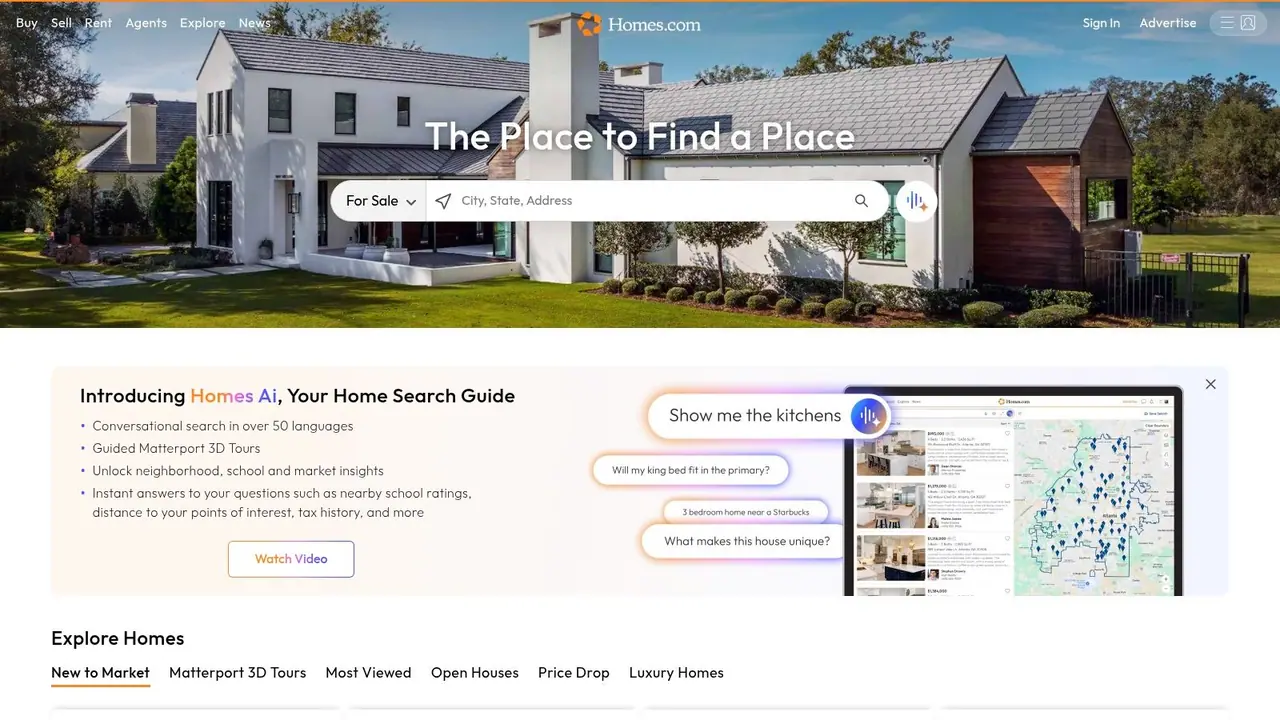
4. Homes.com
Homes.com has become more relevant for renters who like visual browsing. If your first pass is mostly visual, meaning photos, 3D tours, map feel, and neighborhood discovery, Homes.com is easier to use than many people expect.
Its conversational search and richer media on supported listings can speed up pre-screening. That matters when you're trying to eliminate weak options before you spend time messaging, applying, or booking tours.
Best for visual pre-screening before you contact anyone
Homes.com is useful when you want to inspect a property's feel from your phone before investing effort. Listings with better imagery and 3D assets let you filter out poor fits earlier, which is often more valuable than having one more filter category.
The trade-off is coverage consistency. Some markets feel strong, others still feel like they're catching up.
Better visuals don't guarantee a better listing. They just help you reject bad fits faster.
That distinction matters. Homes.com can save time on early screening, but I wouldn't rely on it alone in a tight market where every active house matters.
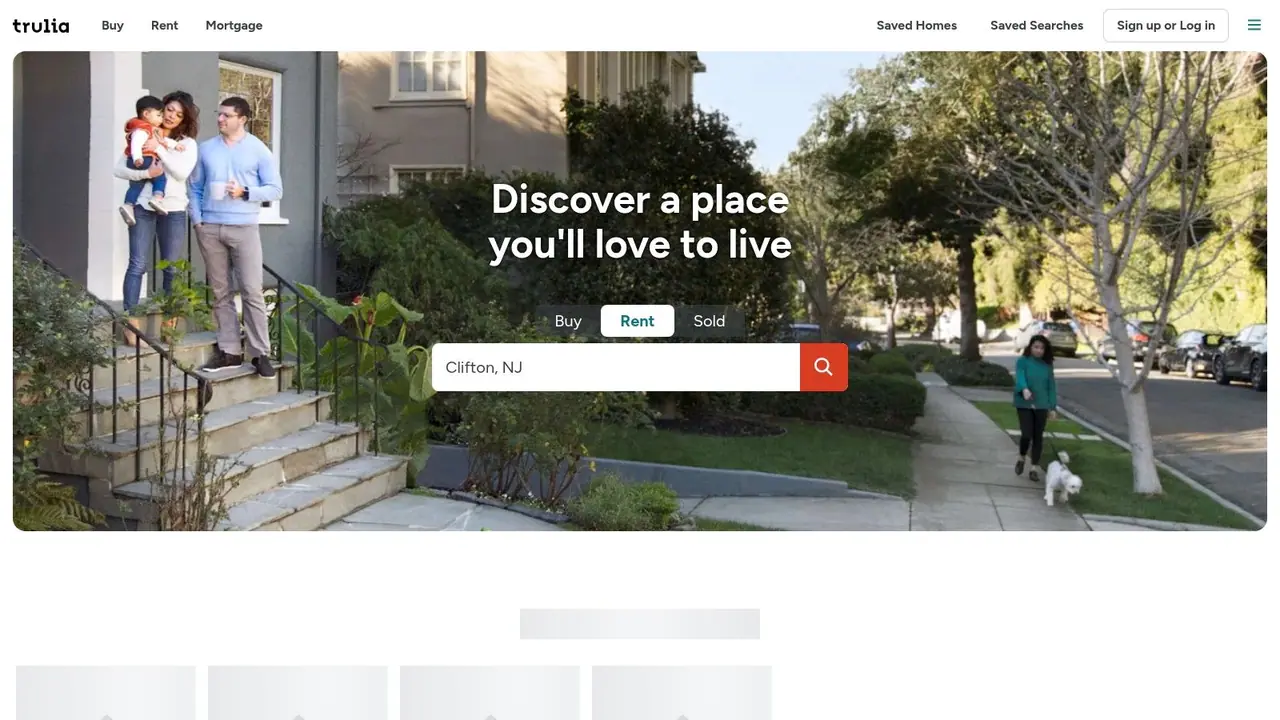
5. Trulia (Trulia Rentals)
Trulia Rentals is what I reach for when the neighborhood question is bigger than the unit question. Some renters pick a house and then check the area. That's backward if you're planning a year-long lease. Trulia's strength is helping you evaluate the block, not just the bedroom count.
Its overlays for schools, commute, amenities, and local feel make it easier to compare two listings that look similar on paper but live in very different contexts. That's especially helpful in urban neighborhoods where a few streets can change the experience dramatically.
Best for neighborhood-first renters
Trulia works well if your top concern is where you'll live day to day. It's one of the better apps for answering questions like, "Will this area fit my routine?" instead of just, "Does this house have in-unit laundry?"
The downside is overlap. Because it's part of the Zillow Group ecosystem, you may run into repeated listings you've already seen elsewhere.
- Best for: Renters who need strong neighborhood context before they shortlist homes
- Works well when: You're balancing lifestyle factors like commute, amenities, and school access
- Less ideal when: You want the most distinct inventory possible from one app
For house hunters who are moving to a new city, Trulia often earns a place in the stack even if it doesn't become the main inbox for inquiries.
6. Apartments.com
Apartments.com sits in the rental-specific marketplace camp, and that distinction matters. If you're tired of sorting through buy-side features, agent prompts, and mixed inventory, this app feels built for the actual renting process.
The name undersells it. Apartments.com also carries houses, townhomes, and condos in many markets, so it belongs on a house-rental list. Its real advantage is how it presents rental details. Filters are easy to use, pricing breakdowns are clearer than on many major real estate portals, and comparing similar listings takes less work.
Best for renters who want rental tools first
Apartments.com works best for renters who already know they want a lease, not a broader home search app that happens to include rentals. I usually recommend it to people comparing several options at once, especially when monthly cost, pet policies, parking, and amenity differences will decide the shortlist.
There is a trade-off. For single-family homes in smaller suburbs or outer-ring neighborhoods, inventory can feel thinner than what you'll find on the biggest portals. Independent landlords do not always list here first, and that matters if your target is a detached house in a specific school zone.
- Best for: Renters who want renter-focused search tools and cleaner listing comparisons
- Works well when: You're comparing total cost, lease terms, and amenities across multiple rental types
- Less ideal when: You need the widest possible pool of suburban single-family homes
If you also pay attention to how rentals are managed after move-in, this guide to a vacation rental welcome book is a useful reference point for what organized guest communication looks like on the operator side.
7. Rent.com
Rent.com isn't usually the first app people mention, but that's part of its value. It works well as a second-look marketplace. When inventory is tight, a backup feed can surface listings, pricing variations, or availability differences that don't show up the same way on bigger platforms.
The interface is straightforward. Search, filter, save, alert. No learning curve, no extra clutter, and no need to fight your way through a broader home-buying experience.
Best for a second opinion on price and availability
Rent.com shines when you're cross-checking. If a house appears expensive on one app, or if a listing seems to have vanished elsewhere, Rent.com is worth checking before you move on.
Its weakness is consistency. As with many aggregators, listing quality can vary depending on who supplied the feed, and that means renters still need to verify details directly.
Reality check: Any app that aggregates inventory can show stale or inconsistent details. Always confirm availability, fees, and move-in dates with the actual contact before you apply.
If you're interested in how professional hosts communicate after booking, this guide to a vacation rental welcome book shows what organized post-booking communication looks like on the hospitality side.
8. Zumper
Zumper fits best in the rental-specific marketplace group, not the major real estate portal camp. That distinction matters. If you want a search built around renting instead of a broader buy-sell-browse experience, Zumper usually feels faster and more focused.
It also covers a wider mix of inventory types than some renters expect. Houses, apartments, and room-style options can show up in the same search flow, which is useful for renters who are still deciding how much space, privacy, or budget flexibility they need.
Best for flexible renters comparing multiple rental types
Zumper is a practical pick for renters who need to move quickly and do not want to jump between separate apps for apartments, single-family homes, and shared places. In dense urban markets, that can save time.
The trade-off is coverage quality. Zumper can be strong in one city and less complete in another, so I would not use it as a sole source if you're house hunting in a competitive area. It works better as a focused rental app that complements the major portals.
Another point renters should watch closely is workflow. Some parts of the experience stay inside the app, while other listings push you toward an outside contact or application path. That is not automatically a problem, but it does mean you should verify fees, timing, and who manages the property before you submit anything.
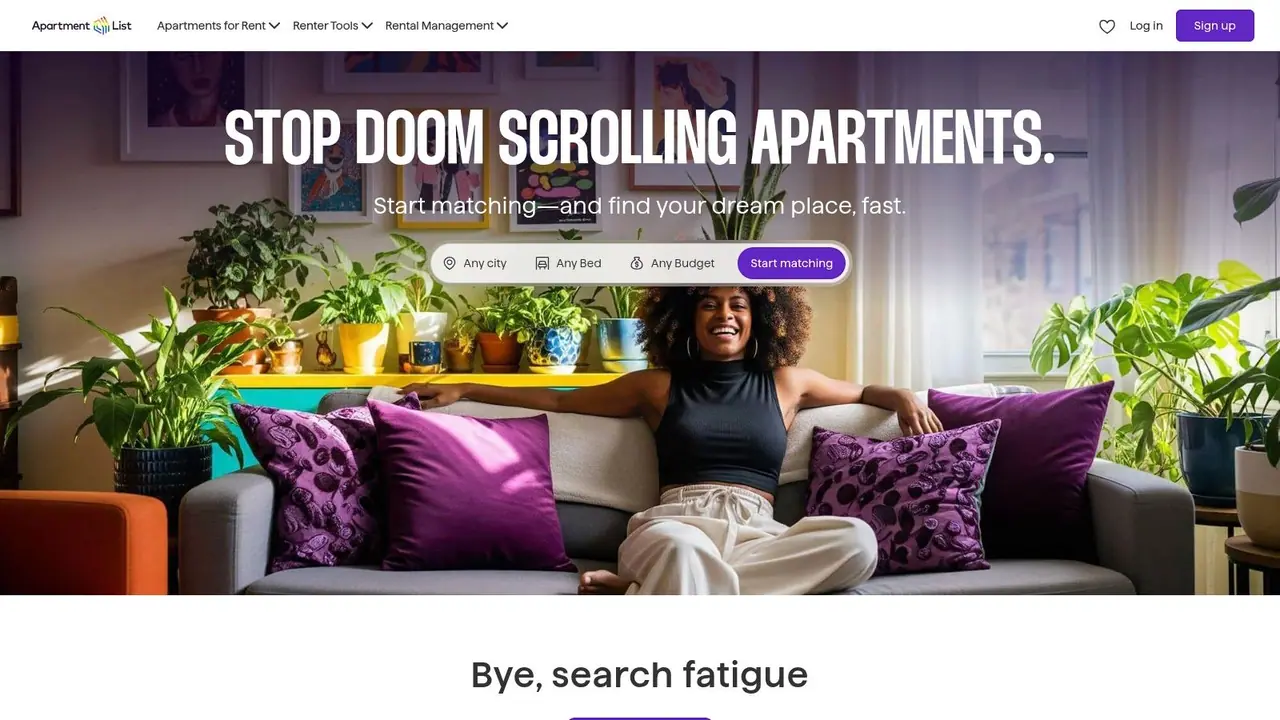
9. Apartment List
Apartment List is the best fit for renters who hate traditional filtering. Instead of asking you to manually sift through everything, it pushes a matchmaker-style experience that tries to narrow choices based on your needs and preferences.
That approach is useful for first-time renters, relocators, and anyone who feels overwhelmed by giant listing feeds. It reduces decision fatigue because you're not starting with an endless scroll.
Best for guided matches instead of raw search
Apartment List is strongest when you want recommendations more than control. If your main pain point is too many options, the guided model can save time and reduce noise.
The trade-off is obvious once you use it for a while. Curated matches are still a filter. A house that doesn't fit the model perfectly might never make it into your main view, even if you'd happily rent it.
- Best for: First-time renters and movers who want a guided search flow
- Works well when: You value convenience and curation over maximum manual control
- Less ideal when: You already know your criteria and want to inspect every possible listing yourself
For some renters, that trade-off is worth it. For others, it feels like the app is deciding too much for them.
10. HotPads
HotPads is still one of the most usable map-first rental apps for dense markets. If you naturally search by neighborhood boundaries, transit access, or a specific cluster of blocks, HotPads can be faster than apps that make you bounce between list view and map view.
It belongs in the Zillow Group family, so some inventory overlap is expected. But the experience is lighter and more location-driven, which many renters prefer when they already know the city and just need to hunt street by street.
Best for urban renters who browse by map first
HotPads is a practical tool for city renters who care about exact placement. You can move quickly through must-haves, keep alerts tight, and explore visually without a lot of extra friction.
Its downside is depth of tooling. Compared with Zillow's fuller rental experience, HotPads is simpler.
The broader content gap is evident in how most "best house rental apps" roundups are built for searchers, not for the operators who manage leads, verification, and response workflows. As Orion Housing's roundup framing reflects, the focus usually stays on browsing features while questions around verification, inquiry handling, and operational quality get less attention. For renters, that means HotPads is great for discovery, but you still need your own process for checking whether a listing is current and credible.
Top 10 House Rental Apps Comparison
Open three rental apps on the same night and the differences show up fast. One is strongest for broad house inventory, another is better for apartment-heavy searches, and a third saves time only if you already know the neighborhood you want. That is why it helps to split this list into two groups: major real estate portals and rental-specific marketplaces.
The first group usually gives you wider market coverage and better local context. The second group often gives you faster filtering, stronger apartment search tools, and more renter-focused matching. Use the table below to pick the app that fits your search style, not just the app with the biggest name.
| Platform | Category | ✨ Key Features | ★ UX & Quality | 👥 Best For | 💰 Price & 🏆 Unique Edge |
|---|---|---|---|---|---|
| Zillow Rentals | Major Real Estate Portal | Nationwide inventory; saved searches; AI Mode | ★★★★☆, frequent updates; variable listing quality | 👥 Single-family renters who want the widest starting point | 💰 Free; 🏆 Massive reach and AI-assisted search |
| Realtor.com Rentals | Major Real Estate Portal | MLS-connected listings; natural-language search; neighborhood and school data | ★★★★☆, accurate listings; buyer-oriented interface | 👥 Renters who care about listing accuracy and local research | 💰 Free; 🏆 MLS-linked data and strong local context |
| Redfin Rentals | Major Real Estate Portal | Fast tour requests; commute-time tool; shareable lists | ★★★★☆, clean, scheduling-focused experience | 👥 Renters trying to book tours quickly and compare commute fit | 💰 Free; 🏆 Smooth touring workflow |
| Homes.com | Major Real Estate Portal | AI conversational search; 3D and Matterport tours; agent tools | ★★★☆☆, visual experience; inventory varies by market | 👥 Renters who want to screen listings visually before reaching out | 💰 Free; 🏆 Rich media and CoStar-backed tooling |
| Trulia (Rentals) | Major Real Estate Portal | Neighborhood overlays; draw-map search; alerts | ★★★★☆, strong local insights; some duplication | 👥 Renters choosing based on block-by-block neighborhood feel | 💰 Free; 🏆 Lifestyle and neighborhood layers |
| Apartments.com | Rental-Specific Marketplace | Voice and AI search; cost calculators; market data | ★★★★☆, data-heavy experience; multifamily focus | 👥 Apartment renters comparing affordability across several properties | 💰 Free; 🏆 Strong inventory and pricing tools |
| Rent.com | Rental-Specific Marketplace | Saved searches; broad inventory; simple filters | ★★★☆☆, straightforward, no-frills experience | 👥 Renters who want a backup search channel for extra listings | 💰 Free; 🏆 Simple alternative feed |
| Zumper | Rental-Specific Marketplace | Strong mobile filters; ChatGPT app features; tour integrations | ★★★★☆, mobile-first and fast; listing quality varies | 👥 Mobile-first renters who want speed and newer search tools | 💰 Free; 🏆 Early AI features and broad coverage |
| Apartment List | Rental-Specific Marketplace | Matchmaker quiz; curated matches; saved preferences | ★★★★☆, guided experience; may hide options outside your match profile | 👥 First-time renters and relocators who want guided recommendations | 💰 Free; 🏆 Personalized matching |
| HotPads | Rental-Specific Marketplace | Map-centric browsing; quick filters; push alerts | ★★★★☆, fast, map-first experience; lean feature set | 👥 Urban renters who search by exact location first | 💰 Free; 🏆 Lightweight map search |
One practical takeaway stands out. If you are renting a house, start with the major real estate portals. If you are comparing apartments, moving to a new city, or want a faster mobile workflow, add the rental-specific marketplaces early. Using both categories usually gets better results than relying on one app alone.
From Search to Stay: What Comes Next
You find a strong listing, book it, and then the test starts. Does the manager send clear check-in steps? Are house rules easy to find? Can you get the Wi-Fi code and parking details without digging through old messages? That handoff often determines whether a rental feels well run or frustrating.
This matters most with short-term and furnished rentals, where the stay depends on more than the listing itself. In one property-management study, analysts found that using market data intelligence was associated with higher occupancy, higher average daily price, and higher revenue under a propensity-score-matched analysis, according to the AEA conference paper on market data intelligence in short-term rentals. For renters, the practical takeaway is simple. Operators with better systems often deliver a better guest experience too.
You can usually spot that early. Clear confirmation messages, accurate arrival instructions, fast answers, and a simple access process are good signs. Missed details, slow replies, and scattered information usually show up before check-in, not just after something goes wrong.
The broader market is also pushing operators to improve. The global peer-to-peer rental app market was valued at USD 17.7 billion in 2024 and is projected to reach USD 49.3 billion by 2034, according to Global Market Insights on peer-to-peer rental apps. More platform activity means more listings competing for attention, but it also creates a wider gap between organized hosts and careless ones.
Post-booking tools are part of that difference. A digital welcome book is often a useful signal that the operator has thought through the stay. If a property uses a system like ScanStay, guests can pull up check-in steps, Wi-Fi details, house rules, local recommendations, and other basics from one place instead of chasing them across email threads and app messages. For renters, that usually means fewer avoidable problems on arrival.
The app gets you to the listing. The follow-through tells you what the stay will feel like. That is the part smart renters should judge just as closely.