Hotel PMS Meaning: What It Is, How It Works, and Why You
Understand hotel PMS meaning clearly. Learn core features, how it differs from channel managers, and how to choose the right system for your property.
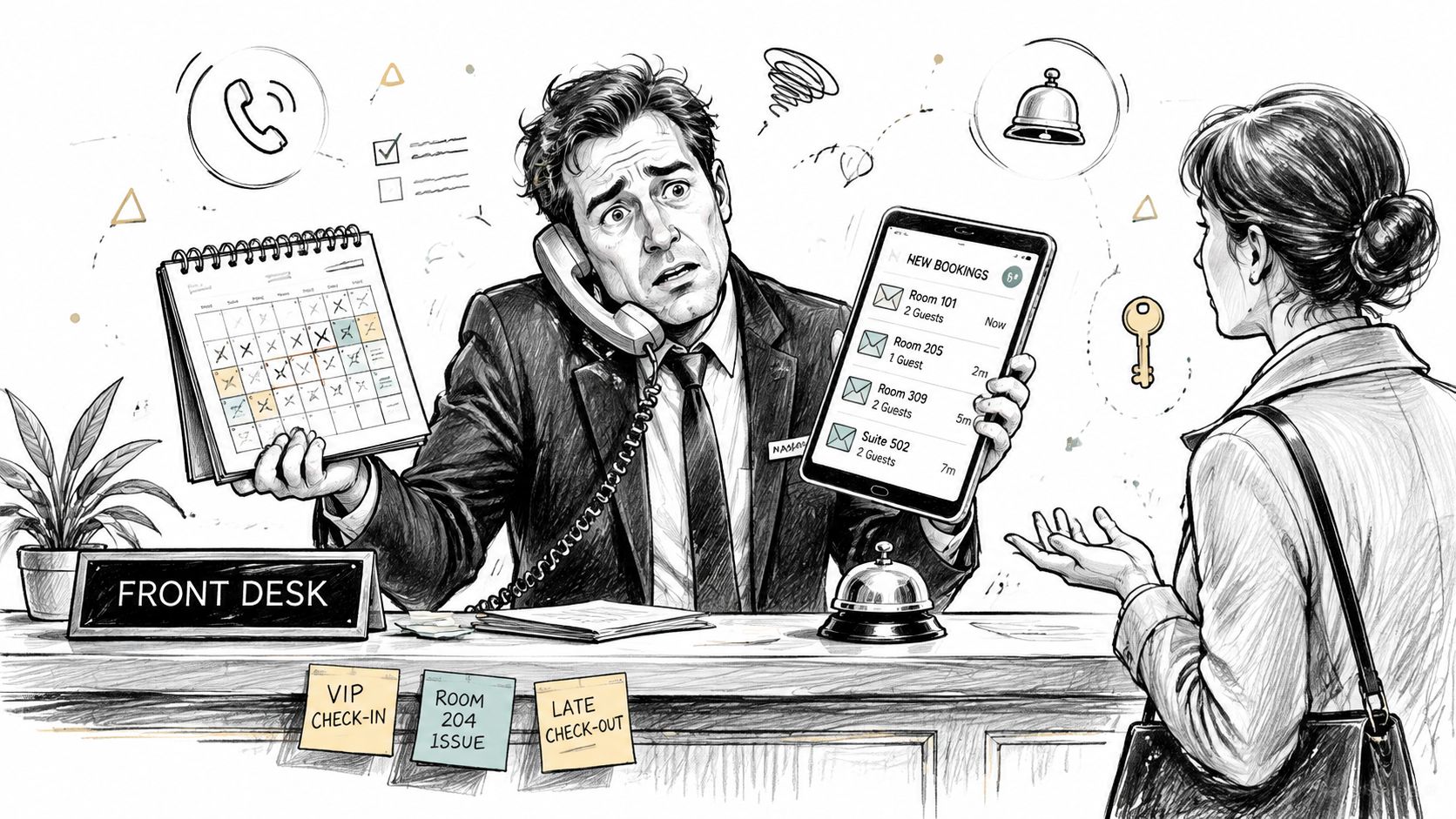
A guest asks for the Wi-Fi password while you're changing availability on your phone. Another reservation arrives in an inbox you haven't checked yet, and the cleaner is waiting for confirmation that the room is ready. By the time you correct a billing error caused by copying dates between spreadsheets, the front desk is handling the same guest information from a different screen.
That's the practical reason behind the hotel PMS meaning. A hotel PMS, or Property Management System, is the operational software that coordinates reservations, check-in and check-out, housekeeping, guest profiles, billing, reporting, and inventory. It gives the property one live record of what's booked, who's arriving, what each room needs, and what staff must do next.
Table of Contents
- The Operational Command Center of Your Property
- PMS vs Channel Managers and Booking Engines
- Core Features That Drive Daily Operations
- Building the Complete Technology Ecosystem
- How to Choose the Right System for Your Needs
- Why Modern Hosting Requires Professional Tools
The Operational Command Center of Your Property
A PMS isn't just a digital reservation book. It's the central operating layer that keeps room status, guest information, payments, and staff activity aligned throughout the stay lifecycle.
Suppose a guest books a room through your website. The reservation should create or update a guest profile, reduce available inventory, apply the correct rate and restrictions, and place the arrival on the front-desk workload. As the guest checks in, the PMS changes the room state, records charges, and makes the relevant information available to housekeeping and management. When the guest checks out, the system closes the folio, records the departure, and helps staff move the room into its next operational status.
Without that shared record, every handoff becomes a chance for an error. Someone may mark a room clean in a messaging app but forget to update the calendar. A receptionist may accept a payment without attaching it to the correct folio. A manager may review occupancy figures that don't match the reservations because one channel was updated manually.
One record for every operational handoff
The strongest PMS setup makes the reservation the starting point for coordinated work. A booking can feed the arrival list, guest communications, payment workflow, housekeeping schedule, and management reports without staff retyping the same details.
That's why the PMS functions as a single source of truth. The front desk reads the same room and guest state that housekeeping updates. Finance works from the same folio that the receptionist uses. Managers can see operational information without waiting for separate spreadsheets to be reconciled.
A practical property management dashboard guide can help you think through what staff should see at a glance. The useful question isn't how many widgets a dashboard contains. It's whether the screen helps someone answer urgent questions quickly:
- What's arriving and departing: Staff should know which guests need attention and which rooms need turnover.
- What's blocked or unavailable: Maintenance and out-of-order status must be visible before new reservations are accepted.
- What needs action: Unpaid balances, incomplete guest details, service requests, and housekeeping exceptions shouldn't hide in separate tools.
From reservation tool to operating system
The concept has a long history. Westin introduced Hoteltype, one of the first reservation systems, in 1947, and Sheraton's Reservation followed in 1958, described as the first automated booking system in the history of hotel PMS technology. Computerized PMS software emerged in the late 1970s, while cloud-based PMS platforms arrived around 2010, removing the need for on-site servers.
That progression changed the job of the system. What began as a back-office reservation function now coordinates the property's operating rhythm. For a small guesthouse, that may mean fewer manual updates. For a multi-property operator, it means giving different teams a common view of reservations, room inventory, payments, and guest service.
Practical rule: If staff must copy the same reservation detail into multiple places, the PMS isn't yet serving as the property's command center.
PMS vs Channel Managers and Booking Engines
The PMS, channel manager, and booking engine often appear together in a software package, but they perform different jobs.
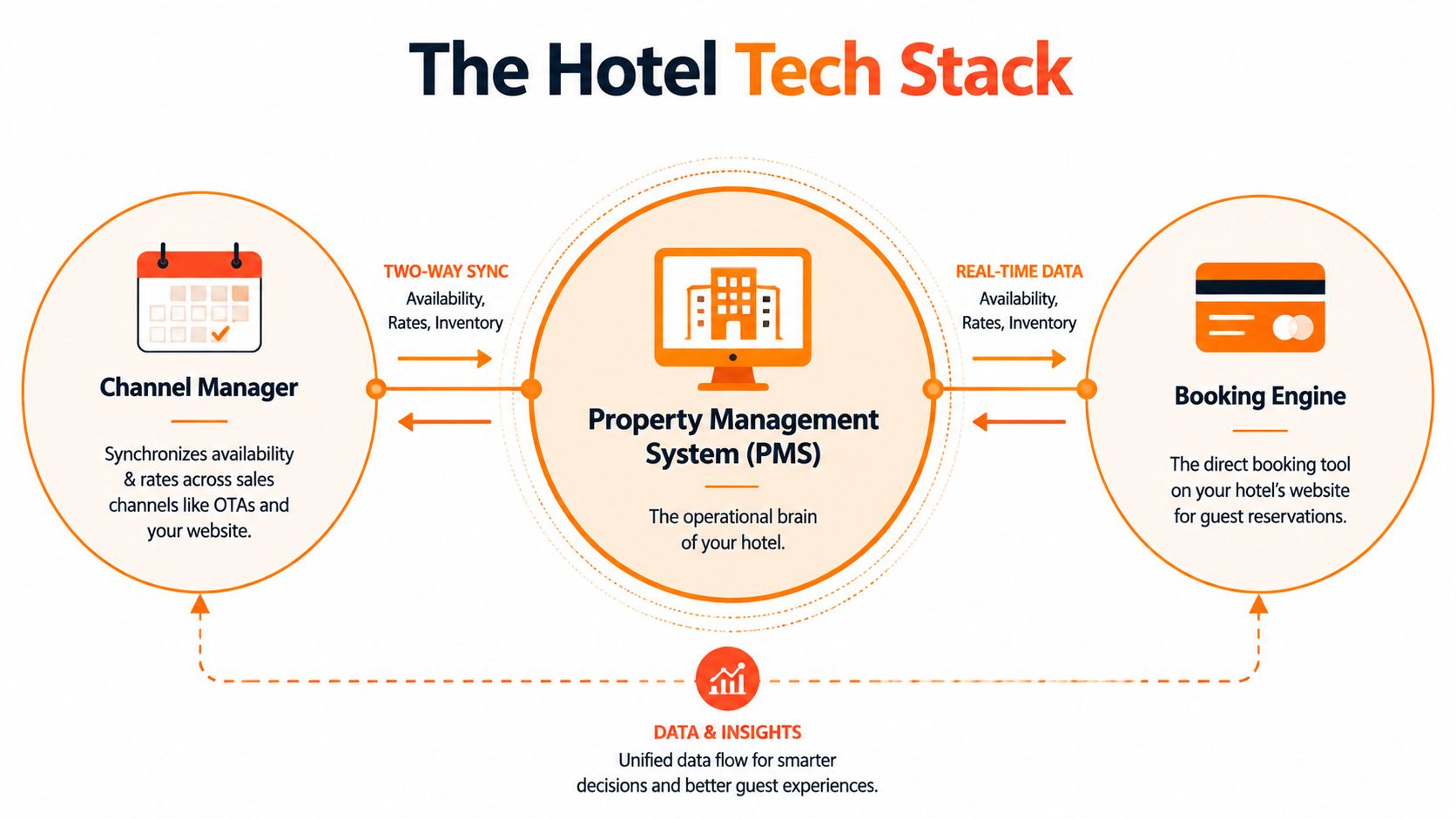
A channel manager distributes rates and availability across sales channels such as online travel agencies and a property's website. A booking engine lets guests reserve directly through that website. The PMS receives and processes the resulting reservation data, then coordinates the operational work that follows.
Think of the PMS as the control room. The channel manager is the distribution mechanism, sending inventory and pricing outward. The booking engine is the direct sales counter, capturing a guest's reservation and payment details. Neither peripheral tool replaces the internal operating record.
Where each system belongs
| System | Primary job | What happens if it operates alone |
|---|---|---|
| PMS | Manages reservations, guest profiles, room state, billing, housekeeping, and reporting | Staff may lack distribution or direct booking capabilities |
| Channel manager | Synchronizes rates, availability, and reservations across sales channels | Operational details can remain disconnected from staff workflows |
| Booking engine | Captures direct reservations through the property website | Bookings may not update every channel or internal task automatically |
The boundary matters during implementation. If you buy a channel manager expecting it to manage check-in, folios, and room readiness, you'll still need another operational system. If you buy a PMS with a booking engine but fail to confirm how inventory sync works, the property can end up with conflicting availability.
A well-connected stack should pass information in both directions. The booking engine sends a direct reservation to the PMS. The PMS updates inventory, and the channel manager distributes the new availability to connected channels. Changes to dates, room types, cancellations, and restrictions should travel through the same architecture instead of relying on staff to reconcile them later.
For a closer explanation of the distribution component, see this practical channel manager definition. It's particularly useful when comparing an integrated PMS suite with separate tools.
The integration is the real product
Vendors often advertise a long feature list, but the important test is what happens after a reservation changes. Does the update reach every connected channel? Does housekeeping receive the new departure? Does the payment record attach to the right guest? Can a manager trace the event if something fails?
The following video offers another visual way to understand how connected hotel systems fit together.
A PMS that has fewer visible features but reliable integrations can outperform a larger system that leaves staff repairing broken handoffs. Choose the architecture first, then judge the feature list.
Core Features That Drive Daily Operations
When housekeeping sees a checkout in real time and updates room status within seconds, the front desk can assign the room with current information. That is the practical value of a PMS: fewer handoff delays, clearer responsibility, and one operational record for staff.
Reservation and room control
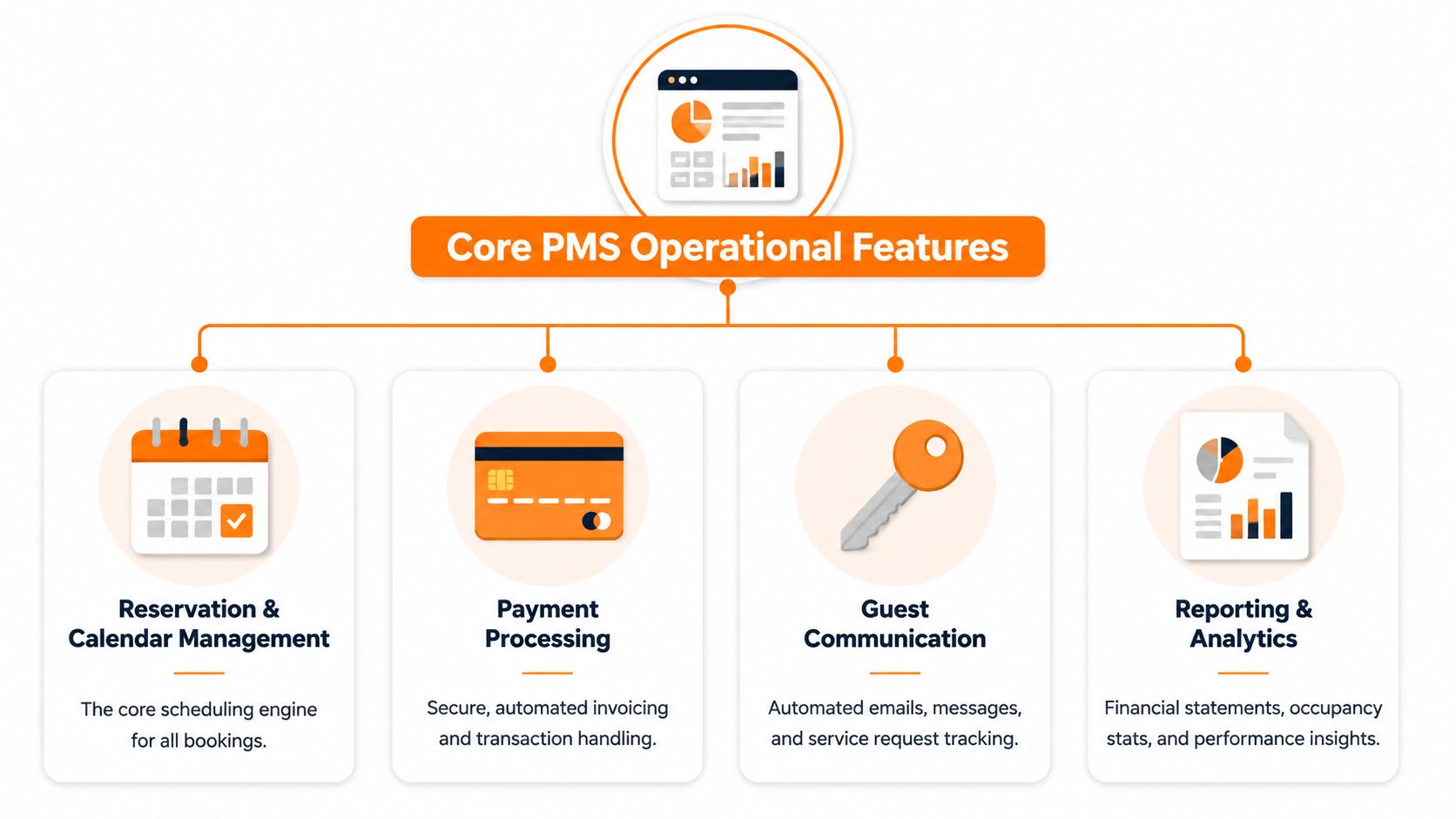
Reservation management is the foundation. Staff need to create, modify, cancel, and review bookings while seeing room types, availability, rates, restrictions, and guest details in one working environment.
Room status carries equal operational weight. A room may be occupied, vacant, dirty, inspected, blocked, or unavailable for maintenance. Prompt status updates keep the front desk from assigning a room that housekeeping has not released.
The PMS should preserve a clear change history. If dates or room types change, staff need to see what changed and which rate or payment rule applies. A calendar that only displays bookings cannot provide that level of control.
Payments and folios
Billing connects the stay with the property's financial record. A PMS can organize room charges, taxes, deposits, refunds, additional services, and invoices under the correct guest folio.
That structure prevents a common failure: taking payment in one system while recording the obligation in another. Payment workflows should show what has been authorized, what remains due, and whether a refund or adjustment is complete.
Point-of-sale connections matter for properties with restaurants, spas, parking, or other chargeable services. The objective is a complete guest account, not forcing every transaction through the PMS interface.
Guest communication and service work
Automated messages can cover booking confirmations, arrival instructions, check-out reminders, and service updates. Staff still handle exceptions, but they should not compose the same basic response for every guest.
A useful PMS also tracks requests. An extra-bed request or maintenance report needs an owner, a status, and a connection to the relevant reservation or room. That record is more dependable than a request left in a personal inbox.
Guest experience measurement depends on consistent feedback collection. Operators can review this guide by Max's Luxury Rides on guest satisfaction measurement for a practical framework.
Reporting and open connectivity
Reports turn operating records into decisions. Managers can review arrivals, departures, housekeeping exceptions, payment activity, room performance, and other property information without assembling separate files.
Modern PMS platforms increasingly operate as API-first integration hubs. An API-first PMS can expose reservations, inventory, rates, availability, folios, payments, refunds, and invoices through documented REST APIs and webhooks. The API-first PMS integration documentation from Apaleo illustrates this approach.
Where reliable integration matters most
A batch export leaves staff waiting, downloading, cleaning, and reconciling data. Real-time connectivity lets the PMS coordinate distribution, payment providers, guest-service systems, locks, and other operational tools with fewer manual interventions. The PMS becomes the property's central nervous system because each connected tool can act on current operational events.
Building the Complete Technology Ecosystem
A PMS manages business logic, but it doesn't answer every guest question. Even a well-configured operational system can't stop visitors from asking where the Wi-Fi password is, how to find the property, whether breakfast is available, or how to operate the heating.
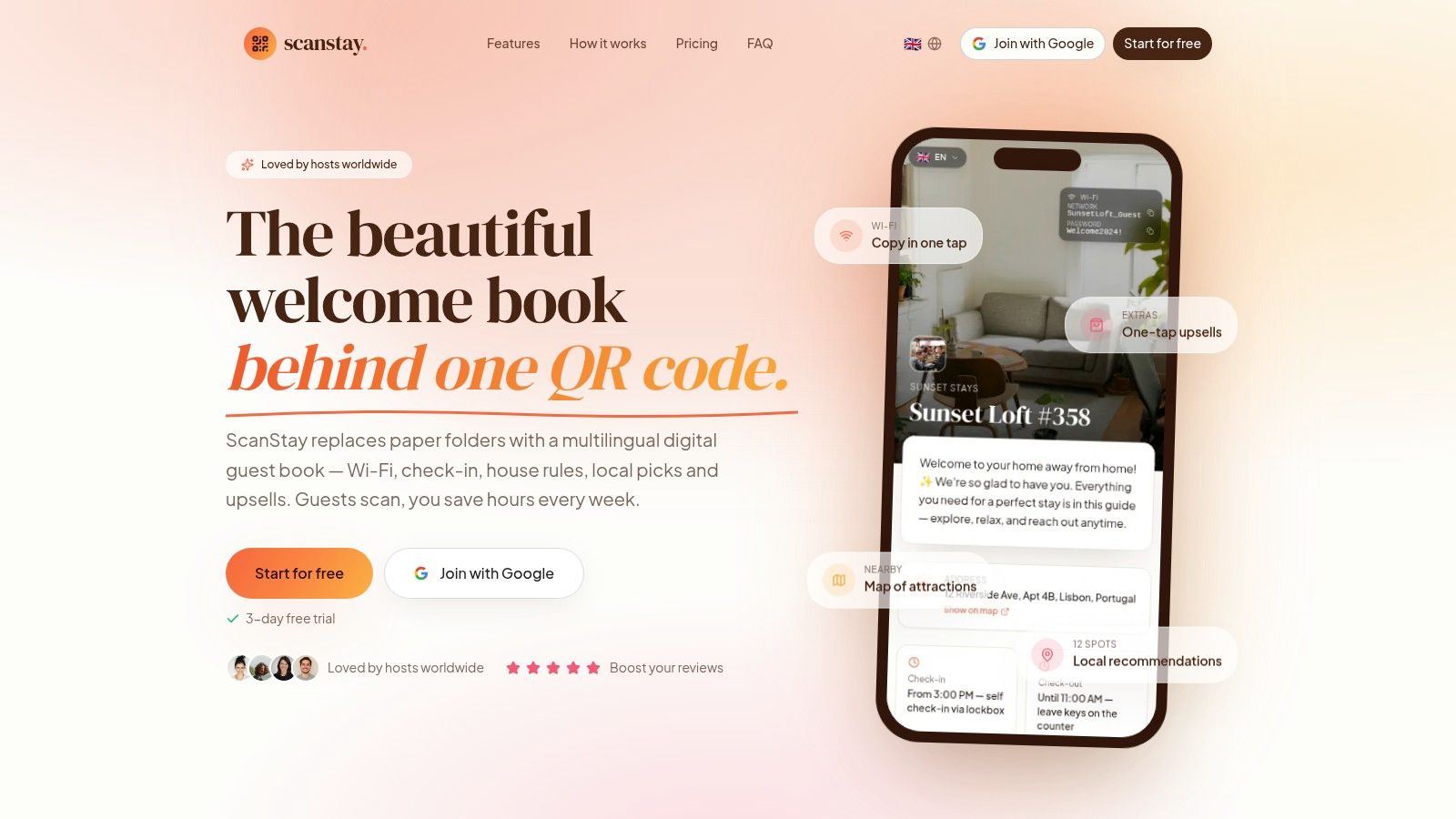
That's where a guest-facing tool complements the backend. A digital welcome book can present approved information in a mobile browser, while the PMS continues managing reservations, room state, payments, and staff workflows.
Separate responsibilities, connected experience
The best division of labor is straightforward:
- The PMS owns operational facts: Booking dates, guest records, room assignments, balances, housekeeping status, and reporting belong in the system of record.
- The welcome book owns accessible guidance: Wi-Fi details, house rules, check-in instructions, local recommendations, service explanations, and video how-tos belong in a guest-friendly interface.
- The integration carries useful events: Arrival, departure, booking changes, and other triggers can help the guest experience stay current without staff duplicating work.
ScanStay fits the guest-experience side of this arrangement. It provides a QR-accessed digital welcome book where guests can view Wi-Fi credentials, check-in and check-out details, house policies, local recommendations, and how-to videos without downloading an app. Its platform also supports 18 languages with AI translation, as stated in the publisher's product information, and connects with PMS systems through REST APIs, webhooks, and PMS or CRM automation support.
The point isn't to turn the welcome book into another PMS. That would create confusion. The point is to give guests a clear front door to information while the PMS remains the operational source behind the scenes.
Fewer questions, better service recovery
A guest guide works when the content is specific and easy to reach. “Contact reception for information” creates another request. A page showing the Wi-Fi network, parking instructions, rubbish procedure, appliance videos, and nearby recommendations resolves the question before staff involvement becomes necessary.
The guide should still direct guests to a human when the issue requires judgment. A damaged lock, billing dispute, accessibility concern, or urgent safety matter shouldn't disappear into automation. Good hospitality technology handles routine clarity and leaves staff more time for exceptions that need attention.
For the wider role of connected tools in hospitality operations, this overview of digital transformation in hospitality provides useful context. The practical standard is simple: every tool should have a defined responsibility, a dependable data connection, and an obvious benefit for either staff or guests.
How to Choose the Right System for Your Needs
The right PMS isn't the one with the longest feature list. It's the one your team can use accurately on a busy arrival day, that connects to the tools you already depend on, and that won't create a larger administrative burden than the problem it solves.
Start with your operating model. A boutique hotel, serviced apartment group, hostel, vacation rental portfolio, and resort may all use a PMS, but their workflows differ. Ask whether the system supports room-based or unit-based inventory, multiple properties, shared resources, outsourced housekeeping, deposits, direct bookings, and the payment rules your business follows.
Evaluate the workflow before the brochure
Run a realistic demonstration instead of asking for a generic product tour. Give the vendor a reservation change, a late arrival, a partial payment, a room move, a maintenance block, and a same-day departure. Watch how many screens staff must open and whether the system preserves a clear audit trail.
Ease of use deserves serious weight. An industry study cited in the 2026 Hotel PMS report from HotelTechReport found that 25% of hoteliers rank ease of use first, while 44% consider CRM and operations integrations very important. The same source reports that 45% want faster integrations and marketplace expansion. Those findings support a practical buying principle: usability and connectivity matter more than collecting unused modules.
Check these areas before signing:
- Core operations: Confirm that reservations, guest profiles, room or unit status, check-in, check-out, billing, housekeeping, and reporting match your daily process.
- Integration depth: Ask whether the PMS offers documented APIs, webhooks, payment connections, channel distribution, booking engine support, and the guest tools you plan to add.
- Cloud access: A cloud PMS avoids dependence on an on-site server and supports remote access, centralized updates, and connections across locations. Cloud deployments are projected to outnumber on-premises systems by 2026, according to the cited HotelTechReport coverage.
- Training and support: Find out who trains staff, how long onboarding typically takes for your workflow, and what support is available during an outage or failed integration.
- Data ownership: Clarify how you export reservations, guest records, financial data, and reports if you change providers.
- Total cost: Include subscription fees, payment charges, implementation, migration, integration work, training time, hardware, and any required add-ons.
Avoid the feature-bloat trap
A system can offer revenue tools, CRM, point of sale, maintenance, digital keys, reporting, and guest messaging, yet still be a poor fit if staff avoid using it. Every additional module adds configuration, permissions, training, and another place where data can become inconsistent.
Prioritize the workflows that cause the most operational pain now. If missed updates create the main risk, start with dependable inventory synchronization. If staff spend their day answering repetitive questions, connect the PMS to a guest-facing information tool. If billing errors are common, test the folio and payment workflow before evaluating advanced analytics.
Buying advice: Ask vendors to show the complete journey from booking to departure, not isolated features in separate demonstrations.
Why Modern Hosting Requires Professional Tools
A simple calendar can show that a reservation exists. It usually can't coordinate guest identity, room readiness, payment status, housekeeping work, reporting, distribution, and service requests around that reservation.
That gap explains why PMS software now applies beyond traditional hotels. The category covers hotels, resorts, serviced apartments, mixed-use lodging, vacation rentals, hostels, and other accommodation formats. The workflow changes by property type, but the need for a shared operating record remains.
The market's scale reflects that role. One estimate places the global hotel PMS market at USD 2.52 billion in 2025, rising to USD 2.94 billion in 2026 and projecting USD 11.89 billion by 2035, according to Global Growth Insights' hotel PMS market estimate. A separate estimate values the broader hospitality property management software market at USD 1.73 billion in 2026, with a projection of USD 2.44 billion by 2031, as reported in the Oracle hospitality overview.
Those forecasts don't mean every operator needs an enterprise suite. They do show that professional property software has moved from a back-office convenience to core infrastructure. Cloud access, API connectivity, mobile workflows, contactless options, guest personalization, and AI-enabled automation are changing what operators expect from the central system.
For a small host, professionalism may mean preventing calendar conflicts and keeping instructions consistent. For a multi-property manager, it may mean controlling permissions, coordinating distributed teams, and maintaining accurate financial records. In both cases, the question isn't whether the property is large enough for a PMS. It's whether manual handoffs are already costing time, accuracy, or guest confidence.
If your PMS handles the booking record but guests still message you for every routine instruction, ScanStay can add a QR-based digital welcome book with Wi-Fi details, house rules, arrival guidance, local recommendations, and service options in one mobile-friendly place. Visit ScanStay to see how it can complement your property's operational system.