A Host's QR Code Generator Guide for Rentals
Use a QR code generator to create a seamless guest experience. Our guide for hosts covers creation, printing, placement, and linking to a digital welcome book.
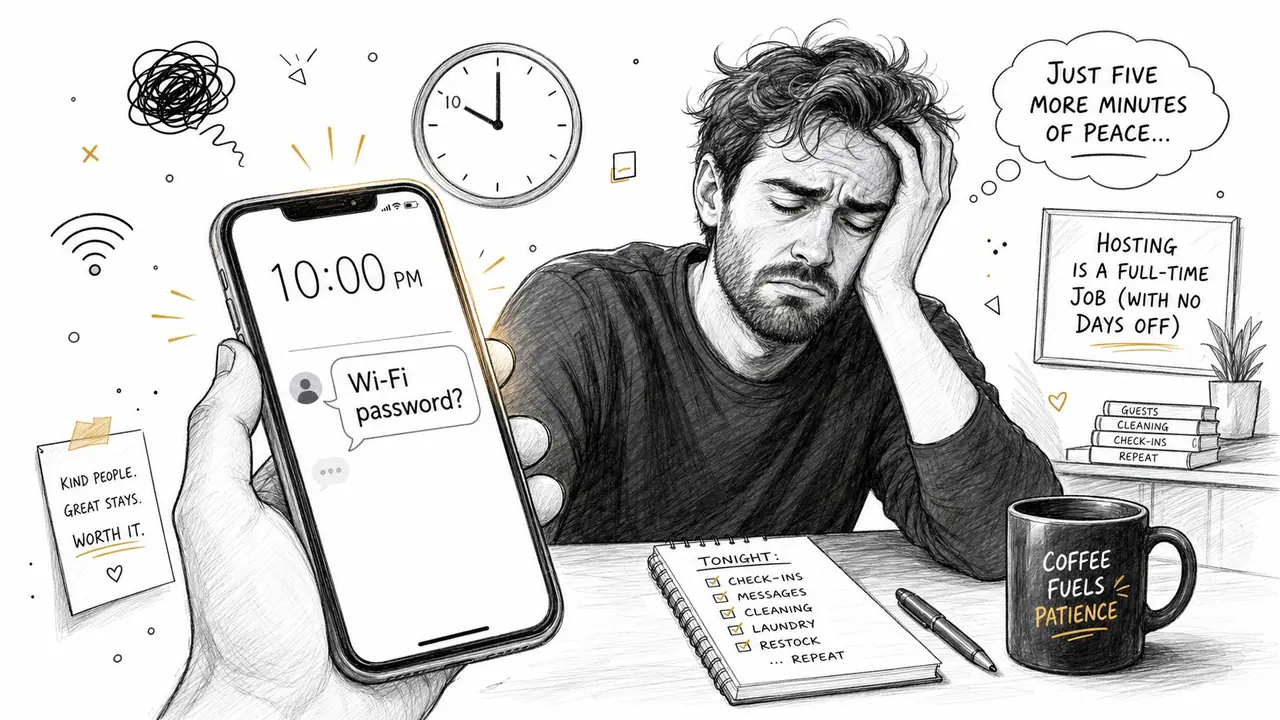
You're probably here because guest messages keep hitting your phone with the same questions. What's the Wi-Fi password. How do I use the washing machine. Where's the parking entrance. Can we check out an hour late.
A good QR code generator doesn't just make a square image. In a rental, it becomes part of a guest communication system. Done well, one scan can handle routine questions, reduce friction during check-in, make your property feel more polished, and create a clear path to upsells like late checkout or airport transfer requests.
The mistake most hosts make is treating the QR code as the finish line. It isn't. The code is only the doorway. What matters is the destination, the print quality, the placement, and whether it works on the guest's actual phone instead of only your newest device.
Table of Contents
- From Guest Questions to 5-Star Reviews
- Choosing the Right QR Code Generator and Type
- Designing a QR Code That Actually Scans
- Linking to a High-Value Digital Welcome Book
- Printing and Placing Your QR Code for Guests
- Tracking Analytics Troubleshooting and Monetization
From Guest Questions to 5-Star Reviews
Friday night, late check-in, and the first message arrives before the guest has even put their bag down. Then another. Then one more the next morning asking where the spare towels are, even though you already sent the details in the platform chat.
That cycle wears hosts down because the questions are predictable but still urgent. Guests don't want to search through old messages. They want the answer right now, standing in the hallway, next to the router, or in front of the washer.
A QR code changes that dynamic when it's tied to a single guest information hub. Put one framed card near the entry, another small card near the router, and a third near appliances that confuse people. Guests scan once and get the answer without waiting for you to reply. That's faster for them and quieter for you.
Why guests already expect this
QR behavior is no longer niche. The global QR code market is valued at approximately $13.04 billion in 2025 and is projected to reach $33.14 billion by 2030. In the United States, 102.6 million smartphone users are projected to scan QR codes in 2026, which is about one in three Americans, according to AirApps QR code statistics.
For hosts, that matters because guest education is no longer the hard part. Most guests already know how to scan. The primary job is giving them something useful when they do.
Practical rule: If a guest has asked the same question twice, it belongs behind a QR code.
What this looks like in a real rental
A working setup usually includes:
- Entryway code: Check-in steps, parking, Wi-Fi, checkout time, and house rules.
- Kitchen code: Hob, oven, coffee machine, trash sorting, and dishwasher instructions.
- Laundry code: Washer settings, drying rules, and how long a cycle usually takes.
- Bedroom or living room code: Extra bedding, heating or AC guidance, and TV instructions.
Guests feel supported because the help is where they need it. Hosts save time because they stop repeating themselves. The result is a smoother stay, and smoother stays tend to show up in reviews. If you're working on the bigger picture of guest experience, this guide on improving guest satisfaction pairs well with a QR-first setup.
Choosing the Right QR Code Generator and Type
A guest arrives after a delayed flight, the building signal is weak, and your framed welcome code is the first thing they try. If that code sends them to an outdated page or a redirect that stalls, support messages start before they even unpack.
That is why the first choice is not color or logo placement. It is the code type.
Static versus dynamic in host terms
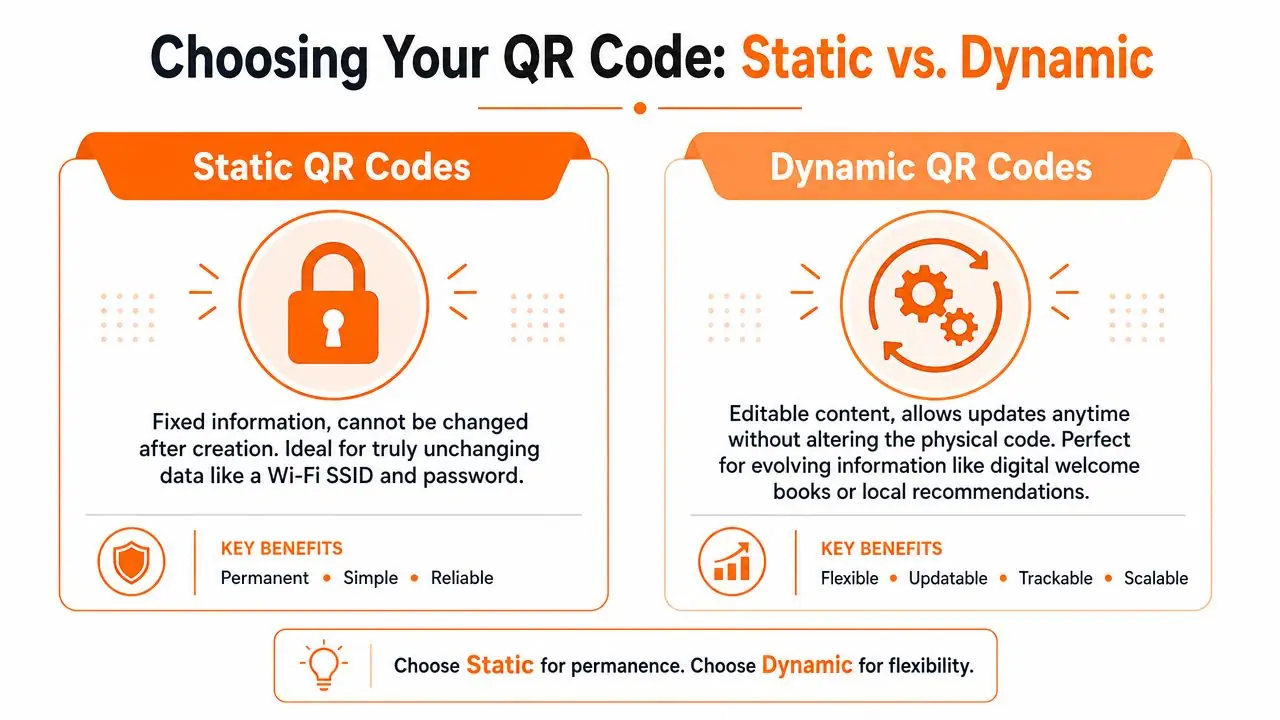
| Type | Best use in a rental | Strength | Weakness |
|---|---|---|---|
| Static QR code | Fixed information | Simple and direct | You can't change the destination later |
| Dynamic QR code | Welcome books, recommendations, upsells, updated instructions | You can edit the destination without reprinting | It depends on connectivity because it redirects |
For hosts, the difference is simple. Static codes are harder to break, but harder to maintain. Dynamic codes are easier to maintain, but they add one more layer between the guest and the information.
In a rental, fixed information is rare. Wi-Fi passwords change. Parking instructions get updated after a complaint from a neighbor. Door codes fail. Local recommendations age fast. If you print static codes everywhere, you eventually end up with signs that still look polished and send guests to the wrong place.
Dynamic codes usually make more sense for the parts of the stay that change often. I use them for the main house guide, restaurant lists, early check-in offers, and anything tied to seasonal info. One printed card can stay in place for months while the destination behind it gets updated in minutes.
Static codes still have a role. They work well for fallback info that should open even if the guest has poor service, such as plain text Wi-Fi details, a phone number, or basic entry instructions stored directly in the code. That matters in older buildings, rural cabins, and basement apartments where mobile data can be unreliable.
The best setup in a rental is usually mixed. Dynamic for information you will update. Static for backup information guests may need under pressure.
A trade-off many hosts miss
Generic QR code guides usually stop at "dynamic is editable." That is only half the decision.
A dynamic code depends on the redirect working quickly on the guest's device and connection. In practice, that is fine for most stays, but hosts should plan for edge cases. Older phones can hesitate. Weak lobby Wi-Fi can slow the handoff. Some guests scan with in-app cameras that behave differently from the default phone camera. If the code is tied to check-in, backup access matters.
The fix is operational, not technical. Keep one dynamic code for the full guide, then keep a few static backups for the details guests need most urgently. That gives you flexibility without making every guest interaction depend on a live redirect.
What to look for in a QR code generator
A decent generator for hospitality should reduce maintenance, not add another tool to babysit. Before picking one, check these points:
- Editable destinations: You should be able to update the link without reprinting cards around the property.
- High-resolution downloads: PNG may be enough for small tent cards, but SVG or PDF is better for signs you want to print sharply.
- Simple organization: If you manage more than one unit, separate codes by property and room so updates do not get messy.
- Basic analytics: Scan counts by date or device help you spot whether guests are using the guide, ignoring it, or getting stuck at certain points.
- Redirect control: The platform should let you change where a code points quickly during an emergency, such as a lock failure or water shutdown.
- No forced over-branding: Logo options are fine. You do not need fancy styling that makes scanning worse.
Free tools are fine for testing. Paid tools start earning their keep when you manage multiple listings, run upsells, or want to know which codes guests use. If you are also tightening the rest of your operation, this guide to AI for property owners is a good companion read.
Choose the generator the same way you choose cleaning software or a smart lock app. Pick the one you will still trust after your third update, your tenth guest message, and your first late-night change to check-in instructions.
Designing a QR Code That Actually Scans
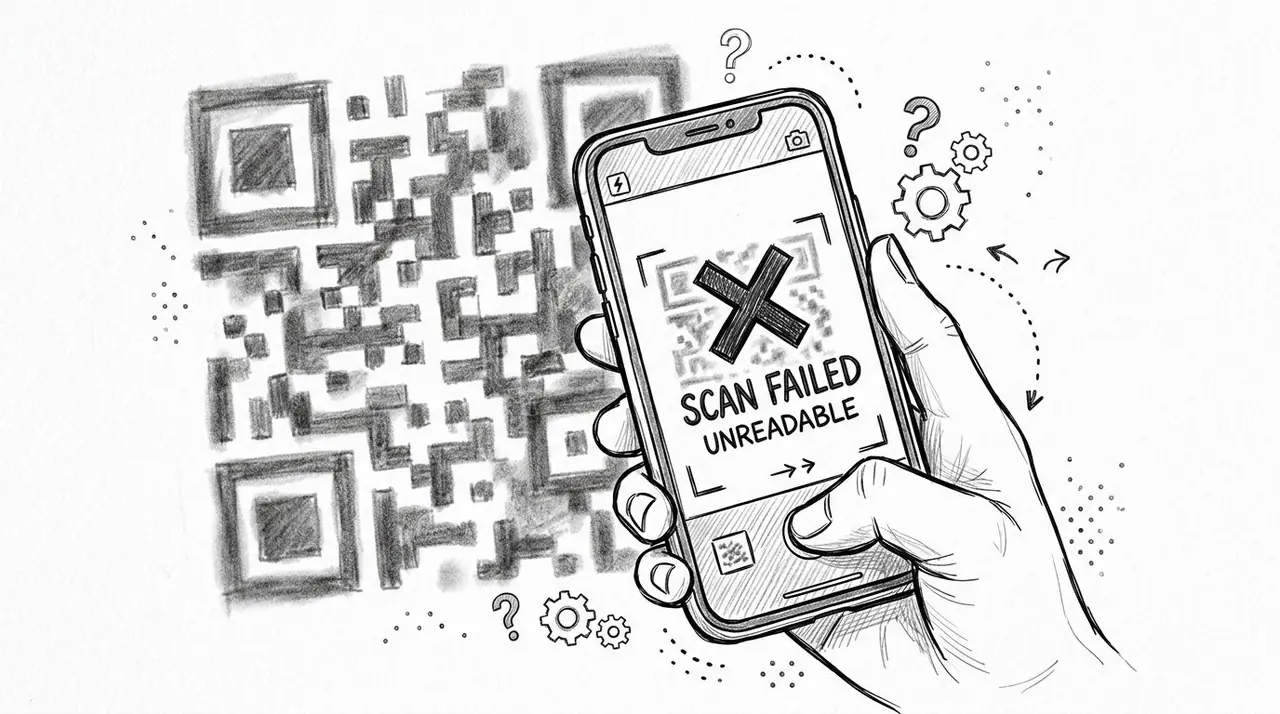
A guest walks in after a late flight, points a phone at your Wi-Fi card, and nothing happens. They try again under the hallway light. Then they message you. That one failed scan turns a simple task into a support ticket.
That is why QR code design in a rental should be treated like operations, not decor. A pretty code that fails on older phones, glossy prints, or weak lighting creates more work than it saves.
Keep the design plain enough to work anywhere
Hosts usually run into the same scanning problems. The code is too stylized, the print is too small, the background is too busy, or the final sign looks sharp on a laptop but weak in real conditions.
A reliable setup is simple. Use a dark code on a plain light background. Keep a clear blank margin around it. If you add a logo, keep it small and test it on multiple phones before you print ten copies. Analysts in Ninjacore's QR code analysis note that contrast, quiet zone spacing, and export quality all affect whether a code scans quickly or fails under glare and low light.
I would rather use a boring black-on-white code that works on every guest device than a branded one that only scans on my own phone.
What usually breaks codes in short-term rentals:
- Low contrast: Tan on cream, gray on wood, or brand colors with weak contrast.
- Crowded edges: Text, icons, borders, or decorative frames pushed too close to the code.
- Oversized logos: Center logos that take up too much of the pattern.
- Glossy placement: Frames, acrylic stands, and laminated cards that reflect overhead lighting.
- Tiny print size: Small bedside cards that force guests to hover too close for the camera to focus.
Export for print, not for the mockup
File choice matters more than many hosts realize. If a code will go on a kitchen sign, entry card, or printed house manual, export it as SVG or PDF when the generator allows it. Vector files stay sharp when resized. PNG can still work for smaller cards, but it loses margin for error once someone stretches it inside Canva or prints it larger than intended.
This matters in real properties because QR codes get reused. The same code may start on a check-in card, then end up on a refrigerator magnet, a laundry instruction sheet, and a framed sign by the door. A clean vector file gives you that flexibility without soft edges or distorted squares.
The destination matters too. A shorter, cleaner link usually produces a less dense code, which tends to scan more easily. That is one reason many hosts point guests to a mobile-friendly vacation rental welcome book instead of dropping a long raw URL into the generator.
If you already use printed turnover materials, apply the same discipline here that you use with a landlord's rental property checklist. Standardize the file, test the final print, and keep placement consistent across the unit.
Judge the code by the printed version on a real wall, in real light, with real guest phones.
A quick demo helps if you're training a co-host or VA on what good setup looks like.
A practical host checklist before printing
- Use high contrast: Black or very dark code. White or very light background.
- Keep the quiet zone clean: Leave blank space on all sides of the code.
- Export a vector file first: SVG or PDF for signs, framed cards, and anything you may resize.
- Print a real sample: Test the physical card, not just the digital preview.
- Scan on different devices: iPhone, older Android, and a phone with a mediocre camera if possible.
- Test in bad conditions: Evening light, overhead glare, and from normal standing distance.
- Cut visual extras fast: If a logo, brand color, or textured background slows scanning, remove it.
A QR code in a rental has one job. It should scan the first time, send guests where they need to go, and quietly reduce how many questions hit your phone.
Linking to a High-Value Digital Welcome Book
A QR code by itself doesn't save time. The destination does. If the code opens a messy PDF, a cluttered folder, or a note that isn't mobile-friendly, guests still end up messaging you.
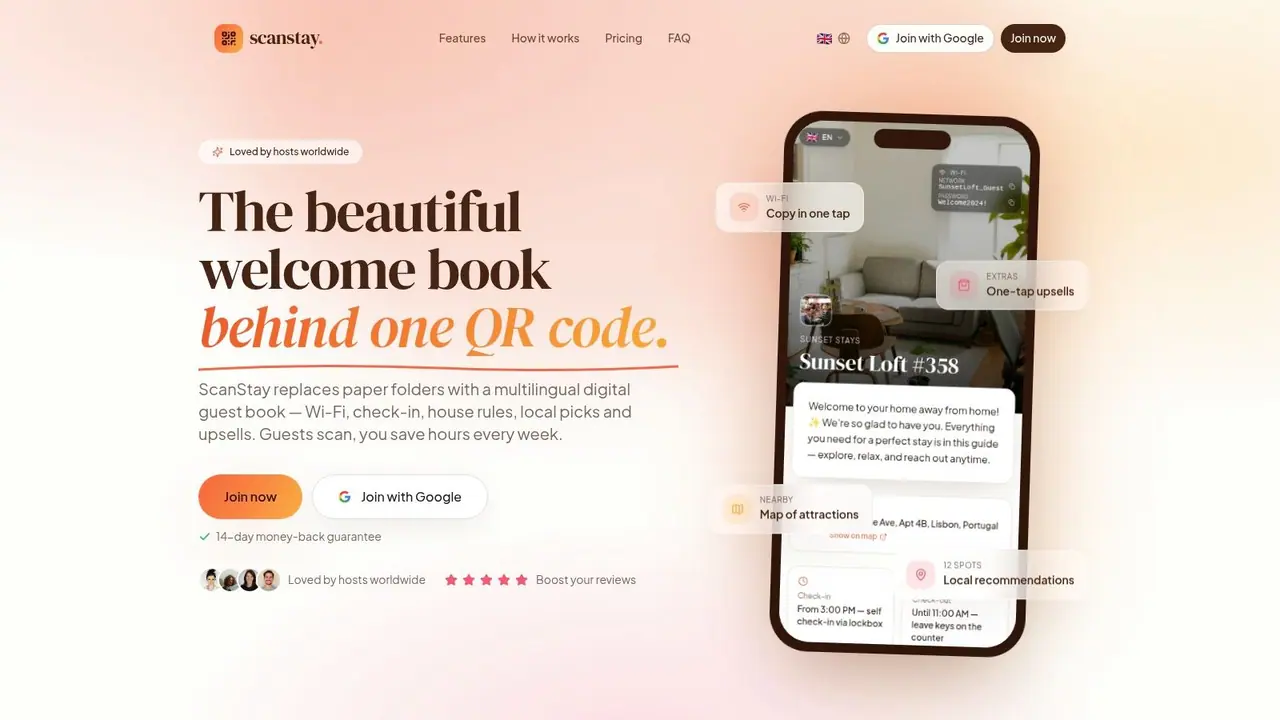
The most useful destination is a digital welcome book built for phones. Guests scan, land on one page, and immediately find the things they care about without pinching, zooming, downloading, or hunting across tabs.
What guests actually need after they scan
Hosts often overload welcome materials with everything they know about the area. Guests usually want the opposite. They want fast answers in the right order.
A strong digital welcome book puts the immediate items first:
- Arrival basics: Check-in steps, access instructions, parking, and what to do if they arrive late.
- Connection details: Wi-Fi name and password, plus the clearest way to enter them.
- Stay rules: Quiet hours, smoking policy, visitor rules, trash, and checkout expectations.
- Useful how-tos: Heating, AC, washing machine, hot water, TV, coffee machine, and any quirky appliance.
- Local help: Grocery store, pharmacy, breakfast spot, emergency contacts, and transport options.
Guests don't need more information. They need faster access to the right information.
Build one hub instead of five scattered documents
The problem with platform messages, PDFs, printed binders, and saved notes is fragmentation. Hosts end up maintaining the same information in multiple places, and one version always goes stale.
A single digital hub avoids that. It also lets you add richer elements that paper can't handle well, like map pins, photo-based check-in directions, or short appliance videos. For operational planning, it also helps to think like a property manager, not just a host. A practical example is this landlord's rental property checklist, which shows how much smoother stays become when critical details are organized instead of scattered.
If you're refining the structure of your guide, this vacation rental welcome book article is a useful reference for what to include and how to order it.
What belongs in the welcome book and what doesn't
Use this split to keep the experience clean:
| Include | Leave out |
|---|---|
| Wi-Fi and access details | Long host backstories |
| House rules guests must follow | Dense legal wording on the first screen |
| Appliance help with photos | Huge PDF attachments |
| Local recommendations near the property | Generic city guides copied from the internet |
| Upsell options guests may actually want | Anything that requires multiple app downloads |
The best welcome books feel obvious to use. The worst feel like archives.
Printing and Placing Your QR Code for Guests
A guest walks in with luggage in one hand, a phone in the other, and a basic question in mind. If the code is too small, glossy, poorly lit, or tucked into a decorative frame, they will not scan it. They will message you.
That is why printing and placement matter as much as the QR code itself. In a rental, the job is not to display a code. The job is to get a stressed, distracted guest to scan it on the first try.
Print for real guest conditions
Small codes only work when guests are standing close, have decent lighting, and can hold the camera steady. That happens near a washing machine or coffee maker. It does not happen at the front door during check-in.
Use size based on distance:
- Very close range: Small sticker or label for appliance instructions
- Arm's length: Table sign or tent card for the main welcome guide
- A few feet away: Larger wall print for entryways, hallways, or shared access points
In practice, hosts usually print too small. I have found that a code that looks oversized on a desk often scans like the right size in actual use, especially for older phones or guests trying to scan quickly at an angle.
Print quality matters too. A crisp black code on a plain white background still beats fancy styling in most properties. Low contrast, thin modules, textured paper, and cheap home printing all reduce scan reliability.
Put the code where the question happens
Placement should follow guest behavior, not your décor plan.
A code behind glass looks clean and scans badly under natural light. A code on glossy acrylic has the same problem. Angled surfaces, low shelves, cluttered welcome stations, and dark corners all add friction. Guests do not troubleshoot signage. They give up and ask you instead.
Good placement is usually simple:
- At the entrance: Main guest guide
- In the kitchen: Appliance help, bin rules, and cleanup instructions
- Near the washer: Laundry steps and detergent guidance
- By the router or workspace: Wi-Fi access
- Near the exit: Checkout steps, but only if guests need a reminder there
One code can handle the full guide, but a small system usually performs better. The master code belongs at the entrance. Task-specific codes belong where the task happens. That setup cuts repetitive messages and gets guests to the right answer faster.
Choose materials that survive the property
Paper choice affects scan performance more than many hosts expect. Matte finishes are usually easier to scan because they do not bounce light back into the camera. Lamination helps in kitchens, bathrooms, and outdoor areas, but test the final laminated version before printing in bulk. The same code can scan perfectly on standard paper and fail once glare is introduced.
For multi-property operators, this is worth standardizing. Use the same print specs, placement rules, and test process across every unit. A short review of your vacation rental analytics setup can also show whether guests are using the codes where you placed them, or ignoring them.
A host-level test before you install anything
Do one practical test round before rollout:
- Print the final version at actual size
- Put it in the exact location
- Test it in daylight and at night
- Test it on an older iPhone and a budget Android if possible
- Test it while standing where a guest would stand
- Test it with bags in hand and from a slight angle
In this context, generic QR advice usually falls short. Rental properties have dim hallways, reflective surfaces, fast turnovers, and guests using all kinds of devices. A code that works on your phone at your desk is not proof that it works in the unit.
Get the print, placement, and material right, and the QR code stops being a novelty. It becomes part of your operating system.
Tracking Analytics Troubleshooting and Monetization
Once the code is live, it becomes more than a convenience feature. It becomes a feedback loop. Hosts can use it to see what guests need, where friction still exists, and which offers people want.
That only happens if you treat the QR code as part of operations, not as a one-time design task.
Use scan behavior to improve the stay
Dynamic codes make analytics possible. You can see patterns such as when scans cluster around check-in time, whether guests still hunt for information late at night, and which pages inside your guest guide attract the most attention.
That helps you ask better questions. If guests keep scanning the appliance guide, maybe the instructions on the machine itself are unclear. If scans spike near checkout, your departure steps may be buried too deep. If hardly anyone scans the local guide, your recommendations may need better placement or a simpler menu.
For hosts managing more than one property, that information becomes operationally useful. This vacation rental analytics article is a good reference point for thinking about scan data as part of property performance, not just guest messaging.
Test for weak devices not just your own phone
Most QR code guides fail to address a practical issue in rentals. A code that scans perfectly on a recent iPhone may fail on an entry-level Android device or an older iPhone, especially at awkward angles or in weak lighting, according to SAW Tools guidance on device variability in QR testing.
That matters because guests don't arrive with a standardized device fleet. They arrive with cracked screens, older cameras, battery saver modes, and different scanning apps.
A real host testing routine should include:
- One newer iPhone: Good baseline, but not enough.
- One budget Android: This catches weak-camera failures quickly.
- One older device if you have it: Useful for spotting marginal contrast or size issues.
- A low-light check: Hallways, nighttime entry, bathroom lighting.
- An angle check: Especially for tabletop signs, appliance stickers, and wall mounts.
If a code only works when held perfectly straight under bright light, it doesn't work well enough.
Turn helpful information into extra revenue
A guest guide can do more than answer questions. It can present paid extras in a way that feels convenient instead of pushy.
The key is placement and relevance. Offer late checkout near the checkout section. Offer airport transfer details near arrival info. Offer mid-stay cleaning for longer bookings. Offer equipment rentals or local experiences where guests are already browsing recommendations.
The mistake is turning the welcome flow into a sales page. Guests should feel that the upsell solves a real need they may already have. When it does, the QR code shifts from support tool to revenue channel.
A clean monetization setup usually follows this order:
- Help first: Wi-Fi, access, rules, how-tos.
- Trust second: Clear layout, easy navigation, no clutter.
- Offers third: Late checkout, cleaning, transfers, local add-ons.
- Follow-up last: Make the booking or request process simple.
That sequence respects the guest's mindset. People don't buy extras when they're still trying to find the keys.
If you want one QR code to handle guest info, reduce repetitive messages, and open the door to optional upsells, ScanStay is built for that exact job. It gives hosts a mobile-friendly digital welcome book, printable QR display materials, and analytics on higher plans, so your rental runs with less back-and-forth and a more polished guest experience.