QR Code Poster Size Guide for Short-Term Rentals
Find the perfect QR code poster size for your rental. Learn distance formulas, print resolution rules, and placement tips to ensure every guest scan works.
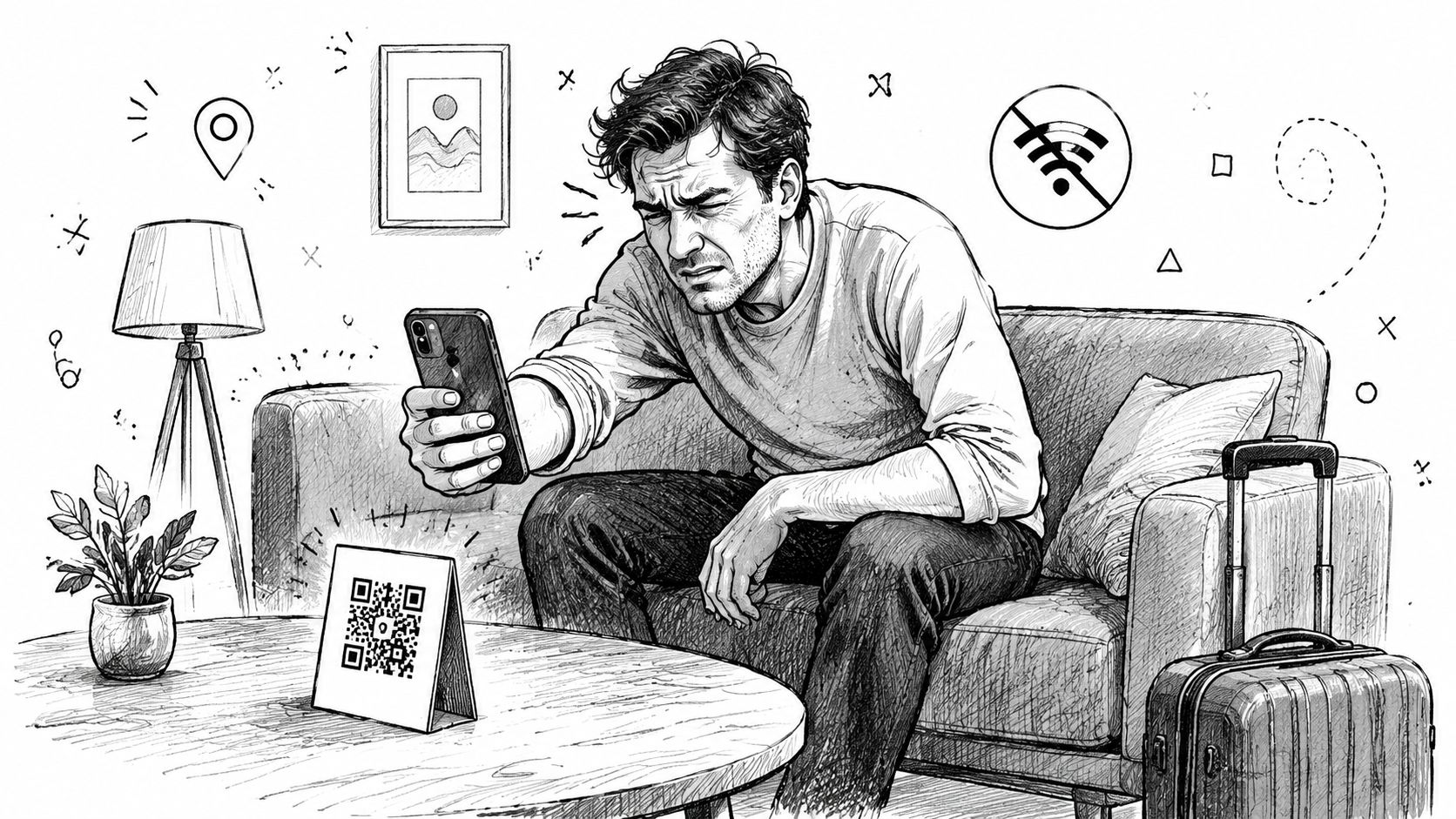
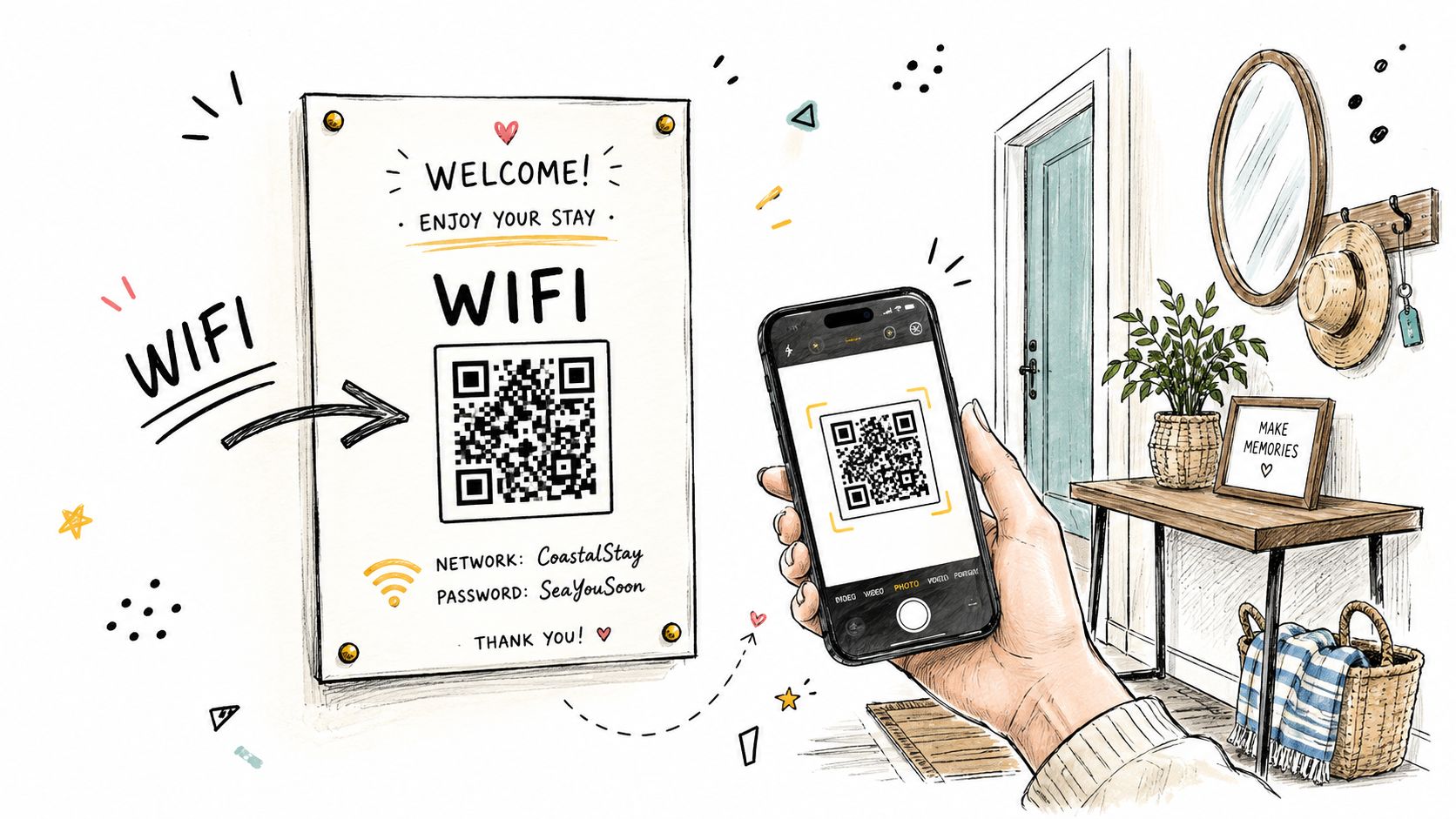
A guest arrives after a long drive, drops a bag beside the sofa, and opens the welcome poster to find the Wi-Fi QR code. They hold up a phone, move closer, tilt it, and try again. Nothing happens. The code looked perfectly acceptable in the design file, but on the wall it's too small for the distance, the light reflects off the paper, and the guest ends up messaging you for information that should have taken seconds to access.
That problem appears often in short-term rentals because hosts choose a poster format first and QR code dimensions second. The more useful question is the opposite: where will the guest stand, and how far away will the phone be from the code? That viewing context determines the practical QR code poster size for Wi-Fi, house rules, check-in instructions, local recommendations, and digital welcome books.
Table of Contents
- Why QR Code Size Matters for Guest Experience
- The Distance Rule for Calculating QR Code Size
- Recommended QR Sizes for Standard Poster Formats
- Print Resolution and File Format Requirements
- Placement and Accessibility Best Practices
- When Bigger Is Not Always Better
- Testing Checklist Before Guest Arrival
Why QR Code Size Matters for Guest Experience
A QR code isn't useful just because it exists. Guests need to recognize it, frame it with a phone camera, and hold the phone steady long enough for the destination to load. If the code occupies only a small part of an A4 welcome sheet mounted across the room, the guest may need to walk toward it or abandon the scan altogether.
The same code can work well on a bedside table and fail on an entryway wall. On a table, the guest controls the distance and can bring the phone close. At an entrance, guests may scan while standing back with luggage in hand. A poster intended for a hallway, kitchen, or living room therefore needs a larger code than a compact desk display.
Practical rule: Choose the code size from the farthest realistic scan position, not from the paper size.
This matters most when the QR code opens something essential. A guest looking for the Wi-Fi password has a clear reason to scan, but frustration rises quickly if the camera can't detect the pattern. A dedicated QR code for guest WiFi can simplify access, but it still needs a physical presentation that matches the room.
The poster also communicates how easy the property will be to use. A legible code beside a direct instruction, such as “Scan for Wi-Fi and house information,” feels considered. A tiny code surrounded by decorative text feels like an obstacle. QR code poster size is a hospitality decision, because it affects the first moments when guests are trying to settle in without contacting the host.
The Distance Rule for Calculating QR Code Size
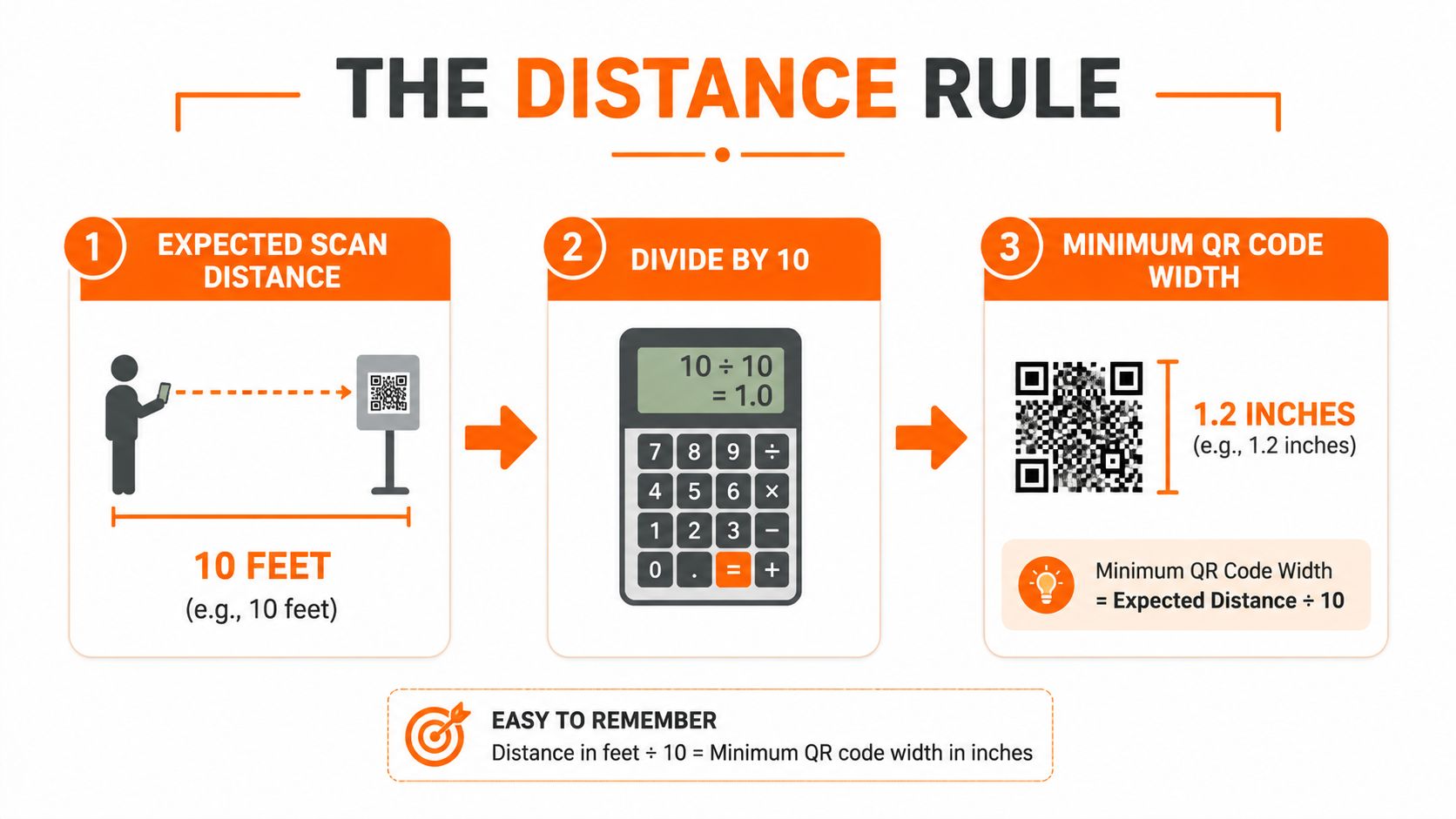
A widely used print-sizing rule uses a 10:1 ratio. The QR code's width should be at least one-tenth of the expected scanning distance, with the units kept consistent. The formula is simple:
QR code width = expected scan distance ÷ 10
The rule is most useful when you measure the position where a guest is likely to hold the phone, rather than measuring only the wall or table. For example, a guest standing 3 feet away needs about a 3.6-inch code, while a scan from 6 feet calls for about 7.2 inches, according to poster QR sizing guidance from QR Lynx.
Applying the rule around a rental
Use the expected scan distance as the starting point:
- Bedside or coffee-table display: Guests can usually bring the phone close, so the code can remain compact if the print is sharp and the surrounding text is uncluttered.
- Entryway poster: Measure from the position where a guest naturally pauses after entering. If that point is several feet away, the code must grow accordingly.
- Wall-mounted guide: Use the distance from the seating area, doorway, or kitchen work zone, whichever is farthest and still realistic.
- Across-room signage: Treat the code as a distance display, not a handout. A small code designed for arm's-length use won't serve this placement.
A 15-foot scan distance calls for about an 18-inch code, and poster guidance commonly places practical poster QR codes around 4 to 10 inches, depending on viewing distance and venue type. Those examples show why poster format alone doesn't determine the answer. A large poster viewed nearby may need less code area than a smaller-looking sign mounted across a room.
For another reference point, a code scanned from about 1 meter needs roughly 10 centimeters, while a wall poster viewed from around 3 meters needs close to 30 centimeters, as outlined in QR Code Better's scan-distance chart. Measure first, calculate second, and design the poster around the result.
The relationship remains near-linear for larger displays. Guidance from QR Technology's print sizing resource maps 3 meters to about 30 centimeters and 10 meters to about 1 meter. A rental usually operates at a much shorter range, but the principle is the same.
Recommended QR Sizes for Standard Poster Formats
A5, A4, and A3 posters can all work in a rental. The right choice depends on how much visual information the poster carries and where guests will scan it. The format is a layout decision. The QR code dimension is a distance decision.
The table below gives practical starting points for common placements. Treat the recommended sizes as working ranges, then verify them in the actual room using the distance rule and a full-size test print.
| Poster Format | Dimensions | Recommended QR Size | Ideal Scan Distance | Best Use Case |
|---|---|---|---|---|
| A5 | Compact half-page format | About 3–4 inches | Close range, such as a table or bedside position | Bedside welcome card, coffee table, compact Wi-Fi display |
| A4 | Standard page format | About 4–6 inches | Nearby standing position or short room distance | Entryway wall, fridge, kitchen bulletin board |
| A3 | Large poster format | About 6–10 inches | Hallway, larger wall, or across-room viewing | Main wall mount, shared-area instructions, prominent arrival signage |
A5 is useful when guests will stand close. It fits beside a key tray, on a bedside table, or inside a small welcome display without overwhelming the surface. It's less suitable when the guest is expected to scan from a sofa or doorway.
A4 gives you more room for a clear call to action, a short explanation, and a generously sized code. Hosts often use it near the entrance or fridge because guests naturally pause there during arrival. If the poster is mounted farther away, keep the layout simple and allow the code to occupy more of the available area.
A3 earns its space when the poster must be noticed from a distance. It works for a wall-mounted digital guide or a hallway display, but don't fill the extra area with dense instructions. The code should remain visually dominant, with supporting text that can be read without standing directly in front of the poster.
For a compact print workflow, hosts can use this A5 poster printing guide to plan a small display, then adjust the code if the intended scan position is farther away. Don't shrink the QR code merely to preserve a decorative layout. Remove unnecessary copy first.
Print Resolution and File Format Requirements
Physical dimensions won't rescue a QR code with fuzzy edges. Each code is built from small modules, and scanners need to distinguish the dark modules from the background. When a low-quality raster image blurs or anti-aliases those boundaries, the camera receives less precise information even if the printed code appears large.
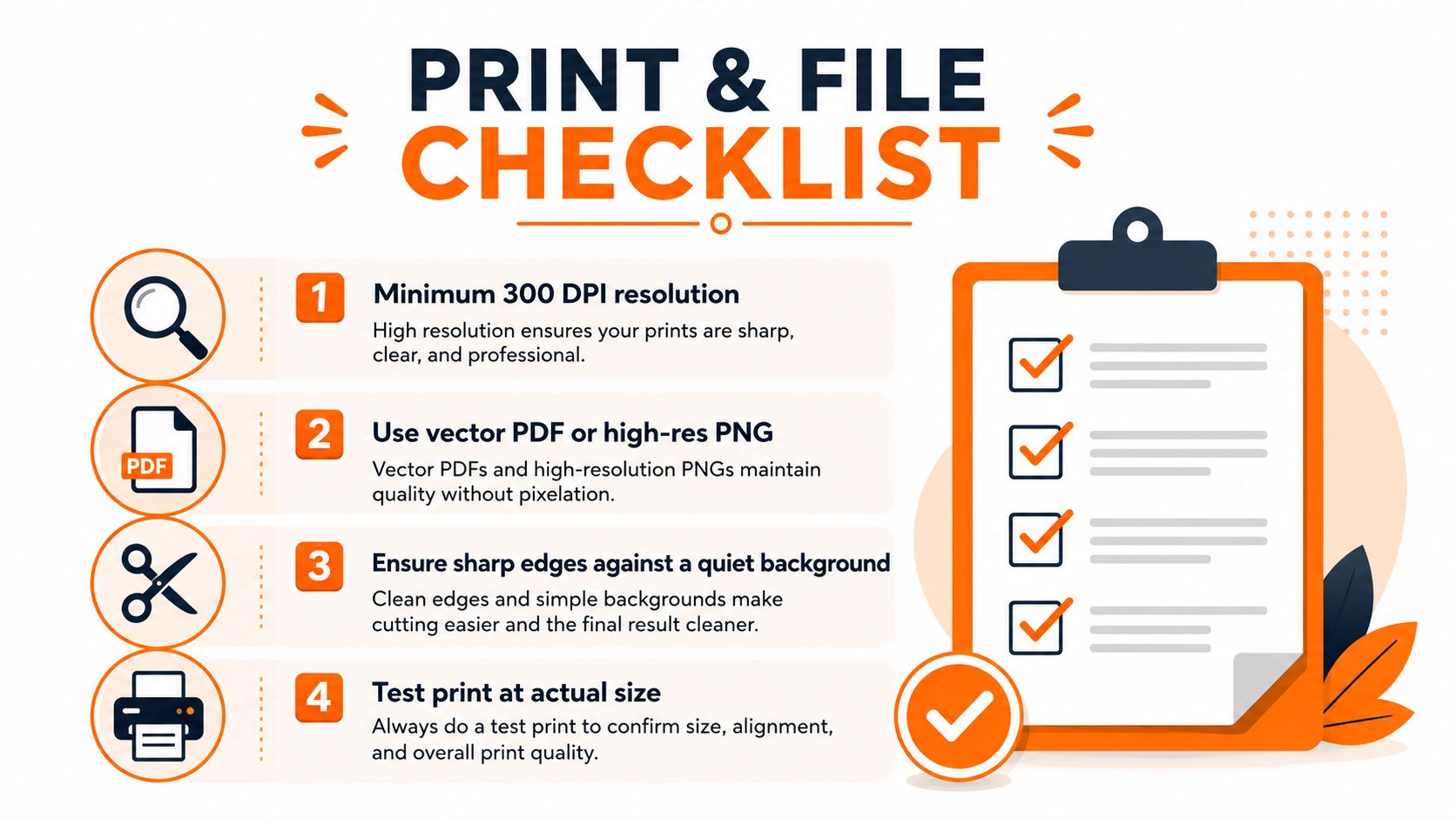
For standard print deliverables, guides commonly recommend at least 300 DPI, as explained in QR Wink's print guidance. A large-format poster supplied as a raster image may require a substantial pixel dimension at final output. One cited example says that a 30-centimeter QR code would need roughly 3,500 pixels square when supplied as a raster file at final print size.
File choices that hold up
SVG is the safest choice for large posters because it stores the artwork as vector shapes that remain crisp when scaled. A vector PDF can also work well when the printer preserves the vector artwork rather than flattening it into a soft image.
A high-resolution PNG is suitable for many standard poster jobs, provided it's exported at the final physical size and the printer doesn't enlarge it aggressively. Ask for the QR code as a separate, high-quality asset if you're sending artwork to a print shop. Avoid taking a screenshot from a phone or stretching a small web image across a poster.
Design details that affect scanning
Keep the code against a quiet, high-contrast background. Don't place a photo, pattern, or colored texture directly behind the modules, and leave a clear blank border around the code so nearby lettering doesn't confuse the camera.
Error correction can help in less controlled environments, especially where the poster may experience handling, reflections, or minor print damage. It won't compensate for a code that's too small or badly blurred. Before ordering a batch, use a QR code generator from ScanStay or another reputable tool, export the artwork cleanly, and test the printed result at its final size.
Placement and Accessibility Best Practices
A correctly sized code can still fail if guests can't approach it comfortably. Mount posters where people naturally pause, not behind a television, above a doorway, or in a dark corner beside furniture. The entrance, fridge, kitchen counter area, and main welcome surface often work because guests already look there for arrival information.
Eye-level placement reduces awkward phone angles. A host who mounts a poster too high forces guests to tilt the phone upward, while a low placement makes people bend or crouch. A code positioned within a comfortable standing and viewing zone is easier for guests with limited mobility and more convenient for anyone carrying luggage.
Remove the common obstacles
- Control reflections: Glossy lamination and glass can reflect windows, ceiling lights, or phone flashes. A matte finish usually gives the camera a cleaner view.
- Check evening light: Arrival information must remain visible after sunset. Add nearby ambient lighting rather than relying on a bright screen or a dim hallway fixture.
- Keep a clear approach: Don't place the poster where a chair, coat rack, plant, or luggage bench blocks the guest's position.
- Write the benefit beside the code: “Scan for Wi-Fi and the digital welcome book” tells guests why they should open the camera.
- Offer a non-scan alternative: Print essential access details in readable text as a fallback. A QR code should reduce friction, not become the only route to critical information.
The QR code best practices guide from ScanStay is useful when you're reviewing contrast, placement, and the surrounding call to action together. The strongest poster usually has one clear purpose, one obvious scanning position, and enough space for a guest to hold a phone without bumping into anything.
When Bigger Is Not Always Better
Making a QR code larger feels like the safest response to scan failures, but oversizing creates its own problems. A code that takes over a small welcome card can push the Wi-Fi label, check-in notes, or emergency instructions into tiny text. On a branded poster, it may also disrupt the visual hierarchy and make the entire display look unfinished.
The better approach is contextual sizing. If guests scan from close range, a compact code can work when the print is sharp, the background is calm, and the lighting is adequate. If guests scan from across a room, increasing the code is necessary because the camera must resolve the pattern at that distance. The code should be large enough for the farthest realistic viewer, not automatically as large as the poster permits.
A well-sized code in a natural scanning position is more useful than an oversized code placed where guests can't stand comfortably.
Oversizing also wastes valuable communication space. A welcome poster needs room for a short instruction, a recognizable Wi-Fi or guide label, and enough quiet space around the code. If the code expands without a corresponding change in viewing distance, the extra area doesn't solve the core issue.
Under-sizing is the more serious risk in wall and entryway placements. QR Code Kit's print sizing guide describes how recommendations vary from close-range use to multi-meter viewing, reinforcing that there isn't one universal poster dimension. That same contextual approach is particularly important in rentals, where a code might sit beside a door in one property and across a living room in another.
Testing Checklist Before Guest Arrival
A finished design file is not a successful guest experience. Test the printed poster in the property, at the position where it will live, using the phone positions guests are likely to use. A code that scans on your desk may behave differently on a wall with glare, distance, or an awkward viewing angle.
The field test
- Print at final size: Don't test a scaled-down office draft and assume the production version will behave the same way.
- Use the farthest realistic position: Stand where a guest would pause with luggage, then try the scan without stepping closer.
- Try several angles: Scan straight on, from the side, and from the natural approach path. If the poster is above eye level, test the actual upward angle.
- Change the lighting: Check daylight, evening lighting, and any direct reflection from windows or fixtures.
- Test different phones: Use a newer phone and an older camera if available. Camera performance varies, so one successful scan doesn't prove universal reliability.
- Verify the destination: Confirm that the page opens promptly on mobile and that Wi-Fi credentials, house rules, directions, and contact details are easy to find.
- Inspect the fallback: Make sure essential information remains available if a guest can't or doesn't want to scan.
A useful final check is to ask someone unfamiliar with the property to approach the poster without instructions. Watch where they stop, whether they understand the call to action, and whether they can complete the scan without coaching. Their behavior reveals placement problems that hosts often overlook because they already know what the code does.
Repeat the process whenever you change the poster format, move the display, replace the paper, add lamination, or redesign the destination page. Testing is the quality gate between a QR code that exists and a QR code guests can use.
ScanStay lets short-term rental hosts publish Wi-Fi details, house rules, check-in information, local recommendations, and video instructions behind one mobile-friendly QR code, with a printable A5 poster for on-site display. Visit ScanStay to create a clearer arrival experience and choose a poster size that matches how guests move through your property.