Airbnb Digital Guidebook: The Complete Host Guide
Build an Airbnb digital guidebook that cuts guest messages, boosts reviews, and drives upsell revenue. Features, templates, and real-host tips inside.
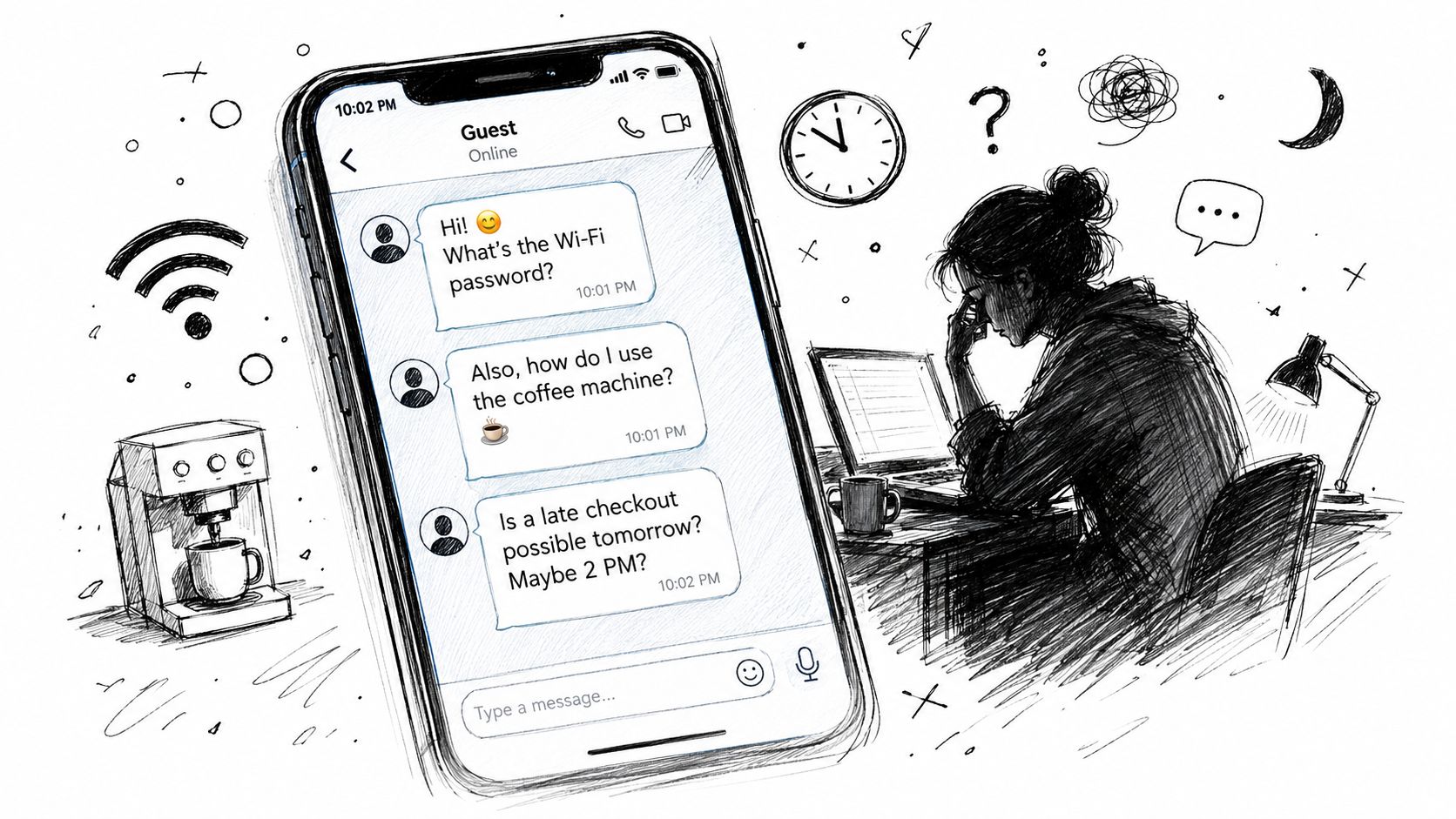
At 10 PM, a guest sends three messages in a row: “What's the Wi-Fi password?” “How does the coffee machine work?” “Can we check out late?” You know the answers, but you still have to stop what you're doing, find the property details, and reply clearly. Multiply that interruption across several properties and the problem stops being hospitality. It becomes an avoidable support queue.
An Airbnb digital guidebook puts those fixed answers in one mobile-friendly place, usually reached through a link or QR code. It can replace the paper binder, scattered message threads, and badly formatted PDF with a living source of truth that guests can access before arrival and during the stay. The strongest versions don't just list restaurant recommendations. They reduce uncertainty, standardize operations, and create well-timed opportunities for paid extras.
Table of Contents
- Why Every Airbnb Host Needs a Digital Guidebook
- The Real ROI of Going Digital
- Essential Content Sections Every Guidebook Must Include
- Turning Your Guidebook Into a Revenue and Trust Engine
- Setting Up Your Digital Guidebook in Under an Hour
- Measuring Performance and Iterating Your Content
- The Future of Guest Communication Is Contactless and Automated
Why Every Airbnb Host Needs a Digital Guidebook
A digital guidebook is an online guest hub containing the information visitors need to arrive, use the property, and leave without asking the host the same questions repeatedly. Guests open it in a mobile browser through a shared link or QR code, so they don't need to search through an inbox or handle a paper folder.
The distinction matters. Airbnb's native guidebook is built into the platform's hosting workflow, while an external guidebook can serve guests who booked through Airbnb, Booking.com, a direct website, or another channel. Airbnb says host guidebooks are public, shareable outside Airbnb, and printable, which makes the native feature useful beyond a single in-platform conversation. Its guidebook and house manual documentation also places arrival information inside the broader listing workflow.
The problem isn't a lack of information
Most hosts already possess the answers. The Wi-Fi details are written somewhere. The lockbox instructions exist in a saved message. The coffee machine manual sits in a drawer. Local recommendations live in the host's memory or in an old welcome binder.
Guests don't experience that information as organized knowledge. They experience it as a question they need answered at the exact moment they need it. A late arrival makes a parking explanation urgent. A new appliance turns a simple stay into a troubleshooting exchange. A checkout reminder sent too early gets buried before it matters.
Airbnb's guidance recommends keeping guidebooks brief, personal, visual, and current, rather than treating them as exhaustive documents. That advice supports a practical operating principle: curate the information guests need at the moment of friction. A guidebook should be easy to scan, not a digital version of a twenty-page binder.
Native Airbnb feature or dedicated guide
Airbnb's native guidebook works well when your guests stay within Airbnb and your needs are limited to local tips and basic listing information. It has the advantage of being familiar and connected to the Airbnb environment.
A dedicated platform becomes more useful when you manage multiple channels or properties and need reusable content, QR access, branded presentation, video instructions, language support, or service offers. The decision isn't about replacing Airbnb's feature automatically. It's about whether your guest communication needs to operate outside one marketplace.
For hosts comparing formats, this alternative to a traditional guest book is best understood as an operational tool, not a decorative welcome amenity. Put arrival information first, property instructions next, and local discovery after the essentials. Guests should find the door code and Wi-Fi faster than they find the neighborhood cocktail bar.
The Real ROI of Going Digital
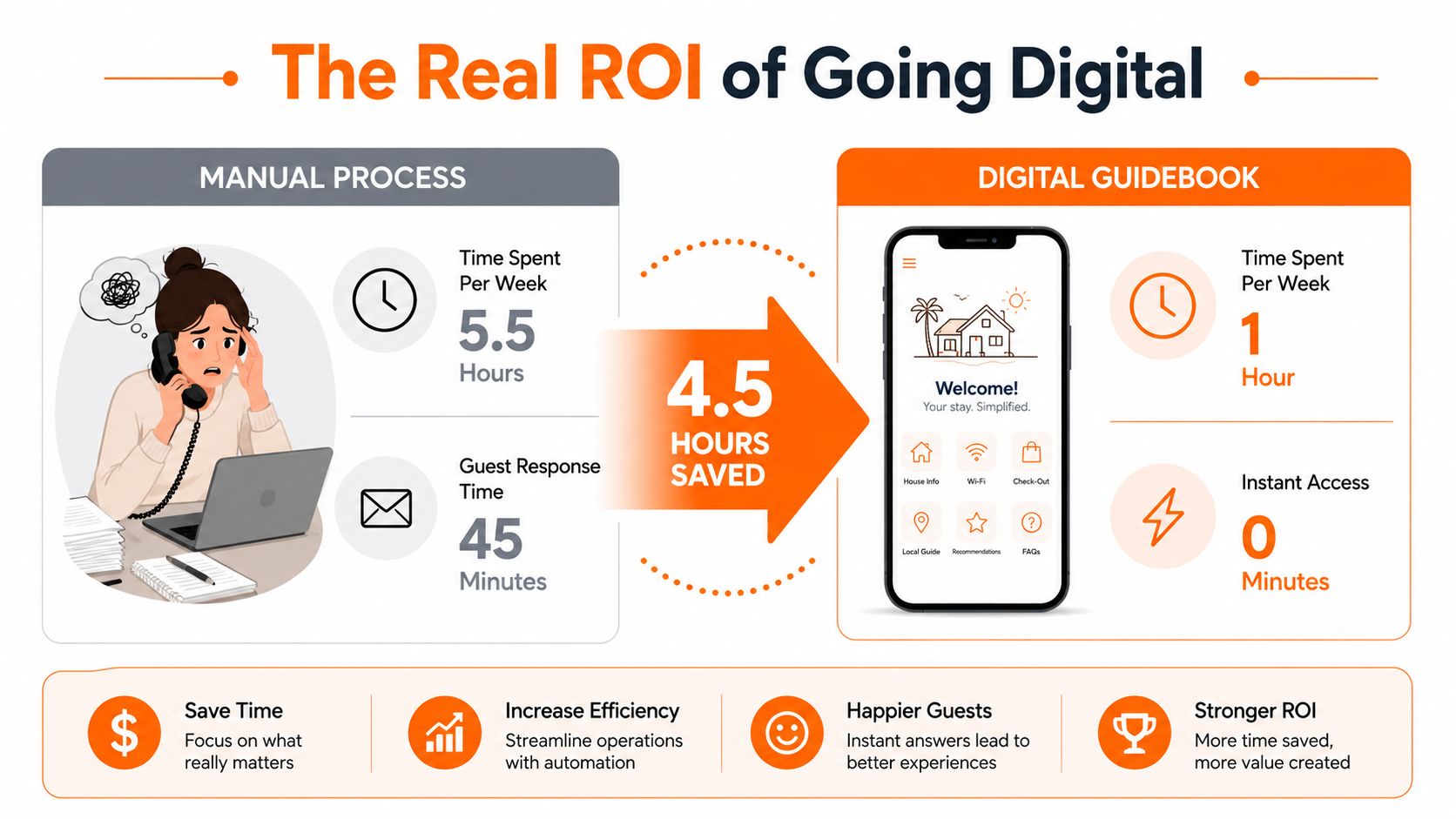
The financial case for an Airbnb digital guidebook has two parts: time recovered and revenue created. The first is easier to measure because repetitive questions leave a clear operational trail. Independent STR analysis estimates that roughly 80–90% of guest inquiries follow predictable patterns, and operators with five or more listings typically save two to five hours per week after automating routine check-in instructions, FAQ replies, and review requests, as reported in short-term-rental automation research.
That time doesn't disappear because guests stop needing help. It shifts from lookup work to exceptions, maintenance coordination, owner reporting, and revenue-generating tasks. A guidebook won't resolve a broken heater or a reservation-specific early check-in request, but it can prevent your team from retyping the Wi-Fi password and parking instructions.
Where the savings come from
Paper binders carry a recurring maintenance burden. Someone has to print them, replace damaged pages, remove outdated recommendations, and remember which copy belongs in which property. A PDF eliminates some printing, but guests still have to locate it, download it, and use a format that may not work well on a phone.
A browser-based guidebook gives you one editable destination. Change the Wi-Fi credentials once, update the page, and the next guest sees the corrected information. For a multi-property operator, reusable templates can also reduce the work involved in creating the same operational sections repeatedly.
The revenue layer requires discipline. Place relevant offers beside the information that creates demand, such as late checkout near departure instructions or equipment rental near local activity recommendations. Don't turn the guidebook into a wall of promotions. Guests trust it when the operational information remains primary.
| Feature | Paper Binder | Airbnb Native Guidebook | Digital Guidebook Platform, such as ScanStay |
|---|---|---|---|
| Guest access | Physical only | Airbnb account or shared access | Mobile browser through a link or QR code |
| Updates | Manual replacement | Edited within Airbnb | Centralized online editing |
| Multi-channel use | Yes, if left onsite | Limited by platform context | Designed for guests from different booking channels |
| Media | Printed photos and text | Text and listing-linked content | Can include mobile content, photos, and video how-tos |
| Upsells | Manual conversation or cards | Limited operational use | Can present service offers alongside guest information |
| Analytics | None | Connected to Airbnb's broader host tools | Platform-dependent scan and engagement tracking |
Airbnb also describes professional hosting tools that include conversion data, guest-return rates, and wishlist metrics, showing that operational content sits alongside wider listing-performance management. For a deeper comparison of paper's hidden workload, see this guide to paperless property management.
Essential Content Sections Every Guidebook Must Include
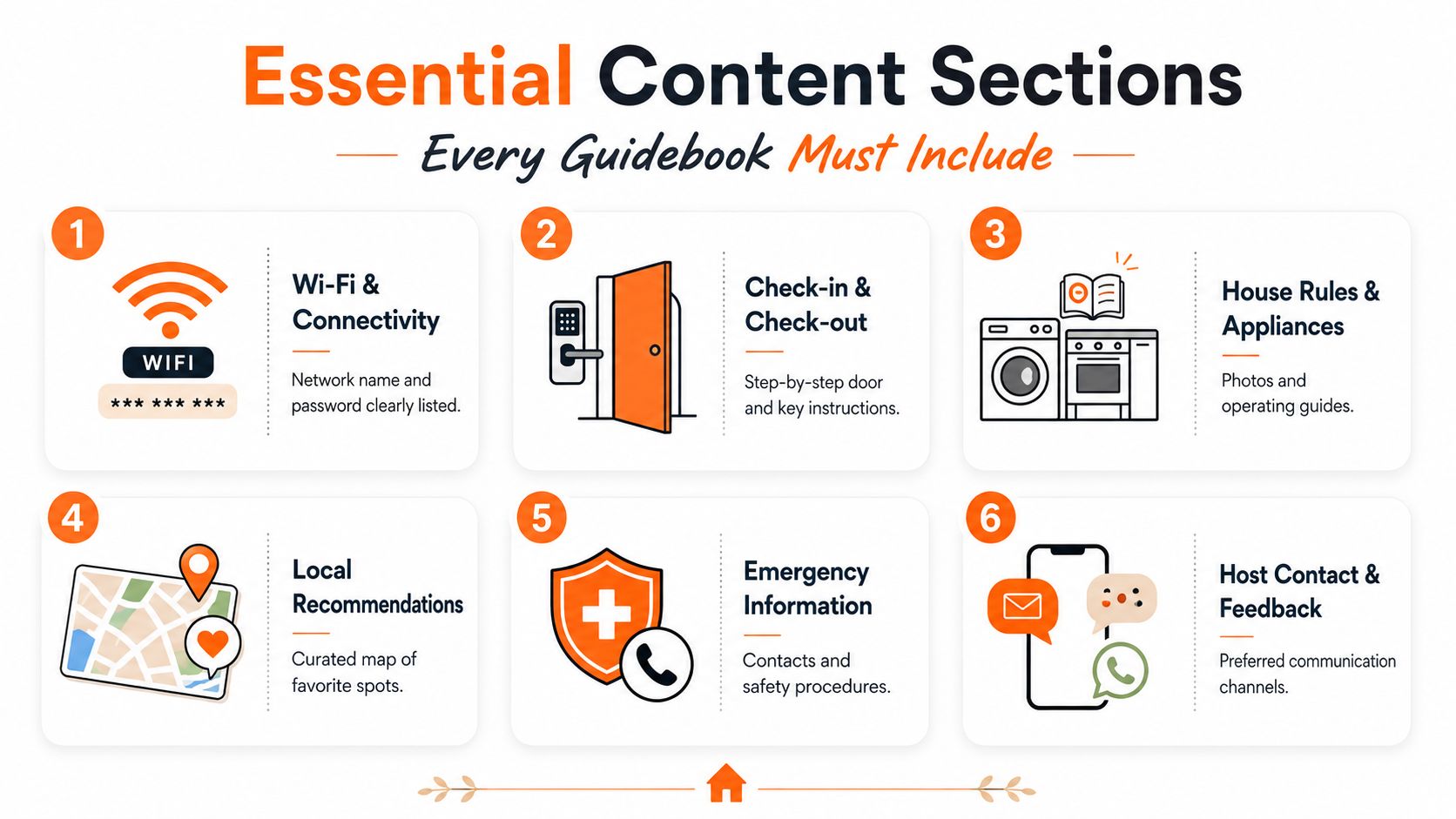
A useful guidebook follows the guest's sequence of decisions. Start with arrival, then explain the property, then cover departure and local discovery. If a guest has to scroll past restaurant suggestions to find the door instructions, the guidebook has failed its first job.
Arrival information
Check-in and parking belong at the top. Explain where to stop, how to identify the building, which entrance to use, where the unit sits, and how the keypad or lockbox works. Write the instruction as an action sequence: “Enter the code on the keypad beside the door, wait for the click, then turn the handle.”
Put the Wi-Fi network and password in a visually prominent block. Don't bury credentials in a paragraph. If the signal varies by room, say so plainly and include any router location or reset instruction that guests can safely use.
Using the home
House rules should be short enough to read before a guest loses patience. Cover quiet hours, smoking, pets, occupancy, parties, pool or hot-tub use, and trash procedures. A concise summary works better than pasting the full rental agreement. Hosts who need examples can use these house rules samples as a drafting reference.
Appliance instructions deserve photographs whenever a control isn't obvious. A marked-up image of the television remote, a short coffee machine video, or a thermostat explanation can remove the need for a late-night message. Focus on the appliances that have generated questions in your own property, rather than documenting every object in the room.
Departure and local discovery
Keep checkout instructions compact. Tell guests where used towels go, what to do with dishes and rubbish, how to secure the property, and what they don't need to clean. Clear boundaries prevent both unnecessary work and complaints about unreasonable expectations.
Local recommendations should feel curated rather than copied from a search result. For each restaurant, attraction, grocery store, pharmacy, or transport option, add the reason you recommend it, the type of occasion it suits, and a map link where useful. “Good for a quick breakfast near the station” helps more than a business name without context.
Safety and contact
Include your preferred contact channel, maintenance instructions, emergency services, the nearest medical facility, and any building or property manager contact that guests may need. Separate urgent problems from ordinary questions so guests know which route to use.
A practical content checklist includes:
- Arrival: Parking, building access, door entry, and first steps inside.
- Connectivity: Wi-Fi credentials, router location, and known signal limitations.
- Property use: House rules, appliances, heating, cooling, entertainment, and amenities.
- Departure: Checkout time, rubbish, towels, dishes, locks, and windows.
- Neighborhood: Food, groceries, transport, activities, and weather-friendly alternatives.
- Support: Host contact, maintenance escalation, and emergency information.
Turning Your Guidebook Into a Revenue and Trust Engine
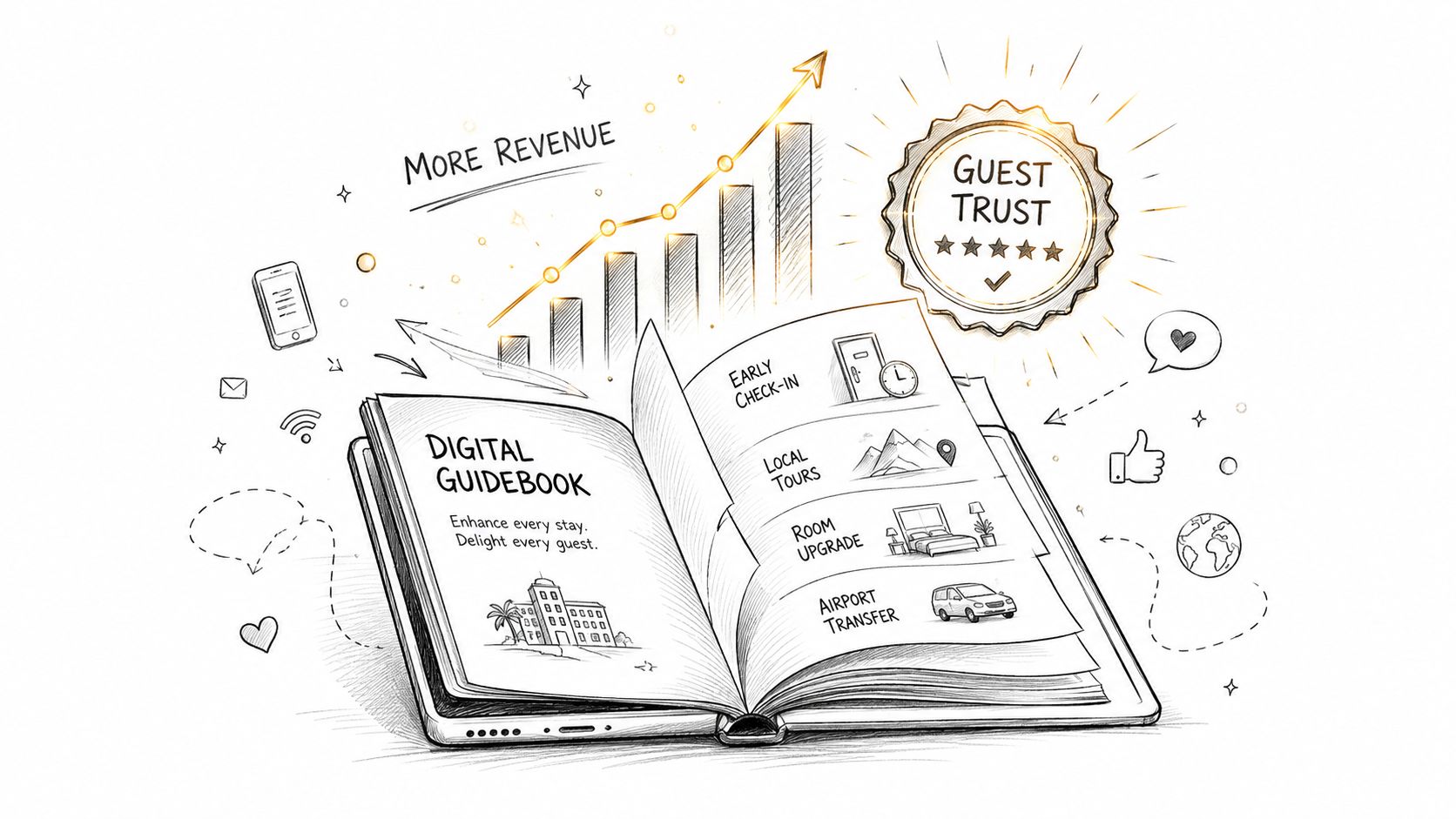
A static checklist answers questions. A well-timed guidebook can also help guests make decisions and buy useful services. The difference lies in relevance. A late-checkout offer belongs near checkout information. An airport transfer belongs near arrival and transport details. A bicycle rental belongs near neighborhood activities, not at the top of every page.
Hosts often make the mistake of treating every guest as a sales opportunity. That makes the guide feel transactional. The better approach is to solve the operational need first, then present an optional service that removes a related inconvenience.
Trust comes from predictability
Airbnb advises hosts to keep guidebooks personal, selective, visual, and updated, rather than filling them with every possible option. That curation builds trust because guests can see that the host has made a judgment about what is useful.
The same principle applies to operational details. Guests usually don't need novelty while standing outside a locked building or trying to connect a laptop. They need certainty. Clear arrival steps, honest appliance guidance, and an accurate checkout process make the host appear more professional because the guest encounters fewer surprises.
Independent STR research cited in the brief also points to a communication gap, with one study finding that two thirds of guests receive only one to two or no communications from hosts. That makes the guidebook's clarity especially important. A link alone isn't hospitality. The content must answer the questions a quiet or under-communicating host leaves unresolved.
Offers that fit the stay
A useful upsell has three characteristics:
- It solves a timing problem: Early check-in, late checkout, transfers, or mid-stay cleaning address a specific moment in the journey.
- It explains the benefit: Tell guests what the service changes, not just its name.
- It gives a clear action: Use a request button, form, or direct contact route instead of asking guests to compose a vague message.
Language support also improves access for international visitors. A guidebook that can present the same property instructions in a guest's preferred language reduces dependence on improvised translation during arrival. Keep translated content reviewed, especially for safety instructions, access codes, and house rules.
The guidebook shouldn't promise what the operation can't deliver. If late checkout depends on same-day cleaning, say that. If a transfer requires advance coordination, explain the cutoff. Trust grows when the offer is convenient and the expectation is accurate.
Setting Up Your Digital Guidebook in Under an Hour
You don't need to begin with a perfect brand experience. Start with the information that prevents the most interruptions, publish it, and improve the presentation after guests use it.
Choose the delivery format
Look for a mobile-browser experience, because guests shouldn't have to install an app before they can find the door instructions. Confirm that the platform supports a shareable link, QR code creation, editable pages, images, video, and property-level content separation.
For a growing portfolio, test whether you can reuse a common structure without accidentally sharing one property's access details with another. Branded colors are useful, but they matter less than readable typography, fast loading, and an obvious navigation order.
Build the first version
Walk through the property as if you've never seen it. Record the arrival route, photograph confusing entrances and controls, and write down every detail a guest could reasonably misunderstand. Then create these pages:
- Welcome and urgent contacts: Keep the host route and emergency information easy to find.
- Arrival: Add parking, entry, door access, and Wi-Fi.
- Property use: Cover rules, heating, cooling, appliances, and amenities.
- Departure: Give short, actionable checkout instructions.
- Local area: Add selected restaurants, shops, transport, and activities.
- Optional services: Place relevant extras where guests are likely to consider them.
Use short paragraphs, descriptive buttons, and bold labels. Replace “Refer to the appliance manual” with the actual action a guest needs to take.
Deploy it where guests will use it
Send the guidebook link through the pre-arrival message sequence and again at the point when arrival instructions become relevant. Airbnb's listing documentation identifies the House Manual within the Arrival Guide workflow, while Airbnb's help material also describes structured pre-arrival communication around the listing experience. Keep the link easy to retrieve, not hidden inside a long paragraph.
Place a printable QR code inside the property, but don't rely on it alone. Put it near the entrance, beside the refrigerator or coffee station, and in another location where guests naturally look for instructions. Add a plain-language label such as “Scan for Wi-Fi, checkout, and home instructions.”
Protect the operating system
Limit editing access to the people responsible for property accuracy. Review the guide after a Wi-Fi change, appliance replacement, building notice, or local business closure. If your platform offers analytics, activate them before distribution so the first guest visits can reveal which sections matter.
Measuring Performance and Iterating Your Content
A guidebook is working when it changes guest behavior and reduces avoidable work. Scan counts are useful, but they aren't the outcome. A guest can open a page and still message you because the answer is buried, vague, or outdated.
Track several signals together:
- Access activity: Note whether guests open the guide before arrival and during the stay.
- Section engagement: Look for strong interest in arrival, Wi-Fi, checkout, appliances, or local recommendations.
- Residual questions: Tag messages that the guide should have answered, such as parking or thermostat use.
- Service requests: Record which optional offers receive attention and which create confusion.
- Guest feedback: Watch comments about arrival clarity, instructions, communication, and the usefulness of local advice.
Run a practical review cycle
Review the data on a regular monthly cadence. Start with the messages your team still answers repeatedly. If guests keep asking where to park, move parking higher, add a photo, and simplify the directions. If they open an appliance page but still request help, replace the paragraph with a short video or annotated image.
Test one change at a time in upsell copy. A clear explanation of what late checkout enables may perform better than a generic “add late checkout” button, but you should judge that from your own requests rather than assume a universal result. Refresh local recommendations when opening hours, menus, access rules, or ownership changes.
Owners and co-hosts need more than a scan total. Report the number of recurring questions before and after the guidebook, the time your team spends on fixed-answer support, the requests generated by optional services, and the guest comments connected to clarity. That turns the guidebook from a design expense into an operating asset that can be improved and justified as the portfolio expands.
The Future of Guest Communication Is Contactless and Automated
Guidebooks built for one property can create manual work across a portfolio. A platform that syncs updates globally lets one edit keep every listing current, reducing repeated corrections when arrival details, Wi-Fi instructions, or house rules change.
Airbnb documentation recognizes guidebooks and house manuals as established host communication tools, while professional hosting features connect content with performance management. That direction supports structured, reusable information that can answer routine questions without another message.
Start with one property. Put arrival and Wi-Fi details first, add the questions your team answers repeatedly, and include only relevant service offers. Review guest messages and engagement, fix weak sections, then replicate the proven structure across other listings. This turns the guidebook into an operational layer that reduces support work and can generate measurable upsell income.
ScanStay provides a browser-based digital welcome book with QR and link access, Wi-Fi and arrival information, local recommendations, video how-tos, language support, and optional upsells such as late checkout or transfers. Visit ScanStay to create a consistent guest communication layer.