Paperless Property Management: A 2026 Host Playbook
Paperless Property Management. Go fully paperless with this 2026 playbook for short-term rental hosts and managers. Replace binders, digitize ops, and turn
The binder under the television looks harmless until a guest can't find the Wi-Fi password, a cleaner discovers three conflicting checkout notes, and a maintenance technician receives a photo of a handwritten instruction that changed months ago. Across multiple units, I've found that paper rarely disappears in one dramatic purge. It returns through refrigerator magnets, printed key handoff sheets, vendor receipts, and “temporary” notes that become permanent.
Paperless property management works when it redesigns those handoffs, not when it merely replaces a binder with an app. The practical question is not, “Which platform should I buy?” It's, “Where does information enter the operation, who needs it next, and what happens when the digital workflow fails?” The playbook below follows that path from the guest journey to maintenance, messaging, measurement, compliance, and rollout.
Table of Contents
- Why Paperless Property Management Starts With the Mess, Not the App
- Auditing Your Current Operations Before Going Digital
- Replacing the Paper Guestbook With a QR Welcome Book
- Digitizing Maintenance, Cleaning, and Inspection Workflows
- Communication Templates and Automation Across the Guest Journey
- Analytics and KPIs That Prove the System Is Working
- Monetization, Compliance, and Your 30-Day Rollout Plan
Why Paperless Property Management Starts With the Mess, Not the App
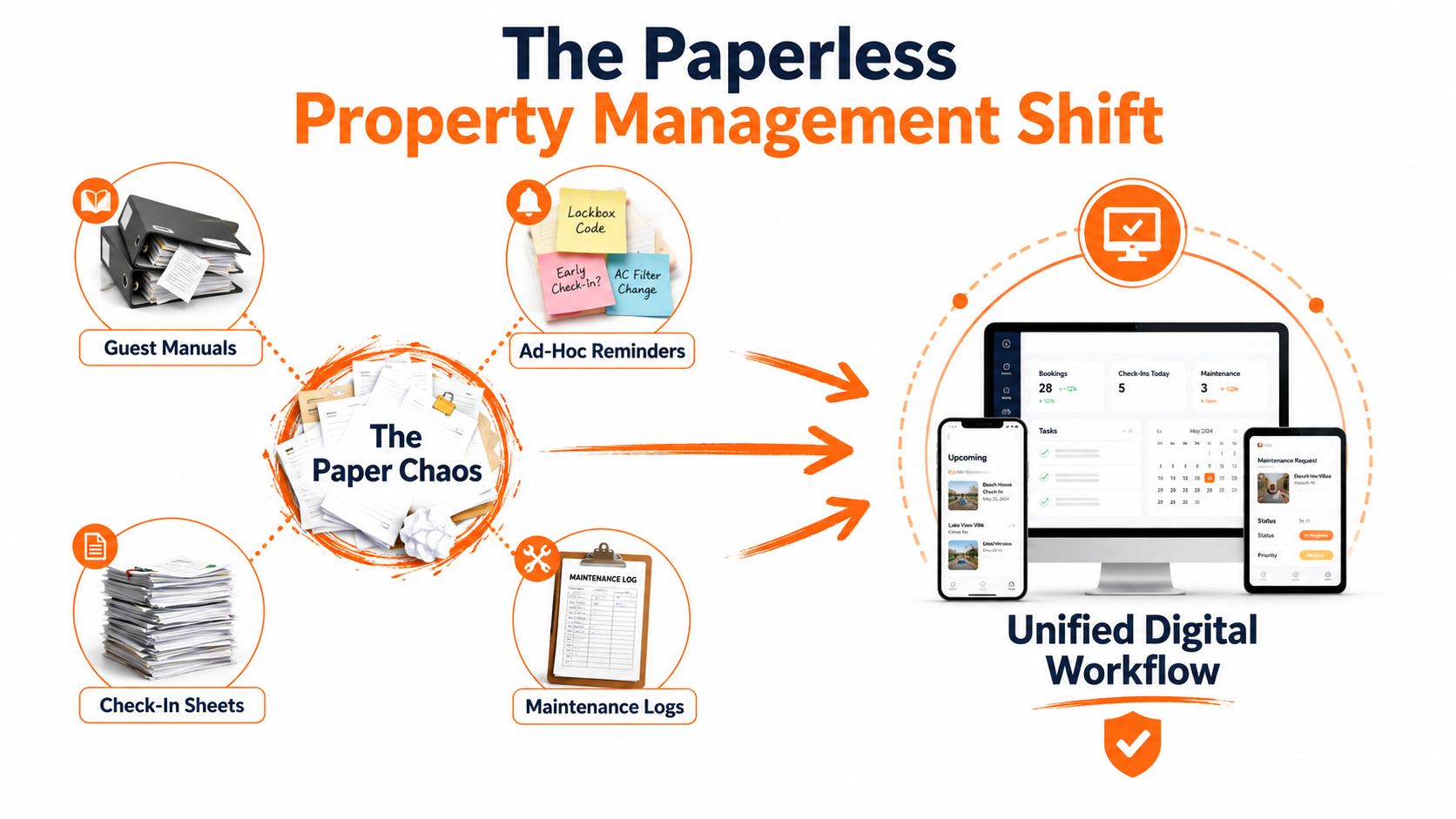
A paper-based short-term rental operation usually looks organized from a distance. Each unit has a house manual, a folder for receipts, a cleaning checklist, and perhaps a notebook for repairs. Up close, the system breaks apart. Guests photograph a Wi-Fi card and lose the image, house rules remain unchanged after a lock upgrade, and a cleaner writes a note on the counter because the official maintenance log is somewhere else.
That friction reaches the guest before anyone notices it internally. A missing instruction creates a message, the message waits for a reply, and the next team member may solve the problem differently. A printed manual can also train guests to search through pages when they need one urgent answer, such as how to enter the building or reset the thermostat.
The wider property sector had already moved well beyond experimental digitization before QR-based guest guides became common. A 2026 industry summary reported that 86% of real-estate contracts and documents were managed digitally by the end of 2021, linking digital management with fewer errors and stronger security (industry summary on digital real-estate document management). For a host, the lesson is simple: paperless operations are now an expected operating model, but the guest-facing details still need careful design.
Start with information movement
Before choosing software, list the information that moves through each stay:
- Guest access: booking details become arrival instructions, access credentials, and support options.
- Property readiness: checkout data becomes cleaning work, inspection tasks, and restocking decisions.
- Issue resolution: a guest message becomes a ticket, a vendor assignment, a completion photo, and a record.
- Business control: invoices, licenses, agreements, and incident notes become searchable operating records.
The useful redesign often involves fewer tools, clearer ownership, and one current version of each instruction. A workforce system that helps you streamline payroll and scheduling can sit alongside guest and property records, but it won't fix a workflow where nobody knows which checklist is authoritative.
Practical rule: If a team member must ask where the latest instruction lives, the operation isn't paperless yet. It's only storing paper problems in digital folders.
The trade-off is real. Digital systems reduce duplicated information, but they also create dependency on connectivity, permissions, and disciplined updates. Keep a controlled fallback for outages and accessibility needs, then make the digital path the easiest path for guests and staff.
Auditing Your Current Operations Before Going Digital
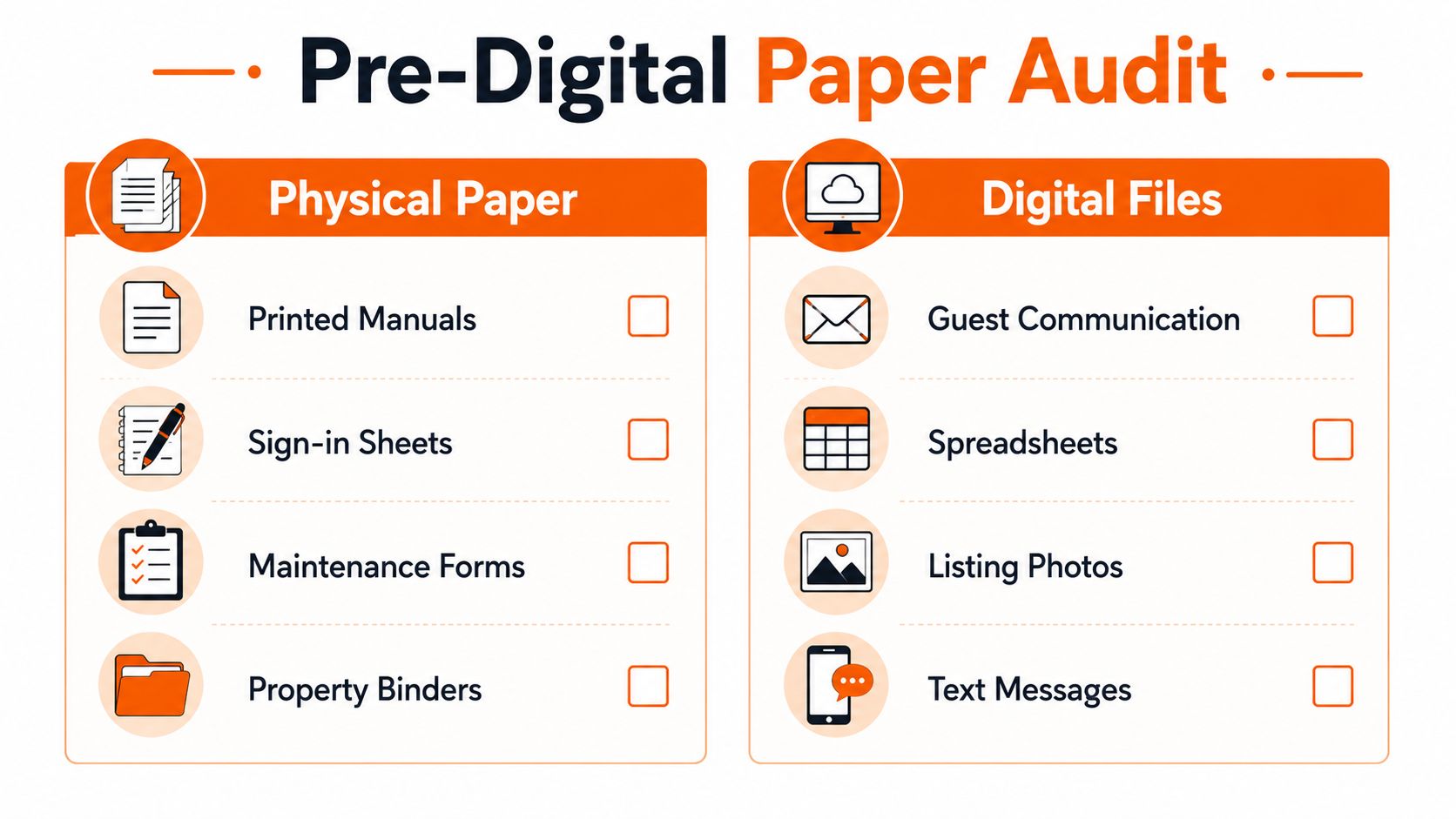
The migration should begin with an inventory, not a subscription. Walk through every property with a camera and record every physical item that carries an instruction, approval, signature, or operational status. Then compare it with the digital material spread across email, text messages, spreadsheets, booking platforms, and personal phones.
Build the source of truth first
Create a shared structure before changing anything guests see. I use a property-level folder with controlled subfolders for guest content, operating procedures, vendors, financial records, compliance, and incident documentation. Each file needs a clear name, an owner, a review date, and a status such as draft, active, or retired.
The audit should answer practical questions:
- Which document tells a cleaner how to reset the unit?
- Where does a technician find appliance manuals and warranty details?
- Who can approve a guest credit?
- Which license, insurance record, tax document, or registration record applies to each property?
- What happens when a staff member works offline?
Don't upload every old file and call the migration complete. Remove duplicates, confirm that contact details still work, and archive superseded instructions so nobody mistakes them for current procedures. A searchable document system only helps when search results lead to the right version.
Interview the people who touch the property
Cleaners, co-hosts, and contractors usually know about hidden paper dependencies before managers do. Ask them to describe a complete turnover without looking at the official SOP. Listen for refrigerator magnets, breaker-box labels, handwritten linen counts, key handoff sheets, and photos saved in private chat threads.
Set up a staging period before the first guest-facing launch. Run the digital workflow alongside the existing process, test access permissions, and ask a team member unfamiliar with the property to follow the instructions without verbal coaching. Track every question they ask, then revise the source document rather than adding another note.
For teams that want a more structured way to connect operational records with performance review, the operational efficiency metrics guide provides a useful measurement reference. The migration is ready when the team can find, update, and hand off the same information without relying on the old binder.
Replacing the Paper Guestbook With a QR Welcome Book
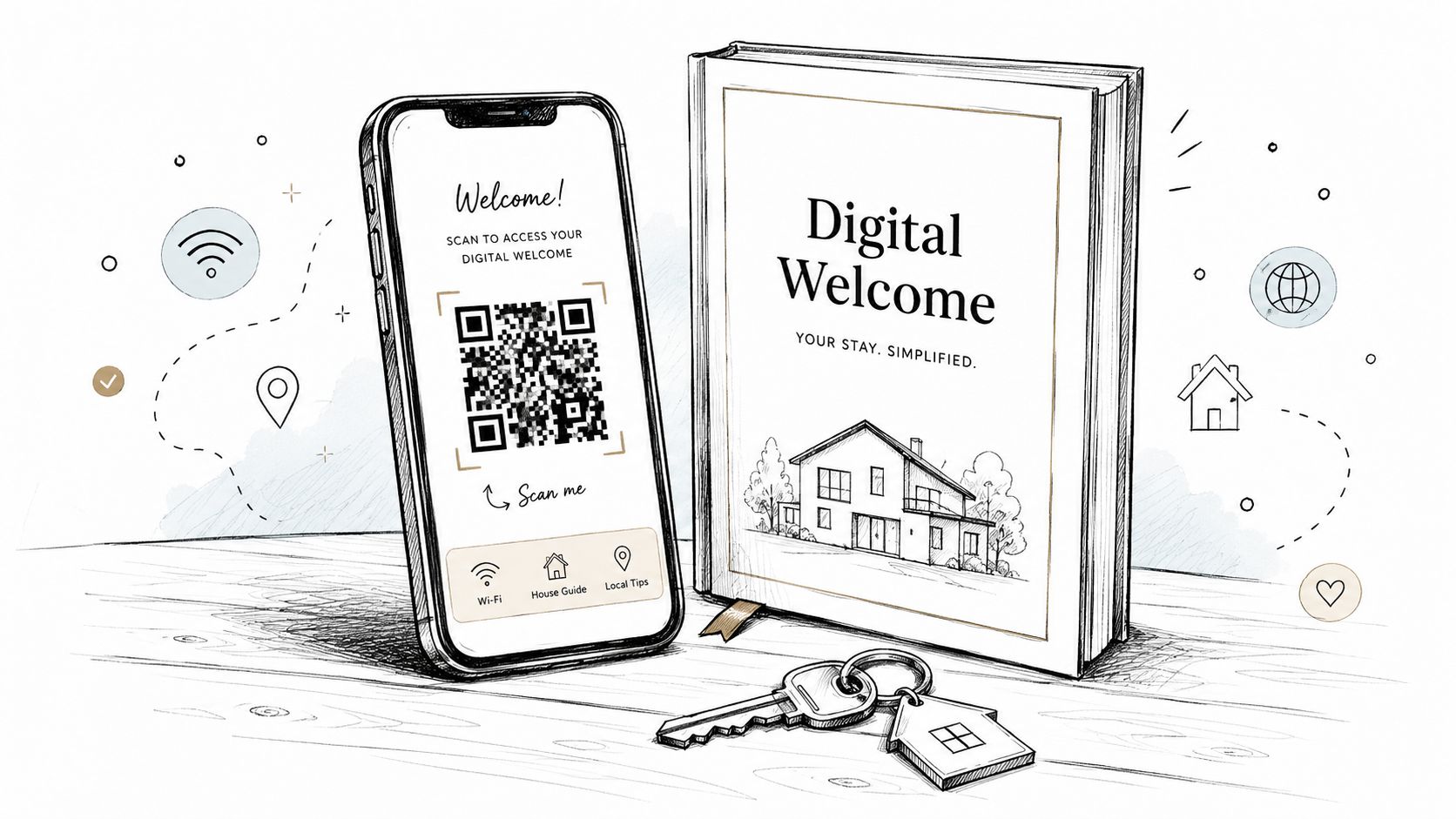
A QR welcome book should behave like a small service desk, not a digital copy of a thirty-page manual. The guest has a task, often while standing outside the property or unpacking luggage. Put the answer for that task within one or two taps.
Order content by arrival pressure
The opening screen should prioritize:
- Entry and Wi-Fi: Show the door process, access code location, network name, and password without requiring a long scroll.
- Immediate rules: Explain noise expectations, smoking restrictions, parking, pets, and emergency contacts in short, direct blocks.
- How-to help: Use photos for the lock, thermostat, coffee machine, heating controls, and waste arrangements.
- Local guidance: Add maps, restaurant suggestions, transport notes, and weather-sensitive recommendations after essential property information.
- Checkout: Keep departure tasks visible, but don't let them crowd the arrival screen.
A mobile layout needs short sections, descriptive buttons, readable contrast, and images that answer a question. A thirty-second video can replace a paragraph when the guest needs to operate a smart lock or reset a heating control. Keep text available alongside video for guests who can't stream, have hearing needs, or prefer reading.
The QR code best-practices guide is useful when deciding placement, size, contrast, and the amount of surrounding instruction. Place the code near the entrance, inside the unit, and wherever a guest is likely to need help. A small printed fallback card with Wi-Fi, emergency contact details, and entry recovery instructions protects guests who have poor signal or a low battery.
Make updates painless
The key advantage over a printed manual is controlled change. Update the digital page when a lock code process changes, a restaurant closes, or seasonal equipment moves into storage. Review every property before a busy period, and test the guide on a phone held in one hand.
For buildings with complicated vehicle or pedestrian access, an apartment gate entry app may complement the welcome guide by handling access information separately from general house content. Keep the guest journey clear, though. Guests shouldn't need to search through several unrelated systems to enter the building.
Use scan analytics where available, but interpret them carefully. A popular page may signal a genuine information need, while a page with few visits may be hard to find. ScanStay is one example of a browser-based digital welcome book that combines QR access with Wi-Fi, check-in details, house rules, recommendations, videos, service information, multilingual content, and scan analytics.
A welcome book also needs a human escape hatch. Include a message option, an emergency route, and a clear statement about when guests should call rather than submit a form. A QR code removes friction only when the content behind it is current and the next action is obvious.
Digitizing Maintenance, Cleaning, and Inspection Workflows
Maintenance digitization succeeds when the form matches the physical task. A cleaner shouldn't complete a long general survey after every turnover, and a technician shouldn't receive a vague ticket that says “bathroom issue.” Build compact mobile forms for the people doing the work, then route the result automatically.
Create inspection templates by property type. A studio can have a different sequence from a multi-bedroom home, a pool property, or a pet-friendly unit. Each template should capture pass or fail status, a short note, and a photo when the issue affects safety, inventory, cleanliness, or a guest-facing feature.
A practical trigger structure
| Trigger Event | Digital Form | Auto-Action |
|---|---|---|
| Checkout released | Turnover checklist | Assign cleaner and deadline |
| Missing or damaged item | Inventory incident form | Notify manager and create review task |
| Appliance or lock problem | Maintenance ticket | Route to the relevant vendor |
| Inspection failure | Photo inspection form | Escalate according to severity |
| Invoice received | Vendor expense form | Attach invoice to property and ticket |
| Seasonal service due | Recurring task | Notify owner and assign contractor |
Use photo requirements that support the decision being made. A wide image can establish location, while a close image can show a leak, crack, stain, or damaged fitting. Don't make staff upload oversized files when a clear phone image is sufficient, and don't accept a blurred image for a potential damage claim.
Offline capability matters in basements, garages, and areas with unreliable reception. The form should save locally and synchronize later, with a visible status that tells the worker whether the submission reached the central system. If the platform can't work offline, provide a controlled fallback that gets transcribed promptly rather than allowing paper notes to disappear.
Escalation needs judgment
Not every failed item deserves a vendor visit, and not every inconvenience deserves compensation. Define severity levels around safety, access, habitability, and material impact on the stay. A loose handle may become a scheduled repair, while a failed lock or heating problem should move immediately to the manager.
Add recurring triggers for HVAC servicing, smoke alarm checks, deep cleaning, and exterior work. The exact schedule should follow the equipment, property type, manufacturer guidance, and local obligations. The digital system's job is to make the trigger visible, assign an owner, and preserve the completion record.
Communication Templates and Automation Across the Guest Journey
Automation should remove repetitive typing without making the stay feel unattended. A useful sequence follows the guest from enquiry through re-engagement, with each message answering the next likely question and offering a clear route to a person.
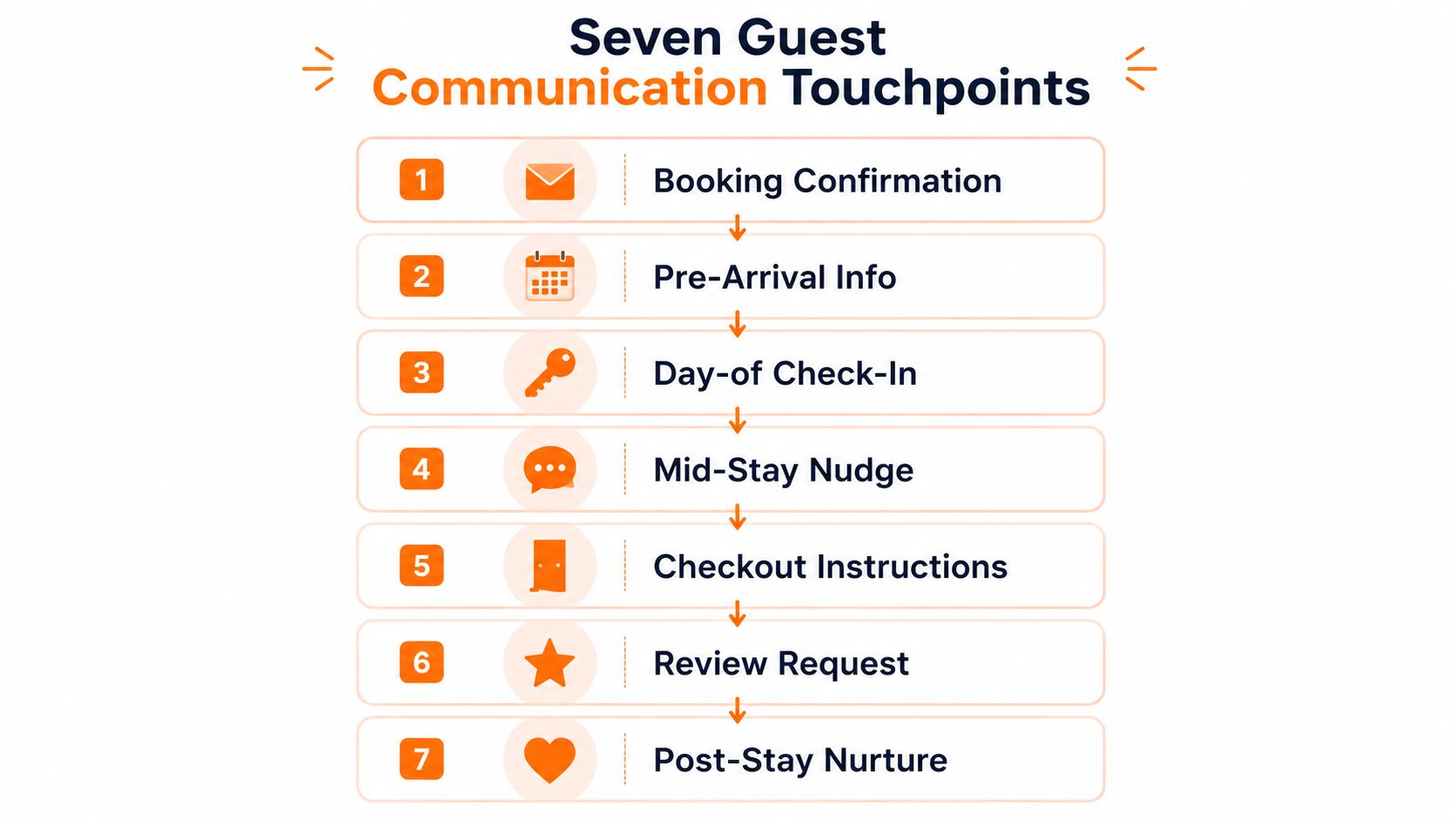
The seven core touchpoints are booking confirmation, pre-arrival information, day-of check-in, a mid-stay nudge, checkout instructions, a review request, and post-stay nurture. A large short-term-rental study covering 36,072 orders and reviews across 5,002 listings and 2,181 hosts found positive associations between repeat bookings and online reply rates, acceptance rates, faster confirmation, and richer post-booking interaction (short-term rental host-guest interaction study). It also found that offline interaction can substitute for some online effects, so automation must preserve an in-stay handoff.
Use short, adaptable templates
Keep variables obvious and editable:
- Booking confirmation: “Thanks for booking [property]. Your stay is from [arrival date] to [departure date]. You'll find access and support details in [guide link].”
- Pre-arrival: “Before [arrival date], please review parking, identification, and entry instructions. If you need accessibility support, reply here so we can plan properly.”
- Day-of check-in: “Your unit is ready. Use [entry method] and contact [support route] if the code doesn't work.”
- Mid-stay nudge: “How is everything so far? Reply with any issue, or use [service link] for [available service].”
- Checkout: “Please complete [checkout actions] before [time]. Leave keys at [location] and report any damage privately.”
- Review request: “Thanks for staying at [property]. Your private feedback helps us fix problems, and your public review helps future guests.”
- Post-stay nurture: “If you return to [area], we'd be happy to share current availability and local recommendations.”
Send urgent access information through the channel guests already monitor, while keeping the durable guide in a browser-based link. Use email for receipts and longer records, platform chat for booking context, and SMS only when the guest has consented and the message is time-sensitive.
A survey of 2,024 U.S. vacation-rental guests found that 67% wanted self check-in, 69% said host communications most influenced their likelihood of leaving a positive review, and two-thirds reported receiving only one to two communications or none (guest communication survey). The practical implication is not to send more messages indiscriminately. It's to place the right message at the right moment.
Keep automation under supervision
Route replies into a shared inbox, use approved responses in the languages your guests need, and keep a human review for refunds, complaints, safety events, accessibility concerns, and anything emotionally charged. Upsells such as early check-in, late checkout, a mid-stay clean, or a romantic setup should appear only when inventory, staffing, house rules, and timing allow.
Automation should handle predictable questions. People should handle exceptions.
Analytics and KPIs That Prove the System Is Working
A paperless system can produce a flood of activity data without proving that operations improved. Total scans, app downloads, and message volume are easy to display but weak as management signals. Track the measures that connect a guest problem to an operating response.
Start with a baseline before migration. Review a representative period and record first-response time, repeat questions, guide usage, and review outcomes using the same definitions you'll apply after launch. Compare similar property types and account for seasonality, because a peak holiday period and a quieter shoulder period can make the same workflow look very different.
Four useful measures
First-response time shows whether the shared inbox and escalation rules are working. Measure the elapsed time from a guest's message to the first meaningful answer, not an automated acknowledgement.
Repeat-question rate tests welcome-book quality. From a message log, label each message as a repeat question when the answer already exists in the guide, then use:
Repeat-question rate = repeat-question messages / total guest-question messages
Review the rate by topic. Repeated Wi-Fi questions point to visibility or clarity problems, while repeated parking questions may indicate that the information is in the wrong stage of the journey.
QR scan analytics reveal which pages guests open, but scans don't prove comprehension. Pair page activity with message topics, support requests, and direct feedback.
Review score movement can provide a directional signal when you compare similar stays and touchpoints. Don't attribute every change to the digital guide. Cleaning quality, pricing, weather, property condition, and platform effects can influence reviews at the same time.
Keep the dashboard small
| KPI | Target | Data Source |
|---|---|---|
| First-response time | Set a property-specific service standard | Shared inbox or channel logs |
| Repeat-question rate | Reduce avoidable questions after content fixes | Message tags and guide topics |
| QR page engagement | Identify useful and overlooked content | Welcome-book analytics |
| Review outcome | Monitor alongside operational changes | Booking platform reviews |
Review the dashboard weekly, investigate exceptions, and change one workflow at a time when possible. A sudden increase in scans may mean guests need help, not that the guide is succeeding. A lower message count may mean content improved, or it may mean guests stopped asking because the support path became unclear.
Monetization, Compliance, and Your 30-Day Rollout Plan
A mature paperless operation connects guest information, service offers, and defensible records. The same journey that answers “How do I check in?” can present a permitted late-checkout option, while the same digital record that confirms a waiver can preserve consent and an audit trail.
Compliance deserves its own review because requirements vary by jurisdiction. Operators may need to manage licenses, tax records, insurance documents, accessibility information, privacy consents, guest registration records, and signatures. Hospitality e-signature guidance emphasizes digital waivers and full audit trails, while broader property-management coverage describes cloud documentation and automated approvals as part of the shift toward paperless workflows (hospitality e-signature and compliance guidance). Don't assume a digital signature is acceptable for every document or market. Confirm local rules with qualified legal or compliance advisers.
The compliance documentation guide can help structure the recordkeeping side, but your system should make ownership and retention explicit. Decide who can access sensitive records, where audit trails live, how corrections are logged, and when outdated documents are archived or deleted.
A workable 30-day rollout
Week 1, audit and capture. Photograph and list paper dependencies. Interview cleaners and co-hosts. Consolidate SOPs, vendor contacts, licenses, insurance records, and property-specific instructions. Mark the current source of truth.
Week 2, configure the stack. Set up shared storage, permissions, mobile forms, recurring tasks, the shared inbox, and message variables. Create templates for each property type. Test offline behavior and escalation routes.
Week 3, launch the guest layer. Publish the QR welcome book, place fallback cards, and activate the seven communication touchpoints. Run the guide internally on different phones. Keep the old binder available during the staging period, but mark it as temporary.
Week 4, review and retire. Examine repeat questions, response times, page engagement, unresolved tasks, and guest feedback. Tune eligible offers such as late checkout, transfers, equipment rental, or mid-stay cleaning. Remove outdated paper, retain only the printed fallback material required for access, safety, accessibility, or local practice.
Don't hide the trade-offs
Older guests may prefer a printed reference. A power or connectivity failure can interrupt a digital workflow. Multi-team handoffs fail when permissions are too narrow, and platforms that lock your data can make future migration expensive. Export records regularly, document fallback procedures, and keep critical access and emergency information available without depending on a single device or vendor.
The goal isn't zero paper at any cost. It's a controlled operating system where paper has a defined purpose, digital records stay current, staff know where to work, and guests receive help before they need to ask.
ScanStay gives short-term-rental hosts a QR-based digital welcome book with browser access to Wi-Fi, check-in and checkout instructions, house rules, local recommendations, videos, multilingual content, and service offers. If you're ready to replace scattered binders and repetitive messages with one maintainable guest workflow, visit ScanStay and build the first guide for your property.