Guest Notification Management: A Host's Practical Guide
Streamline guest communication with our guide to short-term rental notification management. Learn to automate messages, reduce questions, and boost reviews.
Your phone buzzes with a platform message asking for the Wi-Fi code. Two minutes later, the same guest emails for the door code you already sent. Then they arrive, ignore the binder on the kitchen counter, and text again to ask how to work the heating. Most hosts don't have a guest problem. They have a notification management problem.
The mess usually starts with good intentions. A welcome email here, a printed house manual there, a checkout note taped to the fridge, and a few scheduled texts layered on top. To the host, it feels thorough. To the guest, it feels scattered. That gap is where repeat questions, missed details, and late-night interruptions come from.
Table of Contents
- Beyond the Welcome Text The Case for Smart Notification Management
- Choosing Your Communication Channels
- Mapping and Automating the Guest Journey
- Crafting High-Impact Messages Guests Will Read
- Using a Digital Welcome Book as Your Notification Hub
- How to Measure and Refine Your System
Beyond the Welcome Text The Case for Smart Notification Management
Hosts often think communication breaks down because guests don't read. Sometimes that's true. More often, guests are getting the same information from too many places, in too many formats, at the wrong moment.
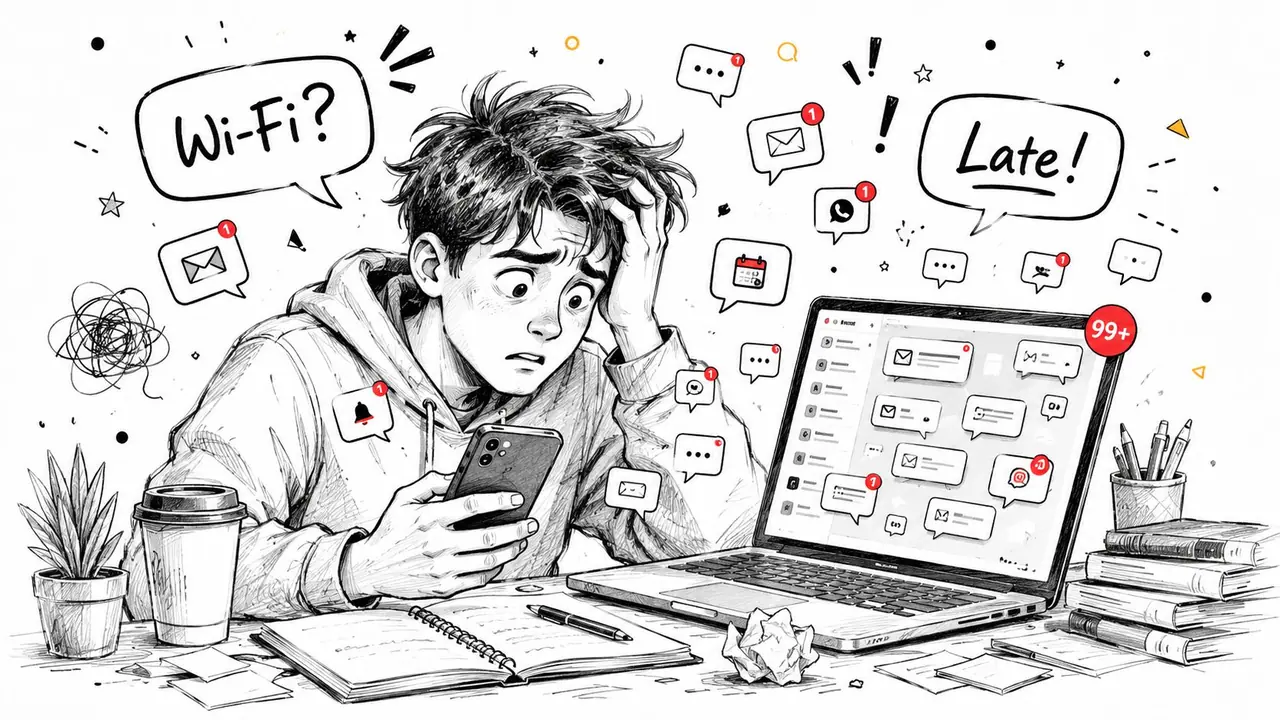
A common setup looks like this. The booking platform sends the reservation confirmation. The host sends a manual pre-arrival email. A PDF house guide sits in an attachment nobody opens. Printed signs cover the property. Then the guest still asks where to park, how to access the property, and when checkout is. That isn't a communication volume issue alone. It's a system design issue.
Data backs up what hosts see every week. 73% of guests report confusion about check-in when information is fragmented across paper binders, wall signs, and repetitive host messages, according to Eleken's notification UX analysis. For short-term rentals, the hard part isn't just sending messages. It's consolidating physical and digital notification streams so the guest gets one clear path.
Practical rule: If guests have to guess where the latest correct instruction lives, the system is already broken.
Good notification management fixes that. It treats every guest message, sign, reminder, and trigger as part of one operating system. Instead of reacting to repeated questions, you decide what guests need, when they need it, where they should receive it, and what should happen if they ignore it.
That shift changes the host's day. Fewer duplicate questions. Fewer manual follow-ups. Fewer cases where a guest says, "Sorry, I didn't see that." It also changes the guest experience. Clear communication feels like professionalism, even when the stay is fully self-serve.
Choosing Your Communication Channels
Most hosts add channels as problems appear. They start with Airbnb or Booking.com messages, then add SMS for urgency, email for longer instructions, and maybe WhatsApp because some guests prefer it. Over time, every channel stays active, and no channel has a defined job.
That creates noise fast. The average knowledge worker deals with 275 interruptions per day, according to Coommit's 2026 notification overload statistics. For a host, those interruptions often show up as guest communication spread across apps, inboxes, and platform dashboards. A structured channel plan matters because it lowers the chance that a critical guest issue gets buried inside routine chatter.
Guest Communication Channel Comparison
| Channel | Best For | Pros | Cons |
|---|---|---|---|
| Platform messaging | Booking-related communication, reservation records, compliance with OTA workflows | Tied to the reservation, familiar to guests booking through Airbnb or Booking.com, easy to reference later | Guests may check it less often while traveling, not ideal for urgent arrival issues |
| SMS | Time-sensitive reminders, access issues, same-day check-in updates | Immediate, high visibility, simple for short messages | Limited space, easy to overuse, weaker for detailed instructions |
| International guests, conversational support, quick clarifications | Comfortable for many travelers, good for two-way messaging, supports media well | Not every guest uses it, can blur business boundaries if unmanaged | |
| Pre-arrival detail, receipts, guide links, longer-form information | Better for structured content, searchable, useful for links and attachments | Lower urgency, often ignored on travel day |
Pick a primary channel and a backup
The practical setup is simple. Choose one primary channel for each stage of the stay, then keep one backup channel for exceptions.
For example, many hosts use platform messaging for booking and policy communication, email for pre-arrival information, and SMS only for check-in day timing or urgent issues. That keeps the guest from getting the same note in four places. It also keeps the host from maintaining four parallel conversations.
Guests don't mind clear communication. They mind duplicated communication.
A good rule is to match the channel to the decision the guest needs to make.
- Use platform messaging when the message belongs to the booking record.
- Use email when the guest needs a reference they can return to later.
- Use SMS when timing matters more than detail.
- Use WhatsApp only if you can support it consistently across properties.
What works and what doesn't
What works is channel discipline. The guest knows where formal information lives and what channel you use when something needs attention now.
What doesn't work is blasting the same full instruction set everywhere. If you send check-in instructions by platform message, email, and SMS, you aren't increasing clarity. You're increasing the chance the guest skims all of them and retains none.
Hosts building a more app-based guest experience can also review this guide to a short-term rental app strategy to think through where messaging should sit relative to the rest of the stay.
Mapping and Automating the Guest Journey
Automation fails when hosts start with templates instead of triggers. The better approach is to map the stay as a sequence of events, then decide what message belongs to each event.
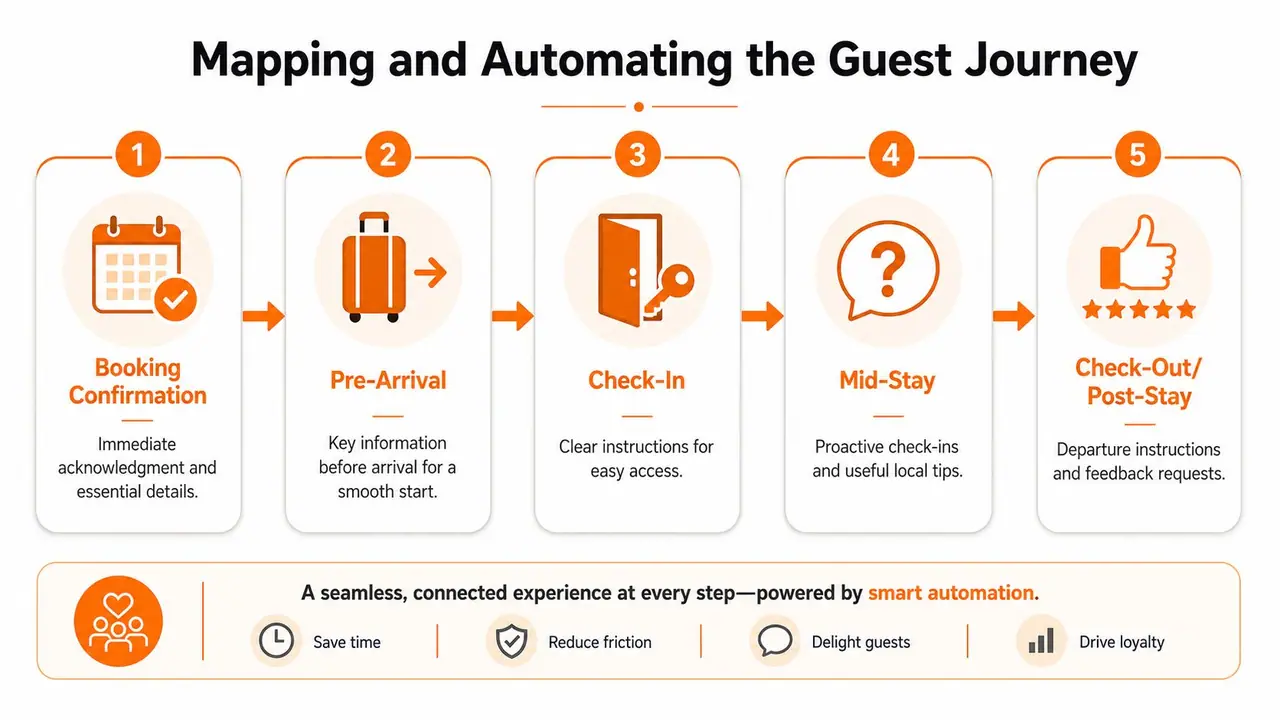
A scalable system follows a defined lifecycle. You map an event such as a booking to a template, apply rules so the message only sends when appropriate, choose the right channel, and track the response. Lochy's notification management lifecycle overview lays out that logic clearly, and it's exactly how guest communication should be built in practice.
Start with events not messages
Think in operational triggers:
- Booking confirmed
- Arrival window approaching
- Guest checked in
- Mid-stay milestone
- Checkout approaching
- Stay completed
Each trigger should answer one question: what does the guest need right now to move smoothly to the next step?
That framing stops the usual mistake, which is front-loading everything into a giant welcome note. Guests don't need appliance instructions at booking. They need reassurance that the reservation is confirmed and to know what happens next.
For hosts who want platform-specific workflows, this guide on how to automate Airbnb messages is useful because it shows how to tie timing to booking events rather than sending generic blasts.
What to automate at each stage
Booking Confirmation
Send this immediately. Keep it short.
Include:
- Confirmation: Acknowledge the reservation and thank the guest.
- Expectation setting: Tell them when they'll receive arrival details.
- One next step: Ask for anything essential, such as arrival time if needed.
Example:
Hi Sarah, thanks for booking with us for 14 to 17 August. Your reservation is confirmed. I'll send your arrival details before check-in day. If you're driving, reply with your estimated arrival time so I can tailor access instructions.
Pre-Arrival
This message does the heavy lifting, but it still needs restraint. Focus on logistics the guest can act on before they travel.
Include:
- Address and access summary
- Parking information
- A single link to the main guest guide
- Optional extras only if they're relevant
If you manage multiple properties, rules matter here. Don't send parking instructions to guests arriving by train if you already know they won't need them. Don't offer early check-in after the cleaning schedule is locked.
Check-In
This is the message guests hunt for at the curb or outside the front door. Make it impossible to misread.
Use:
- Door code or collection steps
- A simple sequence
- A support path if access fails
Bad check-in instructions are long, friendly, and vague. Good check-in instructions are short, ordered, and visible on a lock screen.
Send one clear access message close enough to arrival that the guest can find it quickly, but not so late that they land without it.
Mid-Stay
Most hosts either disappear or over-message here. The best mid-stay message is proactive and light.
Good uses:
- A quick welfare check
- A reminder tied to the property, such as rubbish collection or quiet hours
- A contextual tip, such as how to use the heating on a cold evening
This is also where a lot of repetitive support can be prevented. If guests often ask about the hot tub, TV, or Wi-Fi, send one short note that points them to the exact instructions instead of waiting for the question.
Check-Out and Post-Stay
This stage should remove uncertainty, not add new rules. The night before departure, remind guests only of what they must do.
Useful points:
- Checkout time
- Key or lock instructions
- One or two departure actions, not a giant chore list
- Where to leave feedback or contact you if plans change
After the stay, the follow-up should be separate from checkout instructions. Keep the ask clean. Thank them, confirm departure if needed, and request feedback or a review in a polite, professional way.
Crafting High-Impact Messages Guests Will Read
Automation only helps if the guest opens the message, understands it fast, and takes the next step. That puts the writing itself under pressure. Most host messages are too long, too polite, and too packed with details the guest doesn't need yet.
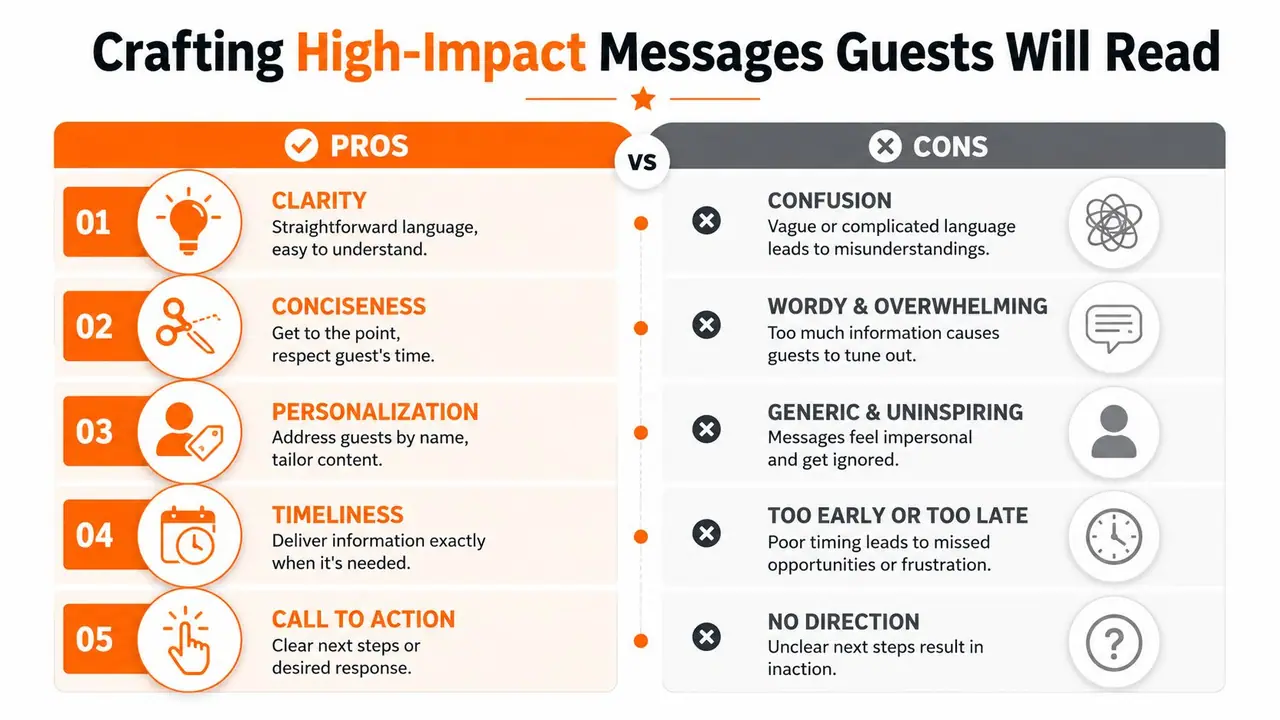
There are two forces to balance. First, personalization works. AI-driven personalized push notifications had 74% higher engagement than generic ones in 2026, based on Grand View Research's market analysis. Second, frequency matters. The same source notes that users receiving more than 6 notifications a week from a single brand are 3.4 times more likely to uninstall the app within 30 days than users getting 1 to 2 weekly notifications. In hospitality terms, that means relevance beats volume.
What guests actually respond to
Guests read messages the way travelers do everything else. Quickly, between tasks, often on mobile, often while moving.
What helps:
- Clarity first: Lead with the one action or answer that matters now.
- Conciseness: Cut greetings, disclaimers, and repeated context.
- Personal relevance: Reference the stay, timing, or known need.
- Timing: Send information close to the moment of use.
- One call to action: Click, reply, arrive, confirm, or review. Not all five.
WebEngage reports that concise, actionable language can increase click-through rates by 40%, in its push notification best practices guide. That applies directly to guest messages. If a guest isn't opening your guide link, don't assume they're careless. Assume the message didn't make the next step obvious enough.
If you want to sharpen your instincts on message structure more broadly, this piece on crafting content people love is worth reading because the same principles apply to guest communication. Strong content earns attention by being useful, specific, and easy to act on.
Weak messages versus useful ones
Here is a common weak version:
Hi John, hope you're doing well and getting excited for your trip. Just reaching out to share some important information for your upcoming stay. Please make sure to review everything carefully before arrival, including parking, access, Wi-Fi, house rules, local recommendations, and appliance instructions. Let me know if you have any questions.
It sounds friendly. It also asks the guest to do too much.
A better version:
Hi John, your check-in details are ready. Use this link for your door code, parking, and Wi-Fi. Please open it before arrival and save it for quick access.
The second message is shorter, but more useful. It tells the guest what the link contains, when to use it, and what to do next.
Practical writing rules that hold up
- Name the action early: "Open this before arrival" beats "I wanted to share some information."
- Group related details: Put access details together. Don't mix them with restaurant tips.
- Use plain words: Say "door code" instead of "entry credential."
- Limit each message: One purpose per send.
- Write for scanning: Short sentences. Short paragraphs. Clear links.
A guest shouldn't have to reread your message to know what to do.
Personalization also needs discipline. Using the guest's first name is fine, but the stronger version is situational. If they're arriving that afternoon, mention arrival. If they're staying with children, highlight the details that matter to that stay. Generic friendliness doesn't create relevance. Context does.
Using a Digital Welcome Book as Your Notification Hub
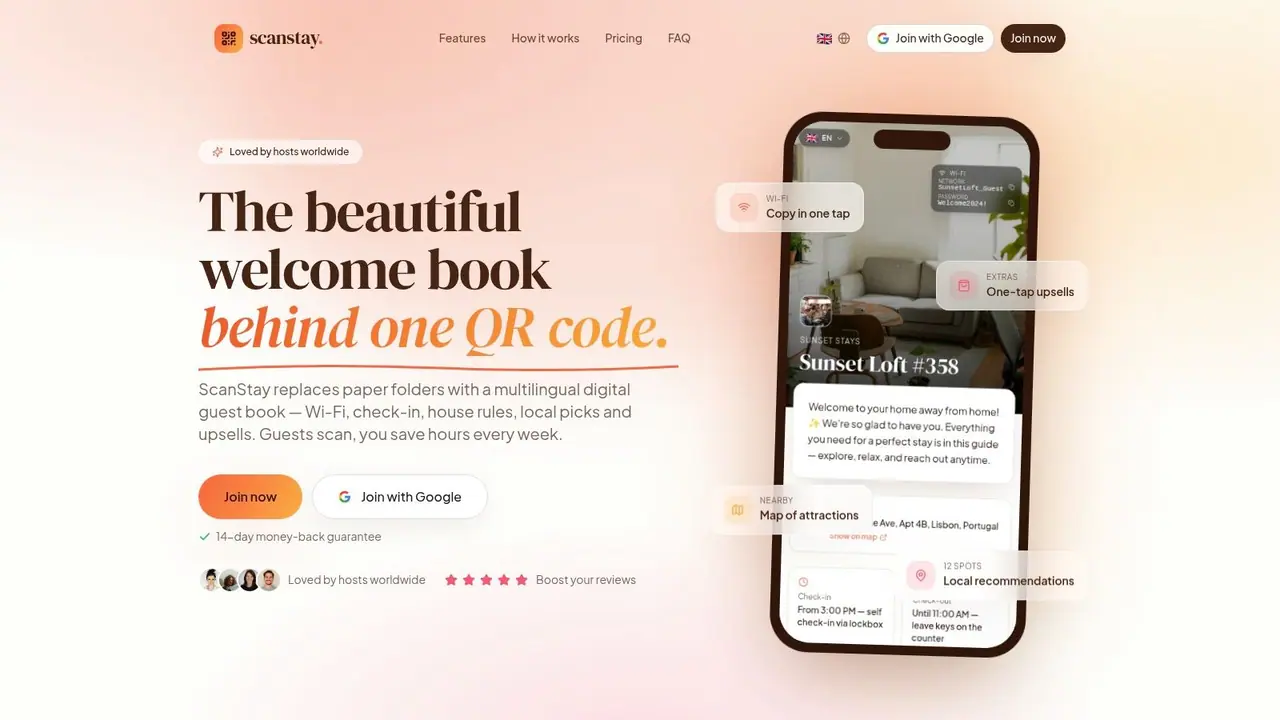
The cleanest way to reduce message volume is to stop putting every instruction inside the message itself. Send shorter notifications, then point guests to one place where the full, current information lives.
Why one source of truth changes everything
Hosts get into trouble when information exists in too many versions. The printed binder says one Wi-Fi network. The email template has another. The wall sign still shows an old checkout instruction. Once that happens, every new message becomes a risk.
A digital welcome book fixes the version control problem. The host updates one place. Every message can then point back to that same source. The guest gets consistency across pre-arrival, on-site, and checkout communication.
This is the same logic businesses use when they centralize internal communication systems. For operators thinking about communication more broadly, this essential guide for Australian small businesses gives a helpful overview of why unified communication reduces friction when teams and customers rely on multiple touchpoints.
What the hub should contain
The hub should answer the routine questions that currently generate messages:
- Arrival details: Address, parking, access steps, door codes
- Stay essentials: Wi-Fi, heating, appliance instructions, house rules
- Local guidance: Cafés, transport, grocery stores, nearby recommendations
- Departure steps: Checkout time, key return, quick closing tasks
- Optional extras: Late checkout, transfers, rentals, add-ons
A digital guide works best when your notifications link to the exact relevant section, not just the homepage. "Your Wi-Fi details are here" beats "See the guide for more information."
For hosts replacing binders and scattered PDFs, this overview of a vacation rental welcome book is a useful reference point for what to include and how to structure it.
The format matters too. A QR code on-site gives guests a physical cue without forcing them back into paper. That solves the core short-term rental problem, which isn't digital messaging alone. It's coordinating what the guest sees in the property with what they receive before and during the stay.
A quick demo makes the point more clearly than a description alone.
How to Measure and Refine Your System
A notification system earns its keep when it cuts repeated questions, reduces manual follow-up, and gives guests one clear place to find answers. For short-term rental hosts, that means measuring more than whether a text was sent. It means checking whether your physical cues in the property, your automated messages, and your digital guide are all pointing guests to the same answer.
That is the true test.
What to track in real operations
Skip the fancy dashboard at first. A simple weekly review usually shows where the system is holding up and where guests are still getting lost.
Focus on a small set of signals:
- Repeated question volume: Which questions still come in after booking, before arrival, and during the stay?
- Message response patterns: Which reminders lead to action, and which ones guests ignore?
- Guide engagement: Are guests opening the links you send, and are they reaching the right page?
- Review language: Do guests describe communication as clear and easy, or do they mention confusion?
- Manual rescue work: How often is someone on your team resending door codes, parking details, or checkout steps?
- On-site confusion points: Are guests still missing information that also appears on signs, printouts, or the welcome book?
The last point matters more than many hosts expect. If guests keep texting for the Wi-Fi password even though it is posted on the fridge, printed in a binder, and sent by text, the problem is usually not lack of information. The problem is that the information is scattered. Guests do not know which source to trust, so they ask you.
That pattern is useful. It shows you where to consolidate, not where to add another reminder.
A practical troubleshooting checklist
When guests still miss key details, review the system in this order:
- Check for conflicting sources. If the binder says one thing, the wall sign says another, and the text message says something else, guests will pause and contact you.
- Check timing. Access details sent too early are often forgotten by arrival time.
- Test the path yourself. Open each link on your phone and count how many taps it takes to reach the answer.
- Trim the message. Put the action in the first line, not buried at the end.
- Confirm the handoff between physical and digital. A QR code on-site should lead straight to the exact section guests need.
- Review edge cases. Late check-ins, multi-night stays, and international travelers often need different triggers or wording.
When automation falls short, the cause is usually timing, channel choice, or message overload.
I have found that the fastest improvements usually come from removing duplication. One clear source beats four partial ones. If your checkout steps live in a printed sheet, a platform message, a text, and a kitchen sign, pick one primary source and make every other touchpoint point back to it.
Refinement should be routine. Every repeated guest question highlights a weak spot in the system. Fix that weak spot once, and you save time on every future booking.
If you're ready to replace scattered signs, paper binders, and repetitive guest messages with one clear system, ScanStay gives you a practical way to do it. You can centralize Wi-Fi details, check-in instructions, house rules, local recommendations, and upsells in a mobile-friendly guide that guests access from a single QR code or link. That means shorter messages, fewer repeated questions, and a guest experience that feels organized from booking to checkout.