Airbnb Host Management: The Practical 2026 Playbook
Master airbnb host management in 2026 with this practical playbook covering listings, automation, pricing, and scaling tips.
Nine in 10 short-term-rental owners self-manage their properties, yet the average owner holds only 1.9 STR properties, with more than two-thirds owning just one, according to a 2024 roundup of vacation-rental research. That combination tells you exactly what Airbnb host management looks like in practice. Most hosts aren't running a passive-income portfolio. They're operating a small business, often around another job, with cleaning, maintenance, pricing, guest access, and customer service competing for attention.
The hosts who stay profitable aren't necessarily the friendliest or most available. They build an operating system that prevents avoidable problems before a guest has to ask about them. Turnover coordination, pricing discipline, and message automation matter more to growth than writing another cheerful welcome note.
Table of Contents
- Why Airbnb Host Management Has Become a Real Operating Job
- Setting Up Your Listing and Onboarding the Right Way
- Cleaning Turnovers, Maintenance, and Pricing as Core Systems
- Contactless Check-In and the Digital Welcome Book Workflow
- Channel Management and Dynamic Pricing Discipline
- The Host Metrics That Actually Predict Performance
- Scaling Beyond One Property With Co-Hosts and Automation
Why Airbnb Host Management Has Become a Real Operating Job
The same research roundup found that hosts rely on short-term renting for 27% of their income on average, while 44.1% earn at least 41% of their income from hosting. It also reported that one in four owners made no profit or lost money, and 47.8% earned up to $24,999 in profit. Those figures describe a side-business environment, not a frictionless investment.
That distinction changes how you should manage the property. A hobbyist checks the inbox when convenient and calls a cleaner when a booking appears. An operator creates deadlines, backup coverage, documented standards, and a repeatable response path. If the property only works when you personally remember every detail, you don't own a system. You own a collection of reminders.
A useful overview of digital transformation in hospitality reinforces the broader point. Technology matters, but only when it removes a recurring manual decision. Software won't rescue an unclear turnover process or a weak pricing policy.
The surfaces you actually own
Turnover coordination: Can a cleaner accept a job, access the property, follow the property's standard operating procedure, and submit proof without a chain of calls?
Pricing reviews: Do you know why tonight's rate changed, what gap you're trying to fill, and when you'll adjust the floor instead of blindly matching a competitor?
Guest messaging cadence: Are booking confirmation, arrival instructions, mid-stay support, and checkout reminders scheduled around the guest journey?
Maintenance triage: Can a guest report a failed appliance and reach the right vendor without you diagnosing everything from another timezone?
Channel synchronization: If the property appears on more than one platform, which calendar is authoritative, and who checks for mismatched availability or rules?
Review response: Do you respond consistently to feedback and turn repeated complaints into a property-level fix?
These aren't administrative extras. They define whether you can leave your phone alone for an evening, add another property, or take a trip without blocking the calendar. Start treating each surface as an operating function, with an owner, a deadline, and a fallback.
Practical rule: If a task repeats, document it. If it repeats under time pressure, automate it or delegate it.
Setting Up Your Listing and Onboarding the Right Way
Listing setup should follow a sequence. Don't spend an afternoon polishing the description before you know whether the first photo, headline, availability, and booking settings make the property easy to understand and reserve.
Build the listing in the order guests decide
Start with the title and photo order. Put the strongest visual proof of the property's main advantage first, then show the sleeping arrangements, living areas, bathrooms, outdoor space, and any feature guests specifically search for. The title should state the useful distinction, such as proximity, view, workspace, parking, or layout, rather than waste characters on generic hospitality language.
Next, write a description that answers the booking question quickly. Explain who the property suits, what makes the stay convenient, and what guests should know before paying. Then configure house rules and amenity fields with exact accuracy. A missing parking restriction or an overstated amenity creates more damage than a plain sentence in the description.
Pay special attention to fields hosts often leave under-optimized:
- Map pin and location details: Confirm the pin accurately represents the entrance and neighborhood.
- Instant Book settings: Use the filters that protect your operating model without creating unnecessary booking friction.
- Weekend minimum stay: Set it intentionally, based on turnover capacity and demand patterns.
- Availability and advance notice: Match them to the actual time required for cleaning and preparation.
Onboard the property in dependency order
The operational setup should proceed one layer at a time.
- Secure the cleaning relationship first. Agree on rates, availability, same-day expectations, supply handling, escalation, and photo proof. Without reliable cleaning, every other guest-facing promise is exposed.
- Define linen and consumable restocking. Set par levels for towels, sheets, paper goods, toiletries, and cleaning materials. Decide where backup stock lives.
- Provision access and connectivity. Install the smart lock, test code creation, verify Wi-Fi coverage, and label the router and critical switches.
- Complete permits, taxes, and insurance checks. Confirm the local requirements before accepting reservations, and verify that the policy matches short-term rental use.
- Publish only after a live test. Have someone unfamiliar with the property follow the listing, access, Wi-Fi, and house instructions.
Use this Airbnb host checklist as a final operational audit, not as a substitute for testing the guest journey. Before publishing, pull two strong local comparables and calibrate your nightly rate, cleaning fee, and minimum stay against their positioning and booking terms. Your launch price should reflect what guests see beside you, not what you hope the property is worth.
Cleaning Turnovers, Maintenance, and Pricing as Core Systems
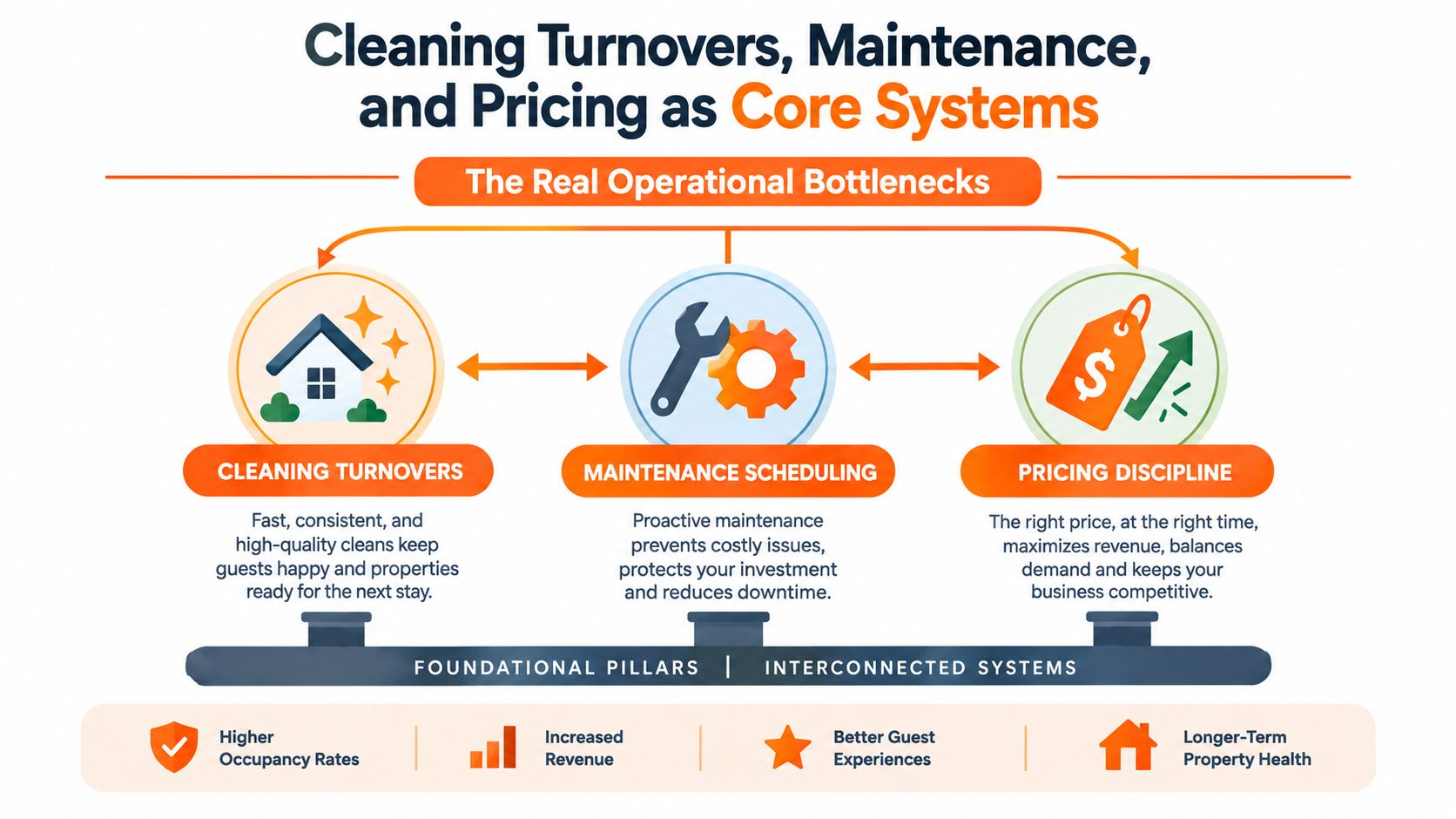
Guest communication gets most of the attention because messages arrive visibly in the inbox. The more expensive failures usually happen behind the scenes. In a survey of 1,300 hosts, cleaning and maintenance coordination and pricing competitiveness were each cited by more than two-thirds of respondents as major challenges, while guest communication ranked below them, according to Touch Stay's host survey.
Make turnovers observable
Every property needs its own turnover SOP. Include room-by-room tasks, damage checks, consumable restocking, thermostat settings, laundry handling, and the final lock-up procedure. Require timestamped photos of the kitchen, bathrooms, beds, and any problem area before the cleaner marks the job complete.
Keep a backup cleaner roster even if your primary cleaner is excellent. A single illness or scheduling conflict shouldn't force you to cancel a booking. Set a clear cutoff for same-day turnover changes, because late requests create rushed work and make quality impossible to verify.
Laundry deserves its own process. If you need an outsourced option for linen volume or overflow, Tumble Laundry's wash-and-fold service can be evaluated alongside your existing cleaner workflow. The important question isn't whether laundry is outsourced. It's whether clean, correctly sorted linen is guaranteed before the next arrival.
Treat maintenance as triage
Create three response levels. A safety, access, water, heating, or electrical issue gets immediate escalation. A functional problem that affects comfort gets a same-day plan. Cosmetic issues go into a scheduled repair queue.
Name vendors for plumbing, HVAC, electrical, locksmith work, and general repairs. Add seasonal inspection tasks to the calendar, including weather-related checks, filters, batteries, leaks, and exterior access. A maintenance log should record the symptom, diagnosis, action, vendor, and repeat history. Repeated repairs often indicate a replacement decision, not another temporary fix.
Review pricing as a routine
Pricing needs a weekly review of the occupancy gap, booking lead time, day-of-week pattern, and comparable listings. Don't change rates because a tool produced a recommendation. Change them because you understand the booking gap you're trying to close.
The laundry and linen service workflow is useful to map separately from cleaning because linen failures can delay an otherwise completed turnover. Keep these systems connected, but assign responsibility clearly.
Contactless Check-In and the Digital Welcome Book Workflow
Contactless check-in isn't just a lock on the door. It's a controlled sequence that gives the right guest the right access at the right time, with a physical fallback when technology fails.
Build the arrival sequence
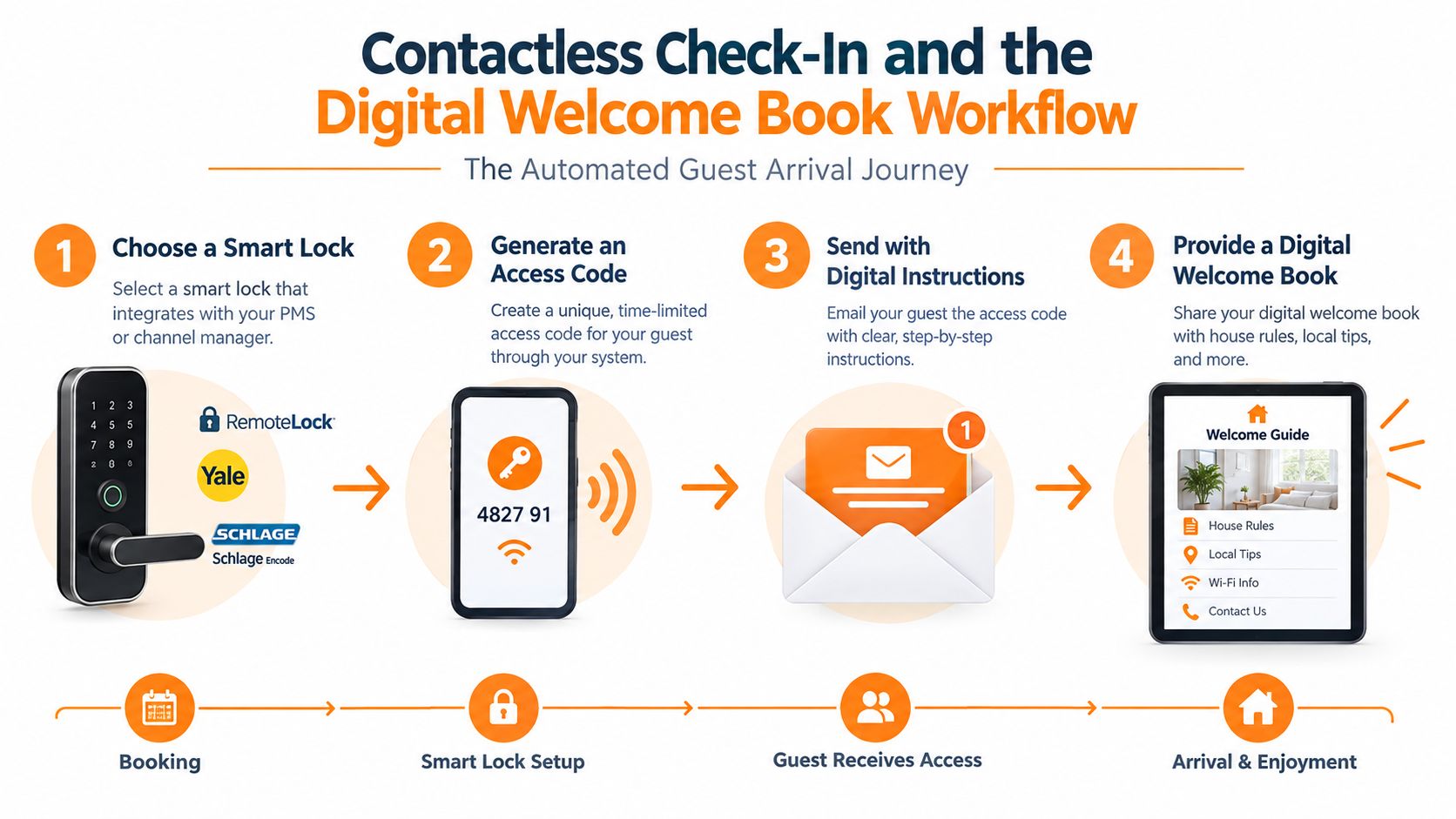
Choose a smart lock that integrates with your property-management system or channel manager. RemoteLock, Yale, and Schlage Encode are practical examples to evaluate, but compatibility with your existing stack matters more than brand recognition.
Then configure the operating sequence:
- Create a guest-specific code after the reservation is confirmed.
- Set activation for check-in and expiration at checkout.
- Test the code against the reservation dates before sending anything.
- Install a lockbox fallback with a controlled backup key.
- Document entry, parking, building access, and signage with clear photos.
- Give your local responder access to the fallback plan, without distributing unnecessary guest data.
Don't send a door code in the first booking message if the property isn't ready. Gate arrival instructions by booking stage and release them only when the reservation is confirmed and the operational checks are complete.
Put answers where guests look
A digital welcome book should handle the questions that otherwise interrupt your day:
- Arrival basics: Address, parking, building entry, lock instructions, and checkout steps.
- Connectivity: Wi-Fi name and password, with a backup location if the router is reset.
- Appliance guidance: Short instructions for the thermostat, television, oven, washer, dryer, and coffee machine.
- Safety contacts: Local emergency services, property contact, building management, and urgent maintenance route.
- Neighborhood guide: A curated set of restaurants, groceries, pharmacies, transport options, and useful attractions.
Keep the guide concise. Guests don't need a travel essay when they need to find the fuse box. Use videos for appliances that routinely generate confusion, and write instructions for the person arriving tired, carrying luggage, and reading on a phone.
A QR-based digital guide such as ScanStay can consolidate Wi-Fi, arrival instructions, house rules, local recommendations, and service add-ons in one mobile link. Review the content after every meaningful property change, and schedule a regular check for closed businesses, changed access procedures, outdated videos, and inaccurate recommendations.
Use this video as a practical reference for designing a smoother arrival experience:
Channel Management and Dynamic Pricing Discipline
A channel manager becomes necessary when your operation has more than one source of demand, more than one property, or a direct booking site that must stay aligned with marketplace calendars. Hospitable, Guesty, Hostaway, and iGMS are all worth comparing, but don't choose based on feature volume. Choose the system that keeps reservations, messages, rates, restrictions, and task assignments synchronized.
If you distribute across Airbnb, Vrbo, and Booking.com, or if you manage two or more properties, move toward a channel manager promptly. Native tools can work for a focused, single-channel operation. They become fragile when you copy rules between platforms and trust memory to prevent conflicts.
Dynamic pricing also needs guardrails. A tool that follows nearby prices without understanding your costs can lower rates during a weak period or raise them when your minimum stay makes the dates difficult to book. Set a floor for each weekday, define weekend uplift bands, use lead-time adjustments, and create manual overrides for holidays, local events, and unusual demand.
| Rule | Trigger Condition | Expected Outcome |
|---|---|---|
| Weekday floor | Forecasted demand doesn't justify a lower rate | Protects margin during soft periods |
| Weekend uplift | Weekend demand or booking pace strengthens | Captures higher willingness to pay |
| Lead-time decay | Arrival approaches with an open gap | Improves the chance of filling unsold nights |
| Event override | A local event changes demand | Prevents the algorithm from relying on normal patterns |
| Gap-focused stay rule | A short opening sits between reservations | Makes the gap easier to sell without weakening the whole calendar |
Run a Sunday pricing sweep, then perform a short midweek anomaly check. Once a month, audit overbooking drift, listing parity, minimum-stay conflicts, and fees across every channel. Pricing discipline is a small, frequent habit. It isn't a quarterly project you remember after revenue has already leaked.
The Host Metrics That Actually Predict Performance
Most dashboards reward attention to numbers that look impressive but don't help you decide what to do next. A large booking count can hide weak margins. A strong star rating can coexist with slow reviews, poor conversion, or an average stay pattern that creates exhausting turnover work.
Track five measures in one weekly row. The point isn't to build a complicated report. The point is to spot a change early enough to act.
Use one weekly operating snapshot
Every Monday, record the current figure and compare it with the trailing four-week average. Flag a material change, then investigate the cause rather than reacting to the number alone.
| Metric | Target Benchmark | Why It Matters |
|---|---|---|
| Net revenue per available night | Set a property-specific floor | Shows what remains after fees and cleaning, not just the displayed nightly rate |
| Lead-to-booking conversion rate | Compare against the property's own trend | Reveals whether views and inquiries are becoming reservations |
| Response time and pre-booking acceptance | Define an internal service standard | Shows whether slow replies or restrictive communication are costing bookings |
| Review velocity | Monitor reviews in a 30-day window | Indicates recent guest activity more clearly than a static star score |
| Average length of stay | Match against turnover capacity and margin | Helps balance revenue with cleaning frequency and operational workload |
The benchmark column should be yours, not a borrowed industry promise. A city apartment with frequent short stays has different economics from a rural home designed for longer bookings. Use the metric to make a decision about that listing, not to win a comparison with another host.
Add context once a month
A weekly row tells you that something moved. A monthly deep dive tells you why. Break results down by listing, season, and acquisition channel. Look for patterns such as strong direct demand but weak marketplace conversion, high revenue with excessive cleaning, or good occupancy paired with a rate floor that's too low.
Don't confuse algorithm theories with verified operating signals. Track conversion, response behavior, revenue after costs, and review activity because those measures connect directly to listing decisions and guest experience. Tracking fewer metrics consistently beats tracking many inconsistently.
Scaling Beyond One Property With Co-Hosts and Automation
Moving from one property to a small portfolio is a staffing decision before it's a marketing decision. If replies regularly slip beyond your service standard, turnover defects repeat, or rates aren't adjusted when demand changes, more bookings will amplify the weakness instead of fixing it.
Start with the least expensive source of leverage. Scheduled messages, smart locks, dynamic pricing software, and one central calendar usually remove repetitive work before you need a full management company. For inbox sorting, supply tracking, or administrative follow-up, dedicated virtual assistants can support a documented workflow, but they shouldn't be asked to invent property procedures while a guest is waiting.
Choose the operating model deliberately
| Model | Best At Revenue | Cost | Owner Time Required | Best For |
|---|---|---|---|---|
| Solo with automations | Preserving the largest share of booking revenue | Software and contractor costs | High, but more predictable | Owners with one focused property and reliable local vendors |
| Co-host arrangement | Sharing daily execution while retaining strategic control | An agreed share of revenue | Moderate | Owners who need local coverage and guest support |
| Full-service property manager | Removing most operating responsibility | A management fee and possible extra service charges | Low | Owners who value time and operational distance over maximum control |
Don't choose a co-host because the title sounds professional. Define response coverage, inspection standards, vendor authority, emergency spending limits, owner reporting, and review responsibilities in writing. A capable co-host can protect your time. An undefined co-host relationship can create a second management problem.
Review the portfolio every week
Keep the review short and consistent. Check occupancy, revenue per available night, guest review trends, and turnover defect rates for each property. Ask which bottleneck caused the largest avoidable cost, then assign one action.
The next step is practical: pick one failure this week, automate or delegate it, and review the result after 30 days before adding more complexity. Don't scale a process you haven't tested under pressure. Build one dependable operating layer, then add the next.
ScanStay offers hosts a QR-based digital welcome book that centralizes check-in details, Wi-Fi, house rules, local recommendations, videos, and service add-ons in one mobile link. Visit ScanStay to see whether it fits your message-automation and guest-arrival workflow.