How to Increase Airbnb Bookings: A Host's Playbook
Learn how to increase Airbnb bookings with our step-by-step guide. We cover listing optimization, smart pricing, guest experience, and automation for hosts.
A lot of hosts start in the same place. The property is clean, the furniture is solid, the photos feel decent enough, and yet the calendar stays patchy. A few weekends fill. Midweek dates sit open. You lower the price, then wonder why inquiries still don't turn into bookings.
That usually means the problem isn't the property. It's the booking engine behind it.
If you want to know how to increase Airbnb bookings, stop treating your listing, pricing, guest communication, and reviews as separate chores. They work like a flywheel. Better presentation earns more clicks. Smarter pricing converts those clicks into reservations. Clear guest experience leads to better reviews. Better reviews strengthen future visibility and trust.
That's the playbook experienced hosts use. They don't wait for the algorithm to be generous. They tighten each part of the system until bookings become more consistent.
Table of Contents
- Introduction From Empty Calendar to Fully Booked
- Optimize Your Digital Storefront to Convert Lookers into Bookers
- Master Dynamic Pricing and Availability to Maximize Revenue
- Elevate the Guest Experience from Booking to Checkout
- Expand Your Reach with Smart Marketing and Review Management
- Use Automation and Tools to Scale Your Success
- Conclusion Your Blueprint for a Thriving Rental Business
Introduction From Empty Calendar to Fully Booked
An empty calendar is frustrating because it rarely gives you a clear reason. The listing looks fine. The place would make a great stay. But guests don't book based on what you know about the property. They book based on what they see, what they understand quickly, and whether the total offer feels trustworthy.
First impressions do most of the heavy lifting. On Airbnb, that means your cover photo, your first few images, your title, your nightly rate, and how fast the listing answers basic guest questions. If any one of those is weak, the rest of the property doesn't get a fair chance.
The fix isn't random tweaking. It's building a repeatable system.
Practical rule: Hosts who grow bookings consistently audit the full path from search result to checkout, not just the decor.
That system starts with the listing itself. Then it moves into pricing and availability. Then it extends into guest communication, reviews, and the tools that keep everything sharp without eating your day. When those parts reinforce each other, your property stops feeling like a listing you hope gets found and starts behaving like a booking engine.
Optimize Your Digital Storefront to Convert Lookers into Bookers
Most hosts underestimate how little time they get to win a click. Guests scroll fast, compare faster, and often decide between several similar homes in the same market. Your listing has one job at the start. Make the guest stop and look closer.
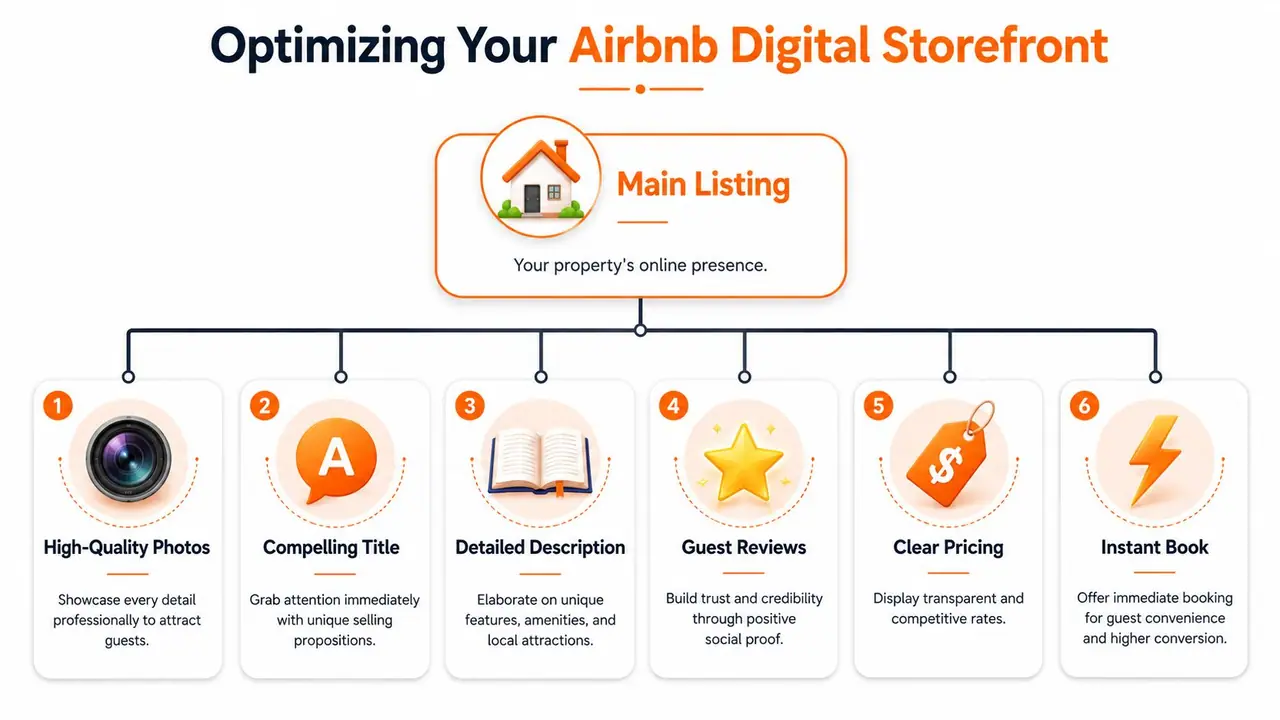
A strong listing isn't decoration. It's conversion work. A 2025 industry analysis cited by Rabbu reports that listings with eye-catching titles and professional photos get 40% more bookings than listings without them.
Lead with photos that do real selling
Photos carry the click. They also shape trust before a guest reads a word. Airbnb allows up to 50 photos, and Hostex guidance referenced in the Rabbu article recommends treating the first five images as a highlight reel while showing every room in bright, well-lit images through the rest of the gallery.
That first group should do distinct jobs, not repeat the same angle five times.
- Cover image: Show the strongest reason to stay. That might be a view, pool, terrace, fireplace, design-led living room, or a bright bedroom with standout styling.
- Second photo: Give layout confidence. Guests want to understand the main living space quickly.
- Third photo: Feature the bedroom guests are most likely to care about.
- Fourth photo: Show a practical value driver such as the kitchen, workspace, or outdoor dining.
- Fifth photo: Add emotional pull. Think cozy reading corner, balcony at golden hour, or a clean spa-like bathroom.
What doesn't work is dark photography, ultra-wide distortion, or hiding ordinary spaces. If the bathroom is basic, photograph it clearly anyway. Guests don't need perfection. They need confidence that nothing unpleasant is being concealed.
Write a title and description that answer the booking question fast
Titles work best when they combine a high-intent phrase with a real differentiator. “Nice apartment downtown” says almost nothing. “Pet-friendly beach house with parking near boardwalk” gives the right guest a reason to click.
The same principle should shape your first lines of description. Don't start with fluff about how much you love hosting. Start with what the guest is trying to confirm.
A practical flow looks like this:
| Listing element | What it should do |
|---|---|
| Title | Match guest search intent and highlight the best selling point |
| First lines | Confirm fit fast with location, layout, and key amenities |
| Middle section | Describe rooms and who the space suits |
| Final section | Clarify rules, logistics, and anything that avoids surprise |
If you want help tightening the copy itself, these vacation rental description examples are useful for seeing how strong listings balance clarity with personality.
Guests don't book because a description sounds pretty. They book because it removes doubt.
A good description also sounds human. Keyword stuffing is a common mistake. If “family cabin near hiking trails” fits the property, use it naturally. Then move on. The goal is relevance, not repetition.
For hosts trying to figure out how to increase Airbnb bookings, this is often the highest-return fix. Better photos get the click. Better sequencing and sharper copy get the booking.
Master Dynamic Pricing and Availability to Maximize Revenue
Hosts lose bookings in two opposite ways. They price too high during softer demand and sit empty. Or they keep the same low-ish rate during stronger demand and train the market to buy cheap. Both problems come from treating pricing like a fixed setting instead of an operating system.
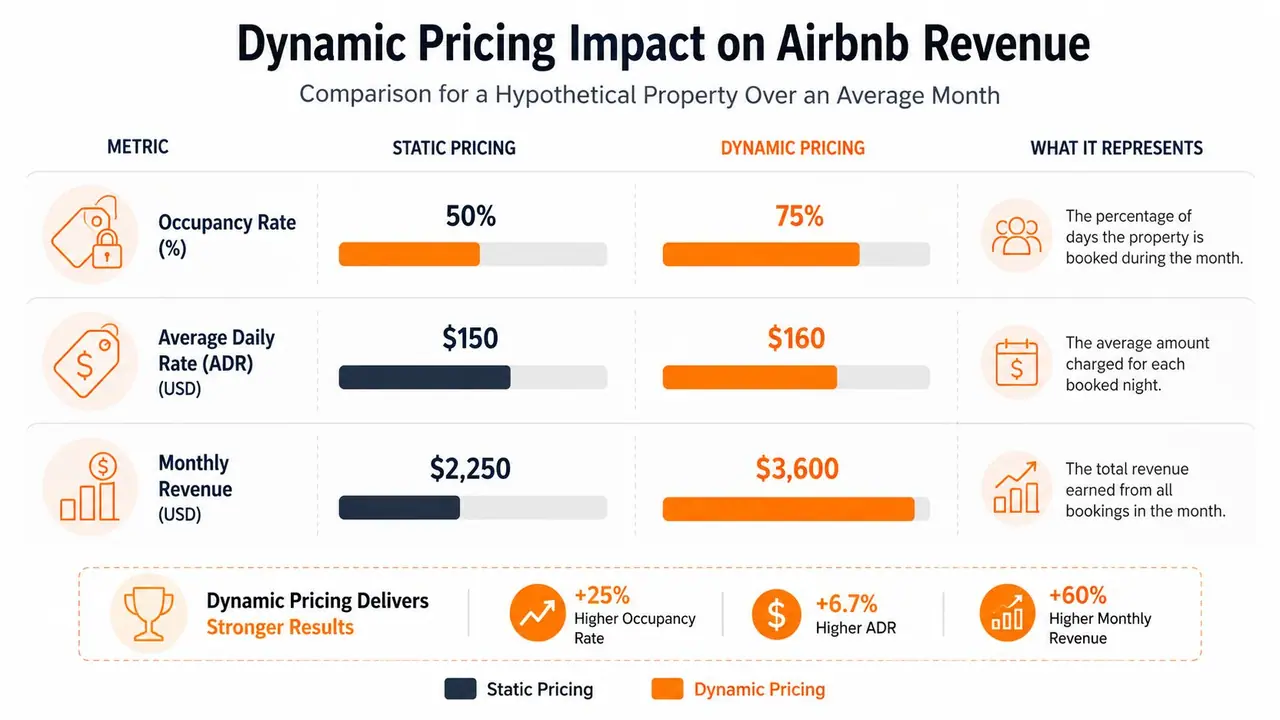
Expert-level hosts run pricing as a dynamic, data-driven system. Bookl.ee's guidance on boosting Airbnb bookings recommends benchmarking against local listings and adjusting for seasonality and local events because occupancy is materially influenced by rate competitiveness.
Why static pricing quietly hurts occupancy
A flat nightly rate feels simple. It also ignores how guests book.
Demand shifts with weekends, school breaks, conferences, concerts, weather, booking window, and how many competing homes are still available. If your price doesn't move with those signals, your listing stops matching the market.
The best hosts either use dynamic pricing software or maintain a disciplined spreadsheet and review cadence. The point isn't the tool. The point is making rate changes on purpose.
Here's the trade-off:
- Static pricing is easy: You spend less time adjusting rates.
- Static pricing is costly: You miss bookings on low-demand dates and miss revenue on strong ones.
- Dynamic pricing takes oversight: You need guardrails and regular checks.
- Dynamic pricing improves fit: The listing stays competitive without racing to the bottom.
For a clearer view of the metrics behind these decisions, this guide to Airbnb occupancy rate helps frame what to watch as you test pricing changes.
How experienced hosts handle open dates
Open nights near arrival need a different mindset than prime dates months out. One of the most common mistakes is holding stubbornly to the same price until a night expires unsold. Another is piling on too many fees and making the total feel unfair at checkout.
A more practical approach is to manage the calendar in layers:
- Far-out dates: Price for value if your market is booking ahead.
- Shoulder periods: Test weekly or monthly discounts to attract longer stays.
- Near-term gaps: Use targeted last-minute adjustments rather than blanket discounting.
- Event windows: Raise rates when local demand justifies it.
- New listings or low-review listings: Price slightly below stronger competitors until social proof improves.
A booked night at the right total price is the goal. Not winning an argument with the market.
Availability accuracy matters too. If your calendar is wrong across channels, guests hit friction, trust drops, and cancellations create damage you can't solve with a prettier price. Pricing and availability are one operating decision, not two separate tasks.
Elevate the Guest Experience from Booking to Checkout
Many hosts think guest experience starts at check-in. It starts the moment a reservation is confirmed. That's when the guest begins asking silent questions. How do I get in? Where do I park? Is the Wi-Fi reliable? Are the house rules strict? What happens if I arrive late?
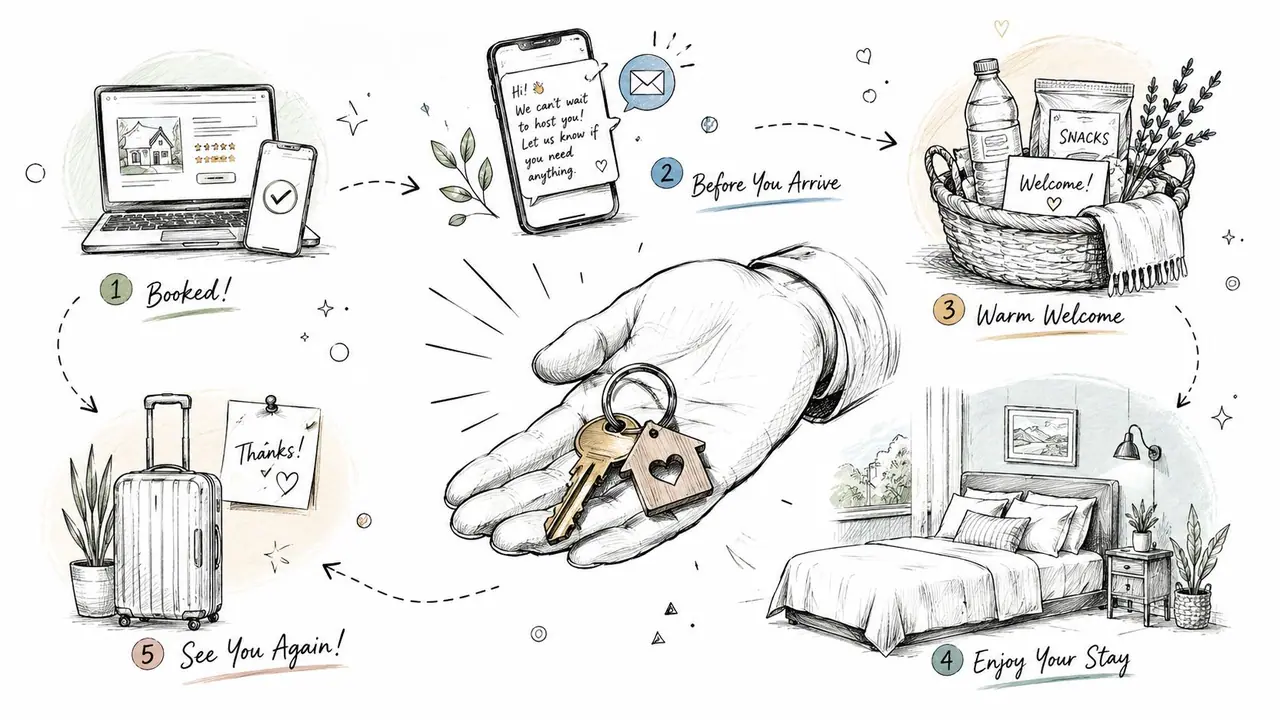
Customer Alliance's hospitality guidance notes that booking growth is also about conversion after the click, especially on mobile, and that the bottleneck is often post-booking confidence and pre-arrival clarity. In practice, guests need instant, scannable access to essentials like Wi-Fi, check-in flow, and house rules to feel safe booking and staying.
Pre-arrival clarity matters more than most hosts think
Most support messages come from missing information, not difficult guests. If the arrival experience is fuzzy, guests start the stay slightly tense. That tension shows up in messages, reviews, and sometimes refund requests.
Keep pre-arrival information scannable. A guest standing outside with luggage won't read a long paragraph. They need the code, the parking instruction, the building entry note, and one contact path if something goes wrong.
A solid pre-arrival setup includes:
- Check-in instructions: Clear steps, not a wall of text
- Wi-Fi details: Easy to find and easy to copy
- House rules: Short, visible, and framed before issues appear
- Local logistics: Parking, transit, grocery, noise expectations
- Appliance help: Brief how-tos for anything non-obvious
A modern way to organize that information is a digital guide instead of a paper binder or scattered messages. This overview of a vacation rental welcome book shows how hosts centralize the repetitive information guests ask for most.
The stay should feel easy, not impressive
Fancy extras are nice. Predictability is better.
Guests remember smooth check-in, fast answers, clear instructions, and a home that works the way they expected. They also remember when they had to dig through message threads to find the door code or ask how to turn on the hot water.
The mid-stay touchpoint matters too. A short message asking if everything is comfortable can surface problems before they become review material. Keep it brief and useful.
This walkthrough shows what friction-free guest communication looks like in practice:
Small operational touches often do more for reviews than expensive add-ons:
| Moment | What guests value |
|---|---|
| Arrival | Clear access and no surprises |
| First hour | Fast Wi-Fi, working essentials, confidence |
| During stay | Low friction, quick help, useful local info |
| Departure | Simple checkout steps and no scavenger hunt |
That's how a stay earns stronger feedback. Not by trying to look luxurious in every detail, but by feeling organized from start to finish.
Expand Your Reach with Smart Marketing and Review Management
Good hosting alone won't fill a calendar if the listing doesn't appear in the right searches. Visibility still matters, and on Airbnb that starts with relevance. Your job is to make it obvious to the platform and the guest who your place is for.
PriceLabs' guidance on getting more Airbnb bookings recommends placing high-intent phrases like “pet-friendly beach house” in titles and descriptions, filling out every amenity field, and keeping the calendar accurate. It also warns that omitting amenities can suppress discovery in amenity-filtered searches.
Show up in the searches that already exist
Many hosts write listings as if guests browse leisurely. Most don't. They filter.
They search for parking, workspace, hot tub, crib, pet-friendly setup, washer, self check-in, air conditioning, or beach access. If your listing offers something and you haven't ticked the amenity field, you're invisible to that slice of demand.
Use this audit:
- Search phrases: Put relevant guest language in the title and first lines, naturally.
- Amenity fields: Complete every applicable one. Don't assume guests will read deep enough to discover basics.
- Calendar sync: Keep availability current across channels so guests don't run into conflicts.
- Photos and captions: Match what filtered guests expect to see once they click.
Off-platform marketing can help too, but keep it practical. A simple Instagram presence, local business referral relationships, or an email list of past guests can support bookings without turning you into a full-time marketer. The key is consistency, not volume.
Treat reviews like fuel, not a report card
Reviews are the final stage of the booking engine and the first asset future guests see. They aren't just feedback. They're trust at scale.
Ask for reviews while the stay is still fresh. Keep the message short and personal. Don't beg, and don't overexplain. If the stay went well, a simple request is enough.
If you want better reviews, fix the moments that create anxiety. Reviews usually describe friction long before they describe decor.
Respond to reviews, including critical ones, like a business owner. Thank guests for specifics. Acknowledge real issues without defensiveness. Then improve the operation where the feedback is valid. Guests notice patterns. So does the platform.
The flywheel strengthens through this process. Better relevance gets visibility. Better guest fit improves bookings. Better stays earn stronger reviews. Better reviews support the next round of visibility and conversion.
Use Automation and Tools to Scale Your Success
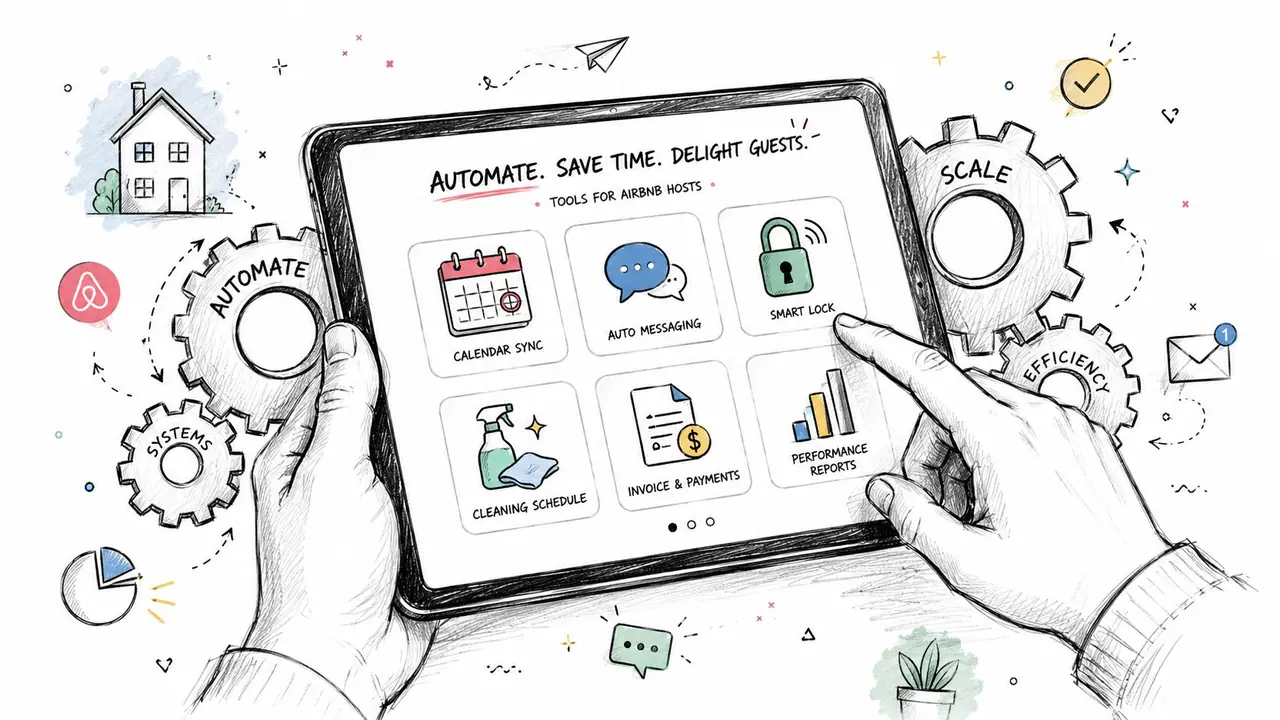
Once you manage more than one listing, or even one busy listing, manual hosting starts to leak quality. You forget to send a check-in note. You answer the same parking question again. You mean to adjust rates before a local event and miss the window.
That's when automation stops being a luxury and becomes basic infrastructure.
Automate the repetitive, keep the human parts human
The best host tech handles repeatable tasks so you can spend energy on exceptions, hospitality, and improvement.
Useful categories include:
- Scheduled messaging tools: Send booking confirmations, check-in reminders, and checkout notes at the right time.
- Dynamic pricing software: Adjust rates based on market movement and your own rules.
- Digital guide systems: Give guests one place for access details, house rules, local recommendations, and simple how-tos.
- Unified inbox tools: Reduce tab-switching if you list across multiple channels.
Automation isn't impersonal when it solves predictable questions cleanly. Guests don't want handcrafted prose every time they ask for the Wi-Fi. They want the answer fast.
Build a system, not a pile of apps
Hosts get into trouble when they add disconnected tools without a workflow. One app stores messages. Another handles pricing. A third holds property notes. Then the cleaner gets instructions by text, and the guest asks something answered in a PDF no one can find.
A better setup is simple and repeatable:
| Function | What the tool should remove |
|---|---|
| Messaging | Repetitive manual replies |
| Pricing | Guesswork and stale nightly rates |
| Guest information | Scattered instructions and binder clutter |
| Operations | Memory-based hosting |
If you're serious about how to increase Airbnb bookings, this matters more over time than people expect. Consistency compounds. A host who answers clearly, prices actively, and keeps guest information organized can manage growth without the service slipping.
The flywheel only works if the basics keep running every day. Tools make that possible.
Conclusion Your Blueprint for a Thriving Rental Business
A fully booked rental rarely comes from one clever trick. It comes from a system that keeps doing the obvious things well.
Your listing brings in clicks. Your pricing converts interest into reservations. Your guest experience turns stays into strong reviews. Your reviews improve future trust and visibility. That's the booking engine.
If your calendar feels inconsistent, don't try to overhaul everything in one afternoon. Pick the part with the most influence. Replace weak photos. Rewrite the first lines of the description. Review your pricing for the next few weeks. Tighten the check-in message. Fill in the missing amenities.
Each improvement helps the next one work better.
That's the practical answer to how to increase Airbnb bookings. Build the flywheel, remove friction, and keep tuning the system. Hosts who do that don't rely on luck. They create a listing guests feel confident booking.
If you want a simpler way to give guests instant access to check-in details, Wi-Fi, house rules, local recommendations, and upsells in one mobile-friendly link, take a look at ScanStay. It helps hosts replace paper binders and repetitive messages with a cleaner guest experience that's easier to manage across one property or a full portfolio.