QR Code Guest Check in: A Complete Guide for Hosts
Learn how to set up a seamless QR code guest check in for your rental. This guide covers landing pages, signage, automation, and tips to boost reviews.
You're probably dealing with the same pattern most hosts hit once bookings pick up. A guest asks for the Wi-Fi. Another can't find the lockbox. Someone else wants to know checkout time, where to park, how to use the heating, or whether late checkout is possible. None of these questions are unusual. The problem is that they're repetitive, time-sensitive, and almost always sent when you're busy.
A good QR code guest check in setup fixes more than arrival. It becomes the front door to your entire guest experience. One scan can replace scattered messages, paper binders, appliance instructions, local recommendations, and manual upsell conversations. It also fits what guests already expect. With 75% of hospitality businesses now using QR codes and 99.5 million US smartphone users scanning them in 2025, the technology is no longer a novelty but a baseline guest expectation, according to Wave Connect's QR code statistics roundup.
The hosts who get the best results don't stop at printing a code and hoping guests use it. They design the full journey. The scan has to lead to the right information, in the right order, on a phone, with a clear backup when things go wrong. That's where most setups fail, and where a professional system starts to save real time.
Table of Contents
- From Guest Questions to Guest Welcome
- Designing Your Digital Guest Welcome Book
- Creating and Placing Your QR Code Signage
- Automating Communication and Driving Revenue
- Optimizing with Analytics and Handling Issues
- Your New Standard for Professional Hosting
From Guest Questions to Guest Welcome
Most hosts think of QR check-in as a shortcut to deliver information. That's too narrow. The better use is to turn guest communication from reactive to structured.
A guest doesn't experience your operation as separate parts. They don't care that one message came from your PMS, another from Airbnb, and a third from your cleaner. They care whether arrival feels clear. If your QR code solves only the door code but not the parking, Wi-Fi, heating, checkout process, and local guidance, you haven't reduced friction. You've just moved it.
That's why the strongest QR code guest check in systems start with one principle. The scan should answer the next question before the guest asks it.
What a strong guest journey looks like
Instead of a QR code that opens a generic homepage, build the flow around the stay itself:
- Before arrival: point guests to parking, access instructions, and what they need to know if they arrive early or late.
- At the door: make the first screen simple enough to use one-handed while standing outside with luggage.
- Inside the property: shift from entry instructions to comfort, including Wi-Fi, house rules, and appliance help.
- During the stay: include local recommendations and optional extras that are useful, not pushy.
- Before departure: make checkout steps obvious so you don't get last-minute messages.
A QR code is only the trigger. The real product is the experience after the scan.
When hosts say QR didn't reduce messages, the issue usually isn't the code itself. It's the sequence. Information was buried, the page wasn't mobile-first, or the sign was placed where guests noticed it too late. Fix those points, and the system starts working like a silent co-host.
Designing Your Digital Guest Welcome Book
The page behind your QR code matters more than the QR code. If the destination is messy, guests will still message you. If it's clear, short, and built for mobile, you'll eliminate most routine questions before they start.
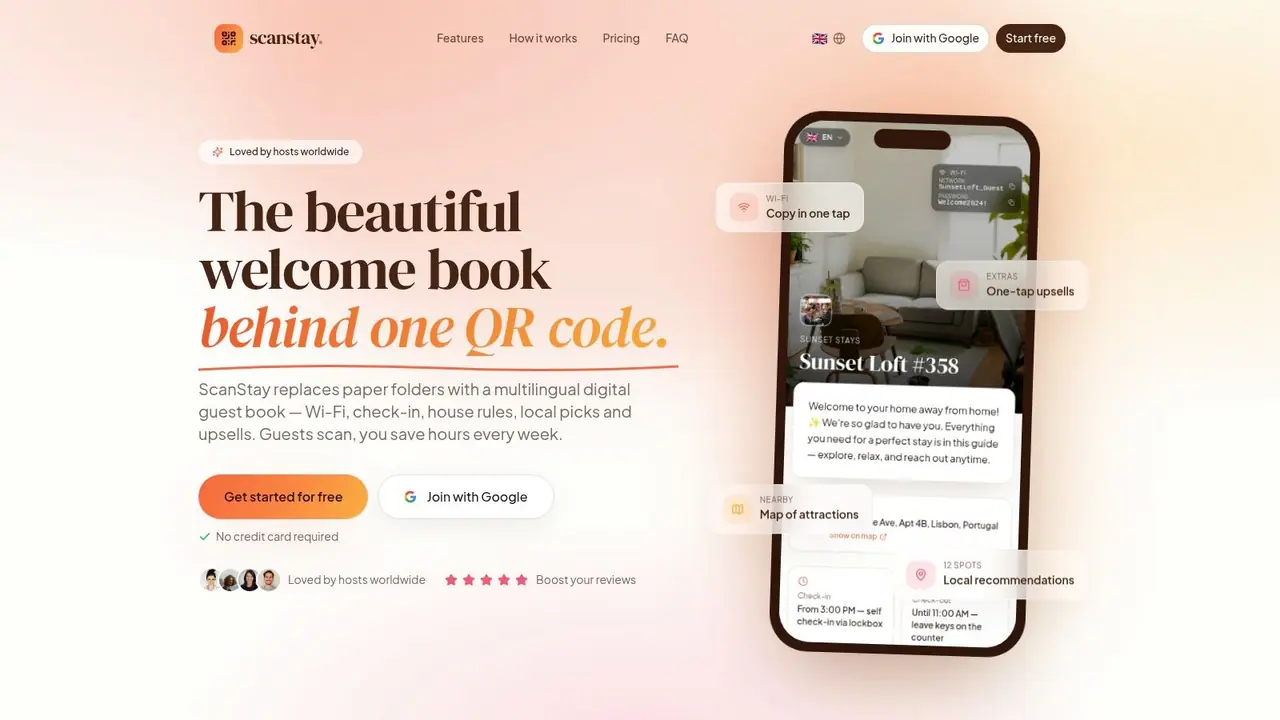
Professional hosts usually move away from static PDFs fast. Guests don't like pinching and zooming through a long document on a phone, and hosts don't want to reprint signage every time a password changes. Dynamic QR codes, which allow hosts to update information without reprinting signs, hold 64.92% of the market share, making them the standard for professional guest check-in systems, as noted in Join It's overview of QR code check-in systems.
Build for the first minute after arrival
The top of your digital welcome book should solve the immediate questions first. Don't open with a long introduction, your brand story, or a wall of rules. Guests arriving with bags want utility.
A practical top section usually includes:
- Wi-Fi first: network name and password in plain text, not hidden in an image.
- Entry recap: gate, lock, keypad, or key box details in case they need to re-check them.
- Parking guidance: where to park, what to avoid, and any access quirks.
- Urgent contacts: who to message for access problems, safety issues, or property faults.
Organize the guide by guest intent
A strong welcome book is not a content dump. It's a decision tree. Group information by what the guest is trying to do.
A simple structure that works well:
| Guest need | What to include |
|---|---|
| Get settled | Wi-Fi, lights, heating, air conditioning, keys, parking |
| Use the property | Coffee machine, TV, hot tub, washer, trash, outdoor areas |
| Follow house rules | Quiet hours, pets, smoking, visitors, check-out tasks |
| Explore locally | Restaurants, groceries, pharmacies, attractions |
| Buy extras | Late checkout, transfers, rentals, cleaning add-ons |
If you want examples of how hosts structure these guides, this breakdown of a vacation rental welcome book is useful because it mirrors the way guests search for answers during a stay.
Practical rule: If a guest needs more than two taps to find something common, that information is buried.
Use formats guests will actually open
The best content type depends on the task. Don't force everything into text.
Use a mix like this:
- Short text blocks for rules, timings, and contact details.
- Photos for parking spots, building entrances, or tricky lockboxes.
- Maps links for nearby places guests often ask about.
- Video clips for things that are easier to show than explain, like heating controls or appliance startup.
As a result, many hosts finally stop sending the same explanations over and over. A guest who can watch how to use the induction stove or the hot tub won't need a back-and-forth thread at 9:30 p.m.
A short walkthrough can make the difference:
Keep the tone useful, not corporate
Write like a calm, competent host. Guests don't need legal-style wording for every instruction. They need clarity. “Please leave used towels in the bathroom and lock the door behind you” works better than a formal paragraph full of policy language.
The best digital welcome books feel lightweight even when they're thorough. That's the standard to aim for. Not more information. Better access to the right information at the right moment.
Creating and Placing Your QR Code Signage
A QR code can be perfectly built and still fail because the sign is too small, badly placed, glossy, crooked, or missing a backup option. In practice, signage is where many host setups break.
Make the sign scannable before you make it pretty
Hosts often design signs like decor pieces. Guests treat them like tools. Utility wins.
Start with these basics:
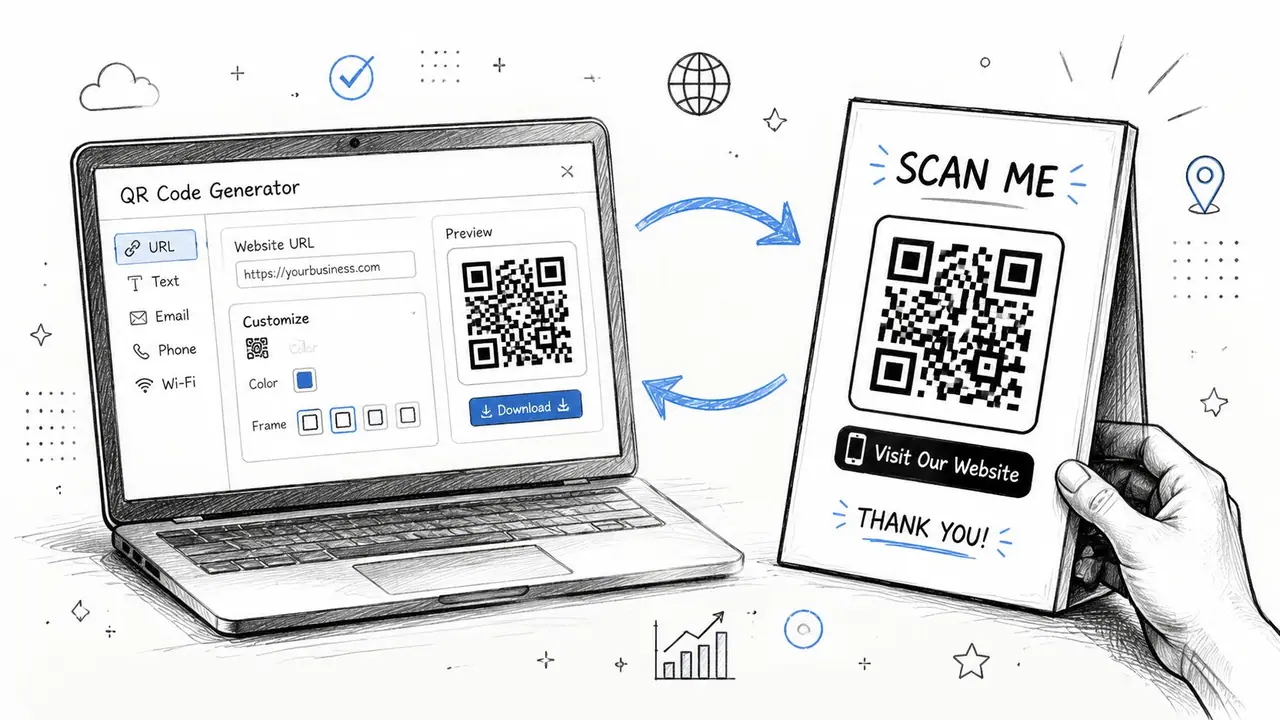
- Use a dynamic QR code: you need the flexibility to update your destination page without reprinting every sign.
- Add a direct URL underneath: if a phone won't scan, the guest still has a path forward.
- Include a plain instruction: “Scan for Wi-Fi, check-in details, house guide, and checkout.”
- Print with strong contrast: black on white is boring, but it's reliable.
- Avoid tiny codes: they look cleaner, but they cause failed scans.
That last point matters. Data shows that QR codes under 3 inches (7.6 cm) can have a 40% scan failure rate at a typical standing distance, according to UseQRKit's guidance on QR check-in. If you've ever seen guests step closer, tilt their phone, and try three times, that's usually a design problem, not a guest problem.
Choose placement based on guest movement
Don't ask, “Where can I fit the sign?” Ask, “Where will the guest naturally pause?”
The best placements are usually:
- At the entry point: near the door, lockbox, or first indoor landing area.
- In the kitchen: especially near the counter where guests look for Wi-Fi and appliance help.
- On or near the fridge: high visibility, low clutter, easy to revisit.
- In a printed house card: useful for guests who ignore wall signage on arrival.
For registration-sensitive stays, hosts also need a process that supports identity and guest records cleanly. This guide to the registration of guests is a practical companion if you're aligning your welcome flow with compliance requirements.
What works and what fails in real properties
Here's the trade-off that is often overlooked. A sign that looks elegant from across the room may be unreadable to a phone camera. A sign placed low for aesthetics may be blocked by bags. A laminated sign under direct lighting may produce glare.
Common failures I see most often:
- Glossy prints near windows: bright reflections make scanning inconsistent.
- Homemade mini signs: they disappear visually and often use undersized codes.
- Crowded layouts: too much text competes with the scan action.
- Poor testing: hosts scan the code once at their desk and call it done.
Test the sign where the guest will stand, at the time of day they're likely to arrive.
Do a real-world test with different phones if you can. Stand outside with one hand occupied. Try scanning in low light. Check whether the URL is readable. Then ask yourself one blunt question: if you were arriving tired after travel, would this feel effortless?
If the answer is no, revise the sign before your guests do the testing for you.
Automating Communication and Driving Revenue
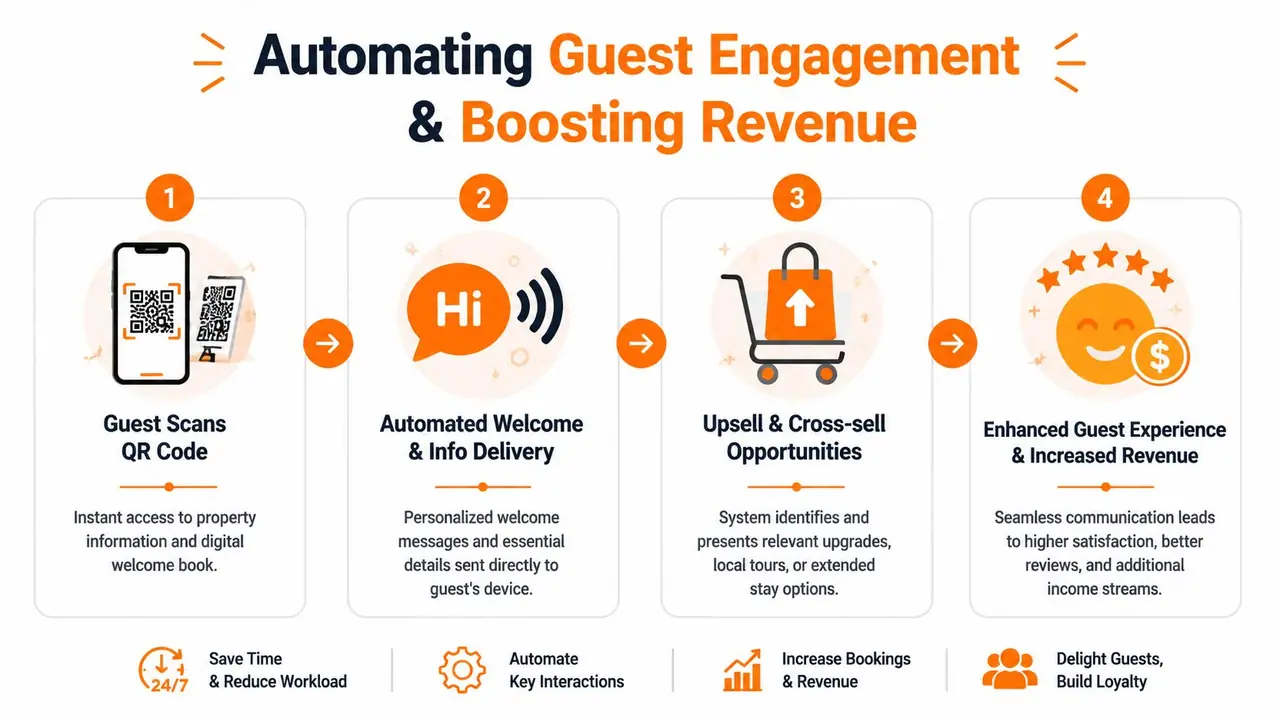
A QR code guest check in system becomes more valuable when it starts before the guest arrives. The sign on the property is only one touchpoint. Your messages should train guests to use the guide as the default source of truth.
Send guests to one source of truth
Most hosts create extra work by spreading information across too many channels. The booking message has one set of instructions. The automated email has another. A printed binder has a third version. Then something changes, and now guests have conflicting details.
A better approach is simple. Keep the details in one digital guide and point to it repeatedly.
Your messaging flow can stay short:
- Pre-arrival message: confirm that the guest will receive one mobile-friendly guide for access, house details, and local recommendations.
- Arrival-day message: remind them to use that same guide for entry and first-night essentials.
- Mid-stay message: direct them there again for extras, recommendations, and how-to help.
- Pre-checkout message: send a quick reminder that checkout steps are listed in the guide.
That consistency changes guest behavior. Instead of asking you first, they learn where to look first.
Place upsells where they help the stay
Upsells work best when they feel like service, not sales. A guest who just found the Wi-Fi doesn't want a hard pitch. A guest planning their last day might appreciate late checkout. A guest arriving from the airport may want a transfer option for departure. Context matters.
Useful placements include:
- After check-in instructions: local transport, grocery delivery, or equipment rentals.
- Inside the local area section: tours, restaurant recommendations, and add-on experiences.
- Near checkout info: late checkout or luggage support.
- In family-oriented stays: baby gear, extra linens, or activity suggestions.
Join It's review of QR check-in systems notes that these setups can support one-tap service upsells like late checkout or airport transfers in the guest's mobile browser without an app, which is exactly why the format works for short-term rentals.
Guests buy extras more often when the offer removes effort from the trip.
Tie convenience to review quality
The revenue side matters, but the bigger payoff is operational. Better communication usually means fewer avoidable frustrations, fewer repetitive messages, and a smoother final impression. That final impression often shapes the review.
Cleanliness and presentation still carry huge weight, especially at checkout. If you're managing in northern Arizona, resources like this guide on how to achieve 5-star Flagstaff guest reviews are worth a look because they connect the physical handoff, turnover quality, and review outcomes in a practical way.
The strongest host systems don't separate hospitality from monetization. They use organization to support both. Guests get a clearer stay. Hosts get fewer interruptions and more chances to offer relevant extras without awkward manual selling.
Optimizing with Analytics and Handling Issues
Once your QR flow is live, the next advantage is visibility. You can learn a lot from what guests open, when they open it, and what they ignore.

Read guest behavior like operational feedback
Hosts often treat guest questions as isolated annoyances. They're usually pattern signals.
If guests repeatedly open the Wi-Fi section, your login details may be too hard to find in the property. If appliance videos get heavy use, your instructions are helping and may deserve a more prominent spot. If hardly anyone opens the local guide, the section may be too buried or too generic.
A deeper look at vacation rental analytics becomes useful. The point isn't to stare at dashboards. It's to spot friction and improve the property experience with less guesswork.
A simple review cycle works well:
| Signal | Likely issue | Action |
|---|---|---|
| Heavy scans right after arrival | Guests need first-night basics fast | Move Wi-Fi and access info higher |
| Repeated views on one topic | Something in the home is unclear | Add clearer text, photo, or video |
| Low engagement with key sections | Guests aren't finding them | Simplify navigation and labels |
Plan for the guests who won't scan
No QR setup is universal. Some guests will have older phones. Some won't notice the sign. Some will have poor connectivity at the wrong moment. Some prefer not to use QR codes.
That's why backup matters. Anticipating that 5-15% of guests may have issues with QR codes due to older phones or other factors, having a manual backup process, like a searchable guest list or a visible URL, is critical for a flawless check-in experience, according to QuikRSVP's guide to QR code event check-in.
In rentals, the practical equivalent is straightforward:
- Print the short URL below the QR code
- Include the same link in pre-arrival messages
- Keep core details accessible offline if possible
- Make sure a guest can still enter even if the scan fails
A backup path isn't optional. It's part of the system.
Keep privacy and transparency simple
You don't need a complicated speech about tracking. You do need to be clear and reasonable.
If you're collecting guest details through a check-in flow, tell guests what the information is for. Keep data requests tied to actual operational or legal needs. Don't ask for extra information just because the form allows it. The more focused your process is, the more trustworthy it feels.
Good QR check-in systems are effective because they remove friction, not because they collect everything possible. Hosts who remember that usually build cleaner experiences and get fewer objections.
Your New Standard for Professional Hosting
A strong QR code guest check in setup does much more than replace a printed binder. It changes how the property runs day to day. Guests get fast answers in one place. Hosts stop repeating the same instructions. Arrival feels organized instead of improvised.
The difference shows up in small moments. Fewer “what's the Wi-Fi?” messages. Fewer late-night appliance questions. Less confusion at the door. More consistency across every property if you manage a portfolio. And when you place optional extras in the right spots, the same system can support added revenue without adding manual follow-up.
The key is to think beyond the code. The QR image is just the access point. The core work lies in the guest journey after the scan, the clarity of the guide, the reliability of the signage, and the fallback plan when technology doesn't cooperate.
That's why this isn't a gadget or a trend. It's an operating standard. Hosts who treat it that way usually end up with a simpler workflow and a better guest experience at the same time.
If you want to replace paper binders, reduce repetitive guest messages, and build a cleaner QR-based guest journey, ScanStay is built for exactly that. It gives hosts one mobile-friendly digital welcome book for Wi-Fi, check-in details, house rules, local recommendations, videos, and upsells, all accessible through a single QR code.