Air B and B How to Set Up: Your 2026 Guide
Master air b and b how to set up for success in 2026. This guide covers creating a converting listing, pricing, operations, & automation.
You're probably staring at a space that could work. A spare bedroom with decent light. A vacation home that sits empty too often. A small apartment you think could become a real short-term rental business if you set it up properly.
That's the moment when most new hosts start searching for Air B and B how to set up advice and run into the same problem. Almost every guide tells you how to click through Airbnb's forms, buy some towels, and publish. Very few show you how to build a listing that earns well, attracts the right guests, and doesn't turn into a second full-time job.
The difference matters. A furnished property isn't automatically a strong listing. A live calendar isn't automatically a revenue asset. Hosts who do well from the start make decisions differently. They think about pricing before decor, operations before headaches, and guest experience before they write a single line of listing copy.
Table of Contents
- From Empty Room to Booked Calendar
- Your Pre-Launch Business Checklist
- Creating a Listing That Converts Lookers into Bookers
- The Art and Science of Strategic Pricing
- Mastering Your Calendar and Booking Rules
- Streamlining Operations and Guest Communication
- Launching and Optimizing for Long-Term Success
From Empty Room to Booked Calendar
A new host usually thinks the hard part is getting the property ready. It isn't. The hard part is making dozens of connected decisions that all influence revenue. The bed you buy affects the photos. The photos affect clicks. The rules affect workload. The pricing affects who books and when.
That's why setup has to be treated like a business buildout, not a hobby project. If you only focus on getting the listing live, you'll miss the bigger levers that determine whether the property performs.
A good setup answers four practical questions early:
- Who is this for so your design, amenities, and house rules feel coherent.
- Why would someone choose it instead of a nearby alternative.
- How will it operate when you're busy, away, or managing more than one stay.
- What supports a stronger nightly rate instead of just making the place look nice.
Practical rule: If a setup decision doesn't improve guest experience, operational simplicity, or pricing power, question it.
Most beginner content skips that business lens. It treats hosting like filling a space with furniture and hoping demand appears. A better approach is to build an offer first, then build the listing around that offer. If you want a broader view of how owner-run rentals work operationally, this breakdown of how vacation rental by owner works is a useful companion.
The upside is that you don't need a massive portfolio to think this way. One room can be run strategically. One apartment can be priced strategically. One listing can be set up to reduce repetitive messages and protect your time from day one.
Your Pre-Launch Business Checklist
Before you upload photos or write a title, lock down the boring stuff. New hosts love the creative part and delay the protective part. That's backwards. The unglamorous work is what keeps the business stable.
Know what kind of host business you are starting
A private room inside your home runs differently from a dedicated vacation rental. A city apartment attracts different guests than a family-friendly house near beaches or parks. If you skip this thinking, your setup becomes generic. Generic listings are harder to price and harder to market.
Write down three things before you do anything else:
Property type
Decide whether you're offering a room, an entire home, or a hybrid arrangement. This affects privacy expectations, amenity expectations, and guest screening.Management style
Are you self-managing every message and turnover, or building a low-touch operation with cleaners, smart access, and templates? Your answer affects your tools and calendar rules.Guest fit
You don't need to attract everyone. In fact, trying to attract everyone usually weakens the listing.
Build your legal and operational base first
Hosts get into trouble when they assume platform setup equals business setup. It doesn't. You need to verify your local short-term rental rules, understand whether permits apply, and make sure the property can legally be used this way. You also need insurance that matches real hosting risk, not just ordinary home use.
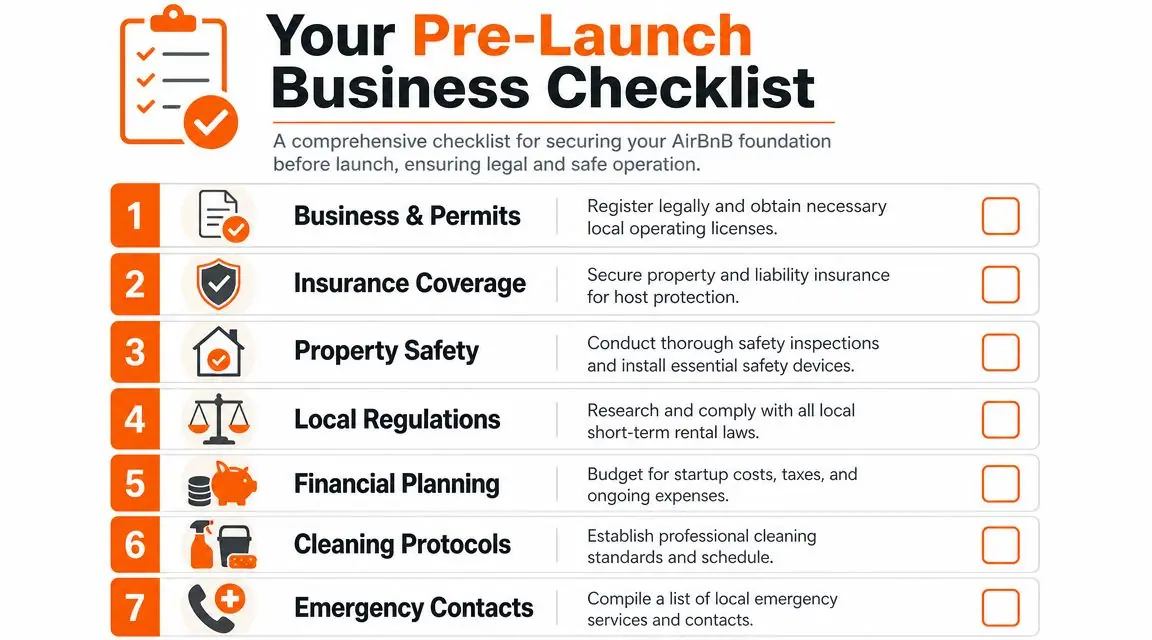
Your pre-launch checklist should include:
- Local compliance: Confirm short-term rental laws, registration requirements, taxes, and any building or neighborhood restrictions.
- Insurance review: Ask your insurer what coverage applies when paying guests stay in the property.
- Safety devices: Install and test the basics you'd want a guest to trust on arrival.
- Emergency planning: Keep repair contacts and emergency information ready before the first stay.
- Cleaning standards: Decide who cleans, how they clean, what gets checked, and who verifies the finish.
Hosts rarely regret doing too much setup before launch. They often regret launching before their systems are ready.
Operationally, this is also the time to create a supply list that prevents turnover chaos. Keep duplicates of the things that fail or disappear most often. Extra linens, backup batteries, replacement bulbs, and a spare set of basics remove a surprising amount of stress.
Decide who your listing is for
The best listing copy comes from a clear guest avatar. If your ideal guest is a couple on a weekend trip, your property should feel different from one designed for a family or a business traveler. The same goes for your amenities, checkout expectations, and even the tone of your house rules.
A simple way to pressure-test this is with a short table:
| Guest type | What they care about most | What setup choices support it |
|---|---|---|
| Couples | Comfort, mood, easy check-in | Good lighting, clean bedroom styling, simple arrival flow |
| Families | Practicality, sleeping flexibility, safety | Storage, durable furniture, clear rules, useful kitchen items |
| Business travelers | Reliability, speed, quiet | Workspace, strong Wi-Fi, straightforward self-check-in |
| Longer stays | Function over novelty | Laundry access, storage, durable surfaces, clear house systems |
If you're unsure, start with the guest group your property naturally fits. Don't force a luxury romantic listing into a building that behaves like a practical business-stay apartment. Alignment is more profitable than aspiration.
Creating a Listing That Converts Lookers into Bookers
A guest lands on your listing at 10:30 p.m., compares it with five similar places, and decides in under a minute whether yours feels trustworthy enough to book. That decision usually happens before they read every word. They scan the cover photo, the headline, the first lines of copy, the amenity highlights, and the rules that signal whether staying there will feel easy or annoying.
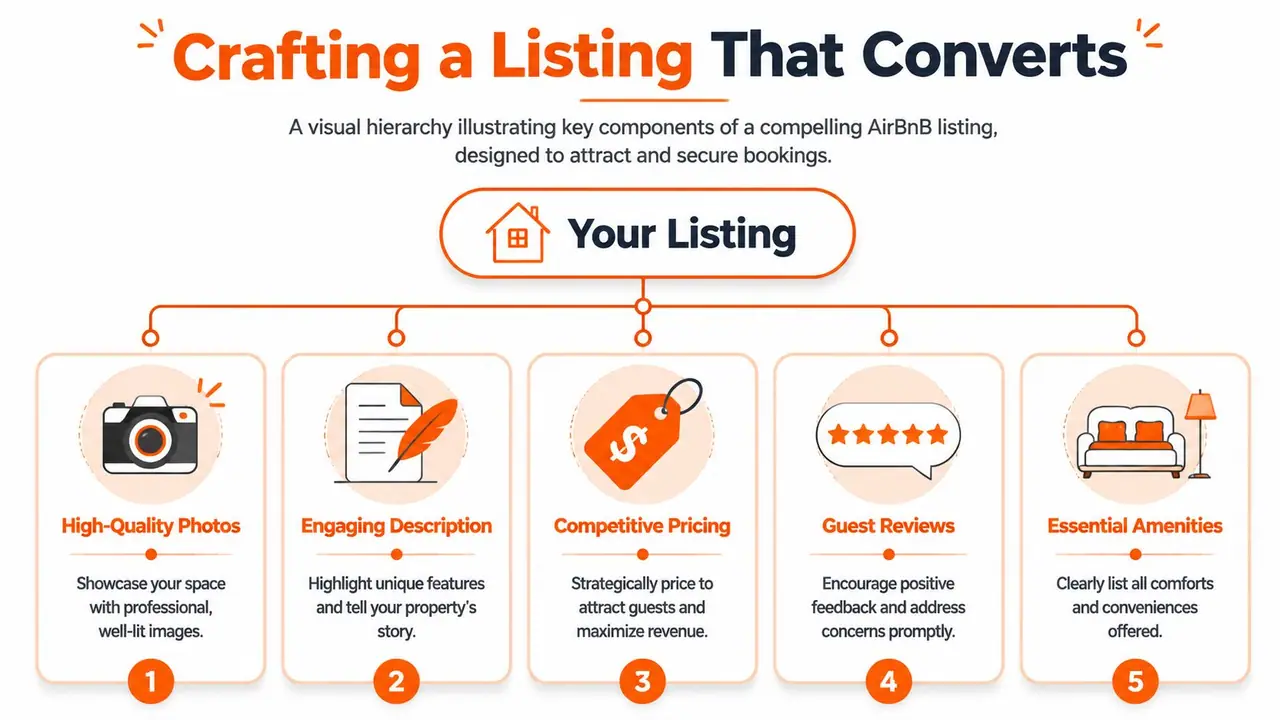
That is why a high-converting listing has to do more than describe the space. It has to sell confidence. If you want the property to perform like an asset from day one, every field needs a job. Some parts bring the click, some reduce doubt, and some justify the rate.
Build the listing in a sequence that protects conversions
There is a practical order that prevents sloppy setup. Guesty's step-by-step Airbnb listing guide lays out a clean sequence: create the host account, choose the property and room type, enter the address and map pin, set occupancy limits, add amenities and safety items, upload high-resolution photos, then finalize house rules and booking settings before publishing.
I like that order because it forces you to lock in the facts before you start selling the experience. If occupancy is wrong, you attract the wrong group size. If amenities are incomplete, you disappear from useful search filters. If the pin is off, guests start the relationship with confusion.
New hosts often spend all their energy on the description and treat the setup fields like admin work. That is expensive thinking. The metadata does part of the selling for you because it shapes search visibility, sets expectations, and filters in or out the guests you want.
For headline and description ideas, these vacation rental description examples show how to turn a plain property summary into copy that feels specific and bookable.
A useful walkthrough sits below if you want to see how another host structures the setup process.
Write around the booking decision, not the feature list
Guests are not reading your description like an inspection report. They are checking whether the stay fits their trip and whether anything feels risky.
The strongest listings answer the questions a serious guest is already asking:
- Will this place match the photos?
- Will arrival be simple after a long travel day?
- Can I sleep well here?
- Can I work, cook, park, or bring family without friction?
- Is there anything that will surprise me after I book?
That shift changes the copy.
- Weak approach: “Includes smart TV, coffee maker, dining table, fast Wi-Fi.”
- Stronger approach: “Check in on your own, make coffee right away, and use the dining table as a comfortable laptop spot during the day.”
The second version gives the amenity a purpose. That matters because people book outcomes. Rest, convenience, reliability, privacy, walkability, family function. The amenity list supports the promise, but it does not carry the sale on its own.
Lead with the strongest reason to choose the property. Then explain the layout in plain language. After that, cover the practical details that prevent disappointment, such as stairs, street noise, parking limitations, shared spaces, or a smaller bathroom. Clear honesty converts better than polished vagueness because the wrong booking costs more than a skipped inquiry.
A good description also helps operations. If guests understand the setup before they arrive, you spend less time answering repetitive questions and less time managing complaints that started with bad expectations.
Guests book faster when the listing feels easy to trust and easy to use.
Your headline and first photo need to work together
Many listings lose the booking before the guest even opens the full page. The thumbnail and headline have already told a weak story.
A strong headline does one of three things well: it highlights a clear use case, names a strong differentiator, or anchors the stay to a guest priority. “Quiet apartment near hospital with desk and self check-in” will often outperform a generic line about style because it signals who the place is for and why it is worth clicking.
The same rule applies to the cover image. Pick the photo that sells the stay your target guest wants, not the photo you personally like most. For a couple's getaway, that may be the bedroom or living room with warm light. For a business stay, it may be the bright main space that communicates calm, cleanliness, and functionality. For a family listing, it may be the room layout that shows the property can handle a group.
Photos justify your rate faster than copy can
Photos do most of the heavy lifting. They prove condition, reduce uncertainty, and help the guest decide whether the home feels worth the price.
What works is consistent and practical. Bright, current, high-resolution photos. Wide shots first so guests understand the layout. Close-ups later, once the basics are covered. What hurts conversion is clutter, overly dark edits, too many duplicate angles, and glamorous detail shots that hide how the room functions.
Use the photo order to answer objections before they form:
| Position | Best image type | Why it matters |
|---|---|---|
| First | Strongest hero shot | Wins the click |
| Next few | Living area, bedroom, kitchen | Shows the core experience |
| Middle | Bathroom, workspace, dining, outdoor area | Covers practical decision points |
| Final | Detail shots and neighborhood context | Adds confidence |
I learned this the hard way. A beautiful lamp photo never saved a weak bedroom shot. Guests want proof first, styling second.
The best listings convert because they make the guest's decision feel easy. Clear setup. Specific copy. Honest details. Photos that support the price. That is how a listing starts acting like a revenue asset instead of a page you fill out once and forget.
The Art and Science of Strategic Pricing
A new host can do almost everything right and still underperform on revenue. The place looks good. The photos are clean. The listing is live. Then the first month closes and the calendar tells the truth. Too many empty weekdays, busy nights sold too cheaply, and a pricing setup that treated the property like a spare room instead of an income-producing asset.
That is why pricing deserves more attention than decor debates. Your rate does more than fill dates. It filters guest demand, shapes how people judge value, and determines whether the property gets easier or harder to run.
A useful host tutorial on pricing and positioning makes this point well. Stronger presentation, better amenities, and clearer positioning can support meaningfully higher rates in the right market, as discussed in this host tutorial on pricing and positioning.
Pricing starts with positioning
Good pricing begins before you enter a number.
Decide what kind of stay you are selling:
- Value-focused and practical
- Polished and design-conscious
- Family-friendly and easy to use
- Business-ready and dependable
Each category comes with a different ceiling. A plain apartment with fast check-in, a reliable workspace, great sleep setup, and zero confusion can earn more than a prettier listing that creates friction from arrival to checkout. Guests pay for an experience that feels predictable and worth the money.
I learned this early. The listings that outperform are rarely the ones copying the median nightly rate. They are the ones that know exactly who they serve and make that obvious in the product, the photos, and the stay itself.
Host mindset: Ask, “What problem does this stay solve better than nearby options?” The answer is what supports your rate.
Use market benchmarks as reference points, not instructions. If nearby listings are generic and yours clearly handles a guest need better, that gap can justify a higher price. If your place has drawbacks, older finishes, road noise, a small bathroom, a tougher parking setup, price needs to reflect that fairly.
Fixed pricing usually costs you one way or another
One nightly rate for every date is simple. It is also wrong for large parts of the year.
Demand changes constantly. Weekends book differently from Tuesdays. A concert, school break, holiday weekend, or local conference can raise demand fast. Lead time matters too. Some dates should be priced high months out. Others need to come down as check-in gets closer.
That is why dynamic pricing matters. Experienced hosts use pricing rules that adjust with demand instead of asking one static number to do every job.
Here is what fixed pricing usually leads to:
| Pricing habit | Likely result |
|---|---|
| Too high across the board | Weak occupancy, especially on lower-demand nights |
| Too low across the board | Fuller calendar, but strong dates sell below their value |
Dynamic pricing works best when you set limits. Start with a floor rate you are willing to accept. Then identify premium dates, weak nights, and booking windows where you want pricing to change. Software can help, but software without guardrails can create bad discounts just as easily as bad premiums.
My rule is simple. Automate the math, then review the strategy.
Set your floor before you chase occupancy
Many new hosts panic-price.
They see an empty calendar, drop rates aggressively, get a few bookings, and train the market to expect a discount. That can attract the wrong reservations and make it harder to raise rates later.
Set a real minimum rate based on costs and workload. Include cleaning, supplies, utilities, platform fees, maintenance, taxes, and the wear that comes with frequent turnover. Then add the profit you want for making the stay available at all. If a booking comes in below that number, a full calendar can still be a bad business decision.
Occupancy is not the goal by itself. Profitable occupancy is the goal.
The best upgrades for pricing power are easy to explain
Hosts often overspend on items that photograph nicely but do very little for revenue. Rate growth usually comes from improvements guests can feel quickly and understand before they book.
The upgrades that support higher pricing tend to fall into four groups:
- Arrival: self-check-in, better exterior lighting, easier parking, clear entry instructions
- Sleep: better mattress, blackout curtains, quality pillows, quieter bedroom setup
- Function: workspace, useful dining area, luggage space, family-friendly layout, usable outdoor seating
- Trust: cleaner styling, fewer visual distractions, updated photos, details that reduce uncertainty
What usually does not move the needle much on its own is decorative spending with no effect on comfort, ease, or confidence. A stylish shelf is fine. A bedroom that sleeps cool, dark, and peacefully is worth more.
If you are working through Air B and B how to set up decisions, treat each purchase like a business investment. What guest problem does it solve? Will it help conversion in photos? Will it reduce complaints or poor reviews? Can you point to a reason it supports a higher rate? If the answer is fuzzy, skip it.
Strategic pricing is part market awareness, part product design, and part discipline. The hosts who earn more over time do not guess. They build a stay that deserves its rate, price it according to demand, and keep adjusting until the calendar and the margins both make sense.
Mastering Your Calendar and Booking Rules
A lot of hosting stress starts with calendar settings that looked harmless at launch. One-night gaps, awkward same-day turnovers, bookings that arrive at the worst possible time, and guest mixes that don't match the property often come from weak rules, not bad luck.
Your calendar is where you decide how the business feels to run.
Use calendar settings to shape better stays
The most useful booking settings are the ones that protect your time and attract reservations that fit the property.
Focus on these levers first:
- Minimum stay rules: Longer minimums can reduce turnover volume and attract more intentional bookings. Shorter minimums can help fill gaps, but they often add operational load.
- Maximum stay rules: These matter if you want to avoid overstaying complexity or reserve flexibility for higher-demand periods.
- Advance notice: This protects you from surprise same-day chaos if your operation isn't built for it.
- Preparation time: A buffer between guests helps your cleaner, your maintenance routine, and your sanity.
- Blocked owner dates: Add them early so you don't accidentally price yourself out of personal use.
Instant Book versus Request to Book is mostly a management decision. If your house rules are clear, your check-in process is stable, and your guest communication is organized, Instant Book can remove friction. If your property is unusual, in your own home, or requires tighter fit, review requests manually.
One rule matters more than people think. Your booking settings should match your operational reality, not your ambition. Don't allow aggressive turnover patterns before your cleaning and communication systems are reliable.
Track the metrics that reveal calendar problems
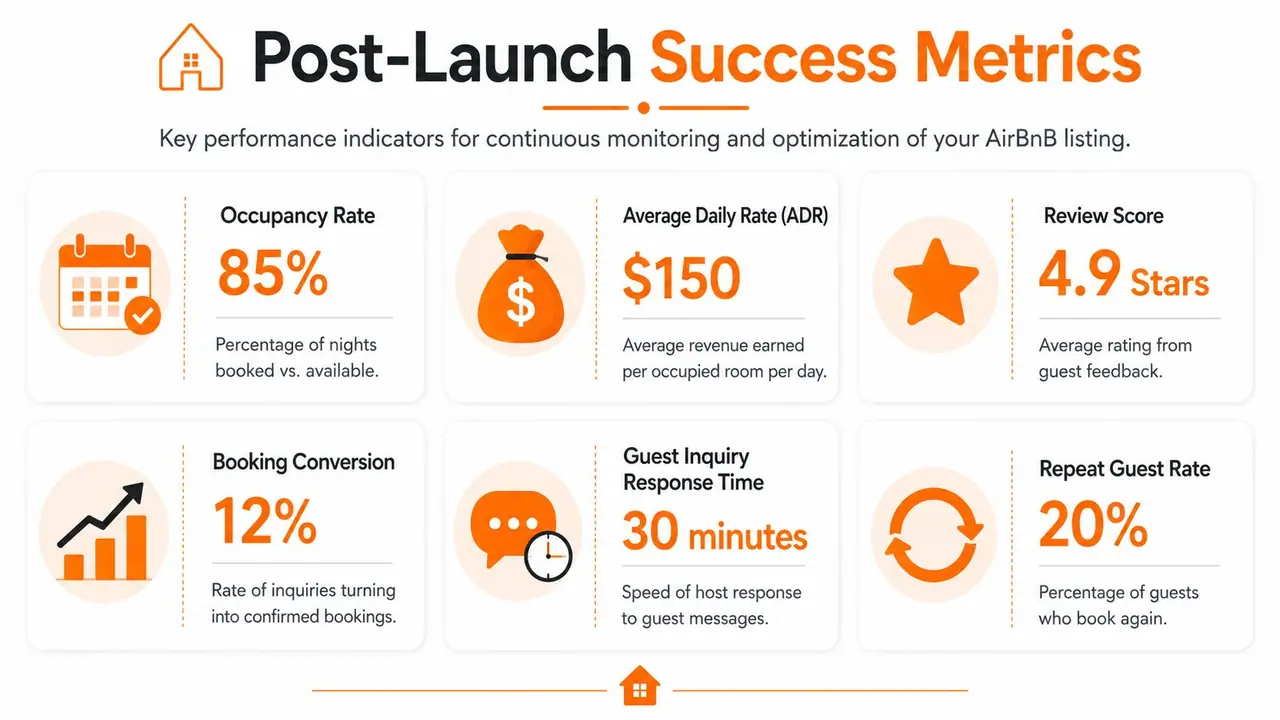
Calendar strategy gets better when you watch the right numbers. According to Lodgify's Airbnb KPI guide, hosts generally need to monitor occupancy rate, average daily rate (ADR), revenue per available rental (RevPAR), and average length of stay (ALOS). That same guide gives a simple occupancy example: 15 booked nights out of 30 nights equals 50% occupancy, and an ALOS example where 13 booked nights across 4 reservations equals 3.25 nights.
Those metrics tell you different things:
| Metric | What it helps you understand |
|---|---|
| Occupancy rate | Whether the calendar is filling |
| ADR | Whether the average booked night is priced well |
| RevPAR | Whether the property is earning efficiently across available nights |
| ALOS | Whether your stay length pattern matches your business model |
If occupancy looks healthy but ALOS is short and turnovers are exhausting, your minimum night rules may need work. If ADR is strong but occupancy is weak, your pricing or market fit may be too aggressive. If RevPAR lags, the issue may not be bookings alone. It may be how your available nights, prices, and stay patterns interact.
Airbnb's Professional Hosting Tools also let hosts review performance over the past 12 months in the Lodgify summary above, which is useful because calendar decisions make more sense over time than in a single isolated month.
Streamlining Operations and Guest Communication
A guest lands at 10:40 p.m., can't find the lockbox, messages you twice, then calls while standing in the dark outside your property. That one moment can undo a week of good listing work. Operations decide whether your short-term rental feels like a business that runs well or a side project held together by your phone.
The goal is simple. Build a hosting system that protects revenue, cuts repetitive work, and still feels attentive to the guest. The best setups do all three.
Reduce friction at check-in
Check-in shapes the tone of the stay. If arrival feels confusing, guests start looking for other problems.
I learned early that access needs to be idiot-proof. Use a different code for each reservation. Set those codes to activate before check-in and expire after checkout. Keep a backup entry method ready in case batteries die, Wi-Fi drops, or a guest types the code wrong too many times.
A strong arrival system includes a few basics done well:
- Unique access details tied to each stay
- A backup entry option such as a lockbox, key safe, or local contact
- Photo-based directions from the street, parking area, or building entrance
- Immediate essentials like Wi-Fi, thermostat steps, and parking instructions
Clear arrival instructions do more than prevent complaints. They protect reviews, reduce late-night support, and make self check-in feel reliable instead of risky.
Guests will overlook simple decor faster than a stressful arrival.
Stop answering preventable questions
A lot of guest communication volume is self-inflicted. If guests keep asking for the Wi-Fi password, parking details, checkout steps, or how to use the heater, the problem usually isn't the guest. The problem is where the information lives and how hard it is to find.
New hosts often scatter instructions across Airbnb messages, a paper binder, a PDF attachment, and a note on the fridge. That setup creates confusion and extra work. Keep stay information in one mobile-friendly place that guests can pull up in seconds.
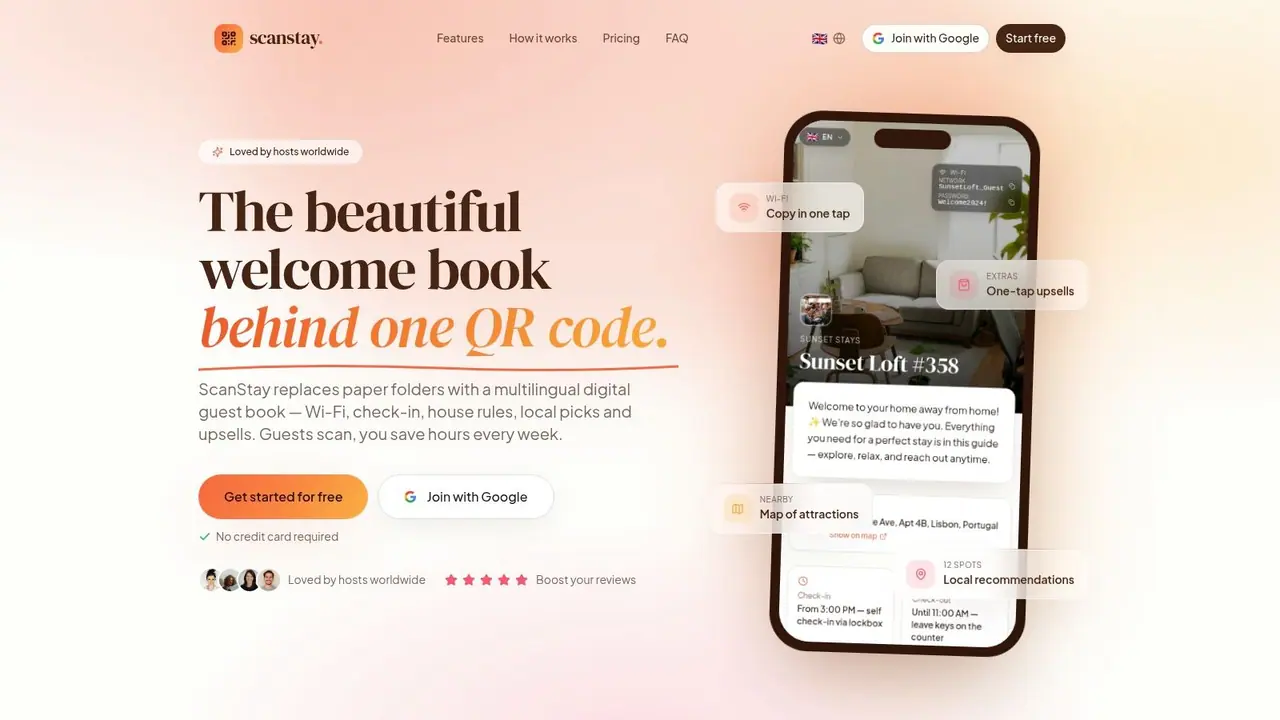
If you want fewer repetitive messages, study a system for automating Airbnb guest messages and pair it with a single guest guide for check-in steps, house rules, Wi-Fi, appliance instructions, and local recommendations. ScanStay is one example of a QR-based guide that helps hosts centralize that information without turning the guest experience into a long message thread.
This matters even more once you manage multiple listings. A repeatable communication system scales. Constant one-off replies do not.
Design the property for faster turnovers
Operations are physical as much as digital. Furniture, linens, surfaces, and storage choices affect cleaning time, replacement cost, and how quickly the property starts to look worn.
Many first-time hosts buy for photos instead of durability. It looks good on day one and becomes expensive by month six. Choose materials your cleaner can reset quickly and that you can replace without hunting for discontinued pieces. If your sofa gets daily use, fabric choice matters, and this essential guide from The Sofa Cover Crafter is a useful reference for selecting easier-to-clean seating.
A turnover-friendly setup usually includes:
- Washable or hard-wearing soft furnishings
- Surfaces that clean quickly without specialty products
- Open, labeled storage for restock items
- Duplicate high-use essentials such as linens and towels
- A house manual that answers operational questions before the guest asks
Well-run hosting looks calm from the outside because the work was done upfront. That is the true win. You create a better guest experience, protect your time, and build a rental that earns without demanding constant attention.
Launching and Optimizing for Long-Term Success
Publishing the listing feels like the finish line. It isn't. It's the point where the feedback loop finally starts.
The first bookings teach you whether your pricing is believable, whether your photos attract the right guests, whether your rules create friction, and whether your communication system works at real speed.
Treat your first reviews like fuel
Early reviews shape trust fast. That means your first guests matter more than most hosts realize. Don't try to impress them with gimmicks. Win with clarity, cleanliness, easy arrival, and accurate expectations.
A simple post-stay habit helps. Read every review and every private note as an operations report. If guests keep praising one feature, move that feature higher in the listing. If they keep asking the same question, your pre-arrival information is weak. If a complaint surprises you, your description may be underselling a limitation or overpromising a benefit.
Your reviews are not just reputation. They're product feedback.
Read your conversion funnel correctly
You can't improve what you don't diagnose correctly. A host-focused metrics guide reports that a healthy first-page search impression rate is often 40% to 60%, search-to-listing click rate is typically 20% to 40%, and listing-to-booking conversion is commonly 1% to 5%. The same guide notes that top performers can reach an overall conversion rate of 2%, and hosts can compare recent performance against a prior 30-day average, using goals like moving from 40% to 48% as practical benchmarks, according to this Airbnb metrics guide for hosts.
The useful part isn't the numbers alone. It's what each stage suggests.
| Funnel stage | If it's weak | What to inspect |
|---|---|---|
| Search impressions | Listing isn't surfacing enough | Category fit, headline relevance, core setup details |
| Click rate | People see it but don't enter | Cover photo, title, first impression |
| Booking conversion | People visit but don't book | Pricing, trust, rules, description clarity |
If the click rate is decent but bookings are soft, your photos may be doing their job while the offer itself isn't closing. That often points to pricing, unclear value, or a mismatch between the headline promise and the rest of the page.
Make one change at a time
Hosts lose the plot when they change everything at once. New title, new price, new lead photo, new minimum stay. Then they have no idea what improved performance.
A cleaner approach is to work in rounds:
Fix obvious trust issues first
Better cover photo, clearer house rules, stronger amenity details.Adjust the offer second
Revisit pricing, minimum stay, or check-in convenience.Refine based on guest behavior
Watch where the funnel seems to weaken and respond to that stage only.
The point of long-term optimization isn't constant tinkering. It's consistent interpretation. Strong hosts learn how their listing behaves, then make calm, targeted decisions instead of random ones.
If you want to make your setup more scalable after launch, ScanStay helps hosts replace paper binders and repetitive guest messages with a QR-based digital welcome book for check-in details, Wi-Fi, house rules, local recommendations, and upsells. It's a practical fit for hosts who want clearer guest communication without adding more manual work.