10 Actionable Airbnb Host Tips for 2026
Master your property with these 10 actionable Airbnb host tips for 2026. Boost reviews, automate tasks, and increase revenue with our expert advice.

It's 10:47 p.m. A guest wants the Wi-Fi password. Another can't figure out the thermostat. Someone else is asking where to park, and your newest arrival is at the wrong entrance.
That kind of hosting does not break down because the property is bad. It breaks down because the information lives in five different places, or only in your head.
The hosts who keep control of their time usually run one clear digital system for the guest journey. They send one guide instead of ten scattered messages. They keep check-in steps, house details, local recommendations, and add-on offers in the same place. If you need a starting point, this vacation rental welcome book template shows the kind of structure that cuts repeat questions fast.
Good Airbnb hosting in 2026 is less about being constantly available and more about building a setup that works at midnight, during back-to-back turnovers, and across multiple properties. That is the shift from side hustle to operation.
Each tip in this guide fits into that model. Use a digital guide as the center of the system, then build around it: clearer check-in, better guest communication, smarter upsells, stronger local recommendations, and cleaner operations. The result is fewer support messages, better reviews, more revenue per stay, and a business that can grow without adding the same amount of work.
Table of Contents
- 1. Create a Comprehensive Digital Welcome Guide to Reduce Guest Support Messages
- 2. Monetize Ancillary Services Through Integrated Upsell Opportunities
- 3. Optimize Guest Check-In with Clear, Accessible Instructions
- 4. Leverage Data Analytics to Understand Guest Behavior and Improve Operations
- 5. Build Local Authority by Curating Authentic Neighborhood Recommendations
- 6. Create Branded Content That Reinforces Your Unique Hosting Philosophy
- 7. Multilingual Support to Attract International Guests and Reduce Language Barriers
- 8. Implement Contactless Communication to Enhance Safety and Guest Privacy
- 9. Streamline Multi-Property Management Through Content Reusability and Centralized Dashboard
- 10. Enhance Review Scores and Reduce Negative Feedback by Addressing Guest Pain Points Proactively
- 10 Airbnb Host Tips Compared
- Your Blueprint for Smarter Airbnb Hosting
1. Create a Comprehensive Digital Welcome Guide to Reduce Guest Support Messages
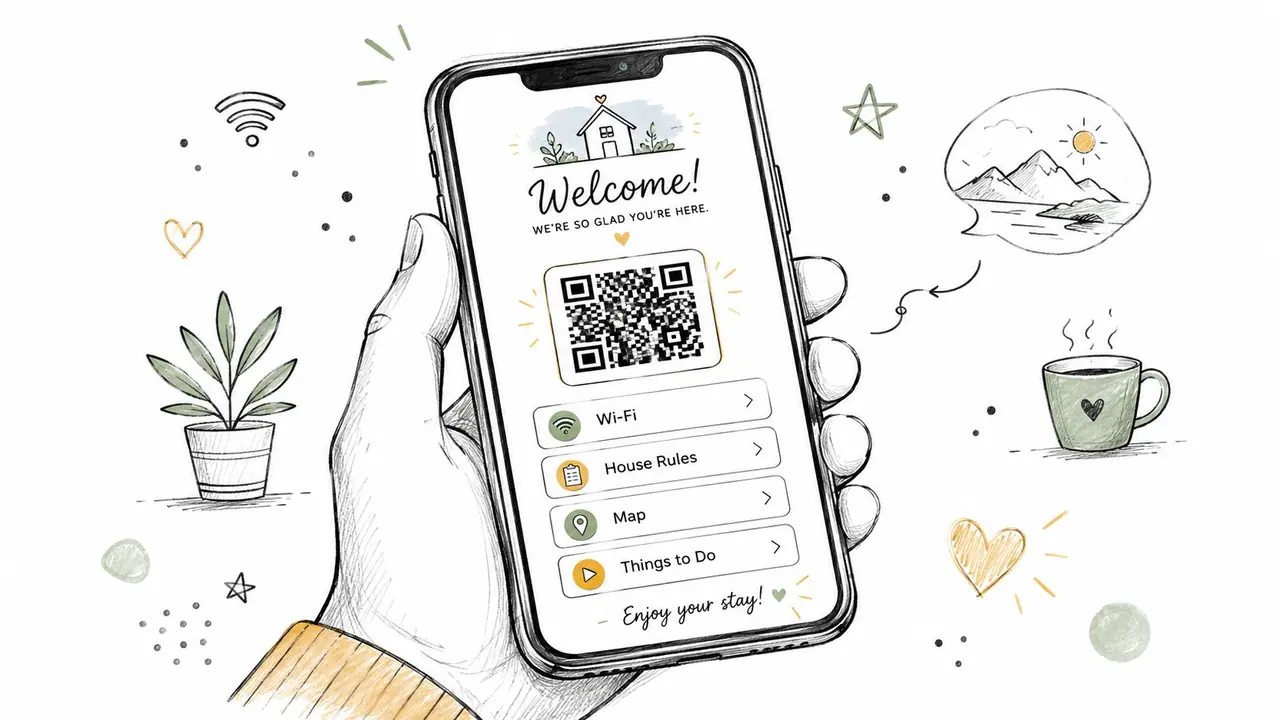
A printed binder usually fails in the same way. It goes out of date, gets moved, gets ignored, or leaves out the one thing a guest needs right now. A digital welcome guide fixes that by giving guests one place to find the basics without opening a message thread.
That guide should hold the information guests ask for most often. Wi-Fi credentials, check-in and checkout steps, house rules, parking, appliance instructions, emergency contacts, and local recommendations all belong there. Beyond Pricing notes that hosts are being pushed to provide safety guides, emergency contacts, and clear operating instructions, but the better opportunity is turning that content into a reusable, mobile-first guest system rather than static pre-arrival messaging in Beyond Pricing's advice for new hosts.
Replace scattered answers with one source of truth
I'd put the QR code in at least two places. One before arrival in your scheduled messages, and one inside the property on a visible card or A5 print near the entrance. If a guest has to search for the guide, you've already lost half the benefit.
A strong digital guide is short, visual, and built for a phone screen. Guests don't want essays. They want “Wi-Fi,” “Parking,” “How to lock the door,” and “How to use the heat” in two taps.
- Lead with essentials: Put Wi-Fi, entry steps, and checkout info at the top.
- Use photos for friction points: Show the exact parking gate, smart lock keypad, breaker panel, or thermostat.
- Keep seasonal notes current: Add pool care in summer, heating notes in winter, and holiday closure reminders when needed.
Practical rule: If a guest has asked the same question twice, it belongs in the guide.
If you want a starting structure, use a vacation rental welcome book template from ScanStay. It's faster to refine a working template than build every section from scratch. Good Airbnb host tips save time because they remove repeat decisions, not because they create more setup work.
2. Monetize Ancillary Services Through Integrated Upsell Opportunities
Most hosts treat guest communication as a cost center. It doesn't have to be. The same place you store check-in details can also sell convenience.
Late checkout, early check-in, airport transfer coordination, mid-stay cleaning, equipment rentals, and local experience add-ons work best when guests can request them without sending a long message. If they have to ask, wait, negotiate, and confirm, many won't bother. If they can tap once and move on, conversion gets easier.
Sell convenience before you discount nights
Hostex points out a gap most Airbnb host tips miss. Many guides tell hosts to fill empty nights with discounts or minimum-stay tweaks, but they rarely address when a host should stop chasing every orphan night and instead use that inventory to sell flexibility or service upgrades in Hostex's write-up on Airbnb gap days. That's the better frame.
If you have a night that won't book cleanly between reservations, you may make more sense selling a paid late checkout or early arrival than lowering your nightly rate and adding turnover pressure. The same logic applies in shoulder periods when price cuts would attract bookings but erode margin.
The strongest upsells are usually the simplest ones.
- Late checkout: Easy to understand, low-friction to buy, and often high-margin if it doesn't disrupt the next turnover.
- Early check-in: Valuable for guests arriving on morning flights or after long drives.
- Mid-stay cleaning: Useful for longer bookings, especially family stays.
- Partner services: Airport pickup, gear rentals, or local experiences can fit well if your vendors are reliable.
Don't bury these options in a paragraph of house info. Give each one a clear label and a simple decision path. Guests buy convenience when the offer is obvious and the delivery is dependable. They won't buy an upsell that sounds vague or creates more coordination work than it saves.
3. Optimize Guest Check-In with Clear, Accessible Instructions
Check-in is where good hosting either feels effortless or falls apart fast. A beautiful listing can still earn a lukewarm review if the guest spends twenty minutes in the dark trying to find the right door.
Hosts often underestimate how disorienting arrival feels. Guests may be tired, carrying bags, traveling with kids, navigating poor lighting, or arriving in a neighborhood they've never seen before. Written directions alone usually aren't enough.
A digital check-in flow should answer five questions immediately: Where do I park? Which entrance is correct? How do I get in? What if the code doesn't work? What do I do once I'm inside?
Show the arrival path, don't just describe it
Start with a photo of the building exterior and the exact entrance. Then show the path from street or parking spot to door. If you use a smart lock, record a short clip showing exactly how to wake the keypad, enter the code, and confirm the lock engaged when leaving.
For hosts building a cleaner arrival process, ScanStay's guide to a QR code check-in system for rentals gives a useful model for centralizing access details.
A short visual demo helps more than a long message thread. This walkthrough format is a good example:
The details that reduce stress are usually small.
- Include nighttime visuals: The place looks different after dark.
- Show landmarks: Guests spot a blue gate, mailbox cluster, or side walkway faster than they decode text directions.
- Put Wi-Fi near the top: Many guests want to connect before they unpack.
- State backup contact rules clearly: If guests know where to go for true emergencies, they won't treat every small question like one.
Clear check-in is one of the few hosting improvements that helps reviews, support load, and guest confidence at the same time.
4. Leverage Data Analytics to Understand Guest Behavior and Improve Operations
Hosts guess too much. They assume guests understand the thermostat, read the parking note, or notice the checkout reminder. Then the same complaints show up again.
Analytics replace that guesswork with behavior. If your guest guide shows repeated views on “front door access,” “Wi-Fi,” or “hot water,” those pages are telling you where confusion lives. That's operational data, not just content data.
Use guest behavior to spot friction early
Airbnb is operating at huge volume. Business of Apps reported about 8.1 million listings worldwide, 5 million hosts, and 491 million bookings in 2024, with gross booking volume reaching $81.8 billion in its Airbnb statistics overview from Business of Apps. At that scale, small operational gains can matter a lot, especially if you run several properties and repeat the same guest journey over and over.
Look at your guide the same way you'd look at a booking funnel. Where do guests click? What do they ignore? Which instructions get revisited during the stay? Those patterns usually point to one of three issues: the information is hard to find, the explanation is unclear, or the underlying setup in the home needs fixing.
Use a simple review rhythm.
- Check engagement regularly: Weekly is fine when you first set the system up.
- Look for repeated views: If guests keep reopening an appliance guide, the appliance or signage may be confusing.
- Remove dead sections: If nobody ever uses a page, shorten it, merge it, or move it.
If you want a framework for that process, ScanStay's post on vacation rental analytics for host decision-making is useful. The ultimate win isn't collecting more data. It's using guest behavior to decide what to rewrite, what to simplify, and what to stop offering.
5. Build Local Authority by Curating Authentic Neighborhood Recommendations
Generic local guides don't impress anyone. “Best pizza,” “top museums,” and “popular attractions” sound like search results, not hosting. Guests remember recommendations that feel filtered by a real person who knows the area.
That doesn't mean listing everything you like. It means curating a short set of options that match the kind of trip your guests are taking. Business travelers need a quiet breakfast spot, reliable coffee, and easy transport. Couples want a strong dinner list. Families need simple food, park options, and stores they can reach fast.
Recommend like a local, not like a brochure
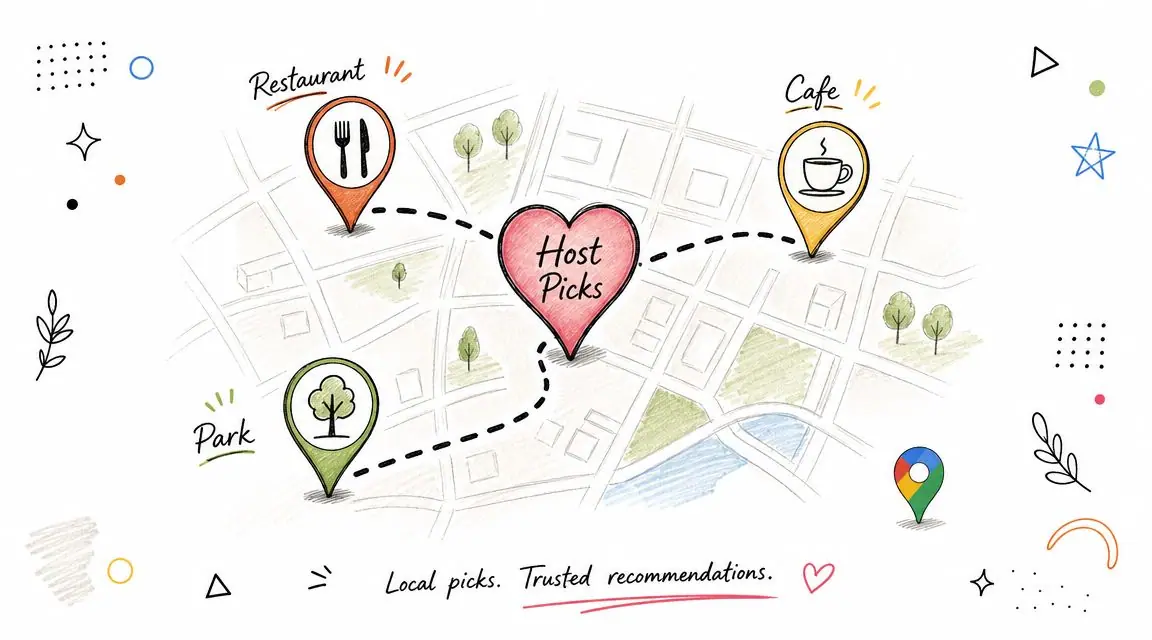
The best local section in a guest guide is usually organized by situation, not by category alone. “Best first meal after arrival,” “easy brunch within walking distance,” or “good rainy-day plan” is more useful than a pile of restaurant names.
Pin locations directly to maps whenever you can. Guests shouldn't have to copy, paste, and search after a long travel day. If a bakery is great but only before 10 a.m., say that. If a restaurant needs reservations on weekends, say that too.
A recommendation becomes valuable when it saves the guest from making a bad choice.
A few practical rules help:
- Recommend places you'd still suggest to a friend visiting town.
- Mix safe bets with one or two more personal picks.
- Update the list when ownership changes, quality drops, or hours become unreliable.
Some of the strongest Airbnb host tips have nothing to do with discounts or gadgets. They make the stay feel easier and more local. That's what strong neighborhood guidance does when it's specific, current, and honest.
6. Create Branded Content That Reinforces Your Unique Hosting Philosophy
A lot of hosts hear “branding” and think logo first. That's backwards. Your brand is the feeling guests get from every small touchpoint. Is your place calm and minimal? Family-friendly and practical? Design-forward and premium? Outdoorsy and local? The visual layer should reinforce that, not try to invent it.
Good branding also helps with consistency. If your listing photos promise a polished, modern stay but your guide feels cluttered, generic, or badly written, guests feel the mismatch. They may not say “brand inconsistency” in a review, but they'll notice the experience doesn't feel as intentional as the listing.
Make the stay feel intentional from booking to checkout
A central digital tool is more beneficial than a loose collection of PDFs and saved message snippets. Use the same colors, property name, tone of voice, and visual style everywhere guests interact with you. Keep the writing clean. If your property leans premium, the language should sound composed and concise. If it's playful and family-oriented, warmth makes sense, but keep the instructions direct.
A few brand elements do more work than people think:
- Property story: A short note about the home, renovation, location, or design angle makes the stay more memorable.
- Host voice: Friendly is good. Rambling isn't.
- Visual consistency: Repeating the same look across guide pages, signs, and guest messages builds trust.
This matters operationally too. When guests feel they're dealing with a thoughtful host or professional operator, they tend to follow instructions more closely because the environment signals competence. The house rules don't feel random. The recommendations don't feel copied. The stay feels managed on purpose.
That's one of the less obvious Airbnb host tips that pays off over time. A coherent brand makes your property easier to recognize, easier to remember, and easier to repeat across future listings if you expand.
7. Multilingual Support to Attract International Guests and Reduce Language Barriers
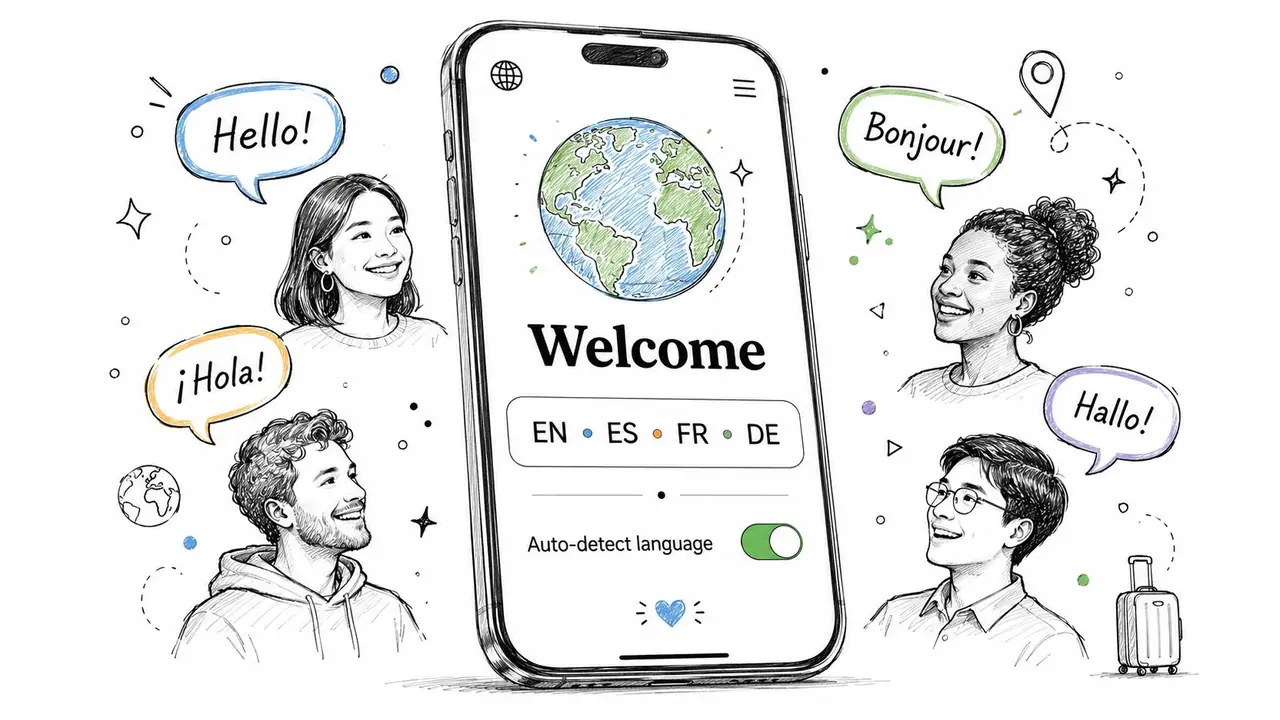
Most hosts think of translation as a nice extra. In busy travel markets, it's closer to infrastructure. If a guest can't easily understand how to enter the property, connect to Wi-Fi, operate appliances, or follow house rules, every small task becomes support work.
Mainstream host advice has often fallen short. Beyond generic “communicate well” advice, the key operational question is how to standardize guest information across languages and properties while reducing repetitive support. That need is increasingly relevant as guest expectations move toward self-serve, multilingual, low-friction access, as described earlier in the industry guidance.
Translate the things guests can't afford to misunderstand
You don't need to translate every flourish. Start with the pages where misunderstanding creates stress or damage. Entry instructions, parking rules, Wi-Fi, trash, heating and cooling, quiet hours, checkout steps, and emergency information should come first.
Keep the source copy simple before you translate it. Short sentences survive translation better than long ones. “Press the black button before entering the code” works. A paragraph with slang and side notes usually doesn't.
Focus your multilingual setup on these priorities:
- Safety first: Emergency contacts, appliance warnings, pool rules, and lock instructions.
- Property protection: Trash sorting, smoking rules, parking boundaries, and checkout tasks.
- Guest confidence: Arrival steps, Wi-Fi connection, and how to reach help if something goes wrong.
Hosts serving international travelers should treat multilingual support as part of the guest experience system, not as a marketing add-on. It reduces avoidable friction, especially when guests arrive tired and don't want to translate screenshots in a parking lot.
8. Implement Contactless Communication to Enhance Safety and Guest Privacy
There's a difference between being available and being constantly interruptible. Many hosts confuse the two, then burn out trying to answer everything in real time.
A contactless communication setup solves that by shifting routine questions away from private text threads and into a self-serve system. Guests still get answers quickly, but they don't need your personal number for every small issue. That protects your time and creates clearer boundaries.
Cut noise without feeling unavailable
Hostaway's host guidance recommends treating hosting like a system, using tools such as calendar synchronization, cleaning support, self check-in, dynamic pricing tools, and PMS software to reduce errors and save time. The same guide also recommends that top hosts target a 1-hour response time for daytime inquiries and 12 hours overnight, while reviewing occupancy, ADR, and recurring review themes monthly in Hostaway's host tips guide. The point isn't to be glued to your phone. It's to build a process that keeps response standards strong without making you the system.
That usually means separating routine information from true exceptions.
- Put common answers in the guide: Wi-Fi, lock instructions, parking, appliances, trash, and checkout.
- State response expectations clearly: Guests are calmer when they know what counts as urgent and when they'll hear back.
- Create one escalation path: Emergency issues should have an obvious route. Everything else should start in the guide.
The more predictable your communication system is, the less “urgent” your inbox becomes.
Contactless doesn't mean cold. It means guests can get what they need at midnight without waiting for you to wake up, and you don't need to expose more personal contact detail than necessary.
9. Streamline Multi-Property Management Through Content Reusability and Centralized Dashboard
Property one feels simple. Property three exposes every weak process you left in place.
If each listing has its own notes app file, saved replies, PDF guide, and cleaner message thread, small updates turn into admin drift. One lock change gets reflected in one place but missed in two others. One checkout policy gets updated for weekend stays but not monthly guests. That is how portfolio growth starts eating margin.
The fix is a central dashboard with reusable content blocks. Build one operating system for the business, then adapt the last 20 percent by property. Keep your voice, policies, emergency contacts structure, check-in framework, checkout flow, and upsell language in shared templates. Swap in the unit-specific details such as parking, Wi-Fi network, appliance quirks, access codes, and local recommendations.
Build once, customize by exception
Good multi-property management depends on deciding what should stay identical across the portfolio and what should change at the listing level. I keep the guest journey consistent, from pre-arrival to checkout, because consistency cuts errors for guests, cleaners, and co-hosts. I customize only the details that would create confusion if reused blindly.
That approach matters even more when you host different stay types, as noted earlier in the article. Short-stay guests need fast answers and clear arrival information. Longer-stay guests need a fuller operating guide, including laundry use, restocking expectations, trash schedules, mail handling, and how to report maintenance issues. Those sections should still come from templates. You should not be rewriting the same long-stay playbook every time a new unit goes live.
A centralized system also makes monetization easier. Add an airport transfer offer, late checkout option, mid-stay cleaning, or local partner recommendation once, then publish it across the properties where it fits. That is how content reusability turns into revenue, not just time savings.
For hosts managing a portfolio, the best system is usually the least glamorous one. One dashboard. One source of truth. Reusable content that your team can trust.
10. Enhance Review Scores and Reduce Negative Feedback by Addressing Guest Pain Points Proactively
A four-star review often starts with a small miss. The guest arrives late, the keypad takes two tries, the Wi-Fi details are buried in a long message, and the heating instructions are nowhere they expect them. Nothing went badly enough to trigger a complaint during the stay. It still shows up in the review.
That pattern is useful because it is fixable. The best hosts do not wait for a bad review to diagnose friction. They use one digital guest system as the source of truth, then tighten the weak spots that keep creating the same questions, delays, and avoidable frustration.
Local Bird's 2026 optimization guidance highlights guest satisfaction, review quality, booking conversion, host responsiveness, and listing completeness as ranking factors. It also notes that instant booking can help reduce booking friction and that automated responses can protect response-time metrics in Local Bird's article on ranking higher on Airbnb in 2026.
Fix friction at the system level
Guests rarely describe the root problem clearly. They say check-in felt stressful, or the place was harder to use than expected. The actual issue is usually operational. Information was late, buried, inconsistent, or missing from the digital guide.
Start with the repeat offenders:
- Appliances that are not self-explanatory: Induction hobs, combo washer-dryers, smart thermostats, and tricky shower controls need short instructions with photos.
- Arrival details that guests need under pressure: parking, gate access, building entry, lock steps, and unit location should be easy to find on a phone.
- House rules that affect the stay: quiet hours, visitor limits, smoking rules, pet boundaries, and checkout tasks should appear before arrival, not as a surprise later.
- High-friction moments that create support tickets: Wi-Fi login, hot water recovery time, trash handling, and how to report maintenance issues should sit in one place, not across five messages.
I treat support messages and lower-rated reviews as one data set. If guests keep asking the same thing, the problem is not the guest. The system is under-documented.
A good fix is usually simple. Add a screenshot. Replace a paragraph with a 20-second video. Move parking instructions higher. Rewrite access steps in the order a tired traveler follows them at night.
Automation helps when it sends guests to the right answer fast. It hurts when it feels like a canned deflection. The goal is fewer questions because the stay is easier to understand, not fewer questions because guests gave up asking.
That is how review improvement becomes scalable. Better scores come from a cleaner operating system: one guide, clearer touchpoints, fewer surprises, and faster resolution when something does go wrong.
10 Airbnb Host Tips Compared
| Item | Implementation Complexity 🔄 | Resource Requirements ⚡ | Expected Outcomes 📊 | Ideal Use Cases ⭐ | Key Advantages & Tips 💡 |
|---|---|---|---|---|---|
| Create a Comprehensive Digital Welcome Guide to Reduce Guest Support Messages | Low → Medium: one-time content compilation and layout | Moderate: QR tool, mobile-responsive template, 2–6 hrs property setup, optional video | Fewer repetitive messages (30–40%), improved guest satisfaction | Hosts wanting to reduce support load and modernize check-in | Centralizes info; display QR clearly; keep content concise and test on devices |
| Monetize Ancillary Services Through Integrated Upsell Opportunities | Medium → High: payment integration and inventory flows | High: payment processor, booking calendar, fulfillment partners | +15–25% ancillary revenue; higher on-demand conversions | Properties in high-demand or tourist markets seeking extra revenue | Feature high-margin offers prominently; price convenience premium; ensure reliable fulfillment |
| Optimize Guest Check-In with Clear, Accessible Instructions | Medium: produce step-by-step visuals/videos and access flows | Moderate: video production, smart locks/keypad hardware, clear assets | Fewer access failures; higher first-time check-in success (≈95%+) | Urban or international listings and contactless check-in needs | Film from guest POV, include day/night shots, show exact entrance and parking details |
| Leverage Data Analytics to Understand Guest Behavior and Improve Operations | Medium: set up tracking and interpret results | Moderate → High: analytics tools/subscription and regular review time | Identifies pain points, improves upsell performance and content effectiveness | Multi-property managers and data-driven hosts | Review scans weekly initially, monitor funnels, act on low-engagement sections |
| Build Local Authority by Curating Authentic Neighborhood Recommendations | Low → Medium: curation and periodic updates | Low → Moderate: time to vet and update recommendations | Higher guest satisfaction and more 5-star reviews (≈10–15%) | Hosts in neighborhoods with unique local offerings | Visit venues before recommending, mix tourist/local spots, update seasonally |
| Create Branded Content That Reinforces Your Unique Hosting Philosophy | Medium → High: design and consistent messaging work | Moderate: branding assets, design time or vendor support | Stronger perceived value; enables premium pricing and repeat bookings | Luxury/themed properties and multi-property portfolios/agencies | Use 2–3 brand colors, include host bio/story, maintain consistent voice and quality |
| Multilingual Support to Attract International Guests and Reduce Language Barriers | Low → Medium: enable translations and verify critical copy | Moderate: AI translation + manual checks for key content | Increased international bookings (up to 3x in some markets) and fewer misunderstandings | Properties targeting international travelers or major tourist hubs | Prioritize top 5–10 languages, test safety-critical translations, keep wording concise |
| Implement Contactless Communication to Enhance Safety and Guest Privacy | Low: consolidate info into self-service guide and set expectations | Low: QR system, clear FAQ and emergency info | Fewer support messages (20–30%), improved privacy and reduced late-night contacts | Solo hosts, privacy-conscious properties, high-turnover listings | Label emergency contacts clearly, set response-time expectations, expand FAQ for edge cases |
| Streamline Multi-Property Management Through Content Reusability and Centralized Dashboard | Medium → High: establish templates and dashboard workflows | High: centralized platform, templates, role-based permissions | Large time savings (hours → tens of hours monthly) and consistent portfolio experience | Property managers/agencies scaling 5+ properties | Create master templates, allow property-specific overrides, use bulk updates and approvals |
| Enhance Review Scores and Reduce Negative Feedback by Addressing Guest Pain Points Proactively | Medium: identify recurring complaints and produce targeted content | Moderate: review analysis time, videos/FAQ creation | Reduced negative reviews and improved ratings (e.g., 4.7 → 4.85+) | Hosts needing reputation improvement or Superhost eligibility | Audit recent reviews, address top 5–10 pain points, add photos/videos for troubleshooting |
Your Blueprint for Smarter Airbnb Hosting
Hosting gets easier when you stop treating every booking like a brand-new event.
That's the underlying thread running through these Airbnb host tips. The strongest hosts don't just answer faster. They design a system that prevents the same questions, the same friction, and the same avoidable mistakes from repeating. They centralize information. They clarify arrival. They standardize what can be reused. They create a guest experience that feels easy because the backend is organized.
That shift matters more now because hosting sits inside a massive, competitive marketplace. The operators who stay consistent usually aren't doing more manual work. They're making fewer manual decisions. Their guest instructions are already written. Their check-in path is already visual. Their local recommendations are already curated. Their upsells are already built into the stay instead of added through scattered chat messages.
That's also why a digital guide is more than a convenience tool. It becomes the operating system for the property. It gives guests one reliable place to find answers. It gives hosts one place to update details. And it creates a natural home for the parts of the business that often get left fragmented across Airbnb messages, printed binders, screenshots, notes apps, and memory.
When hosts ignore that system layer, they usually pay for it in slow leaks. More interruptions. More repetitive support. More confusion around check-in. More review comments that start with “everything was great, but…” Those issues don't always look dramatic on their own, but over time they make hosting heavier than it needs to be.
A better setup does the opposite. It reduces support load without making the stay feel impersonal. It creates room for monetization without making guests feel pushed. It improves consistency across one property or many. And it gives you a clearer way to improve, because you can see what guests need, where they hesitate, and what information keeps getting used.
If you're only going to change two things this month, start with this. First, build one mobile-first guest guide detailing the essentials well. Second, tighten the parts guests trip over most often: arrival, Wi-Fi, appliance use, parking, and checkout. Those fixes have outsized impact because they shape the most fragile moments of the stay.
After that, add the layers that amplify results. Upsells. Multilingual support. portfolio templates. Analytics. Better neighborhood recommendations. Stronger branding. Each one makes more sense once the core system is in place.
That's how hosting turns into something more sustainable. Not by chasing hacks. Not by trying to out-message every problem. By building an operation guests can move through with very little friction.
If you do that well, your property feels more professional, your guests feel more supported, and you get something many hosts are missing. Your evenings back.
If you want one tool to put these Airbnb host tips into practice, try ScanStay. It lets you replace paper binders and repetitive guest messages with a single QR-based digital welcome book that holds Wi-Fi details, check-in instructions, house rules, local recommendations, video how-tos, and service upsells in one place. For hosts managing one property or a larger portfolio, it's a practical way to reduce support noise, present a more polished guest experience, and run hosting like a real system instead of a constant inbox.