10 Actionable Tips on Airbnb Hosting for 2026
Master our top 10 tips on Airbnb hosting. Learn how to optimize listings, automate check-ins, boost revenue, and earn 5-star reviews with our expert guide.
Friday night. A guest is asking for an early check-in, your cleaner is running late, and a nearby listing just undercut your rate for the weekend. The hosts who keep revenue steady in that situation are not guessing. They run a system.
That is the essential gap between casually renting a place and building a short-term rental business that holds up under pressure. Good hosts do more than answer messages and hand over keys. They tighten operations, set pricing with intent, standardize the guest experience, and remove repeat friction before it shows up in reviews.
The payoff is practical. Better systems protect occupancy, raise average nightly rate, and reduce the small mistakes that drain profit. A clearer guest experience also cuts support questions, which is why tools like a digital welcome book for vacation rentals have become part of a professional hosting stack, not just a nice extra.
If you want stronger Airbnb hosting results, stop treating each booking like a one-off transaction. Run the property like a hospitality operation. That means using the basics well, cleanliness, communication, photography, and house rules, while also adding the tools that make the business easier to scale, like contactless access, digital guides, and pricing software.
These ten tactics work best as a framework, not isolated tricks. Put them together and you get a business that earns more, wins better reviews, and becomes easier to manage as you grow.
Table of Contents
2. Optimize Your Property Listing with Professional Photography
3. Streamline Check-In and Check-Out with Contactless Solutions
6. Build a Five-Star Review Strategy with Proactive Communication
7. Maintain Immaculate Property Standards and Regular Upkeep
1. Create a Comprehensive Digital Welcome Guide
A guest lands after a delayed flight, gets to your door at 10:47 p.m., and wants three things fast. How to get in, how to connect to Wi-Fi, and what to do if something is not working. If those answers are buried in a paper binder or spread across old message threads, you create friction at the worst possible moment.
A digital guide gives guests one reliable place to find what they need. It also cuts the repeat questions that eat up your time and slow down response quality across the rest of your business.
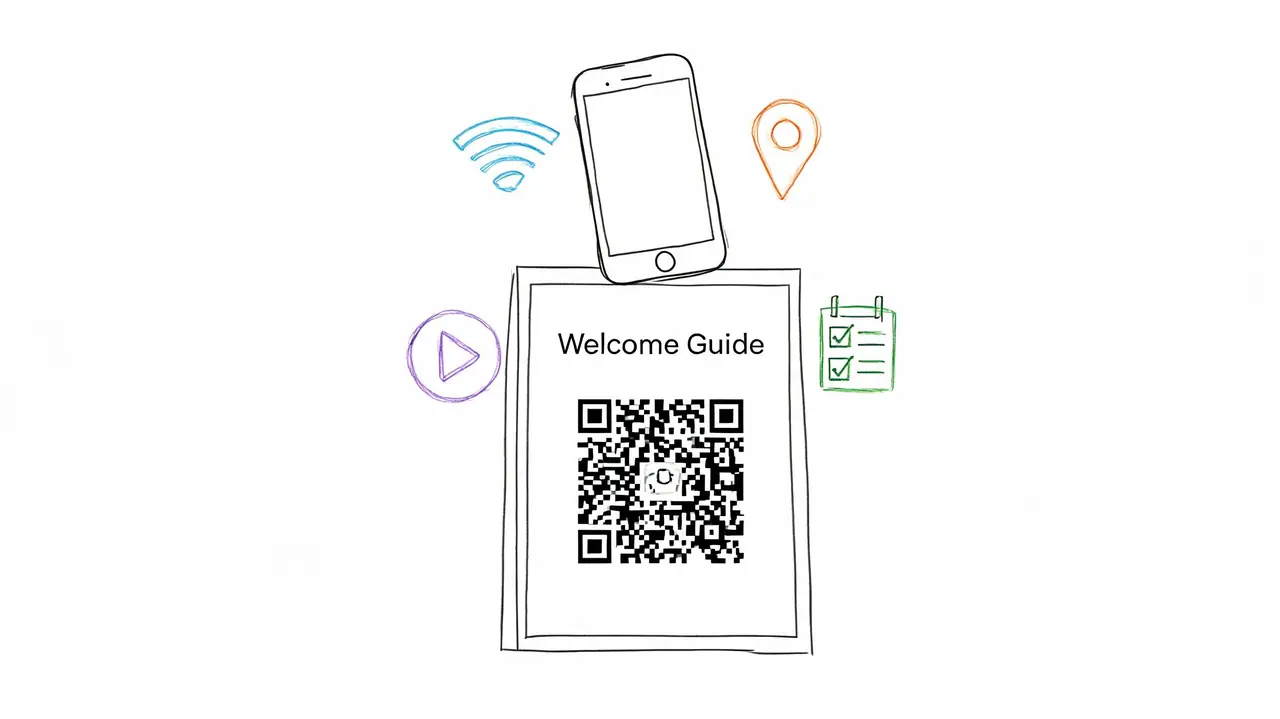
Hospitable's city and hosting data roundup points to fewer repeat guest messages for hosts using QR-code-based guest communication tools, especially around Wi-Fi, check-in, and house rules, in its city and hosting data roundup. That operational win matters. Less time spent answering routine questions means faster response times for real issues, fewer avoidable mistakes, and a setup you can scale across more bookings.
The guide itself should be mobile-first, easy to scan, and available before arrival. Put a QR code inside the entryway, but also send the link in your pre-arrival message. Guests should not have to hunt for basic information after check-in.
If you need a better structure, use a format built for short-term rentals. This guide to a aribnb guestbook is a strong reference point for what to include and how to organize it.
What to include on day one
Start with the questions that create the most guest friction and the most host interruptions.
Arrival details: Parking, entry steps, lock instructions, gate codes, and what to do if they arrive early.
Inside the property: Wi-Fi, thermostat settings, hot water notes, TV instructions, appliance basics, and trash procedures.
Property-specific issues: Septic rules, tricky doors, noise limits, shared spaces, or anything guests routinely get wrong.
Local recommendations: A short, curated list of coffee, groceries, pharmacies, breakfast spots, and one or two reliable dinner picks.
Checkout instructions: Keep them clear, short, and reasonable.
One rule has held up across every listing I have seen perform well. If guests keep messaging about the same routine issue, the guide is missing something or burying it.
Digital guides also standardize the guest experience across multiple units. That is the bigger business advantage. Once the structure is set, you can duplicate it, swap unit-specific details, and keep service quality consistent without rewriting the same information for every property.
A short welcome video can help if your property has unusual features or access steps. Use it only if it reduces confusion. If it adds fluff, skip it.
2. Optimize Your Property Listing with Professional Photography
A guest opens your listing beside five similar options in the same price range. They have not read your amenities yet. They have not compared cancellation policies. They are deciding, in a few seconds, whether your place feels worth a closer look.
Your photos carry that decision.
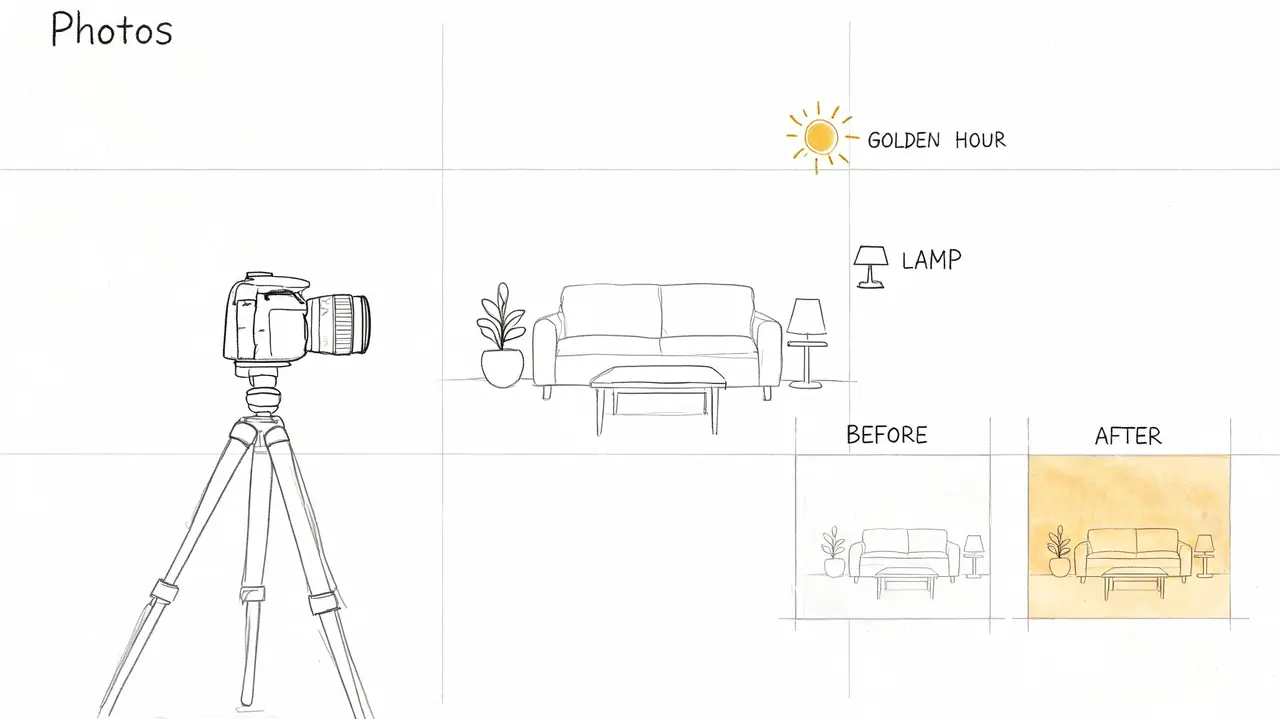
Strong photography does more than improve click-through rate. It sets the standard for the guest experience before booking. If the photos are sharp, well lit, and honest, guests expect a host who runs a professional operation. That matters if you want to scale beyond casual hosting and compete on both occupancy and nightly rate.
Cheap photos usually cost more than the shoot you tried to avoid. Dark rooms, crooked angles, and inconsistent framing make a property feel smaller, older, and less cared for. On the other hand, overedited photos create a different problem. Guests arrive expecting one thing and review the gap.
What makes listing photos convert
Treat the shoot like a revenue project, not a marketing extra. Clean the unit to inspection standard, hide cords, remove personal clutter, replace worn linens, and stage each room for its intended use. A dining table should look ready for a meal. A workspace should look functional. An outdoor area should look usable, not like an afterthought.
A strong photo set usually includes:
A clear hero image: Lead with the room or feature that wins the click. In some homes that is the living room. In others it is the view, pool, patio, or design-forward kitchen.
Accurate lighting: Bright images help, but realism matters more. Guests should recognize the space when they walk in.
A logical gallery order: Show the property the way a guest experiences it. Entry, living area, kitchen, bedroom, bathroom, then outdoor spaces or amenities.
Selling details: Include the coffee station, desk setup, blackout curtains, luggage rack, reading chair, or stocked kitchen if those features support your target guest.
Context shots: If parking, stairs, shared entrances, or building access are common points of confusion, show them clearly.
I see one mistake all the time. Hosts pay for wide shots that look dramatic on a phone screen but skip the practical images guests use to make a booking decision. Guests want to know if the mattress looks inviting, the bathroom looks spotless, and the kitchen looks equipped for a real stay.
Good listing photos make a property look cared for, accurate, and worth the price.
Update the gallery anytime the space changes. New furniture, better bedding, a renovated bathroom, a refreshed patio, or even improved lighting can justify a new shoot. This is part of systemizing a higher-revenue Airbnb business. Your photos, pricing, guidebook, and guest messaging should all reflect the same product. If one part feels outdated, conversion drops and guest expectations get harder to manage.
3. Streamline Check-In and Check-Out with Contactless Solutions
A guest lands late, the street is dark, parking is unclear, and the keypad times out on the first try. That reservation is already in trouble, even if the home itself is great.
Check-in is an operations test. It shows whether your hosting setup works without you standing there to rescue it. Contactless access is the standard for any host who wants fewer support messages, cleaner handoffs, and a business that can scale beyond one unit.
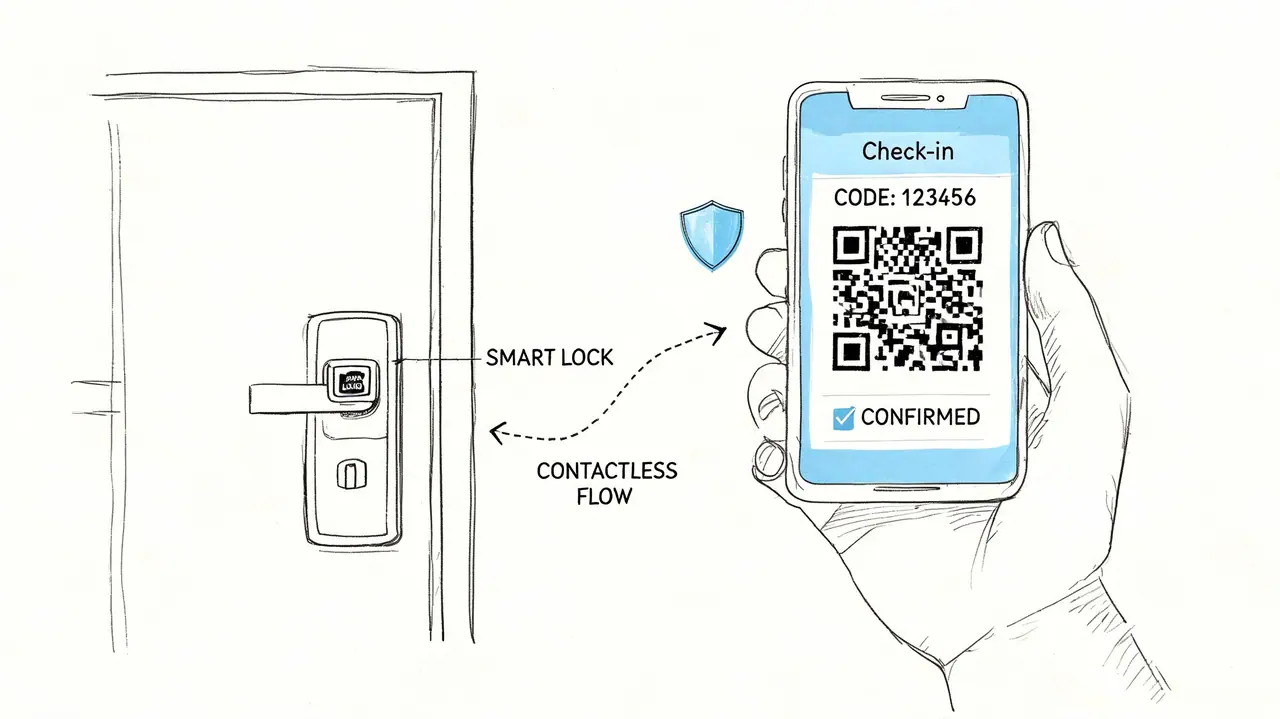
Effective systems eliminate decision-making. Guests need to understand where to park, which entrance to use, how to gain access, and what steps to take if something goes wrong. Smart locks and keypads are helpful, but the greatest advantage comes from pairing the hardware with clear instructions, good timing, and a backup plan.
I've found that check-in problems rarely come from the lock itself. They come from missing context. A gate code was buried in an old message. The entry door looked different at night. The building had two similar entrances. Fix those gaps, and guest stress drops fast.
Use a repeatable arrival workflow:
Send one arrival message: Put parking, entry steps, Wi-Fi, and support contact details in one place.
Use photos or a short video: Show the exact path from the street or parking area to the correct door.
Test access during turnover: Confirm batteries, code validity, lighting, and door alignment before the cleaner leaves.
Add a fallback option: Include a backup code, lockbox plan, or local contact for access failures.
Keep checkout simple: Ask for the few steps that protect turnover speed, such as locking up, starting the dishwasher, or placing used towels in one spot.
Airbnb notes in its Superhost criteria that hosts need a high response rate and strong overall ratings to qualify. A reliable contactless process supports both. Guests send fewer urgent messages, arrive with less friction, and start the stay in a better mood.
This is also where professional hosts separate themselves from casual ones. A digital guide, smart lock, scheduled message flow, and cleaner verification checklist work together. That combination saves time now and makes multi-property hosting much easier later.
If you want a visual walkthrough of modern access setup, this quick video is useful before you standardize your own process.
Technology handles routine arrivals well. Your job is to build a system that still works when a guest is tired, offline, or standing at the wrong door.
4. Master Dynamic Pricing to Maximize Revenue
A guest books your Friday and Saturday nights 6 weeks early at a rate that looked fine when you set it. Two days later, a festival announces its lineup, nearby listings climb, and your calendar is already blocked at the old price. That revenue is gone.
Static pricing creates that problem all year. You undercharge high-demand dates, then sit overpriced on weak dates and wonder why occupancy slips. Professional hosts avoid both by adjusting rates around demand, booking pace, seasonality, local events, and nearby competition.
Pricing software helps, but it still needs an operator. I treat it as a decision tool, not a substitute for judgment. If you let automation run without limits, it can push rates too low to protect margins or too high for your listing quality, review count, and location.
Price with guardrails
Set pricing rules before you let any tool touch the calendar. Start with a minimum rate that covers your cleaning, supplies, utilities, platform fees, and the wear each stay puts on the unit. Then set a realistic ceiling based on what your market supports. Add stay rules that match demand patterns, such as weekend premiums, minimum-night requirements on peak dates, and gap-night discounts to fill awkward holes between reservations.
A practical pricing workflow looks like this:
Review booking pace: If prime weekends book unusually early, raise rates and test the ceiling.
Track local demand: Concerts, sports weekends, graduations, conferences, and holidays change what guests will pay.
Adjust by lead time: Far-out dates need one strategy. Last-minute openings need another.
Price orphan gaps differently: A two-night opening between stays should not follow the same rule as an empty week.
Segment by property type: A family home, a business-travel apartment, and a luxury retreat need different pricing logic.
The goal is to be the clear value at your price point. Guests compare photos, reviews, location, and amenities in seconds. If your rate says premium but your listing does not support that position, conversion drops. If your property is stronger than nearby alternatives and your price sits too low, you train the market to buy your best dates at a discount.
Hosts with multiple listings need a tighter system. I compare occupancy, average daily rate, and booking window by unit type, not just by market. That shows which listings can carry aggressive weekend pricing, which ones need midweek support, and where minimum stays are blocking revenue. Done well, dynamic pricing is not a tactic. It is part of the operating system that turns a casual Airbnb into a scalable hosting business.
5. Monetize Add-On Services and Amenities
A guest books a three-night stay for a wedding weekend, then messages two days later asking for early check-in, a bottle of wine, and local transport help. Hosts who treat those requests as one-off favors leave money on the table. Hosts who package them properly turn the same reservation into higher revenue and a better guest experience.
That matters once you stop thinking like a casual host and start building a repeatable operation. Base rate drives the booking. Add-ons raise revenue per stay without forcing every guest to pay for extras they do not want.
The best offers solve a specific problem. They save time, reduce stress, or make the trip feel easier. Guests will pay for convenience if the price is clear and the service is handled well.
A few reliable examples:
Business and urban stays: Early check-in, late checkout, luggage storage coordination, parking, and airport transfer help
Family bookings: Crib setup, high chair rental, stroller access, kid-friendly snack packs, and beach or park gear
Leisure and group trips: Firewood bundles, grill prep, celebration decor, grocery stocking, and partner referrals for bikes, boats, or spa services
Relevance decides whether an add-on sells. A downtown apartment near a train station usually gets more value from luggage solutions and parking help than from welcome baskets. A cabin can often earn more from firewood, hot tub prep, and local activity rentals than from decorative extras.
Keep the system tight. Offer extras after booking, present them in a short menu, and make the price easy to understand. Guests should be able to say yes quickly or ignore the offer without friction. Hard selling hurts trust. Clear options improve conversion.
I also recommend separating high-margin add-ons from labor-heavy ones. Digital guide upgrades, pet fees, parking, and late checkout usually scale well. Custom decoration setups, stocked fridges, and airport pickup can work, but only if pricing covers staff time, supply costs, and the risk of last-minute changes.
A simple filter helps:
Offer it if it is requested often, easy to fulfill, and profitable
Test it if it fits the property but requires coordination
Cut it if it creates operational headaches or triggers complaints
The goal is not to stuff the listing with extras. The goal is to build a hosting business that earns more per reservation while still running cleanly at scale. Good add-ons do both.
6. Build a Five-Star Review Strategy with Proactive Communication
A guest lands at 9:40 p.m., the door code works, but the Wi-Fi name in the house manual does not match the router. If they hear back from you in two minutes, it is a minor annoyance. If they hear back the next morning, it often shows up in the review.
That is how five-star review strategy works in practice. Reviews are shaped by response speed, message timing, and how well you catch friction before checkout.
The goal is not to send more messages. The goal is to remove uncertainty at each stage of the stay while keeping your communication system efficient enough to scale across one property or ten.
I use a simple rhythm.
After booking: Confirm guest count, arrival window, and any details that affect operations.
Three to five days before arrival: Send check-in steps, parking details, and the few rules that prevent common problems.
Shortly after check-in: Ask one direct question: is everything working as expected?
Evening before checkout: Send checkout steps and one reminder that prevents fees or confusion.
After checkout: Thank the guest, mention anything positive you noticed, and invite private feedback.
The mid-stay check-in does more work than hosts realize. It gives reasonable guests a private place to raise issues while you still have time to fix them. A missing pan, dead remote batteries, or a noisy fan rarely causes a bad review on its own. Slow follow-up does.
Templates help, but only if they sound human. Keep the structure standardized and customize the sentence that shows you read the reservation. If a family mentions a late arrival, acknowledge it. If a guest asks about parking before booking, answer that again before arrival so they do not have to search the thread.
Speed matters, but consistency matters just as much. If you manage enough volume that messages start slipping, build automations for the routine parts and keep personal replies for exceptions, complaints, and anything tied to a special request. Hosts who also run a documented turnover process usually respond faster because cleaners can flag issues before guests discover them. A cleaning jobs app for Airbnb teams can help tie those updates back to your guest communication.
One rule keeps reviews cleaner than any clever reply strategy. Solve problems in the message thread while the guest is still in the property.
Do not ask for a five-star review directly. Ask whether anything needs attention, fix it fast, and close the loop. Better reviews usually follow.
7. Maintain Immaculate Property Standards and Regular Upkeep
A guest opens the bathroom door after check-in and finds one strand of hair on the tile, a water spot on the mirror, and a drain that runs a little slow. None of those issues are expensive. Together, they change the guest's opinion of the entire stay in the first five minutes.
Cleanliness affects revenue because it shapes trust fast. Guests will accept a smaller kitchen or older finishes if the home feels cared for. They will not ignore stale odors, stained linens, sticky handles, or signs that basic upkeep slips between stays.
Strong hosts treat turnover cleaning as one part of a larger quality-control system. The job includes presentation, inspection, and prevention. That means checking linen condition, testing appliances, replacing low batteries, restocking essentials, and catching small defects before a guest names them in a review.
Standardization matters more than effort alone. A cleaner can work hard and still miss details if the property relies on memory. The properties that hold review scores over time usually have the same reset sequence every stay, the same inspection points every stay, and the same process for flagging repairs every stay.
Use a process that covers:
Reset standards: Beds made the same way, towels folded and placed the same way, and kitchen and bath supplies restocked to the same par level.
Inspection points: Hair in corners, crumbs in drawers, fingerprints on appliances, dust on vents, and under-bed checks.
Maintenance flags: Loose hardware, weak bulbs, low remote batteries, slow drains, chipped dishware, and worn caulking.
If you manage frequent turnovers or multiple listings, documentation becomes the difference between stable quality and constant rework. A system for Airbnb cleaning jobs and turnover coordination helps cleaners follow the same checklist, upload proof, and report issues before guests walk in.
I replace tired items earlier than feels comfortable on paper. Pillows flatten gradually. Pans lose their coating one scratch at a time. Blackout curtains stop doing their job before they fully fail. Waiting until guests complain saves a little cash this month and costs far more in reviews, refunds, and lower repeat bookings.
Guests notice what hosts tolerate. If small misses stay in the home, they stop feeling small.
8. Develop Clear House Rules and Guest Expectations
A lot of hosting problems aren't caused by bad guests. They're caused by vague instructions. If people don't know your expectations around visitors, noise, parking, pets, smoking, or checkout, they'll fill in the blanks themselves.
Clear house rules protect the property and reduce friction with guests and neighbors. They also make enforcement easier because you can point to something the guest already agreed to before arrival.
Tone matters here. Strong rules are specific, easy to find, and reasonable. A giant wall of all-caps warnings creates tension before the stay even begins. Short, direct rules work better.
Write rules people can actually follow
Keep the focus on the issues that matter most:
Property protection: Smoking, parties, unauthorized guests, and pet boundaries.
Neighbor impact: Quiet hours, parking instructions, and use of shared spaces.
Safety: Locking doors, appliance use, and emergency procedures.
Explain the why when the rule isn't obvious. Guests are more likely to respect quiet hours when they understand there are full-time residents nearby. They're more likely to follow trash instructions when pickup timing is simple and visible.
I'd also place rules in more than one location. Put them in the listing, in your pre-arrival message, and inside your digital guide. That creates consistency without requiring a confrontational tone.
A practical example: if your building has strict parking enforcement, the rule shouldn't say “park correctly.” It should say exactly where guests may park, what spots are off-limits, and what happens if they ignore the instruction. Precision prevents arguments.
9. Optimize for Search Ranking and Listing Visibility
A well-run property can still sit half-booked if the listing does a poor job winning the click and closing the booking. I see this constantly in crowded markets. Two homes can be similar on price, location, and amenities, yet one stays near the top because the listing gives Airbnb and the guest clearer reasons to trust it.
Search ranking is tied to operations. Airbnb favors listings that look reliable, easy to book, and likely to satisfy guests. That includes strong reviews, fast replies, accurate details, updated calendars, competitive pricing, and a listing guests convert on.
Treat visibility as a system, not a one-time edit. The hosts who keep strong placement usually review their title, cover photo, amenities, pricing, and message speed every week, not just when bookings slow down. That operating discipline matters even more if you plan to grow into a more structured vacation property management workflow.
Improve the signals that affect both ranking and conversion
Start with the listing elements that directly shape impressions, clicks, and booking confidence:
Write a clear title: Lead with the feature that matters most to your target guest, such as walkability, a hot tub, workspace, or family layout.
Finish every relevant field: Amenity gaps cost bookings because guests filter for specifics.
Keep photos and copy aligned: If the unit sleeps six, show how. If parking is tight, explain it clearly.
Protect response speed: Fast, useful replies help conversion and reduce the chance a guest books a competitor first.
Refresh pricing often: Stale rates hurt visibility and revenue. Dynamic pricing tools help keep the listing competitive without constant manual edits.
Analysts at STR Cribs, in their article on low Airbnb occupancy and common causes, note that many hosts lose time to repetitive messaging. That bottleneck shows up in listing performance fast. Slow replies, missed inquiries, and inconsistent guest communication reduce booking momentum, which can weaken visibility over time.
One practical test works well here. Open your listing as if you were a guest seeing it for the first time. In 15 seconds, can you tell who the property is for, why it is worth the price, what the sleeping setup is, and whether there are any deal-breakers? If not, the listing is asking the guest to do too much work.
High-ranking listings remove doubt early. They answer the questions that block bookings before those questions ever reach the inbox.
10. Create a Scalable Multi-Property Management System
Friday at 6 p.m., one guest cannot find the lockbox, another unit needs extra towels, and your cleaner is texting photos of damage from a same-day turnover. That kind of pileup does not come from having too many properties. It comes from running multiple properties without a system.
A single listing can run on memory, hustle, and a few saved replies. A small portfolio cannot. Once you add more doors, every repeat task needs a defined process: guest messaging, cleaner checklists, maintenance handoff, restocking, pricing approvals, and property-specific instructions. If those live in your head or across scattered apps, service quality starts drifting by unit. Guests notice fast.
Build the operating system before you add inventory.
For most hosts, that means four pieces working together: a PMS to centralize reservations, a pricing workflow to keep rates current, a turnover process with clear ownership, and a guest communication setup that stays consistent across every property. Hostaway, Guesty, and similar tools start making sense when you are managing multiple calendars, cleaners, and edge cases at the same time.
The test is simple. If a co-host, cleaner, or VA cannot handle a common issue without calling you, the process is not ready to scale.
Your system should make these answers obvious:
Who replies to guest messages when you are offline?
How does a cleaner report damage, missing items, or maintenance issues?
Where is the latest version of each property's rules and arrival details?
How are supply levels tracked and restocks assigned?
What gets checked after every checkout, every week, and every month?
Guest information is usually where scaling breaks first. Hosts copy and paste check-in details, parking notes, Wi-Fi instructions, and local recommendations across listings, then forget to update one of them. A centralized vacation property management guide system helps keep property information consistent without rebuilding the same content for every new unit.
The operators who scale well remove avoidable decisions. They document the standard, assign the owner, and make the next action clear for cleaners, co-hosts, and guests. That is how you grow without letting reviews, response times, or margins slip.
10-Point Airbnb Hosting Tips Comparison
| Strategy | Implementation Complexity 🔄 | Resource Requirements ⚡ | Expected Outcomes ⭐📊 | Ideal Use Cases 💡 | Key Advantages ⭐ |
|---|---|---|---|---|---|
| Create a Comprehensive Digital Welcome Guide | Moderate, initial content setup and templates; easy updates | Low–Medium, QR platform subscription, content creation, occasional translations | ⭐ Better self‑service; 📊 fewer support messages (~40% reduction in examples) | Multi‑property hosts, international guests, mobile‑first stays | Centralized, branded, easy to update; reduces repetitive queries |
| Optimize Your Property Listing with Professional Photography | Low–Medium, scheduling, staging, editing | Medium–High, photographer fees ($300–$1,500+), prep time | ⭐ Higher CTR/bookings (2–3x); 📊 better conversion and rate justification | New listings, competitive markets, premium properties | Boosts trust, differentiates listing, justifies higher rates |
| Streamline Check‑In and Check‑Out with Contactless Solutions | Medium, hardware installation, integrations and testing | Medium, smart locks ($150–$400), keypad/doorbell hardware, backup plans | ⭐ Smoother arrivals; 📊 higher check‑in satisfaction and flexibility | High turnover listings, remote hosts, hygiene‑focused guests | 24/7 access, fewer lost keys, reduced in‑person contact |
| Master Dynamic Pricing to Maximize Revenue | Medium–High, ongoing monitoring and pricing rule tuning | Medium, pricing software subscriptions, data analysis time | ⭐ Revenue +25–40%; 📊 improved occupancy and yield | Seasonal/event markets, urban properties near venues, portfolios | Market‑responsive rates that maximize revenue and occupancy |
| Monetize Add‑On Services and Amenities | Low–Medium, package setup and partner coordination | Low–Medium, partner fees, fulfillment logistics, payment setup | ⭐ Increased per‑booking revenue (+15–30%); 📊 added ancillary sales | Tourist areas, properties with strong local partner options | Generates extra revenue with minimal operational overhead |
| Build a Five‑Star Review Strategy with Proactive Communication | Medium, consistent messaging cadence and follow‑up workflows | Low–Medium, time investment or automation tools for messaging | ⭐ Higher ratings (4.8–4.95); 📊 fewer negative reviews | Hosts seeking improved ranking, repeat bookings, reputation recovery | Drives better reviews, higher search ranking, and guest loyalty |
| Maintain Immaculate Property Standards and Regular Upkeep | Medium, recurring scheduling, quality checks and inspections | High, professional cleaning ($150–$400+/turnover), maintenance costs | ⭐ Improved reviews; 📊 fewer emergencies and safety incidents | All listings, especially luxury or high‑expectation properties | Ensures cleanliness, reduces disputes, extends property lifespan |
| Develop Clear House Rules and Guest Expectations | Low, drafting, publishing and occasional enforcement processes | Low, time to write rules and post via QR/listing | ⭐ Fewer violations and disputes; 📊 reduced damage incidents | Shared spaces, family‑neighborhood listings, pet policies needed | Prevents misunderstandings, offers legal protection and clarity |
| Optimize for Search Ranking and Listing Visibility | Medium–High, continuous listing optimization and response management | Medium, time for copy, amenities, rapid responses and monitoring | ⭐ Visibility +30–50%; 📊 more qualified inquiries and bookings | Competitive markets, new listings needing traction | Increases organic exposure, improves booking volume without ads |
| Create a Scalable Multi‑Property Management System | High, platform setup, integrations, SOP development and training | High, PMS/software subscriptions, integration time, staff training | ⭐ Lower per‑property workload; 📊 consistent quality and scalable growth | Managers with 5+ units, property management agencies | Efficiency, standardization, consolidated analytics for scaling |
Your Next Step Systemize and Scale Your Hosting Success
Top-tier hosting doesn't come from one trick. It comes from building a business that runs well even on busy days, turnover days, and problem days. That is the fundamental shift behind professional hosting. You stop relying on memory, speed, and constant availability, and you start relying on systems that produce a consistent guest experience.
That's also why so many tips on airbnb hosting feel incomplete when they're treated in isolation. Better photos help, but weak cleaning still ruins reviews. Dynamic pricing helps, but poor communication still hurts conversion and guest trust. House rules help, but only if guests can find and understand them. The strongest results come from stacking these practices so each one supports the others.
If I were tightening a listing today, I'd start with the operational friction first. Fix the guest questions that keep repeating. Standardize check-in. Tighten cleaning quality control. Make sure the listing accurately sells the experience. Then move into revenue optimization through pricing and add-ons. Revenue grows faster when the operational base is already stable.
There's also a practical reason to approach hosting this way. Airbnb rewards consistency. Guests reward clarity. Clean, well-run properties with responsive hosts, accurate listings, and polished stays tend to earn the kind of reviews that keep the business moving in the right direction. When a host hits that rhythm, the work often feels lighter because fewer problems need rescuing in real time.
You don't need to overhaul everything in one week. Pick one category where the business feels messy right now. If your inbox is full, create a digital welcome guide. If your listing isn't converting, upgrade the photos and title. If your calendar is full but profit feels thin, review pricing and add-on opportunities. If reviews mention avoidable issues, fix cleaning and maintenance process before anything else.
For single-property hosts, this framework creates control. For co-hosts and portfolio managers, it creates scale. In both cases, the principle is the same. Build the stay so guests get answers quickly, the property stays consistent, and your decisions are based on process instead of panic.
That's how a spare room becomes a reliable asset. That's how one good listing becomes a repeatable model. And that's how hosting starts to feel less like constant reaction and more like a real hospitality business.
If you want the fastest operational upgrade, start with ScanStay. It helps hosts replace paper binders and repetitive guest messages with a single QR code that opens Wi-Fi info, check-in details, house rules, local recommendations, and video how-tos in a mobile browser. For hosts managing one property or a full portfolio, it's one of the simplest ways to reduce routine support, improve guest clarity, and create a more polished stay without adding more manual work.